Qodo is an AI code review and governance platform that reasons across repositories rather than a single diff, mines enforceable rules from a team's own pull request history, and offers zero data retention, SOC 2 Type II certification and on-premises or single-tenant deployment.
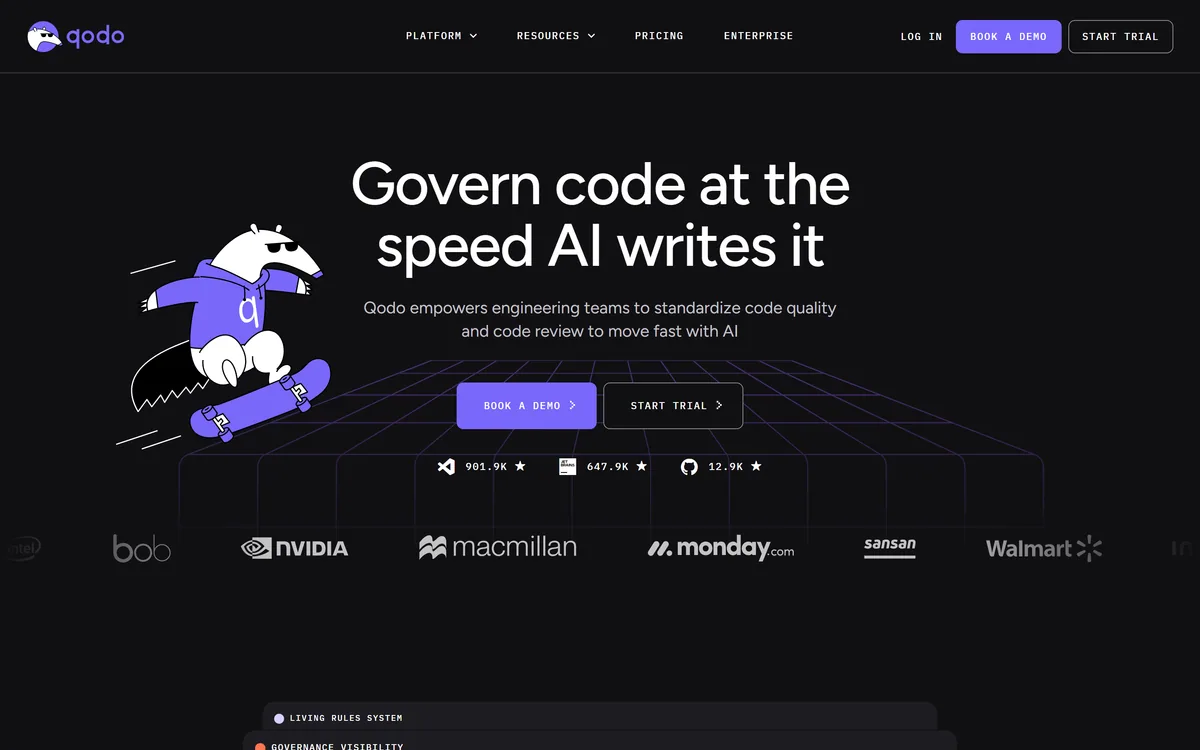
Qodo's homepage, captured 9 September 2026, showing its code governance positioning.
Qodo: What The Review Layer Adds
Cross-repo review — reasons across dependent repositories, and across different Git providers.
Rules mined from your history: recurring PR comments become enforceable, measurable standards.
Three surfaces — IDE, pull request and CLI — sharing the same context and standards.
Governance visibility: findings, resolution rates and risk concentration across every repo.
Zero data retention, SOC 2 Type II, with on-premises and single-tenant deployment offered.
Qodo: Reviewing Code At The Speed AI Writes It
The headline is a thesis rather than a feature: govern code at the speed AI writes it, with Qodo standardising code quality and review so teams can move fast.
The word governing is deliberate, and it separates this from the code-suggestion category entirely.
A linter checks syntax and known patterns. A code review tool comments on a diff. Governance means something broader: that standards exist somewhere machine-readable, that they are applied uniformly, and that there is a record of what was flagged, what was fixed and what was waived.
Framing quality as infrastructure rather than process is the argument the site makes explicitly, and it is the right one, because process is exactly what stops working when volume rises.
That reframing also explains the audience. This is not sold to an individual developer wanting better suggestions; it is sold to whoever is accountable when a team of forty ships code that four agents helped write.
Process is what stops working when volume rises. Treating standards as infrastructure rather than discipline is the only version of this that survives agents writing code.
Where The Context Actually Comes From
The context engine is described as pulling from four distinct sources: your rules, the codebase structure and dependencies, indexed pull request history including comments and fixed issues, and business requirements drawn from tickets and specifications.
That fourth source is the unusual one and deserves separate attention.
Reviewing code against requirements is something almost no automated tool attempts, because it requires knowing what the change was supposed to do. A diff that is correct, idiomatic and passes every test can still implement the wrong behaviour, and that class of defect survives every conventional check.
Pulling the ticket into review is how you catch a requirements gap rather than a bug, which is a genuinely different kind of finding.
Indexing pull request history serves a second purpose worth naming: it is how the system learns which issues your reviewers actually care about. A tool that flags everything it can detect is noise, and noise is why teams turn these products off in week three. Filtering by what previous reviewers accepted or rejected is the mechanism that keeps signal high. DeepSource approaches the same noise problem from the static analysis side.
Why Does Review Break When Agents Write Code?
The published answer is the clearest statement of the problem we have seen from a vendor: code review was designed for one developer, one pull request and one senior reviewer who held the codebase in their head — and AI breaks that model, because agents generate and refactor faster than humans can review while standards still live in wikis and senior engineers' heads.
Each of those three assumptions fails independently, and it is worth separating them.
One developer per change assumed a person who could explain their reasoning. An agent-authored pull request has no such person; the developer who prompted it may not have read every line, and often has not.
One senior reviewer holding the codebase in their head stopped being true at scale years ago, and agents accelerated the collapse by generating changes across parts of the system nobody has read recently.
Standards living in wikis is the failure that predates AI entirely. A conventions document written eighteen months ago describes what the team intended, not what it does, and nobody reads it before opening a pull request. The site's conclusion — that what is needed is a governance harness rather than more process — follows directly, and it is hard to argue with.
Treat agent-authored pull requests as unreviewed until something reads them.
Move standards out of wikis into something enforced at merge time.
Measure false positives early; noise is what kills adoption.
Check whether review can see requirements, not just the diff.
Confirm the deployment model before code leaves your network.
Cross-Repo Context Versus The Diff
Cross Repo Review is the capability the site leads with, and the description is specific: most review tools see one repository at a time, so breaking changes in shared SDKs, APIs or schemas surface only in production, where they cost most to fix.
Qodo states it reasons across dependent repositories, maps them visually, flags a signature change that could break downstream consumers on the pull request itself with a link to the affected line, and does so even when the service and its consumer live with different Git providers.
This is the single most defensible feature in the product, because the failure it prevents is both common and expensive.
Changing a function signature in a shared library is locally correct. Every test in that repository passes. The damage appears in a different repository, owned by a different team, discovered at deploy time — and the reviewer who approved the change had no way to see it, because the information was not in the diff.
Reasoning across Git providers is a smaller detail that matters more than it sounds, since most organisations of any age have repositories split across systems for historical reasons nobody defends. Tools like cubic compete directly on review quality; the cross-repository dependency view is where Qodo's argument is strongest.
Turning Tribal Knowledge Into Rules
The standards system is described with unusual honesty about why the alternatives fail: wikis go stale, linters miss intent, and manually written rules become dead documents within a quarter.
The proposed mechanism is a Rules Miner that turns recurring pull request comments and reviewer decisions into enforceable rules automatically, with skills discovered across repositories treated the same way.
Mining rules from what reviewers actually said is the correct direction, and it inverts the usual approach. A conventions document records what a team believed it should do at the moment of writing. Review comments record what it actually enforces, repeatedly, in practice — which is a far better definition of a standard.
The lifecycle claims are the part that suggests real thought: rules are measured for effectiveness continuously, decay when they stop being useful, and surface conflicts before they erode trust.
Rule decay is a genuine phenomenon nobody else names. Standards outlive their reasons — a rule written for a framework version you no longer run keeps firing, developers learn to ignore it, and the ignoring generalises to rules that still matter. A system that retires its own rules is addressing the actual failure mode of every linting configuration ever committed. Whether it works as described is exactly what a trial should test. Where the question is which parts of a codebase are decaying rather than what a single diff broke, CodeScene measures that directly.
Governing Code An Agent Wrote
The mistake is switching this on across every repository and letting it comment on everything it can detect.
This order builds trust before coverage.
Confirm the deployment model — cloud, single-tenant or on-premises — before connecting anything.
Start on two repositories with real dependency between them.
Let the rules miner read your pull request history before writing any rules by hand.
Track false positives for a fortnight and tune before expanding.
Turn on cross-repo checks for shared libraries first, where the payoff is largest.
Review resolution rates monthly, and retire rules nobody acts on.
Qodo: Platform And Surfaces
Category
AI code review, quality and SDLC governance
Surfaces
IDE, pull requests, CLI and Git workflows, sharing one context and standards set
Cross-repo
Reasons across dependent repositories, including across different Git providers
Context sources
Rules, codebase structure, indexed PR history, and business requirements from tickets
Standards
Rules Miner deriving enforceable rules from recurring PR comments and reviewer decisions
Rule lifecycle
Effectiveness measured continuously, with decay and conflicts surfaced
Governance
Findings, resolution rates and risk concentration tracked across repos and teams
Audit
Every issue and compliance flag logged for traceability
Benchmark claim
Stated as holding the highest F1-score on the AI code review benchmark
Data handling
Zero data retention — code stated as analysed and discarded, not used for training
Certification
SOC 2 Type II, described as independently audited rather than self-attested
Deployment
Cloud, single-tenant dedicated instance, or fully on-premises
Key features of Qodo
Context-aware pull request review with full codebase context
Cross-repository reasoning across Git providers
Rules mined automatically from PR comments and reviewer decisions
Continuous rule effectiveness measurement and decay detection
Review skills running inside a developer's coding agent
In-IDE validation and local fix workflows
Governance portal for findings, resolution rates and risk
Repository relationship mapping
Pros & cons
Pros
7
Diagnoses precisely why review breaks when agents write code
Cross-repo reasoning catches the defect a single-repo reviewer cannot see
Mining rules from actual review comments beats writing them by hand
Rule decay detection addresses the real failure of every linting configuration
Reading business requirements catches wrong behaviour, not just bugs
Zero retention, SOC 2 Type II and on-premises deployment cover most procurement objections
Same context and standards across IDE, pull request and CLI
Cons
7
The F1-score claim names no benchmark and cites no methodology
Three large unlabelled counters appear on the homepage without explanation
The 90 percent review figure is a single customer's estimate, not a measurement
Mined rules encode existing habits, including the bad ones
Adoption depends on false positive rates that no marketing page can show
Little benefit for a single-repository codebase
Someone must own tuning in the first month or the team will disengage
Best For
Engineering organisations with many interdependent repositories
Teams where coding agents author a meaningful share of changes
Platform groups accountable for standards across many teams
Regulated environments needing an audit trail of quality decisions
Companies requiring on-premises or single-tenant deployment
Qodo Beside Other Code Quality Tools
Code quality tools differ by what they can see when they judge a change.
Last checked . Read from qodo.ai in a browser session on the date above, with the screenshot captured at the same time.
Positioned as governing code at the speed AI writes it, standardising quality and review
Cross Repo Review described as surfacing breaking changes and dependency conflicts across repositories
Stated as reasoning across different Git providers so a service and its consumer stay connected
Context engine described as drawing on rules, codebase, indexed PR history and business requirements from tickets
Rules Miner described as turning recurring PR comments and reviewer decisions into enforceable rules
Rule effectiveness stated as measured continuously, with decay and conflicts surfaced
Three surfaces described: IDE validation, pull request review and agentic workflow review skills
Governance visibility described as findings, resolution rates and risk concentration across repos and teams
An audit trail described as logging every issue and compliance flag
A stated claim of holding the highest F1-score on the AI code review benchmark, without naming it
Security described as zero data retention, SOC 2 Type II independently audited, with on-premises and single-tenant deployment
Named testimonials from titled engineering leaders, and a footer with a 2026 copyright, terms, privacy policy and data processing addendum
What we could not confirm: which benchmark the F1-score claim refers to or how it was measured; what the three large unlabelled counters on the homepage represent; how accurately rules mined from PR history reflect intended standards; false positive rates in practice; and pricing. Testimonials are vendor-selected, and the 90 percent review figure is one customer's estimate. We did not connect a repository or review a pull request.
Editor's Verdict
4.3/5
Qodo's framing is the sharpest we have read on this problem: code review was designed around one developer, one pull request and one senior reviewer holding the codebase in their head, and agents writing code break all three assumptions at once. Cross-repository reasoning and rules mined from your own review history are the two features that follow logically from that diagnosis, and both address failures a linter structurally cannot. The security posture — zero retention, independent audit, on-premises deployment — is what makes it approvable. The F1-score claim names no benchmark, and three large unlabelled counters sit on the homepage. AInexfinder Editor Score: 4.3/5.
Qodo pricing
AInexfinder does not list plan prices or billing details. For current pricing, plans, and trials, visit the official Qodo website.
Vendor pricing, credits, and billing policies change over time. Always confirm on the official site before you buy.
Frequently asked questions
What is Qodo?
An AI code review and governance platform. It reviews pull requests with cross-repository context, enforces coding standards derived from your own review history, and provides a governance view of findings across every repo.
Why does code review break when AI writes code?
Because review assumed one developer, one pull request and one senior reviewer holding the codebase in their head. Agents break all three: they generate faster than humans read, and the prompting developer may not have read every line.
What does cross-repo review catch?
The change that is locally correct and breaks something elsewhere. A modified signature in a shared library passes every test in its own repository; the damage appears in another team's service at deploy time.
How does it learn our standards?
A Rules Miner derives them from recurring pull request comments and reviewer decisions. That is a better source than a conventions document, because review comments record what a team actually enforces rather than what it once intended.
What is rule decay?
A standard outliving its reason — a rule written for a framework version you no longer run that keeps firing. Developers learn to ignore it, and the habit spreads to rules that still matter.
Can it check code against requirements?
It states it pulls context from tickets and specifications. That matters because a diff can be correct, idiomatic and fully tested while implementing the wrong behaviour, and no conventional check catches that.
Is our source code stored?
The site states zero data retention — code analysed and discarded, with nothing stored, logged or used to train models — alongside SOC 2 Type II certification and on-premises or single-tenant deployment options.
Should I believe the accuracy claim?
Treat it cautiously. The site states the highest F1-score on the AI code review benchmark without naming which benchmark or describing the method, so it is a claim to verify in a trial rather than accept.
Will it drown us in comments?
That is the risk with every tool in this category, and the reason teams abandon them. Indexing past reviewer decisions is the stated mechanism for filtering, but false positive rates should be measured in your own trial.
Who does not need this?
Small teams that already review everything carefully, organisations with essentially one repository, and anyone whose existing static analysis is already tuned and trusted by the developers using it.
Daniel reviews AI tools the slow way — by actually using them on real projects. His reviews cover what works, what breaks, and who each tool is genuinely a good fit for.
Daniel and the AInexfinder editorial team research Qodo using public product information, listing evidence, and (when available) hands-on checks. Scores reflect listing completeness and transparency — not paid placement.
Listings may include affiliate or sponsored placements, which are labeled when present. Editorial scores and cons are not sold. See our affiliate disclosure and review methodology.
CodeScene measures code with CodeHealth, a validated metric predicting defects and delivery performance. It states the average enterprise codebase scores 5.15 out of 10 while AI needs 9.5 to work reliably, and offers an MCP server, automated reviews and IDE feedback. Operated by CodeScene AB.
cubic reviews pull requests in GitHub and your IDE, enforces rules written in plain English, and learns from senior engineers' PR comment history. It runs thousands of agents nightly to scan an entire codebase for bugs, pulls context from Linear, JIRA, Notion and Confluence, and is free for public repositories.
Sourcery is an AI code-review tool that reviews every pull request in minutes, catching bugs, edge cases and security issues with one-click fixes, plus codebase security scanning, with a strong stance on keeping your code private.
Snyk Code is a static application security testing tool built for developers, using DeepCode AI to find vulnerabilities in the IDE in real time and Snyk Agent Fix to propose pre-validated fixes, including coverage for AI-generated code.
Korbit AI is an automated code-review tool that reviews pull requests inside GitHub, GitLab and Bitbucket, flagging bugs, security and design issues with fix explanations, writing PR descriptions and summaries, and generating team insights, without training on your code.
Codacy combines static analysis, SAST, SCA, secret scanning, IaC checks and test coverage in one platform, and has repositioned around AI-assisted engineering — detecting AI policy violations and unapproved model calls, with Codacy Guardrails embedding checks inside agentic workflows.