Every organisation with recorded video has the same silent problem: they cannot find anything in it.
Text is searchable, which is why nobody worries about losing a document. An hour of video is a black box — you know something useful was said, you have no idea when, and locating it means scrubbing a timeline until you recognise the moment.
WayinVideo does the usual things well and does one unusual thing: it lets you ask a question and jump to the answer. That is the feature worth the attention, and it is the one the marketing leads with least.
Can You Search Inside A Video?
WayinVideo's AI video search analyses the full video and its transcript, so you can type a keyword or a question and jump to the exact moment rather than scrubbing.
The reason this matters more than clipping does is that it addresses a permanent problem rather than a publishing one. Clipping is about making new content; search is about recovering value from recordings that already exist and are currently inert.
Almost every business has that archive. Webinars, all-hands meetings, customer interviews, training sessions, conference talks — hours of material containing answers to questions people are still asking, entirely unreachable because nobody will watch an hour to find ninety seconds.
Search over a transcript is the mechanism, and understanding that sets the expectation correctly. It finds what was said, not what was shown — a question about a chart that appeared on screen without being described will not be answered by a transcript search.
The other honest limit is that a question is not always answered by the words used to ask it. Searching for a keyword works reliably; asking a question and expecting the tool to identify the passage that answers it depends on how the retrieval is built, and is worth testing on your own recordings before relying on it.
A grounded notebook like Gemini Notebook answers the same kind of question with citations, from sources you deliberately assembled. This one works on a recording you already had.
Clipping makes new content. Search recovers value from recordings that already exist and are currently inert — which is the larger problem.
Reframe And The Aspect Ratio Problem
AI Reframe tracks faces and key objects to keep the subject centred across 9:16, 1:1 and 16:9 from a single edit, and this is the feature that decides whether vertical clips are usable.
The problem is geometric. A recorded conversation or screen share is wide; a vertical clip is tall, and cropping 16:9 to 9:16 discards two-thirds of the frame — usually including whichever half of the picture mattered.
Tracking the subject instead means the crop follows what is happening. Done well the result reads as composed for vertical rather than salvaged from horizontal, and that difference is immediately visible to a viewer even if they could not name it.
The characteristic failure is worth watching for: a system tracking faces will centre on a speaker during a passage where the important thing was the slide beside them, and nothing in the pipeline notices the mistake.
One edit producing every aspect ratio is the genuine efficiency here. Publishing the same clip to YouTube, TikTok and a website normally means three exports and three crop decisions, and collapsing that into one is a real saving on every clip rather than a one-off.
An API Turns This Into Infrastructure
WayinVideo offers API access to clipping, transcription, summarisation and moment-finding, describing it as processing videos programmatically without ever opening a browser.
That distinction — a tool you visit versus a service your systems call — is the difference between using something occasionally and depending on it. A team that clips manually does it when someone remembers; a pipeline that clips on upload does it every time.
The moment-finding endpoint is the most interesting of the four to expose programmatically, because it turns a video library into something queryable by other software. A support system that could locate the point in a training video answering a customer's question is a genuinely different product from a video library.
Transcription through an API also feeds everything else. Once transcripts exist as data rather than as a feature of a video player, they can be indexed, searched, summarised and fed to any other system that reads text.
The requirement is somebody willing to build. A team without engineering capacity gets a competent web tool and leaves the part that would have changed how the organisation works entirely unused.
The same automation exists in publishing-oriented tools such as quso.ai, and the question worth asking is which end of the workflow your handoff actually sits at.
- Test question-based search on your own recordings before relying on it.
- Expect transcript search to find what was said, not what was shown.
- Watch every reframed clip — face tracking centres on the wrong thing regularly.
- Use one edit to produce all three aspect ratios rather than exporting three times.
- Consider the API if you have recordings arriving continuously rather than occasionally.
Turning A Long Video Into Something Findable
The most valuable thing you can do with a recording is not clip it — it is make it searchable, which almost nobody does.
The sequence below treats publishing as the second job rather than the first.
- Transcribe the recording first, with timestamps and speaker labels, and keep the transcript as a file.
- Generate the summary with its timestamped outline, which gives you a map of an hour in thirty seconds.
- Search for three things you know were discussed, and check whether the tool finds them accurately.
- Only then generate clips, and watch each one at speed rather than trusting the selection.
- Check the reframing on every kept clip, since face tracking regularly centres on the wrong subject.
- Store the transcript somewhere your team searches anyway, because a transcript inside a video tool is still a black box.
Where Automated Clipping Stops
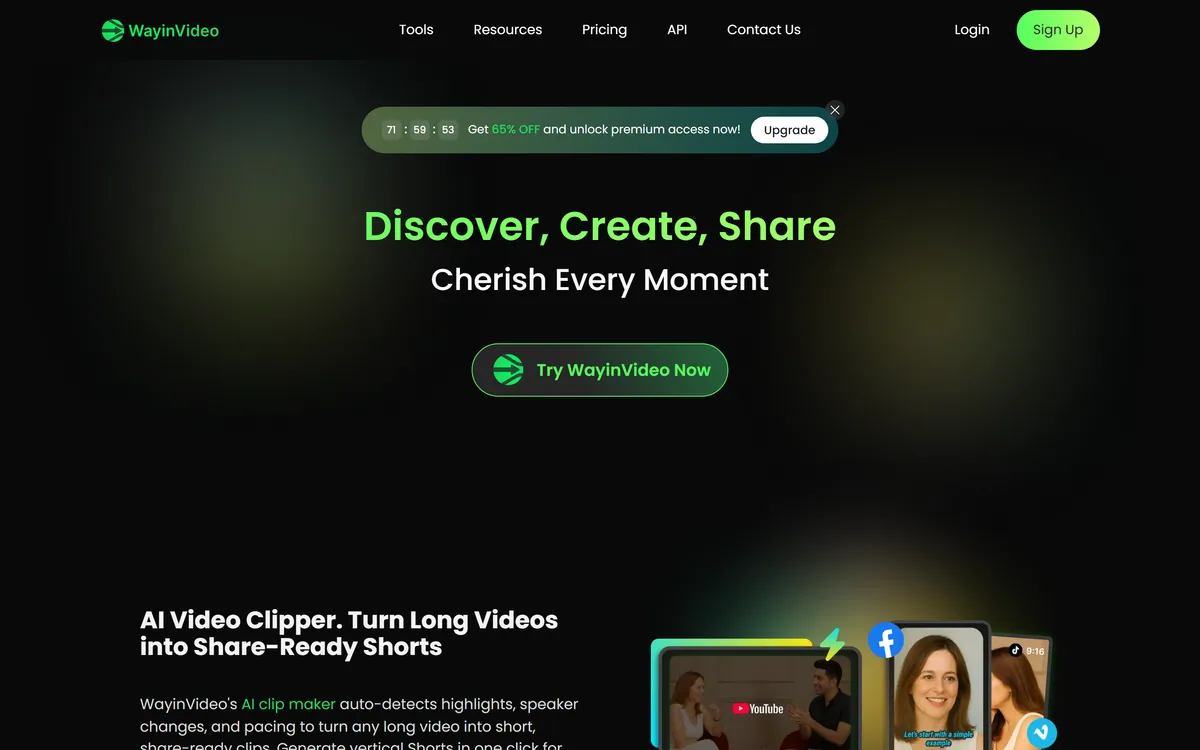
WayinVideo's clipper auto-detects highlights, speaker changes and pacing, which is a more specific description than most tools give and reveals what it is actually doing.
All three of those are detectable signals rather than judgements. A speaker change is measurable, pacing is measurable, and a highlight in this sense means a passage where something changed — volume, tone, rhythm.
That correlates loosely with interest and not at all with importance. The most valuable ninety seconds of a webinar is frequently delivered flatly, in the middle of an answer, with no signal at all — and a detector watching for change walks straight past it.
The consequence is that the tool produces a shortlist, and the shortlist is worth far more than it sounds. Reviewing twelve suggestions and keeping four takes ten minutes; finding those four by scrubbing takes an afternoon, and that ratio is the actual product.
Publishing all twelve is the failure mode. Platforms have become effective at discounting content nobody watches, and a feed of adequate clips teaches an algorithm that your account is skippable — which costs more than the clips were worth.
That failure mode is universal in this category — a specialist like OpusClip finds better moments and still cannot tell you which of them mattered.
WayinVideo: Clip, Search, Summarise
- AI video search — type a keyword or question and jump to the exact moment, without scrubbing a timeline.
- Clipping with highlight, speaker-change and pacing detection, producing vertical shorts in one click.
- AI Reframe tracks faces and objects to keep the subject centred in 9:16, 1:1 or 16:9.
- 100+ languages for summaries, with animated multilingual captions and callout cards.
- An API, so clipping, transcription, summarising and moment-finding can run without opening a browser.
| Product type | AI video clipping, search, transcription and summarising platform |
|---|
| AI Video Clipper | Auto-detects highlights, speaker changes and pacing; one-click vertical shorts |
|---|
| AI Video Search | Type a keyword or question to jump to a moment, using the full video and transcript |
|---|
| AI Video Summarizer | One-paragraph overview plus a timestamped outline, 100+ languages |
|---|
| AI Video Transcription | Punctuation, timestamps and speaker labels, with free daily credits stated |
|---|
| AI Caption Generator | Multilingual subtitles, animated caption styles and callout cards |
|---|
| AI Video Reframe | Face and object tracking across 9:16, 1:1 and 16:9 |
|---|
| Output platforms | YouTube, TikTok, Instagram Reels, Stories and Shorts |
|---|
| API | Clipping, transcription, summarisation and moment-finding available programmatically |
|---|
| Site navigation | Tools, Resources, Pricing, API, Contact Us |
|---|