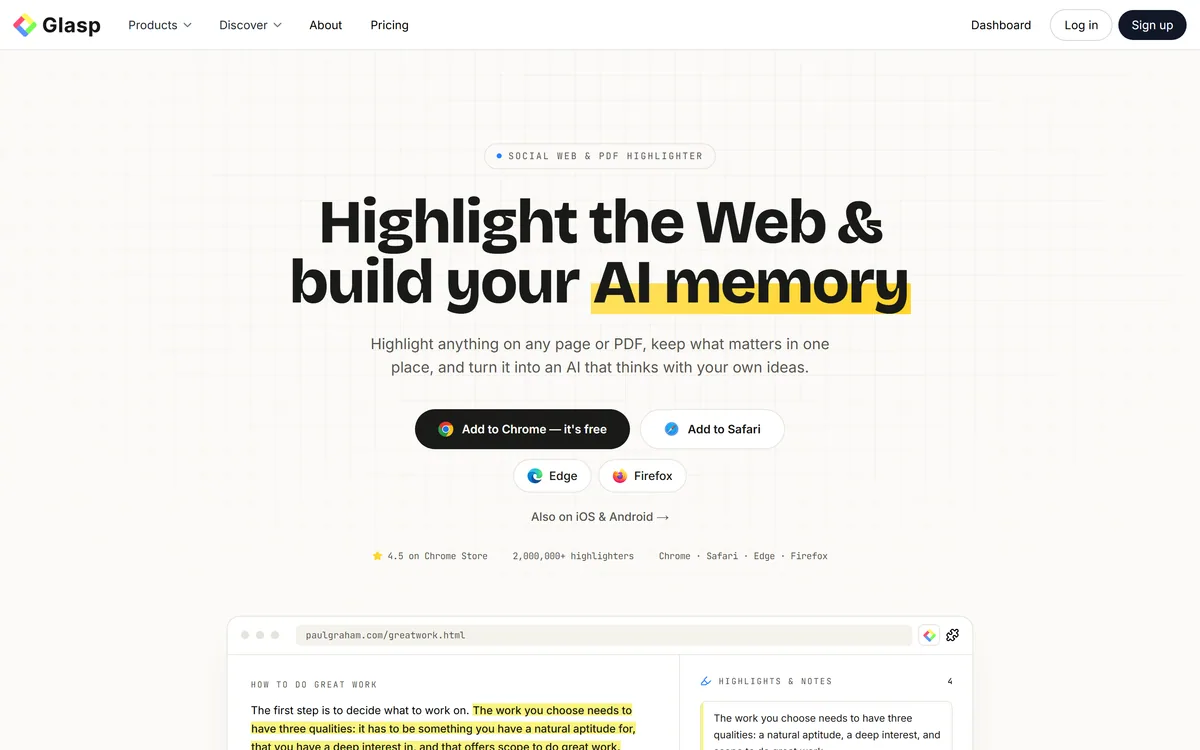
Most of what we read online is forgotten within days, and the highlights we make rarely resurface. Glasp's pitch is to capture highlights everywhere and turn them into a personal knowledge base you can actually query.
It highlights web pages, PDFs, YouTube (with timestamps) and Kindle, summarises with AI, lets you chat with your highlights, and imports and exports widely. It sits among learning tools like Eightify, at the highlight-and-recall end.
This review covers how Glasp builds your AI memory, which learners it suits, how it's priced, and the check-the-summaries and content-rights caveats to weigh first.
Glasp, The AI-Memory Brief
- Glasp highlights everything: web pages, PDFs, YouTube and Kindle.
- It builds an AI memory: chat with your highlights and ask your memory.
- It's open: import from many apps, export to Notion, Obsidian and more.
- Mind the basics: check AI summaries, and respect others' content you share.
A Social Highlighter That Builds An AI Memory
Glasp's core job is to capture and keep what you read. You highlight web pages, PDFs, YouTube videos (with timestamps) and Kindle books, and those highlights are saved in one place rather than scattered across apps and tabs, so the act of reading builds a lasting personal library instead of evaporating.
On top of the highlights sits the 'AI memory': AI summaries of articles, PDFs and videos, the ability to chat with your highlights and 'ask your memory', and AI writing help, all grounded, as Glasp puts it, in 'a personal AI trained on your own ideas, not the whole internet'. It's deliberately open, importing from Kindle, Pocket, Readwise, Instapaper, Medium and more, and exporting to Notion, Obsidian, Roam and plain Markdown/CSV/JSON, with an MCP connector into ChatGPT and Claude.
It's also social: you can discover and follow other people's public highlights, and it ships browser extensions across the major browsers plus rebuilt iOS and Android apps.
The honest framing is that Glasp is a genuinely useful, well-made tool for anyone who reads to learn, and building a queryable memory from your own highlights is a real aid to retention and writing. The caveats are light. AI summaries and chat answers can be wrong or oversimplified, so treat them as a starting point and check against the source, especially for anything you'll rely on. And because highlighting and sharing involves other people's content, respect copyright and fair-use norms when you share highlights publicly. On privacy Glasp frames things positively ('your data stays yours', 'no lock-in'), which the open export options back up. Its user figures are vendor-stated.
Glasp turns highlights from across the web, PDFs, YouTube and Kindle into a chat-able personal memory; just check the AI summaries against the source, and respect the content you share publicly.
How Does Glasp Build Your AI Memory?
Glasp pairs multi-source highlighting with an AI memory and open import/export.
Highlighting Web, PDF And Video
You highlight web pages, PDFs, YouTube and Kindle, and the highlights build a searchable personal library.
A tool like Scholarcy summarises research papers into flashcards; Glasp's angle is capturing and recalling highlights across everything you read, a memory-first job.
Summaries, Chat And Export
AI summaries, 'ask your memory' chat and wide export turn highlights into usable knowledge.
A tool like Scite checks how research is cited; Glasp organises your own reading, so match it to whether you want citation context or a personal knowledge base, and verify AI summaries.
Which Readers Glasp Suits
Glasp suits researchers, students, writers and lifelong learners who read a lot online and want their highlights to persist and resurface rather than disappear.
It suits people who want an open, no-lock-in tool, importing from the apps they already use and exporting to Notion, Obsidian or Markdown, and who value being able to chat with their own curated knowledge.
It suits less well anyone who'd trust AI summaries unchecked for high-stakes work, people who don't read enough online to build a useful memory, and those who want a heavyweight team knowledge base rather than a personal one.
A fair way to place it: if you read to learn and want a memory you can query and export freely, Glasp is a strong, practical choice, provided you verify AI summaries against the source and respect the rights of content you share; if you need a team wiki or would rely on summaries blindly, weigh it carefully. Start by importing your existing highlights, highlight across a week of real reading, and test 'ask your memory' and an export to the app you actually use before committing.
How Glasp Prices Its Pro Tier
Glasp is freemium: free with unlimited highlights ('add to Chrome, it's free'), with a Glasp Pro tier for more. We do not publish prices, which change; check the site and confirm what the free tier and Pro include.
The value question is retention and writing help versus a modest cost: for heavy readers, a queryable memory of everything they've highlighted can be genuinely valuable, while light readers may be well served by the free tier alone.
The sensible approach is to use the free tier on real reading, import your existing highlights, judge the AI summaries and 'ask your memory' quality, test exporting to your preferred app, and only go Pro once the memory clearly earns its keep.
Trying Glasp On Your Reading
Because AI summaries need checking, build Glasp on real reading and verify as you go.
- Install the extension and import your existing highlights.
- Highlight across a week of real reading (web, PDF, YouTube).
- Test 'ask your memory' and the AI summaries, checking them against the source.
- Export to Notion, Obsidian or Markdown to confirm no lock-in.
- Respect copyright when you share highlights publicly.
- Pass/fail: Glasp is worth it if the memory aids recall and writing.
- Treat the highlighter-count figure as vendor-stated.
Glasp Highlighter Facts
| What it is | A social highlighter + personal 'AI memory' tool |
|---|
| Company | Glasp Inc. |
|---|
| Core | Highlight web/PDF/YouTube/Kindle; chat with your highlights |
|---|
| AI | Article/PDF/YouTube summaries; 'Ask your memory'; AI writing |
|---|
| Open | Imports (Kindle, Pocket, Readwise…); exports (Notion, Obsidian…) |
|---|
| Connect | MCP connector into ChatGPT/Claude; browser + mobile apps |
|---|
| Access | Freemium (free unlimited highlights; Glasp Pro) |
|---|
| Sensitive | Minor — check AI summaries; respect shared third-party content |
|---|