
Conversational AI characters and NPCs for games Category: Emerging & Specialized.
Emerging & Specialized Review
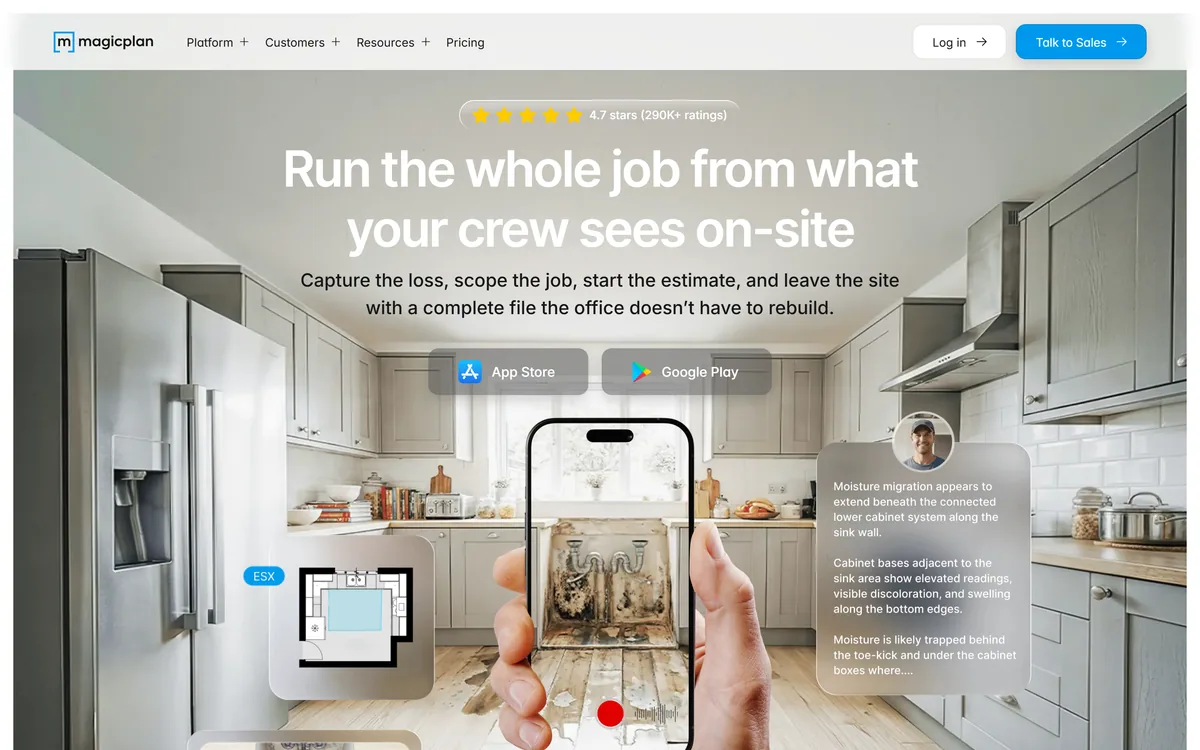
Magicplan is a mobile app for field documentation and floor plans, aimed at restoration and trade teams. It captures sketches, conditions, checklists, moisture readings, photos, video and 360° imagery on site, with Xactimate export and a scope of work feature listed as coming soon.
Very good
The insight here is operational rather than technical, and it is the correct one: the expensive failure in field work is not measuring badly, it is the office reconstructing a job from a handful of photos and a phone call after the truck has left. Magicplan attacks that by capturing everything at once — plan, conditions, readings, photos and 360s — in a single walkthrough. The 360° capture in particular answers the question nobody thought to photograph. Xactimate export shows it understands its market. The scope of work feature being marked coming soon is worth noting before buying on that basis. AInexfinder Editor Score: 4.2/5.
Best for: Insurance restoration teams estimating in Xactimate; Field service businesses making costly return visits
The visit link goes to magicplan.app, the official site. Paid placements on AInexfinder are always labelled. How we make money
The expensive part of a site visit is not the visit. It is what happens afterwards, when somebody in an office tries to build an estimate from four photos, a rough sketch and a memory of a phone call.
That reconstruction produces errors, questions that require a second visit, and estimates that get revised after work has started. Everyone in field services knows the pattern and most tolerate it as unavoidable.
Magicplan's position is that it is avoidable, and the fix is capturing enough on site that nothing has to be rebuilt later.
Magicplan's positioning is running the whole job from what the crew sees on site — capturing the loss, scoping the job, starting the estimate, and leaving with a complete file the office does not have to rebuild.
A customer quoted on the site describes not having to revisit a site after being there once, and saving roughly 70% of their time on measuring and drawing.
The saving that matters most is not the measuring though — it is the return visit. A second trip costs a half-day of a technician's time, delays the estimate, and often happens because of one question nobody thought to answer while standing in the room.
Capturing comprehensively is insurance against unknown future questions. You do not know which detail the estimator will need, so the answer is to record more than seems necessary while it is free to do so.
That reframes what the app is for. It is not a measuring tool with extras; it is a completeness tool, and its value is proportional to how often your office currently phones the field to ask something.
You do not know which detail the estimator will need. That is exactly why you record more than seems necessary while you are still standing in the room.
The site describes capturing photos, videos and 360s on site so the office knows exactly what they are looking at, and states that documentation does not get lost, mislabelled or misunderstood.
Those three failure modes are precisely right, and 360° capture addresses all of them in a way ordinary photography cannot.
A photograph answers a question you knew to ask. A 360° capture answers questions you did not — what was behind the technician, what the adjacent wall looked like, whether there was staining in the corner nobody photographed.
Mislabelling is the quieter problem. Forty photos from four rooms arrive as a folder, and a fortnight later nobody can say which room the water damage photograph came from. Capture tied to a floor plan solves that structurally rather than through naming discipline.
For insurance and restoration work this matters beyond convenience. Documentation is evidence, disputes arrive months later, and a 360° record of the site as found is a far stronger position than a set of photographs whose context is somebody's recollection.
The site describes building a scope of work on site, with everything captured becoming a complete ESX file — line items, quantities and room breakdown, with no retyping or re-measuring — and lists Xactimate export.
Supporting that format is a strong signal about who this is for. Xactimate is the estimating standard across much of property insurance restoration, and integrating with it rather than around it is what makes a field tool adoptable in that industry.
The workflow it removes is genuinely painful. Measuring on site, writing it down, then re-entering everything into estimating software is duplicated work with a transcription error at every step.
Room breakdown and quantities flowing straight through is where the time saving compounds, because those are exactly the figures that get mistyped and then argued about with an adjuster.
The important caveat is that the site marks Scope of Work as coming soon. That is disclosed honestly and it means the full claims workflow is not something to buy on today — check its status directly before making it part of a purchasing decision.
Magicplan frames the core problem as the office not having to recreate what the crew already saw, because the job is built where the damage is.
That handoff is where field service businesses lose the most money, and the losses are diffuse enough that they rarely appear as a line item.
The pattern repeats across trades. A technician understands the job completely while standing in the property, transmits perhaps a third of that understanding into notes and photos, and the office reconstructs the rest by inference.
Every subsequent error traces back to that gap: an estimate that misses a room, a materials order that is short, a schedule that assumed access which does not exist.
Fixing it requires capture to be fast enough to happen while the technician is still there, which is the actual product problem. A comprehensive system nobody uses because it adds twenty minutes to every visit is worse than the photographs it replaced — the same adoption constraint that decides whether documentation tools like Clueso get used in office settings.
The site displays 4.7 stars from 290K+ ratings and names customers including a pest control firm and a flooring business, alongside restoration teams described as the primary audience.
290,000 ratings is a large number for a professional tool and tells you something specific: this is not a niche product bought by a handful of enterprises, it has broad adoption among individual tradespeople.
The named quotes are unusually concrete for marketing. Not revisiting a site after one trip, and saving 70% of measuring and drawing time, are claims a reader can test against their own week rather than vague satisfaction statements.
The customer mix also indicates breadth beyond restoration. Pest control and flooring have entirely different documentation needs from water damage restoration, and a tool serving all three is doing something general well rather than one thing perfectly.
The audience it clearly does not serve is anyone needing construction-grade accuracy for structural work. Phone-based measurement is good enough for estimates and materials, and it is not a survey.
It is worth distinguishing this from visualisation tools that also work from rooms. Products such as Decory and Collov AI restyle a space to help somebody decide what it should look like; Magicplan records what a space actually is, so somebody can price the work.
Those are opposite jobs sharing a superficial resemblance. One is deliberately imaginative and one has to be accurate, and buying the wrong one produces either an estimate built on a render or a decision made from a floor plan.
Field tools fail on adoption rather than capability. If capture is slower than photographs, crews revert to photographs and the office keeps rebuilding jobs.
This sequence establishes a repeatable capture routine before rolling anything out.
Terms used in restoration and field service documentation.
| Product type | Field documentation and floor plan app |
|---|---|
| Positioning | Run the whole job from what your crew sees on site |
| Site assessment | Job basics and conditions, checklists and forms, sketch, moisture readings, initial logs, notes |
| Visual documentation | Photos, videos and 360° capture tied to the job |
| Scope of Work | Marked coming soon on the site |
| Estimating export | Xactimate export with line items, quantities and room breakdown |
| Primary audience | Restoration teams, with pest control and flooring customers also named |
| Displayed rating | 4.7 stars from 290K+ ratings |
| Platforms | App Store and Google Play |
| Sales | Live demos offered with the team |
| Copyright | © 2026 magicplan |
Floor plan sketching on a phone
Job basics, conditions and checklist capture
Moisture readings and initial logs
Photo, video and 360° documentation tied to rooms
Xactimate export with line items and quantities
Scope of work building on site, marked coming soon
Field-to-office job file handoff
iOS and Android apps
Documentation tools differ by where the work happens and who reads the output.
| Tool | Where it captures | Output | Best for |
|---|---|---|---|
| Magicplan | On site, on a phone | Plans, photos, 360s and estimate exports | Restoration and trade field teams |
| Clueso | At a desk, from recordings | Documentation and guides | Office process documentation |
| Decory | From a room photo | Restyled visualisation | Design decisions, not measurement |
| Collov AI | From plans and photos | Interior renders | Presenting a design |
| Navattic | In software | Interactive product demos | A different kind of walkthrough entirely |
Last checked . Read from magicplan.app in a browser session on the date above, with the screenshot captured alongside.
What we could not confirm: pricing, which routes through Talk to Sales; measurement accuracy and what tolerance the plans achieve, which decides suitability for anything beyond estimating; which devices support 360° capture and whether extra hardware is needed; when Scope of Work is expected to ship; how job data is stored and retained, which matters because it may be evidence in a dispute; and the operating company, which the Imprint would name and we did not open.
AInexfinder does not list plan prices or billing details. For current pricing, plans, and trials, visit the official Magicplan website.
Visit official website for pricingVendor pricing, credits, and billing policies change over time. Always confirm on the official site before you buy.
Magicplan earns an AInexfinder Editor Score of 4.2/5 (very good). Best for: Insurance restoration teams estimating in Xactimate; Field service businesses making costly return visits; Trades where documentation becomes evidence in later disputes.
Visit MagicplanLog in to write a review.
No reviews yet. Be the first to share your experience with Magicplan.
Assigned reviewer
Daniel ReedSenior AI Tools Reviewer
Daniel leads AInexfinder's tool reviews. He researches each tool from its own pricing, documentation and policies, checks its claims against independent sources, and writes up what it does well, where it falls short and who it genuinely suits.
Daniel and the AInexfinder editorial team research Magicplan from its own website, pricing, documentation and policies, checked against independent sources. This review is research-based: unless its method note says otherwise, we have not bought a plan or run hands-on tests. The Editor Score is our editorial judgement, and payment never changes it.
Similar Tools
Conversational AI characters and NPCs for games Category: Emerging & Specialized.
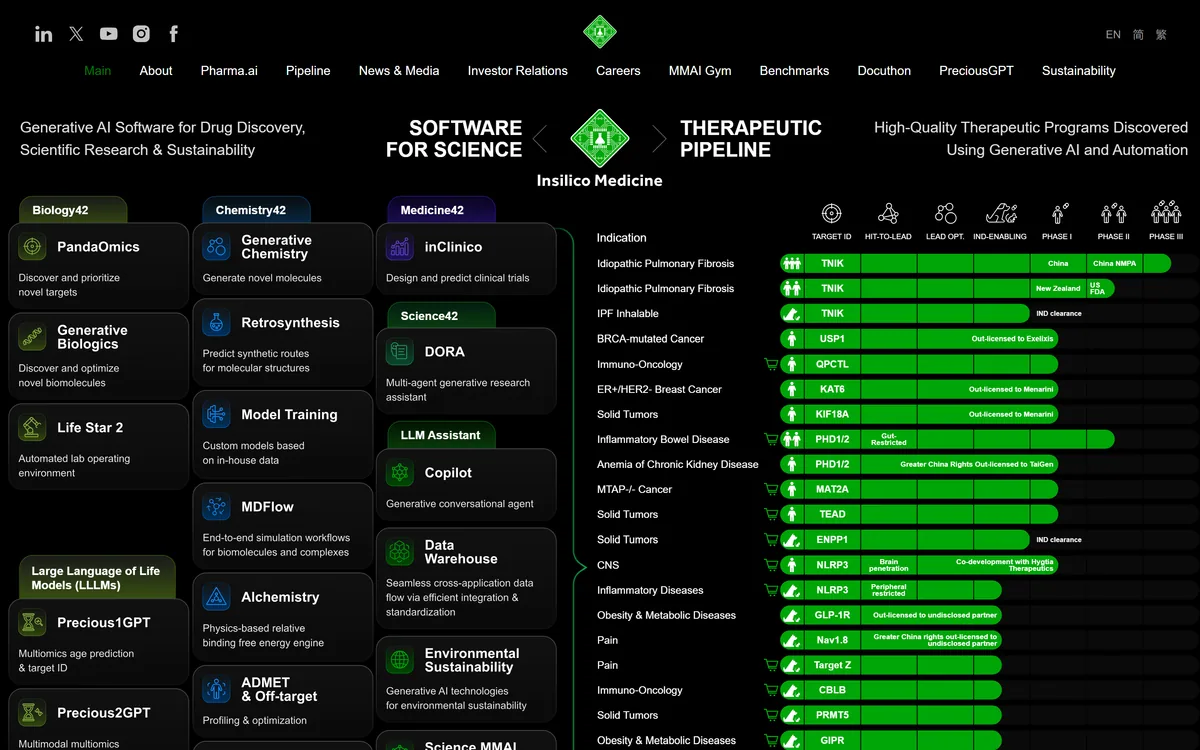
Insilico Medicine pairs the Pharma.ai software suite — PandaOmics, Chemistry42, inClinico and more — with its own clinical pipeline. Its lead candidate rentosertib, a TNIK inhibitor for idiopathic pulmonary fibrosis, has Phase IIa results published in Nature Medicine.
AI-powered stock scanning and trade idea generation platform Category: Emerging & Specialized.
AI digital accountant for bookkeeping and month-end close Category: Emerging & Specialized.
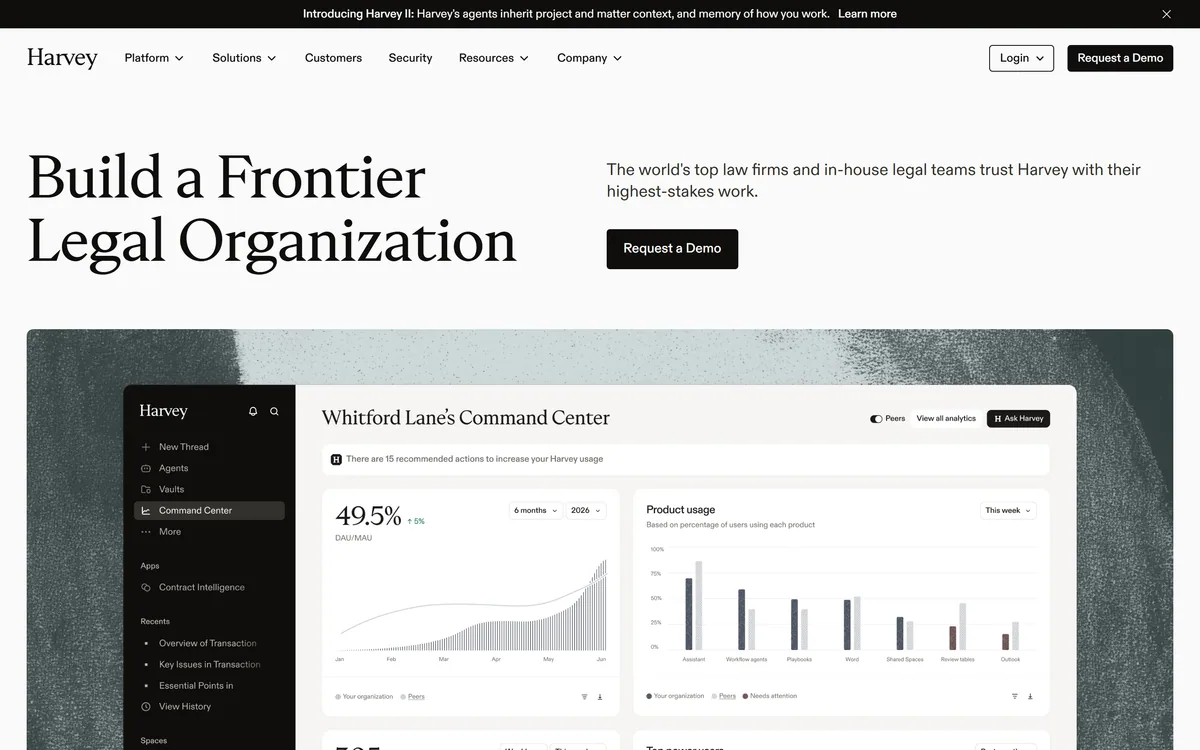

Harvey is an AI platform for legal and professional services — agents, a Vault for documents, Knowledge, Spaces, and Contract Intelligence — used by firms including A&O Shearman, Latham & Watkins, and Norton Rose Fulbright.

Automated crypto trading bots with AI strategy tools Category: Emerging & Specialized.
Related Pages