Making music from nothing is hard; MelodyCraft's pitch is that anyone can turn a line of lyrics or an idea into a finished song in under a minute. That ease is its appeal and where the rights questions start.
It generates songs from lyrics or prompts, makes AI covers with preset or custom-trained voices, and turns songs into short music videos, across 180+ genres and 25+ languages. It sits among music tools like eMastered, at the casual-creator end.
This review covers how MelodyCraft makes a song, which hobbyists it suits, how it's priced, and the music-rights and voice caveats to weigh first.
MelodyCraft, The AI-Song Brief
- MelodyCraft makes songs: turn lyrics or a prompt into a full track.
- It does covers and videos: AI covers, voice styles and music videos.
- It's free and easy: 180+ genres, 25+ languages, web and mobile.
- Mind the duties: AI covers and voice training raise music-rights questions.
An App That Generates AI Songs And Covers
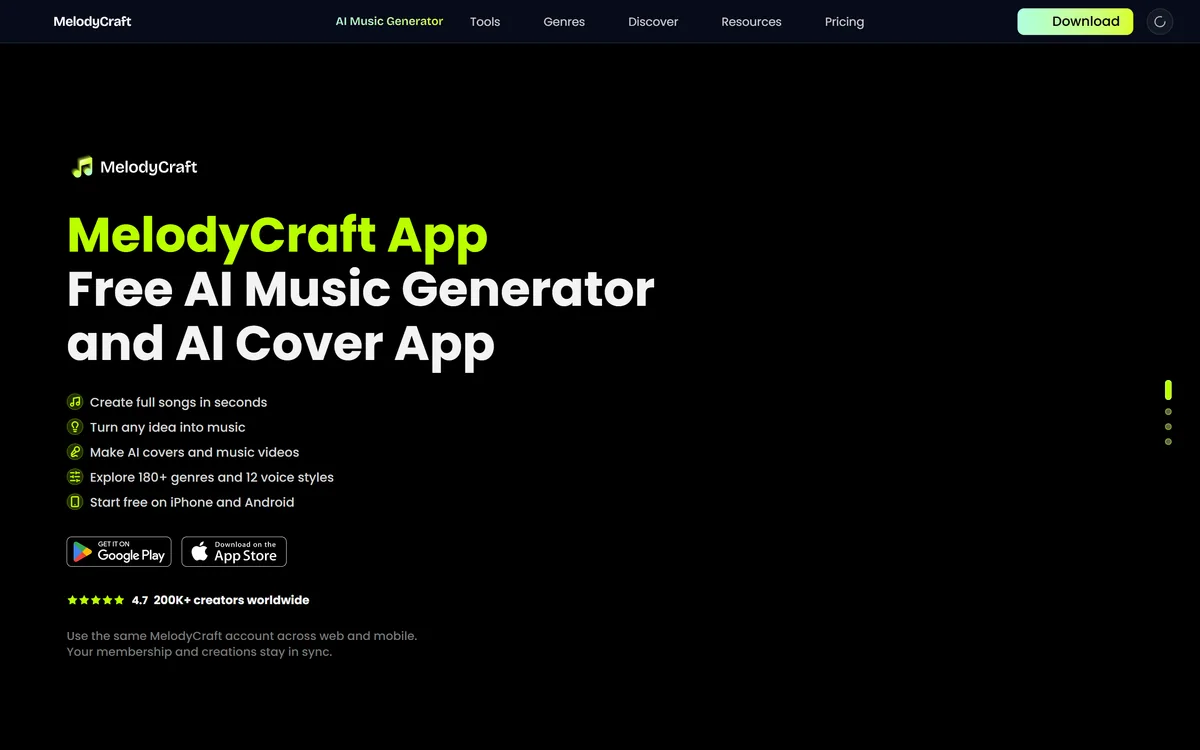
MelodyCraft's core job is to make music creation effortless for people who aren't musicians. You give it a line of lyrics, a prompt or an idea and it generates a full song in seconds, across 180+ genres, with 12 voice styles and 25+ languages. It also makes AI covers and turns a song into a short music video, and syncs your account across web and mobile.
Its distinctive features are AI covers (re-singing a song in a different voice) and custom voice training (teaching it a voice to shape how songs sound), plus a stream of inspiration generators (turn text messages into a song, parody and anthem generators) aimed at casual, playful use.
It's aimed squarely at hobbyists, beginners and content creators, 'people who want results, not complicated music software'.
The honest framing is that MelodyCraft is a fun, genuinely easy way to make music for personal enjoyment. The duties come with its signature features. AI covers raise music-copyright questions: re-recording or re-voicing a copyrighted song, or distributing it, can require rights you don't have, and the app's own FAQ flags content restrictions and commercial-use questions (not expanded in our read) you should check. Custom voice training and voice styles raise voice-likeness questions, training on or imitating a real singer's voice without consent is an ethical and potentially legal problem. So it's best treated as a tool for original, personal creations, with any cover or commercial use checked against the rules and rights. Its ratings and creator counts (4.7, 200K+ creators) are vendor-stated.
MelodyCraft is a fun, easy AI song and cover app for hobbyists; just keep AI covers and voice training to music and voices you have the rights to, and check its content and commercial-use rules.
How Does MelodyCraft Compose A Song?
MelodyCraft pairs song generation with AI covers, voice training and music videos.
Prompts, Styles And Vocals
It turns lyrics or a prompt into a full song across 180+ genres and 25+ languages.
A generator like Suno also creates songs from a prompt; MelodyCraft's angle adds AI covers and a casual, app-first experience, so compare quality and the rights terms.
Covers, Rights And Artist Likeness
AI covers and custom voice training shape how songs sound, and raise rights questions.
A tool like OpenMusic AI offers AI music tools; MelodyCraft centres on easy song and cover making, so match it to whether you want casual creation, and keep covers and voices rights-cleared.
Which Hobbyists MelodyCraft Fits
MelodyCraft suits casual songwriters, hobbyists, beginners and content creators who want to make music for fun or personal projects without learning complicated software.
It suits people who enjoy experimenting, generating songs from lyrics or prompts, trying genres and voice styles, making the occasional playful cover or video, for their own enjoyment.
It suits less well professional musicians needing production control, anyone who'd make and distribute AI covers of copyrighted songs without rights, and those who'd train or imitate a real singer's voice without consent.
A fair way to place it: if you want an easy, fun way to make original songs and personal creations, MelodyCraft delivers, provided you keep covers and voice training to music and voices you have the rights to and check its content and commercial-use rules; if you'd distribute unlicensed covers or imitate a real artist, weigh it carefully, because those cross real music-rights lines. Make original tracks freely, treat covers as personal unless you've cleared the rights, and confirm the commercial-use terms before monetising anything.
How MelodyCraft Charges In Its App
MelodyCraft is freemium: free to download and start, with daily tasks that earn extra free credits, add-on options and a membership referenced (the FAQ on free use isn't expanded in our read). We do not publish prices, which change; check the app and confirm what the free tier and membership include.
The value question is fun and output versus cost: for a hobbyist, the free tier plus daily credits may be plenty, while heavier creators might pay for more generation, with the value resting on personal enjoyment rather than professional output.
The sensible approach is to use the free tier on original ideas, judge the song and cover quality, confirm the content restrictions and commercial-use rules, and only pay if you want more generation, keeping everything rights-cleared.
Trying One Track In MelodyCraft
Because AI covers and voice training carry rights duties, keep MelodyCraft to cleared material.
- Use the free tier to make original songs from your own lyrics or ideas.
- Judge the song, cover and music-video quality.
- Keep AI covers to music you have the rights to; treat others as personal.
- Only train or use voices you have consent for.
- Check the content restrictions and commercial-use rules before monetising.
- Pass/fail: MelodyCraft is worth it if it's fun and you keep rights clear.
- Treat the ratings and creator counts as vendor-stated.
MelodyCraft Song-Maker Facts
| What it is | A free AI song, cover and music-video generator app |
|---|
| Company | MelodyCraft (©2026; no legal entity named in our read) |
|---|
| Core | Lyrics/prompt-to-song; AI covers; AI music videos |
|---|
| Range | 180+ genres, 12 voice styles, 25+ languages |
|---|
| Voice | Preset voice styles plus custom voice training |
|---|
| Access | Freemium (free to start; daily tasks for credits; membership) |
|---|
| Audience | Casual songwriters, hobbyists, beginners, content creators |
|---|
| Sensitive | AI covers (music IP) and voice training (voice-likeness) |
|---|
Is MelodyCraft The Right Song App?
Hobbyists MelodyCraft Helps
- Casual songwriters and hobbyists
- Beginners and content creators
- People wanting easy song creation
- Those making original personal tracks
- Anyone who keeps covers rights-cleared
When MelodyCraft's Covers Risk Rights
- Professionals needing production control
- Anyone distributing unlicensed covers
- Those imitating a real artist's voice
- People monetising without checking rules
- Users wanting studio-grade output