Video & Audio Review

Reviewed by Daniel Reed· Senior AI Tools ReviewerLast verified How we review
OpenMusic AI logo

OpenMusic AI Review

Verified

OpenMusic AI is an AI music generator plus a broad suite of music tools: text or lyrics to full songs, a stem splitter, vocal remover, mastering, MIDI tools, a singing-voice generator and a song-cover generator. It suits creators and hobbyists wanting one music toolkit, with the caveats that its 'royalty-free/commercial-use' claims should be verified and its voice and cover features raise rights questions.

3.5Editor Score
Visit website
openmusic.aiAdded December 27, 2025
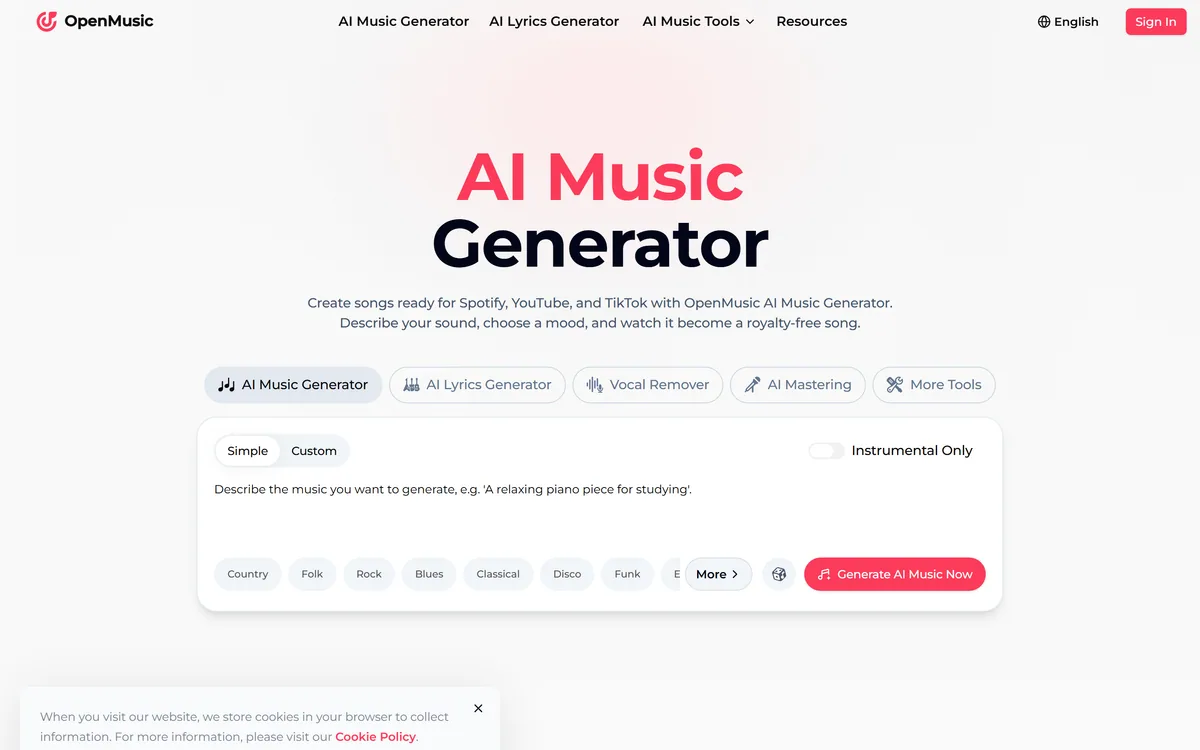
OpenMusic AI screenshot
3.5/5

Quick Verdict

Good

OpenMusic AI earns 3.5 as a genuinely broad, useful AI music toolkit: it generates full songs from text or lyrics and surrounds that with a stem splitter, vocal remover, mastering, MIDI tools and more, so creators can generate, separate, master and tinker in one place. For content creators, hobbyists and background-track needs, that breadth is appealing and the free tier makes it easy to start. Two caveats weigh on the score: it leans hard on '100% royalty-free' and commercial-use claims that you should verify before monetising, given the unsettled legal landscape around AI music, and its singing-voice and song-cover generators raise real rights questions about original songwriters, performers and voices. As a broad toolkit used with those terms confirmed it's handy; pros needing top-tier originality, or anyone monetising without checking the rights, should weigh it carefully. AInexfinder Editor Score: 3.5/5.

Best for: Background music; Production tinkering

Pricing:
Freemium
Last verified:
October 21, 2026
Official site:
openmusic.ai

The visit link goes to openmusic.ai, the official site. Paid placements on AInexfinder are always labelled. How we make money

Making music usually means several tools, a generator, a stem splitter, a mastering app, a MIDI editor. OpenMusic AI's pitch is to put them under one roof: generate songs and do the surrounding production in one suite.

It turns text or lyrics into full tracks and adds a stem splitter, vocal remover, mastering, MIDI tools, a singing-voice generator and a song-cover generator. It sits among music generators like Suno, at the broad-toolkit end.

This review covers how OpenMusic AI makes a song, which music makers it suits, how its credits and tiers work, and the rights-claims and cover/voice caveats to weigh first.

OpenMusic AI Music-Suite Facts

What it isAn AI music generator plus a suite of music tools
CompanyOpenmusic.ai (no separate legal entity stated)
CoreText/lyrics to full songs (genre/mood/instrument control)
SuiteStem splitter, vocal remover, mastering, MIDI tools
VoiceSinging-voice generator and song-cover generator
UtilitiesLyrics, rap, photo-to-music, key/BPM finder and more
AccessFreemium with credits + tiered subscriptions (monthly/yearly)
SensitiveSynthetic music/copyright (verify rights claims); voice/covers

Generating Songs And A Full Suite Of Music Tools

OpenMusic AI's core function is generating music from text or lyrics, full songs (up to several minutes) with control over genre, mood and instruments, and then giving you a whole suite of tools to work with music around that.

The breadth is the pitch: beyond generation it offers a stem splitter, a vocal remover, music mastering, a MIDI editor with audio-to-MIDI and MIDI generation, a rap generator, photo-to-music, a lofi converter, and utilities like a key and BPM finder, so a creator can generate, separate, master and tinker without leaving the tool.

It also includes a singing-voice generator and a song-cover generator, features that are powerful but raise clear rights questions, and the site markets tracks as ready for Spotify, YouTube and TikTok.

The honest framing is that OpenMusic AI is a genuinely broad, useful music toolkit, but two caveats are important. First, it leans hard on '100% royalty-free' and 'fully licensed for commercial use' claims, those are vendor claims you should verify before monetising, especially given the unsettled legal landscape around AI-generated music, so confirm the exact commercial terms rather than assuming. Second, the singing-voice and song-cover generators raise real rights issues: covering an existing song, or generating a recognisable singing voice, can implicate the rights of the original songwriters, performers and voices, so use these only where you have the rights. Output quality varies as with any generator. Its claims are vendor-stated.

OpenMusic AI is a broad, useful music toolkit; verify its 'royalty-free/commercial' claims before monetising, and its covers and singing-voice features raise real rights questions.

How Does OpenMusic AI Make A Song?

OpenMusic AI pairs song generation with a wide suite of production tools.

Text And Lyrics To Full Tracks

It generates full songs from text or lyrics with genre/mood/instrument control, then lets you split, master and edit.

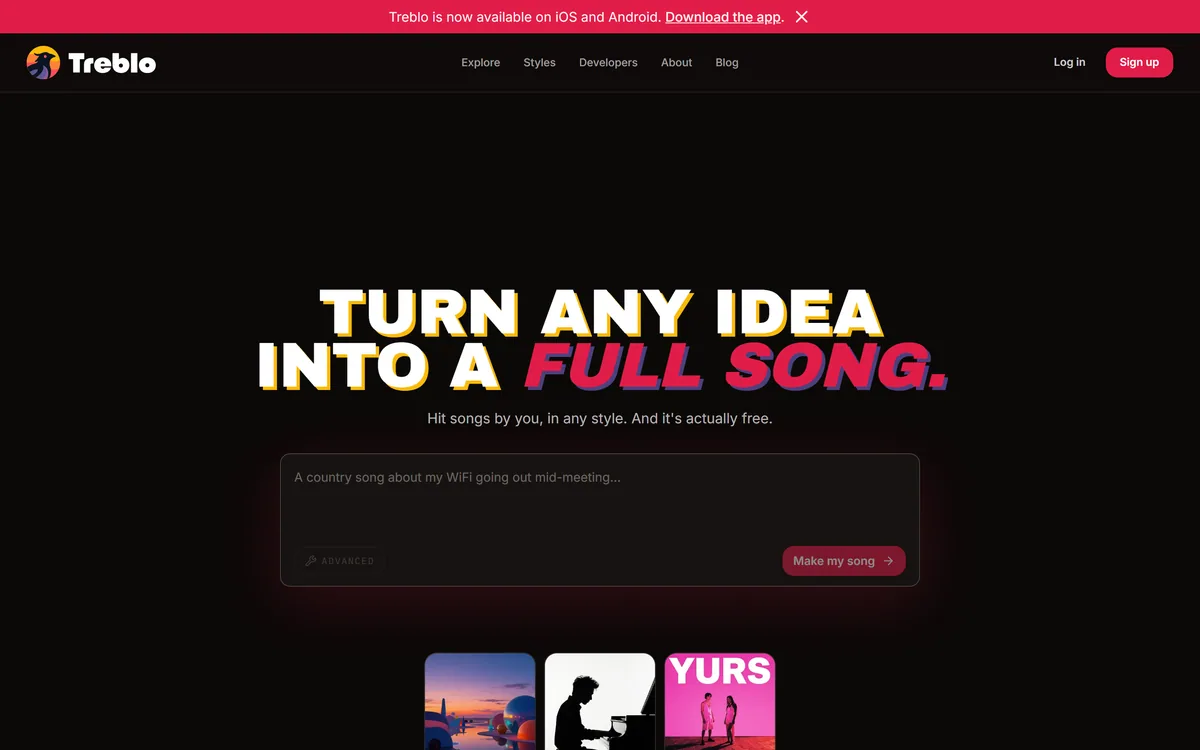
A generator like Suno focuses on making songs; OpenMusic AI's angle is a broader toolkit, generation plus stems, mastering, MIDI and covers, so it covers more of the production workflow.

Stems, Covers And The Rights Question

Stem splitting, mastering, MIDI tools, a singing-voice generator and a song-cover generator round out the suite.

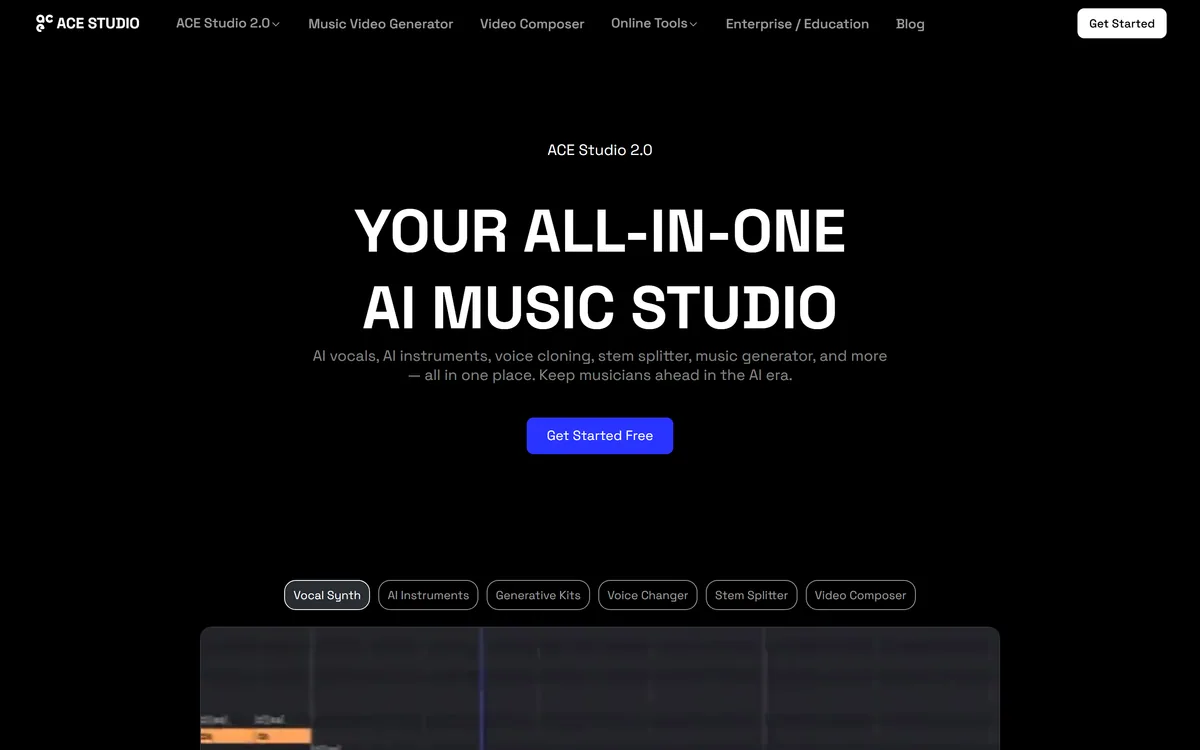
A music-video tool like freebeat turns songs into videos; OpenMusic AI is about the audio itself, so match it to whether your need is making and processing music or visualising it, and mind the cover/voice rights.

Which Producers OpenMusic AI Suits

OpenMusic AI suits content creators, hobbyists, game developers, podcasters, DJs and filmmakers who want background music and a broad set of music tools without buying several specialist apps.

It suits people who value breadth, generation plus stems, mastering and MIDI, in one place, and who'll verify the commercial terms before monetising any track.

It suits less well professional musicians needing top-tier fidelity and control, anyone who'd monetise AI music without confirming the rights, and anyone tempted to generate covers or voices they don't have the rights to.

A fair way to place it: if you want a broad, affordable music toolkit for background tracks and production tinkering, and you'll verify the commercial and rights terms, OpenMusic AI is a useful all-rounder; if you need professional-grade originality, or you'd monetise without checking the rights, weigh it carefully, because the 'royalty-free' convenience is only safe once you've confirmed it actually applies to your use. And if your goal is a music video rather than the track itself, a tool like One More Shot handles the visual side; OpenMusic AI is about making and processing the audio.

How OpenMusic AI Charges For Tracks

OpenMusic AI is freemium with credits: a free tier with a limited yearly credit allowance, then tiered monthly/yearly subscriptions with more capacity. We do not publish prices, which change; check the site and confirm how credits map to generation and the commercial terms per tier.

The value question is music produced versus credit cost and rights certainty: for background tracks and production utilities it can be inexpensive, but monetising generated music safely depends on the commercial terms actually holding, which is worth confirming.

The sensible approach is to use the free credits to generate and process a track, judge the quality, and, before you publish or monetise anything, confirm the exact commercial-use and rights terms, and avoid covers or voices you don't have the rights to.

Generating One Track With OpenMusic AI

Because rights claims need verifying, test OpenMusic AI and confirm terms before monetising.

  1. Use the free credits to generate and process a track.
  2. Judge the song quality and the production tools (stems, mastering, MIDI).
  3. Before monetising, confirm the exact commercial-use and rights terms.
  4. Avoid generating covers or singing voices you don't have the rights to.
  5. Treat '100% royalty-free' as a claim to verify, not an assumption.
  6. Pass/fail: OpenMusic AI is worth it if the toolkit fits and the rights hold.
  7. Treat quality and licensing claims as vendor-stated.

OpenMusic AI, The Music-Generation Brief

  • OpenMusic AI makes music: text or lyrics to full songs, plus a whole tool suite.
  • It's a broad toolkit: stem splitter, vocal remover, mastering, MIDI and more.
  • It's credit-based: a free tier, then tiered subscriptions.
  • Mind the rights: verify its 'royalty-free' claims, and covers/voices raise rights questions.

OpenMusic AI Music-Production Terms

Stem splitter
A tool that separates a song into its parts (vocals, drums, bass, etc.) for remixing or editing.
Mastering
The final polish on a track, balancing levels and tone so it sounds consistent and release-ready.
Royalty-free
Music you can use without paying ongoing royalties, exact terms vary and should be confirmed for your use.
Song cover
A new recording of an existing song, which can implicate the rights of the original songwriters and performers.

Is OpenMusic AI The Right Song Maker?

Producers OpenMusic AI Serves

  • Content creators and hobbyists
  • Game devs, podcasters, filmmakers
  • Those wanting a broad music toolkit
  • People who verify commercial terms
  • Anyone needing background tracks

When OpenMusic AI's Rights Claims Need Checking

  • Pros needing top-tier fidelity
  • Anyone monetising without checking rights
  • Those generating covers/voices they can't use
  • People expecting guaranteed originality
  • Anyone assuming 'royalty-free' without confirming
Key Features of OpenMusic AI

  • Song generation

  • Stem splitter

  • Vocal remover

  • Music mastering

  • MIDI tools

  • Singing-voice generator

  • Song-cover generator

  • Key/BPM utilities

Pros & Cons

Pros

5
  • Very broad music toolkit
  • Generation plus production tools
  • Stems, mastering and MIDI in one place
  • Free tier with credits
  • Many handy utilities

Cons

5
  • 'Royalty-free' claims need verifying
  • Covers/voices raise rights questions
  • Not top-tier professional fidelity
  • Credit-based; heavy use adds up
  • Claims vendor-stated

Who OpenMusic AI Is For

A Good Fit For

  • Background music
  • Production tinkering
  • Stems and mastering
  • Hobbyist music-making
  • All-in-one music tools

OpenMusic AI Beside Music Generators

The useful comparison is with other music and audio tools.

ToolToolApproachBest for
OpenMusic AIAI music suiteGeneration + productionCreators and hobbyists
SunoAI song generatorMaking songsMusic creation
freebeatAI music-video generatorVideos from songsMusicians
One More ShotAI music-video generatorArtist videosArtists and labels

What OpenMusic AI's Song Pages State

Last checked . Read from openmusic.ai during this check, with the screenshot above captured at the same time.

  • Generates full songs from text or lyrics
  • Stem splitter, vocal remover and mastering
  • MIDI editor, audio-to-MIDI and MIDI generation
  • Singing-voice and song-cover generators
  • Utilities: lyrics, rap, photo-to-music, key/BPM
  • Freemium with credits + tiered subscriptions
  • 'Royalty-free/commercial-use' claims are vendor-stated (verify)
  • Covers and singing-voice features raise rights questions
  • Operated by Openmusic.ai (no separate legal entity stated)
  • No prices reproduced here, in line with this site's pricing policy

OpenMusic AI leans on '100% royalty-free' and 'commercial-use' claims, these are vendor claims to verify before monetising, especially given the unsettled legal landscape around AI music, so confirm the exact terms rather than assuming. Its singing-voice and song-cover generators raise real rights issues (original songwriters, performers and voices), use these only where you have the rights. Output varies; claims are vendor-stated.

Song Tools To Weigh Beside OpenMusic AI

A song generator and two music-video tools to weigh beside OpenMusic AI.

  • Suno — an AI song generator for making songs
  • freebeat — an AI music-video generator for videos from songs
  • One More Shot — an AI music-video generator for artist videos

OpenMusic AI Pricing

AInexfinder does not list plan prices or billing details. For current pricing, plans, and trials, visit the official OpenMusic AI website.

Visit official website for pricing

Vendor pricing, credits, and billing policies change over time. Always confirm on the official site before you buy.

Frequently Asked Questions

What is OpenMusic AI?
OpenMusic AI is an AI music generator plus a broad suite of music tools: text or lyrics to full songs, a stem splitter, vocal remover, mastering, MIDI tools, a singing-voice generator and a song-cover generator.
Is OpenMusic AI free?
It's freemium with credits: a free tier with a limited yearly credit allowance, then tiered monthly/yearly subscriptions. We do not publish prices; check the site and confirm how credits map to generation and the commercial terms per tier.
Is OpenMusic AI's music really royalty-free?
It markets tracks as '100% royalty-free' and licensed for commercial use, but those are vendor claims to verify before monetising, especially given the unsettled legal landscape around AI-generated music. Confirm the exact terms rather than assuming.
Can I make a cover of a song with OpenMusic AI?
It offers a song-cover generator, but covering an existing song can implicate the rights of the original songwriters and performers. Use it only where you have the rights; don't assume generating a cover makes it clear to publish.
Does OpenMusic AI do more than generate songs?
Yes, it's a broad suite: stem splitting, vocal removal, mastering, MIDI tools (including audio-to-MIDI), a rap generator, photo-to-music, a lofi converter and utilities like a key and BPM finder.
Does the singing-voice generator raise rights issues?
It can. Generating a recognisable singing voice raises voice and likeness rights, so use it only where you have the rights, and avoid imitating a specific identifiable artist.
Who is OpenMusic AI for?
Content creators, hobbyists, game developers, podcasters, DJs and filmmakers who want background music and a broad set of music tools in one place, and who'll verify the commercial terms before monetising.
Is OpenMusic AI good for professionals?
Less so for top-tier fidelity and control. Its strength is breadth and convenience for creators and hobbyists; professionals needing the highest quality and originality may find specialist tools better.
Who makes OpenMusic AI?
It operates as Openmusic.ai; no separate legal entity is named on the captured page, so confirm the operator and terms on the site before monetising generated music.
What is the best way to try OpenMusic AI?
Use the free credits to generate and process a track, judge the quality and the production tools, and, before publishing or monetising, confirm the exact commercial-use and rights terms and avoid covers or voices you don't have the rights to.
3.5/5

Bottom Line

OpenMusic AI earns an AInexfinder Editor Score of 3.5/5 (good). Best for: Background music; Production tinkering; Stems and mastering.

Visit OpenMusic AI

User Reviews

Log in to write a review.

What Users Say

No reviews yet. Be the first to share your experience with OpenMusic AI.

Reviewed by Daniel Reed

Daniel Reed

Assigned reviewer

Daniel Reed

Senior AI Tools Reviewer

Daniel leads AInexfinder's tool reviews. He researches each tool from its own pricing, documentation and policies, checks its claims against independent sources, and writes up what it does well, where it falls short and who it genuinely suits.

Daniel and the AInexfinder editorial team research OpenMusic AI from its own website, pricing, documentation and policies, checked against independent sources. This review is research-based: unless its method note says otherwise, we have not bought a plan or run hands-on tests. The Editor Score is our editorial judgement, and payment never changes it.

AI tool reviewsPricing researchAI software
Last verified
Sources used
  • openmusic.ai
  • AInexfinder listing fields (features, pros/cons, description)
  • Public vendor pages when available
Editorial policy
Listings may include affiliate or sponsored placements, which are labeled when present. Editorial scores and cons are not sold. See our affiliate disclosure and review methodology.
Embed this listing on your site
Featured on AInexfinder
Get your badge →

Related Pages

OpenMusic AI Comparisons & Guides

In Our Ranked Guides

Explore More