Productivity & Automation Review

Assigned reviewer Daniel Reed· Senior AI Tools Reviewer· Full review pendingHow we review
Ohai logo

Ohai Review

Verified

AI household assistant for calendars, tasks, and family life Category: Productivity & Automation.

4.5Provisional score
Visit website
ohai.aiAdded March 16, 2026
Ohai screenshot
Est.4.5/5

Quick Facts

Provisional score · full review pending

Ohai has an AInexfinder Editor Score of 4.5/5.

Best for: Teams that need smart calendar syncing into a household view; Teams that need document scanning into calendar events

Pricing:
Freemium
Official site:
ohai.ai

The visit link goes to ohai.ai, the official site. Paid placements on AInexfinder are always labelled. How we make money

What is Ohai?

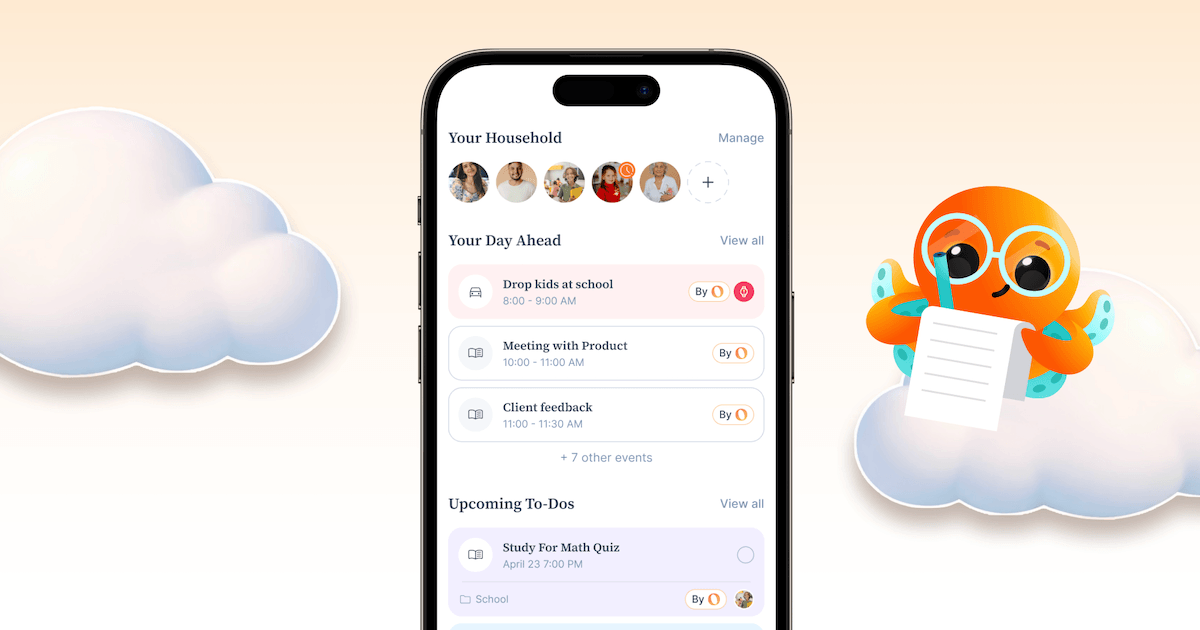
Ohai is an AI-powered personal and household assistant designed to reduce the mental load of coordinating family life, aimed at busy parents, working mothers, and households juggling multiple schedules. It functions largely as a text-based assistant that pulls together calendars, tasks, meals, and communications in one place.

Smart calendar syncing combines Google, Outlook, and Apple calendars into a shared household view, while document scanning processes emails, PDFs, and photos to extract dates and automatically create calendar events.

It manages to-do lists by converting requests into organized tasks, supports meal planning with grocery lists, and enables shared scheduling and task delegation among family members.

The product blends AI automation for routine work with human support that can step in for more complex scheduling needs, and it is available as a mobile app.

Pros include a clear focus on a real and underserved problem of household coordination, helpful automation like turning documents into calendar events, and an ADHD-friendly approach to reducing cognitive load.

Cons are that it is narrowly aimed at household and family management rather than general professional productivity, so it will not suit business workflows, and the most useful shared and coordination features require a premium subscription.

Ohai offers a free version with premium plans starting at a low monthly price. Pricing changes often, so check the official site for current plans.

Ohai's core capabilities include Smart calendar syncing into a household view, Document scanning into calendar events, Task and to-do management, Meal planning with grocery lists, Shared scheduling and task delegation and AI automation with human support backup.

Smart calendar syncing into a household view is built in, Document scanning into calendar events is built in, Task and to-do management is built in, Meal planning with grocery lists is built in, so you get a rounded toolkit rather than a single trick.

Each feature is designed to take the manual effort out of the task and help you reach a usable result faster, which is what makes Ohai worth a place on your shortlist.

As with any AI tool, the output still benefits from a quick human review, but Ohai gets you most of the way there with far less effort.

Ohai runs on a freemium pricing model, so you can start for free and only pay once you outgrow the free tier — handy for testing it on a real task before spending anything.

AI-tool pricing changes often, so always check the current plans, seats and add-ons on the official site for the latest details before you buy. Who is Ohai for? It's best suited for ai household assistant for calendars, tasks, and family life.

Whether you're a beginner trying this kind of AI tool for the first time or a professional who'll use it every day, it's a credible option to consider.

Who is Ohai for?

Ohai is best suited for ai household assistant for calendars, tasks, and family life. Whether you are trying this kind of productivity & automation tool for the first time or use one every day, it is a credible option to shortlist — compare it with the alternatives and head-to-head comparisons linked on this page to find the best fit for your workflow and budget.
Key Features of Ohai

  • Smart calendar syncing into a household view

  • Document scanning into calendar events

  • Task and to-do management

  • Meal planning with grocery lists

  • Shared scheduling and task delegation

  • AI automation with human support backup

Pros & Cons

Pros

4
  • Focuses on the real problem of household coordination
  • Turns documents into calendar events automatically
  • ADHD-friendly approach to reducing mental load
  • Smart calendar syncing into a household view

Cons

4
  • Narrowly aimed at family life, not professional work
  • Best coordination features need a premium plan
  • May be more specialized than an all-in-one suite
  • Mobile experience can lag the desktop workflow

Who Ohai Is For

A Good Fit For

  • Teams that need smart calendar syncing into a household view
  • Teams that need document scanning into calendar events
  • Teams that need task and to-do management
  • Teams that need meal planning with grocery lists
  • Users focused on shared scheduling and task delegation
  • Users who need AI automation with human support backup

Ohai Pricing

AInexfinder does not list plan prices or billing details. For current pricing, plans, and trials, visit the official Ohai website.

Visit official website for pricing

Vendor pricing, credits, and billing policies change over time. Always confirm on the official site before you buy.

Frequently Asked Questions

What is Ohai?
AI household assistant for calendars, tasks, and family life Category: Productivity & Automation.
How much does Ohai cost?
AInexfinder does not publish plan prices because vendor pricing changes frequently. Visit the official Ohai website (ohai.ai) for current pricing, trials, and plans.
What are the main features of Ohai?
Listed features include: Smart calendar syncing into a household view; Document scanning into calendar events; Task and to-do management; Meal planning with grocery lists; Shared scheduling and task delegation; AI automation with human support backup.
Are there alternatives to Ohai?
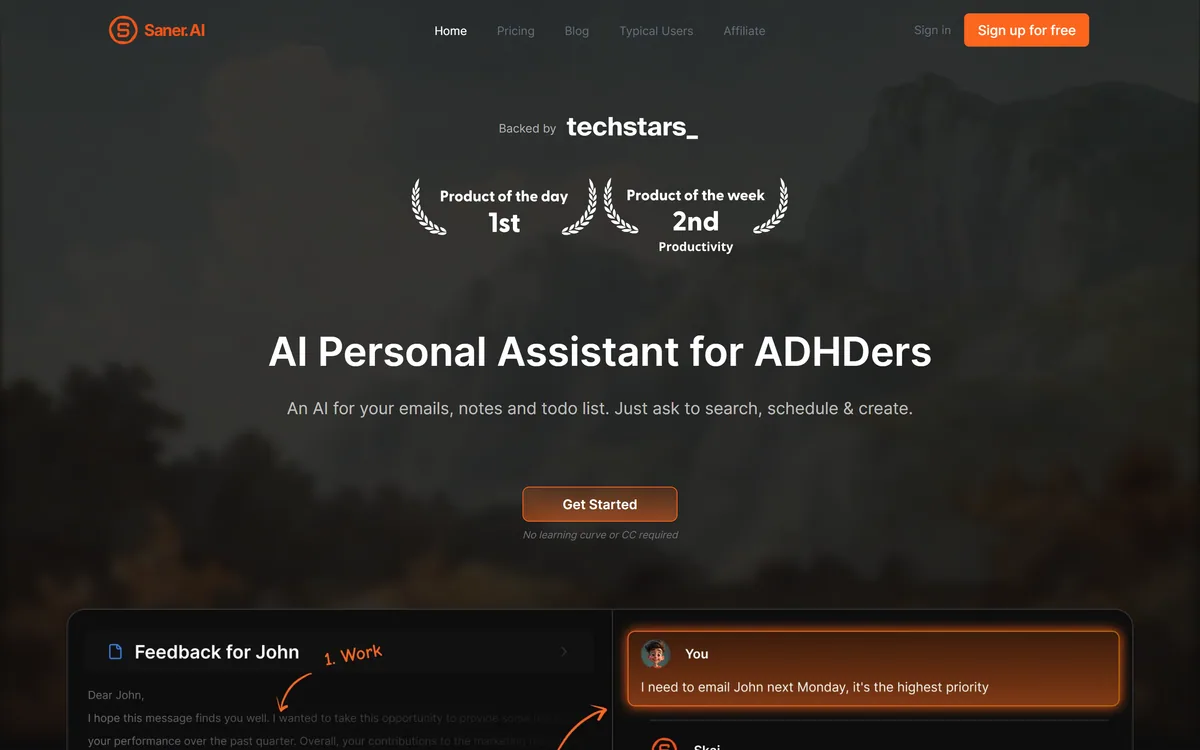
Similar tools on AInexfinder include Saner.ai, Ema, CalendarBridge. See the alternatives and compare links on this page.
Est.4.5/5

Bottom Line

Ohai has a provisional score of 4.5/5: a formula estimate from this listing’s details, not yet an Editor Score. It is replaced once Ohai gets its full research-based review. Best for: Teams that need smart calendar syncing into a household view; Teams that need document scanning into calendar events; Teams that need task and to-do management.

Visit Ohai

User Reviews

Log in to write a review.

What Users Say

No reviews yet. Be the first to share your experience with Ohai.

Full Review Pending

Daniel Reed

Assigned to

Daniel Reed

Senior AI Tools Reviewer

Daniel leads AInexfinder's tool reviews. He researches each tool from its own pricing, documentation and policies, checks its claims against independent sources, and writes up what it does well, where it falls short and who it genuinely suits.

This page is a summary of Ohai built from its own website and listing details. It has not had its full research-based review yet, so its score is a provisional formula estimate, not an Editor Score. Daniel will research and re-score it; payment never changes a score.

AI tool reviewsPricing researchAI software
Sources used
  • ohai.ai
  • AInexfinder listing fields (features, pros/cons, description)
  • Public vendor pages when available
Editorial policy
Listings may include affiliate or sponsored placements, which are labeled when present. Editorial scores and cons are not sold. See our affiliate disclosure and review methodology.
Embed this listing on your site
Featured on AInexfinder
Get your badge →

Related Pages

Ohai Comparisons & Guides

In Our Ranked Guides

Explore More