Video & Audio Review

Reviewed by Daniel Reed· Senior AI Tools ReviewerLast verified How we review
Podsqueeze logo

Podsqueeze Review

Verified

Podsqueeze is an AI podcast-production tool that turns an episode's audio into show notes, transcripts, chapters, titles, clips, audiograms and newsletters, automating the post-production and promotion around a podcast. It suits independent podcasters and small shows wanting to save hours, with light-editing and accuracy caveats on AI-generated content.

3.9Editor Score
Visit website
podsqueeze.comAdded December 15, 2025
Podsqueeze screenshot
3.9/5

Quick Verdict

Good

Podsqueeze earns 3.9 as a genuinely useful AI podcast assistant. Turning one episode upload into the whole supporting kit, show notes, transcript, chapters, titles, plus promo like clips, audiograms and a newsletter, hands independent podcasters back the hours that post-production and promotion normally eat. The caveats are modest and honest: AI-generated notes, titles and clips need a light edit and accuracy check before publishing, and clip selection is a starting point, not guaranteed highlights. For indie and small-show podcasters drowning in admin it's a strong time-saver; large operations with producers or broadcast-grade needs may want deeper, specialised tools. AInexfinder Editor Score: 3.9/5.

Best for: Podcast show notes; Episode chapters and titles

Pricing:
Freemium
Last verified:
October 21, 2026
Official site:
podsqueeze.com

The visit link goes to podsqueeze.com, the official site. Paid placements on AInexfinder are always labelled. How we make money

Recording a podcast is the fun part, everything after, show notes, chapters, clips, promo, is the grind that makes indie podcasters quit. Podsqueeze's pitch is to automate that grind from the audio.

Upload an episode and it generates show notes, transcripts, chapters, titles, clips, audiograms and newsletters. It competes with repurposing tools like Eightify, but built around the podcast workflow.

This review covers how Podsqueeze repurposes an episode, which podcasters it suits, how it's priced, and the light-editing and accuracy basics to keep in mind.

Podsqueeze, The Show-Notes Brief

  • Podsqueeze handles podcast busywork: show notes, transcripts, chapters and titles from your audio.
  • It helps you promote: clips, audiograms and newsletters for each episode.
  • It saves real hours: the tedious post-production that eats a podcaster's week.
  • Keep a light touch: AI content needs a quick edit and accuracy check before publishing.

Podsqueeze Podcast-Production Facts

What it isAn AI podcast-production and promotion tool
CompanyPodsqueeze (entity suggests Portugal)
CoreTurns episode audio into show notes, chapters, clips and promo
OutputsShow notes, transcripts, chapters, titles, clips, audiograms, newsletters
WorkflowAutomates post-production and promotion
AudienceIndependent podcasters and small shows
EditAI content needs a light edit before publishing
AccessFreemium (free tier plus paid)

Show Notes And Clips From Your Podcast Audio

Podsqueeze's core job is to take the post-production load off a podcaster. You upload an episode, and it generates the whole supporting kit, show notes, a transcript, chapters, title and description ideas, from the audio automatically.

It goes beyond notes into promotion. Clips, audiograms and even a newsletter draft mean the episode arrives with the social and email content it needs to travel, which is usually the part indie podcasters skip for lack of time.

That breadth is the appeal: one upload turns hours of manual repurposing into a batch of ready-to-edit assets, so the maker can spend time on the show, not the admin.

The honest framing is that Podsqueeze is a genuinely useful time-saver for independent podcasters. The caveats are modest: AI-generated notes, titles and clips need a light edit and accuracy check before publishing (transcription and summaries aren't perfect); clip selection is a starting point, not a guaranteed highlight; and its time-savings claims are vendor-stated. The point isn't that the AI produces perfect copy, it's that starting from a solid draft of notes, chapters and clips is far faster than starting from a blank page and a two-hour recording, which is the part most independent podcasters quietly dread.

Podsqueeze is a genuine time-saver for indie podcasters; AI content needs a light edit and accuracy check before publishing.

How Does Podsqueeze Repurpose An Episode?

Podsqueeze pairs post-production outputs with promotion assets from one upload.

Transcripts, Show Notes And Chapters

Upload an episode and it generates show notes, a transcript, chapters and title ideas, turning the audio into the supporting content a podcast needs.

A video-summary tool like Eightify pulls key points from video; Podsqueeze is built end-to-end around the podcast workflow, notes through promo, which suits audio-first creators.

Clips, Audiograms And Newsletters

It also produces clips, audiograms and newsletter drafts, so each episode arrives with the social and email content to promote it.

A clip tool like Choppity goes deeper on video clipping with editing control; Podsqueeze bundles clips into a broader podcast kit, so match it to whether you want deep clipping or the whole post-production set.

Which Podcasters Podsqueeze Suits

Podsqueeze suits independent podcasters, solo creators and small shows who record regularly and are drowning in the post-production and promotion that follows each episode.

It suits people who value getting a full kit, notes, chapters, clips, promo, from one upload, and who'll do a quick edit rather than demand perfect output.

It suits less well large podcast operations with dedicated producers (who may want deeper, specialised tools), anyone expecting publish-ready output with zero editing, and shows whose audio quality is poor enough to undermine transcription.

A fair way to place it: if you're an indie podcaster losing hours to post-production, Podsqueeze can hand you most of a week back for a modest edit; if you have a production team or need broadcast-grade, hand-crafted assets, a specialist or a human may serve better, and either way a quick accuracy pass before publishing is essential. The honest calculation is cadence: a podcaster shipping an episode a week spends hours on notes, chapters and clips, and Podsqueeze turns most of that into a quick edit, which adds up to real time back every month. A show that publishes rarely will get less from it, and a large operation with a producer may want deeper, specialised tools for each output rather than one that does them all adequately. For narrated video specifically rather than podcast repurposing, a tool like Fliki is a different route.

How Podsqueeze Prices Its Production

Podsqueeze is freemium: a free tier to try plus paid plans scaled by episodes and features. We do not publish prices, which change; check the site and confirm the episode limits per tier.

The value question is hours saved versus cost: for a regular podcaster, the post-production time Podsqueeze saves can easily justify a plan; for an occasional show, the free tier may suffice.

The sensible approach is to run a real episode through the free tier, judge how much editing the outputs need, confirm the clips and notes are usable, and upgrade only if you publish regularly enough to benefit.

Running One Episode Through Podsqueeze

Because AI content needs a quick check, run a real episode through Podsqueeze first.

  1. Upload a real episode and generate the full kit of assets.
  2. Check the transcript and show notes for accuracy before using them.
  3. Judge whether the auto-selected clips are genuinely good moments.
  4. Give the titles, notes and newsletter a light edit for voice and accuracy.
  5. Decide whether the time saved justifies a plan at your cadence.
  6. Pass/fail: Podsqueeze is worth it if it saves real post-production time for a modest edit.
  7. Treat vendor time-savings claims as vendor-stated.
Key Features of Podsqueeze

  • Show notes

  • Transcripts

  • Chapters

  • Title ideas

  • Clips

  • Audiograms

  • Newsletter drafts

  • Episode kit

Pros & Cons

Pros

5
  • Full post-production kit from one upload
  • Includes promo (clips, audiograms, newsletter)
  • Saves real indie-podcaster hours
  • Built around the podcast workflow
  • Free tier to try

Cons

5
  • AI content needs a light edit
  • Clip picks are a starting point
  • Depends on audio quality
  • Not for broadcast-grade needs
  • Time-savings claims vendor-stated

Who Podsqueeze Is For

A Good Fit For

  • Podcast show notes
  • Episode chapters and titles
  • Promo clips and audiograms
  • Newsletter drafts
  • Indie podcast post-production

Podsqueeze Among Podcast Tools

The useful comparison is with other repurposing and clip tools.

ToolToolApproachBest for
PodsqueezeAI podcast productionNotes, clips and promoIndependent podcasters
EightifyVideo summarisingKey points from videoFast comprehension
ChoppityAI clip makerClips with editing controlCreators and agencies
FlikiText-to-video and voiceNarrated videoFaceless video

Is Podsqueeze The Right Podcast Helper?

Podcasters Podsqueeze Serves

  • Independent and solo podcasters
  • Small shows recording regularly
  • Anyone drowning in post-production
  • People who'll lightly edit AI output
  • Creators wanting notes plus promo in one

When Podsqueeze's Output Needs Edits

  • Large operations with dedicated producers
  • Anyone expecting zero-edit output
  • Shows with poor audio quality
  • Those needing broadcast-grade assets
  • People who publish only rarely

What Podsqueeze's Podcast Pages Describe

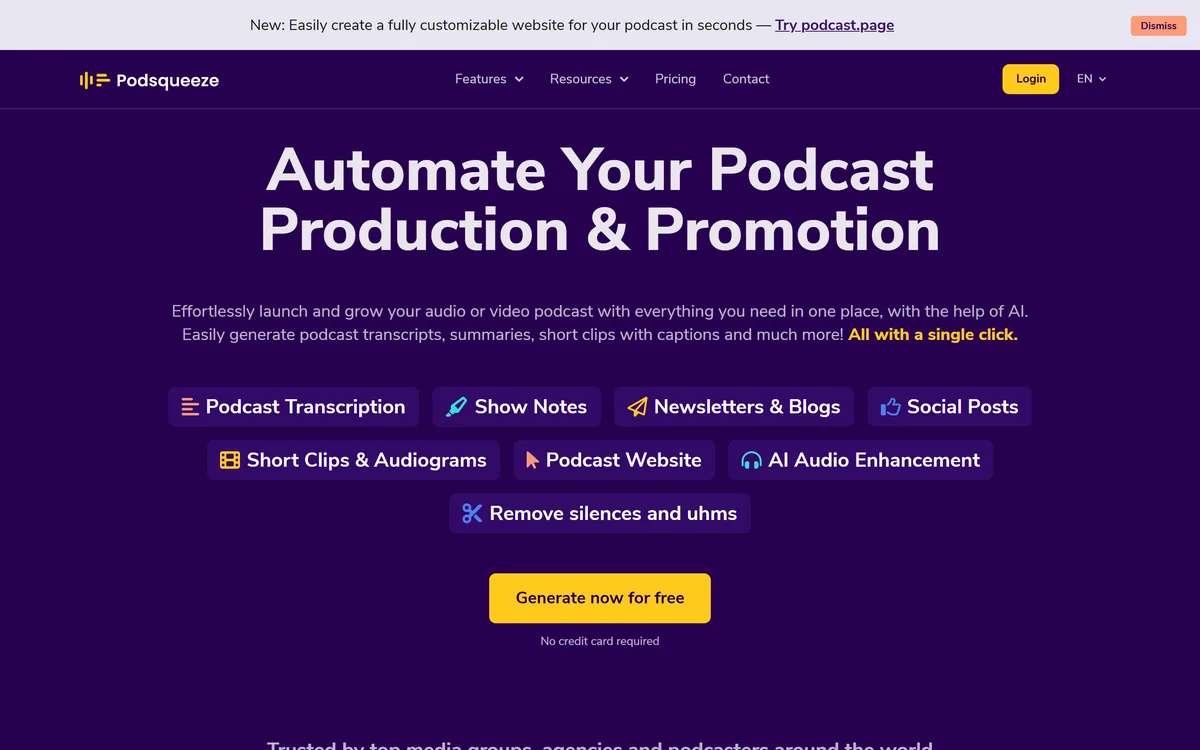
Last checked . Read from podsqueeze.com during this check, with the screenshot above captured at the same time.

  • Show notes, transcripts, chapters and titles from episode audio
  • Clips, audiograms and newsletter drafts for promotion
  • Built end-to-end around the podcast workflow
  • One upload produces a full kit of assets
  • A freemium model (free tier plus paid)
  • AI content needs a light edit and accuracy check
  • Clip selection is a starting point, not guaranteed highlights
  • Transcription quality depends on audio quality
  • Operated by Podsqueeze (entity suggests Portugal)
  • No prices reproduced here, in line with this site's pricing policy

AI-generated notes, titles and clips need a light edit and accuracy check before publishing, transcription and summaries aren't perfect, and clip selection is a starting point rather than guaranteed highlights. Transcription quality depends on your audio quality, and time-savings claims are vendor-stated.

Podcast Tools To Weigh Beside Podsqueeze

A video summariser, a clip tool and a text-to-video tool to weigh beside Podsqueeze.

  • Eightify — video summarising for key points
  • Choppity — an AI clip maker with editing control
  • Fliki — text-to-video and voice for narrated video

Podsqueeze Pricing

AInexfinder does not list plan prices or billing details. For current pricing, plans, and trials, visit the official Podsqueeze website.

Visit official website for pricing

Vendor pricing, credits, and billing policies change over time. Always confirm on the official site before you buy.

Frequently Asked Questions

What is Podsqueeze?
Podsqueeze is an AI podcast-production tool that turns an episode's audio into show notes, transcripts, chapters, titles, clips, audiograms and newsletters, automating the post-production and promotion around a podcast.
Is Podsqueeze free?
It's freemium: a free tier to try plus paid plans scaled by episodes and features. We do not publish prices, which change; check the site and confirm the episode limits per tier.
What does Podsqueeze generate?
From one episode upload: show notes, a transcript, chapters, title and description ideas, plus clips, audiograms and newsletter drafts, so an episode arrives with its supporting and promo content.
Does Podsqueeze's output need editing?
Yes, a light edit. AI-generated notes, titles and clips need an accuracy check before publishing, since transcription and summaries aren't perfect and clip picks are a starting point.
How much time does Podsqueeze save?
It can turn hours of manual repurposing into a batch of ready-to-edit assets. Exact savings are vendor-stated; judge it on how much post-production time it saves you.
Does audio quality matter for Podsqueeze?
Yes. Transcription quality depends on your audio quality, so cleaner recordings yield better notes, chapters and clips.
Who is Podsqueeze for?
Independent podcasters, solo creators and small shows that record regularly and are drowning in the post-production and promotion that follows each episode.
Is Podsqueeze good for big podcast operations?
Large operations with dedicated producers may want deeper, specialised tools; Podsqueeze's sweet spot is indie and small shows that need to save time across the whole workflow.
How is Podsqueeze different from a clip tool?
A clip tool focuses on video clips with editing control; Podsqueeze bundles clips into a broader podcast kit, notes, chapters, promo, built around the audio workflow.
What is the best way to try Podsqueeze?
Run a real episode through the free tier, check the transcript and notes for accuracy, judge the clip picks, lightly edit the outputs, and upgrade only if you publish regularly.
3.9/5

Bottom Line

Podsqueeze earns an AInexfinder Editor Score of 3.9/5 (good). Best for: Podcast show notes; Episode chapters and titles; Promo clips and audiograms.

Visit Podsqueeze

User Reviews

Log in to write a review.

What Users Say

No reviews yet. Be the first to share your experience with Podsqueeze.

Reviewed by Daniel Reed

Daniel Reed

Assigned reviewer

Daniel Reed

Senior AI Tools Reviewer

Daniel leads AInexfinder's tool reviews. He researches each tool from its own pricing, documentation and policies, checks its claims against independent sources, and writes up what it does well, where it falls short and who it genuinely suits.

Daniel and the AInexfinder editorial team research Podsqueeze from its own website, pricing, documentation and policies, checked against independent sources. This review is research-based: unless its method note says otherwise, we have not bought a plan or run hands-on tests. The Editor Score is our editorial judgement, and payment never changes it.

AI tool reviewsPricing researchAI software
Last verified
Sources used
  • podsqueeze.com
  • AInexfinder listing fields (features, pros/cons, description)
  • Public vendor pages when available
Editorial policy
Listings may include affiliate or sponsored placements, which are labeled when present. Editorial scores and cons are not sold. See our affiliate disclosure and review methodology.
Embed this listing on your site
Featured on AInexfinder
Get your badge →

Related Pages

Podsqueeze Comparisons & Guides

In Our Ranked Guides

Explore More