Mobile-first AI art and video generator with many styles Category: Image & Design.
FreemiumImage & Design
SpriteFactory review on AInexfinder — freemium AI tool for Image & Design. Features, pricing notes, and alternatives.
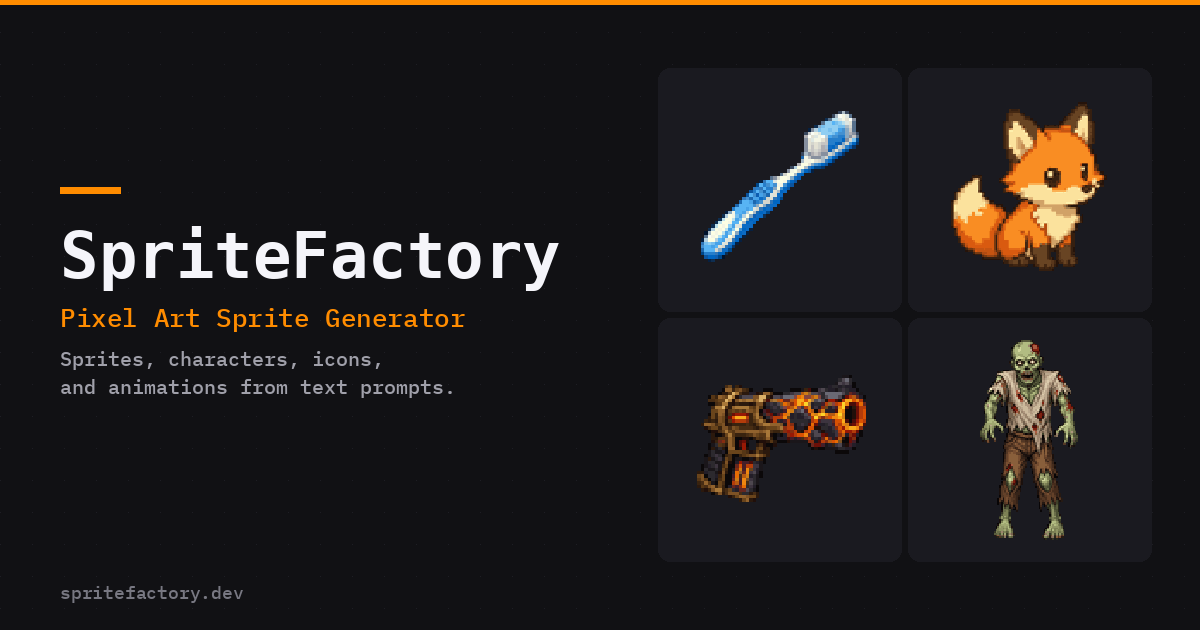
SpriteFactory is an AI pixel art sprite generator built specifically for indie game developers who find commissioning pixel art slow and expensive.
Users type a short prompt and receive a transparent PNG of pixel art ready to drop into engines like Unity, Godot, GameMaker, Phaser, or any 2D framework.
The tool generates art across multiple retro styles including 8-bit, 16-bit, neo retro, flat, and chibi, and supports animated sprite sheets of roughly two to sixteen frames for movement and action cycles.
Beyond text-to-sprite, it can transform photos into pixel art and style-match new sprites against a reference image so a project's assets stay visually consistent, with post-processing tools for recoloring and adjustments.
Outputs are optimized for game engines with transparency, and generated sprites can be used in both commercial and non-commercial projects under the platform's license terms.
Strengths include the indie-focused workflow, engine-ready transparent output, animation support, and style matching for consistency; trade-offs are that AI pixel art sometimes needs manual touch-up to hit a clean grid and that quality and quotas scale with paid tiers.
SpriteFactory uses a token-based system with a free tier offering daily tokens and a signup bonus, plus paid subscriptions for higher-quality output, more monthly tokens, and unlimited variations. Pricing changes often, so check the official site for current plans.
SpriteFactory's core capabilities include Text-to-pixel-art sprite generation, Animated sprite sheets of 2 to 16 frames, Photo-to-pixel-art transformation, Style matching from reference images, Transparent PNG exports for game engines and Recoloring and post-processing tools.
Text-to-pixel-art sprite generation is built in, Animated sprite sheets of 2 to 16 frames is built in, Photo-to-pixel-art transformation is built in, Style matching from reference images is built in, so you get a rounded toolkit rather than a single trick.
Each feature is designed to take the manual effort out of the task and help you reach a usable result faster, which is what makes SpriteFactory worth a place on your shortlist.
On the plus side, users consistently highlight Engine-ready transparent sprites for fast prototyping, Style matching keeps project assets consistent and Commercial use allowed on generated sprites as the reasons they keep using SpriteFactory.
It isn't perfect, though — Output can need manual cleanup for a clean pixel grid and Higher quality and quotas require paid tiers are the trade-offs people most often mention, so weigh those against your own priorities before you commit.
As with any AI tool, the output still benefits from a quick human review, but SpriteFactory gets you most of the way there with far less effort.
SpriteFactory runs on a freemium pricing model, so you can start for free and only pay once you outgrow the free tier — handy for testing it on a real task before spending anything.
AI-tool pricing changes often, so always check the current plans, seats and add-ons on the official site for the latest details before you buy. Who is SpriteFactory for? It's best suited for ai pixel art sprite generator for indie game devs.
Whether you're a beginner trying this kind of AI tool for the first time or a professional who'll use it every day, it's a credible option to consider.
If you're still deciding, compare SpriteFactory against the alternatives and the head-to-head comparisons linked below — looking at features, pricing and real user ratings side by side is the fastest way to find the right fit for your workflow and budget.
SpriteFactory is best suited for ai pixel art sprite generator for indie game devs. Whether you are trying this kind of image & design tool for the first time or use one every day, it is a credible option to shortlist — compare it with the alternatives and head-to-head comparisons linked on this page to find the best fit for your workflow and budget.
Text-to-pixel-art sprite generation
Animated sprite sheets of 2 to 16 frames
Photo-to-pixel-art transformation
Style matching from reference images
Transparent PNG exports for game engines
Recoloring and post-processing tools
SpriteFactory has an AInexfinder Editor Score of 4.6/5.
AInexfinder does not list plan prices or billing details. For current pricing, plans, and trials, visit the official SpriteFactory website.
Visit official website for pricingVendor pricing, credits, and billing policies change over time. Always confirm on the official site before you buy.
Log in to write a review.
No reviews yet. Be the first to share your experience with SpriteFactory.
Assigned reviewer
Daniel ReedSenior AI Tools Reviewer
Daniel reviews AI tools the slow way — by actually using them on real projects. His reviews cover what works, what breaks, and who each tool is genuinely a good fit for.
Daniel and the AInexfinder editorial team research SpriteFactory using public product information, listing evidence, and (when available) hands-on checks. Scores reflect listing completeness and transparency — not paid placement.
Mobile-first AI art and video generator with many styles Category: Image & Design.
PixelLab generates pixel art game assets including character animations, 4 and 8 directional rotations, tilesets, environments and UI elements. It offers skeleton-based animation, true inpainting that understands the original image, and states it does not store generated or input images.
Patternaly is an AI pattern generator that turns a text prompt into seamless, tileable patterns for print-on-demand, textiles, packaging and wallpaper, with 19 artistic styles, a seamless checker, product mockups and HD export, and commercial rights on paid plans.

Pet Pic Portraits turns a pet photo into styled artwork — Royal King, Pop Art, Watercolour, Viking, Wizard and more — with an instant preview before ordering. Output is a digital download, a canvas print or framed wall art, and it includes a pet memorial option.

krea2.org is a browser image-generation workspace that runs several third-party models side by side, including Krea 2 tiers, FLUX.2, GPT Image 2, Nano Banana and Seedream 5.0, with reference uploads, six aspect ratios and live model switching.

Canva AI is the Magic Studio suite built into Canva — Magic Write for copy, Dream Lab for images, Magic Edit, Expand and Eraser for photos, Magic Switch for reformatting, Magic Charts for data, and Canva Code for interactive widgets.