Interior & Architecture Rankings

Best Interior & Architecture AI Tools in 2026: 7 Ranked

Redesign rooms, stage properties and render buildings from a photo or sketch, ranked on Editor Score, pricing and fit — each linked to its full review.

Daniel ReedBy the AInexfinder Editorial Team·Overseen by Daniel ReedUpdated October 2026How we rank →

The Short Answer

ReimagineHome is our top-ranked interior & architecture tool, with a provisional score of 4.5/5 — AI interior design, virtual staging and exterior renders. Redesign rooms, stage properties and render buildings from a photo or sketch. Across the 7 tools ranked here, 5 of the 7 offer a free or freemium plan.

How we rank: research-based. Every tool here has its own review, scored from the vendor's documentation, pricing and independent sources; this list orders them with one published formula led by that Editor Score. Last updated October 2026. How we rank

At a Glance: The 7 Best Interior & Architecture Picks

#ToolScorePricingFree planLinks
1
ReimagineHome logo
ReimagineHome

Top ranked

4.5FreemiumReview
24.5FreemiumReview
34.4FreemiumReview
44.4FreemiumReview
54.4FreemiumReview
6
VisualizeAI logo
VisualizeAI

Top paid

4.4PaidReview
74.3PaidReview
Scores: top 7 interior & architecture tools

Score out of 5 — each tool's Editor Score.

Our Top 7 Interior & Architecture Picks, Ranked

1

ReimagineHome

Top ranked
Est.4.5/5

AI interior design, virtual staging and exterior renders Category: Image & Design.

  • Covers both interior and exterior design
  • Structure-aware renders stay realistic
  • Shoppable links make designs actionable
  • Virtual staging for empty rooms
  • Focused on home and real estate use only
  • Unlimited designs require the paid tier
  • Best value shows up after you pick a paid tier
  • There is a short learning curve for new users

Best for: Teams that need virtual staging for empty rooms

Pricing: Freemium

2Est.4.5/5

Planner 5D review on AInexfinder — freemium AI tool for Image & Design. Features, pricing notes, and alternatives.

  • Beginner-friendly, no CAD skills needed
  • Available across many devices
  • AI features speed up design ideas
  • 2D floor plan and 3D interior design
  • Advanced features and items require payment
  • Precise architectural work may need pro software
  • Advanced features may sit on paid plans
  • Free tier limits can feel tight for heavy use

Best for: Users who need 2D floor plan and 3D interior design

Pricing: Freemium

3Est.4.4/5

Decoratly review on AInexfinder — freemium AI tool for Image & Design. Features, pricing notes, and alternatives.

  • Fast, realistic results in about thirty seconds
  • Simple photo-based workflow for non-designers
  • Shoppable links connect designs to real products
  • Photorealistic room redesign from a single photo
  • Can misinterpret complex or unusual room layouts
  • Best features and 4K export require a paid pass
  • Customization options can take time to master
  • Decoratly is strongest in its core use case, not every niche

Best for: Teams that need photorealistic room redesign from a single photo

Pricing: Freemium

4Est.4.4/5

HomeDesigns AI review on AInexfinder — freemium AI tool for Image & Design. Features, pricing notes, and alternatives.

  • Covers interiors, exteriors and gardens
  • Structure-preserving, renovation-relevant renders
  • Extras like walkthroughs and shoppable items
  • Photorealistic interior, exterior and garden redesign
  • Focused on home and property design only
  • Higher-volume use needs a paid subscription
  • Free tier limits can feel tight for heavy use
  • Best value shows up after you pick a paid tier

Best for: Teams that need photorealistic interior, exterior and garden redesign

Pricing: Freemium

5Est.4.4/5

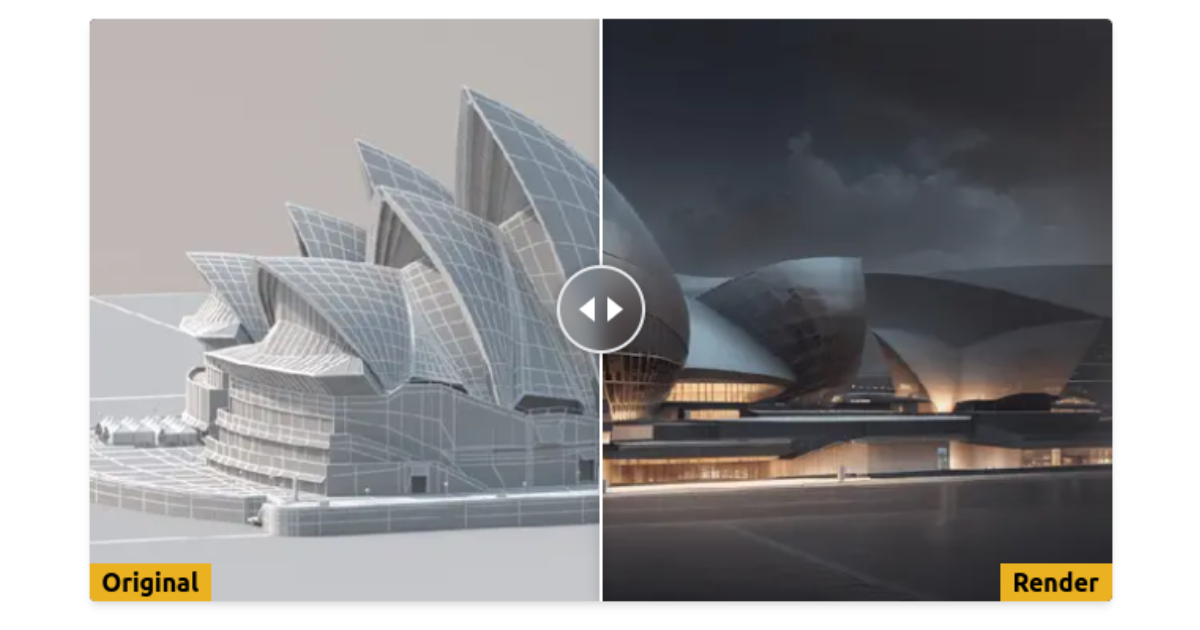
AI architectural rendering from sketches and 3D models Category: Image & Design.

  • Very fast render generation from rough inputs
  • Flexible style and environment customization
  • High-resolution 4K output
  • Photorealistic renders from sketches, models and photos
  • Less geometric and material precision than traditional CGI
  • Best results need paid credits
  • Advanced features may sit on paid plans
  • Free tier limits can feel tight for heavy use

Best for: Users focused on photorealistic renders from sketches, models and photos

Pricing: Freemium

6

VisualizeAI

Top paid
Est.4.4/5

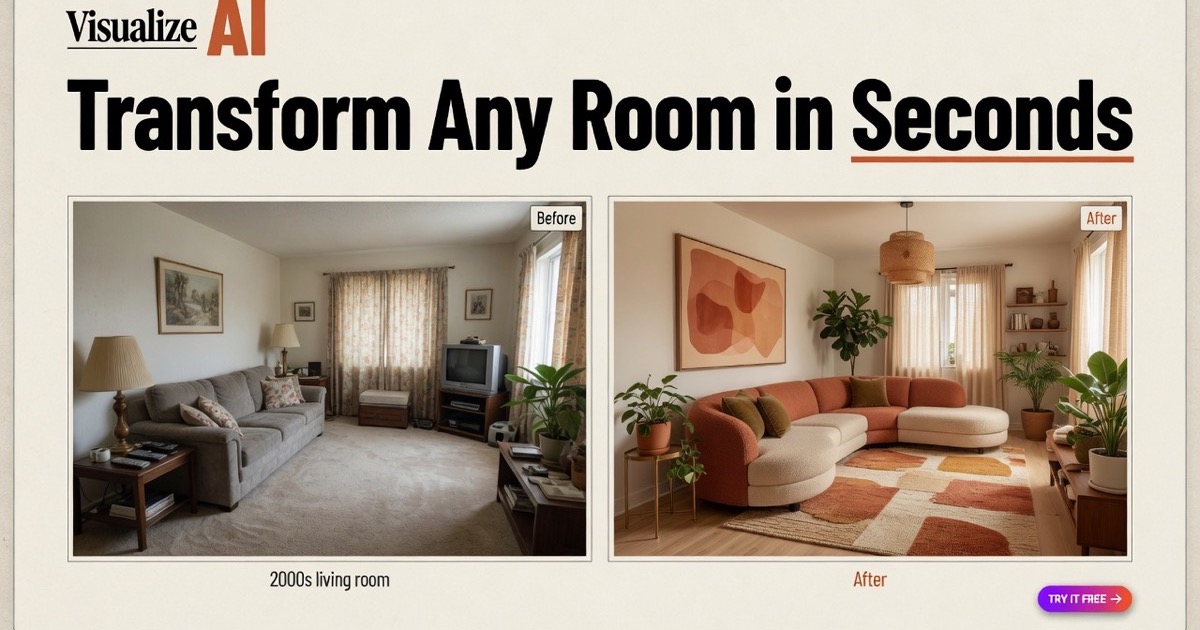
VisualizeAI review on AInexfinder — subscription AI tool for Image & Design. Features, pricing notes, and alternatives.

  • Fast photorealistic concept rendering
  • Wide range of styles and room types
  • Flexible input options including sketches
  • Photo, sketch, and floor-plan input
  • Renders may not be structurally buildable
  • Subscription required beyond the free trial
  • There is a short learning curve for new users
  • Results still need a quick human review for best quality

Best for: Teams that need photo, sketch, and floor-plan input

Pricing: Paid

7Est.4.3/5

Archi review on AInexfinder — subscription AI tool for Image & Design. Features, pricing notes, and alternatives.

  • Fast renders for both interiors and exteriors
  • Useful virtual staging for listings
  • Affordable unlimited-render plan
  • Photorealistic interior and exterior renders
  • Stylistic reinterpretation, not build-ready plans
  • Watermark-free HD output requires the paid plan
  • Worth comparing plans before long-term commit
  • Cost can add up if you only need a few features

Best for: Users focused on photorealistic interior and exterior renders

Pricing: Paid

How We Ranked These Interior & Architecture Tools

Every tool here is a live interior & architecture product with its own review. The order comes from one published formula, applied the same way on every ranking:

CriterionWhat it measuresWeight
Editor ScoreThe score on each tool's own review, from our research into its official documentation, pricing and independent sources. Tools whose full review is still pending carry a provisional formula estimate, marked “Est.”.50%
User reviewsVerified user ratings on AInexfinder — counted only once a tool has at least three.25%
Feature depthHow many documented features the tool has.15%
FreshnessHow recently the review was last verified. Reviews still pending get a neutral value.10%

Featured listings, a paid placement, get a small boost inside the Editor Score criterion, always keep a place in their own category’s ranking, and are labelled Featured above; listings whose maker shows the AInexfinder badge on its own site get a smaller boost. Neither changes the Editor Score itself. Read the full methodology.

What to Look for in an Interior & Architecture Tool

Output Quality

The factor that decides everything else — can it produce interior & architecture results you'd actually ship? It's why ReimagineHome leads this list; judge each tool on output you can use without heavy rework.

Pricing & Free Tier

5 of these 7 tools have a free or freemium plan. Check the free tier's real limits and whether paid pricing scales fairly with your usage — watch for hidden caps on output or features.

Ease of Use

A clean interface and good onboarding mean you get value on day one, not after a week of learning the tool.

Integrations

Does it connect to the tools you already use — your editor, browser, Slack, Google Workspace or API?

Speed & Reliability

Fast, consistent results matter for daily work. Look at uptime and how the tool handles peak-time load.

Support & Updates

Active development, solid docs and responsive support signal a tool that will keep getting better over time.

Free vs Paid Interior & Architecture Tools

When Free Is Enough

5 of these 7 interior & architecture tools offer a free or freemium plan (ReimagineHome is the one we'd start with). Free tiers suit light or occasional use, testing a workflow, or personal projects — though they usually cap usage, features or output quality.

When to Go Paid

For heavy or professional interior & architecture work, a paid plan like VisualizeAI's buys higher limits, team collaboration, priority support and advanced features. If a tool is core to your daily work, the subscription usually pays for itself in time saved.

Pricing breakdown
Pricing breakdown7tools

5 of 7 tools offer a free or freemium plan.

Which Interior & Architecture Tool Should You Choose?

Match the tool to the job. Each line below is the audience that tool's review found it suits best:

  • ReimagineHome (4.5/5) — Teams that need virtual staging for empty rooms
  • Planner 5D (4.5/5) — Users who need 2D floor plan and 3D interior design
  • Decoratly (4.4/5) — Teams that need photorealistic room redesign from a single photo
  • HomeDesigns AI (4.4/5) — Teams that need photorealistic interior, exterior and garden redesign
  • ReRender AI (4.4/5) — Users focused on photorealistic renders from sketches, models and photos
  • VisualizeAI (4.4/5) — Teams that need photo, sketch, and floor-plan input
Est.4.5/5

The Bottom Line

Start with ReimagineHome if you want the strongest all-round interior & architecture tool on this list, and give Planner 5D a look too — the two are within a fraction of each other. If none of these fits, our ReimagineHome alternatives list goes wider. This corner of AI rarely sits still, so each review shows the date it was last verified.

Frequently Asked Questions

What Are the Best Interior & Architecture AI Tools in 2026?

Our highest-ranked interior & architecture tools are ReimagineHome, Planner 5D, Decoratly. All 7 are ranked on Editor Score, user reviews, feature depth and freshness — see the full list above.

What Is the Best Free Interior & Architecture Tool?

ReimagineHome is the highest-ranked option with a free plan (freemium — a free tier plus paid upgrades). 5 of the 7 tools on this list offer a free or freemium plan — the At a Glance table marks each one.

How Are These Interior & Architecture Tools Ranked?

By a published formula: Editor Score 50%, verified user reviews 25%, feature depth 15% and freshness 10%. User reviews only count for tools that have approved ones; the rest are ranked on the other four factors, so the Editor Score carries most of the weight. The How We Ranked section above shows each criterion.

How Many Interior & Architecture AI Tools Are Compared Here?

This page ranks 7 interior & architecture tools, and 5 of them have a free tier. Every one links to its full review, and the category page lists the rest.

Is ReimagineHome the Best Interior & Architecture Tool?

ReimagineHome is our current top pick with a provisional score of 4.5/5, though Planner 5D is within a fraction of it, but the right choice depends on your needs and budget. The Which Tool Should You Choose section matches each top tool to the people it suits best.

Which Interior & Architecture Tool Is Best for Beginners?

ReimagineHome is the easiest place to start: it has a free plan, so you can learn on a real interior & architecture tool without paying. Once you outgrow it, the paid tools above add more power.

Are Interior & Architecture AI Tools Worth It?

Start with one of the 5 free options above to confirm a interior & architecture tool fits your workflow — for most people the right one earns back its cost in hours saved, but only once it clearly slots into how you already work.

How Often Is This List Updated?

The ranking recalculates whenever a review on it changes, and reviews are re-verified on a rolling basis — each one shows when it was last checked. This page was last updated in October 2026.

Keep Exploring

About the Author

Daniel Reed
Daniel Reed

Senior AI Tools Reviewer

Daniel leads AInexfinder's tool reviews. He researches each tool from its own pricing, documentation and policies, checks its claims against independent sources, and writes up what it does well, where it falls short and who it genuinely suits.

AI tool reviewsPricing researchAI software
More about Daniel →

Last updated October 2026. Ranked on Editor Score, user reviews, feature depth and freshness — see our methodology.