Video & Audio Review

Reviewed by Daniel Reed· Senior AI Tools ReviewerLast verified How we review
Moises logo

Moises Review

Verified

Moises, by Moises Systems, Inc., is a music practice and creation suite for musicians: AI stem separation (isolate vocals, drums, bass and more), a vocal remover, chord detection, speed changer, lyric transcription and a browser collaborative studio. It processes your own, often copyrighted, songs, so lawful use is the user's responsibility.

4.0Editor Score
Visit website
moises.aiAdded September 30, 2025
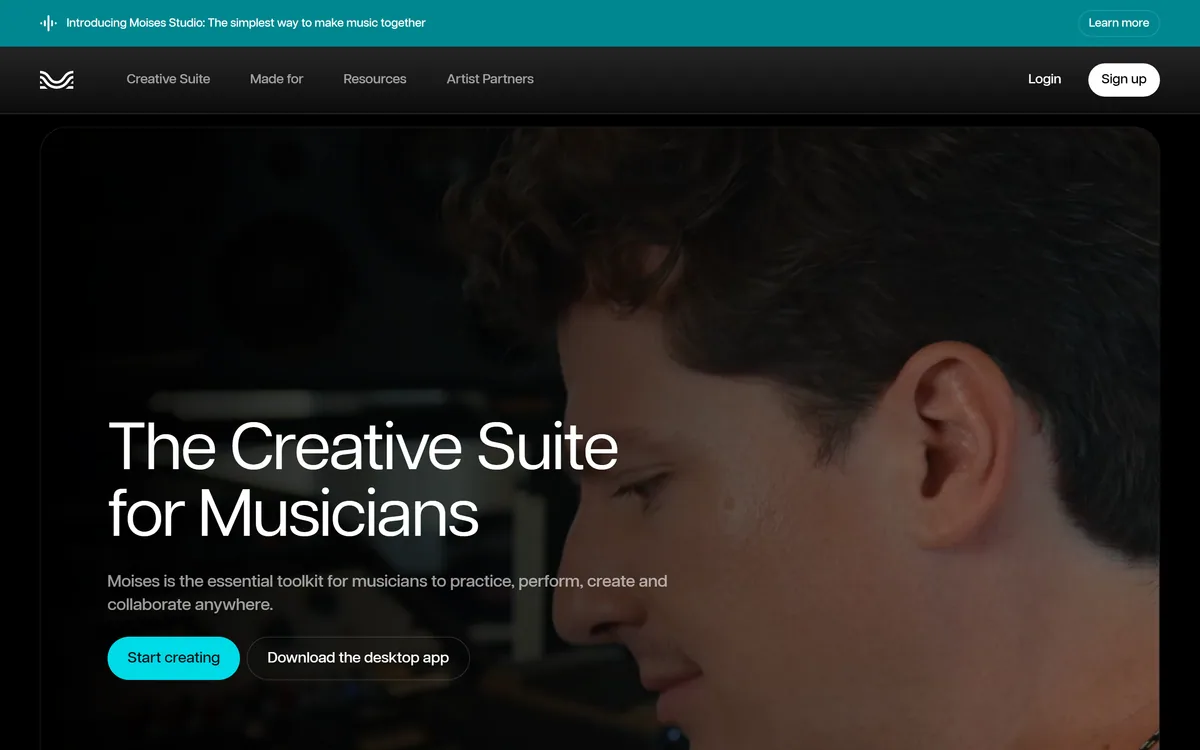
Moises screenshot
4.0/5

Quick Verdict

Very good

Moises earns 4.0 as an excellent music practice suite from Moises Systems, Inc.: high-quality AI stem separation plus chord, speed and lyric tools and a collaborative browser studio, genuinely useful for musicians who practise with, learn from or rework recordings. Its main caveat is the source material: you typically process copyrighted songs, which is fine for personal practice but makes lawful and commercial use your responsibility. It is not for generating new music, and separation quality varies by track. AInexfinder Editor Score: 4.0/5.

Best for: Instrument practice; Stem isolation

Pricing:
Freemium
Last verified:
October 22, 2026
Official site:
moises.ai

The visit link goes to moises.ai, the official site. Paid placements on AInexfinder are always labelled. How we make money

Practising an instrument often means wanting just the drums, or the song without the vocals, or the chords laid out. Moises, from Moises Systems, Inc., gives musicians those tools through AI stem separation.

It isolates vocals, drums, bass and other parts, removes vocals, detects chords, changes speed, transcribes lyrics and offers a browser collaborative studio to arrange and record. It sits among music AI tools like Suno, but focused on practising and reworking existing music rather than generating new songs.

This review covers how Moises splits a song, which musicians it suits, how its free and paid tiers work, and the copyright responsibility that comes with processing other people's recordings.

Moises, The Stem-Separation Brief

  • Moises is a musician's practice suite: AI stem separation plus chord, speed and lyric tools.
  • It isolates parts: pull out vocals, drums, bass, guitar and more to play along or practise.
  • It has a studio: a browser-based collaborative space to arrange, record and edit.
  • Mind the source material: you often process copyrighted songs, so lawful, personal use is on you.

Moises Music-Practice Facts

What it isA music practice and stem-separation suite
OperatorMoises Systems, Inc.
SeparationIsolate vocals, drums, bass and more (many stem types)
ToolsVocal remover, chord finder, speed changer
LyricsLyric transcription
StudioBrowser collaborative arrange/record/edit
DataVendor states no training on your data
AccessFreemium (free tier plus subscription)

AI Stem Separation And Practice Tools For Musicians

Moises' core capability is AI stem separation: taking a finished recording and pulling it apart into its parts, vocals, drums, bass, guitar, keys and more, so a musician can isolate or mute what they want.

That unlocks practical practice tools: a vocal remover for singing along, a chord finder to see the harmony, a speed changer to slow difficult passages, lyric transcription and play-along with parts muted or soloed.

It extends into creation with Moises Studio, a browser-based collaborative space to arrange, record and edit in real time, plus video recording with studio audio, so practice and light production sit together.

The candid take is that Moises is a genuinely useful musician's tool whose main caveat is the source material. You typically feed it songs you do not own the copyright to, which is fine for personal practice but makes lawful use your responsibility; the vendor states it does not train on your data and trains only on licensed material, and its user counts and the 'Chief Music Officer' billing are vendor claims.

Moises is a superb practice tool, but you are usually processing copyrighted songs, so lawful, personal use is your responsibility.

How Does Moises Split A Song?

Moises pairs stem separation with practice tools and a studio.

Isolating Vocals, Drums And More

Upload a track and it separates the stems, lets you remove vocals, find chords, change speed and transcribe lyrics, and play along with parts muted or soloed, with high-fidelity separation models.

Where a tool like Lemonaide generates new melody ideas, Moises works on existing recordings, which is a different job for a different moment in music-making.

Chords, Speed And A Collaborative Studio

Moises Studio adds a browser-based collaborative space to arrange, record and edit, with video recording using the studio audio.

For generating royalty-free tracks rather than reworking existing ones, a tool such as OpenMusic AI is a different option; Moises' strength is practising and reworking songs you already have.

Which Players Moises Suits

Moises suits musicians of all kinds, drummers, vocalists, bassists, guitarists, producers and educators, who want to practise with, learn from or rework existing recordings.

It suits people who need isolated stems, chord charts, slowed passages or vocal removal for rehearsal, and small collaborators who want a shared browser studio.

It fits less well anyone wanting to generate new music from scratch, and anyone intending to use separated stems commercially without sorting out the rights to the underlying recording.

A useful way to size it up is by how you practise and create. If isolating and reworking existing songs is central to your playing or teaching, Moises is excellent; if you want to generate original tracks, it is the wrong tool, and commercial use needs the rights cleared.

How Moises Opens Free And Paid Practice

Moises uses a freemium model with a limited free tier (some uploads) and a paid subscription for more. We do not publish prices, which change; check the site or app store.

What matters for value is how much the practice tools improve your playing or teaching against the subscription, especially for musicians who rehearse with recordings regularly.

The pragmatic approach is to separate a few of your own practice songs on the free tier, judge the stem quality and the chord and speed tools, and subscribe only if it becomes part of how you practise.

Practising One Real Song In Moises

Stem quality varies by song, so trial Moises on real practice tracks.

  1. Upload a few songs you are actually learning or teaching.
  2. Separate the stems and judge how clean the isolation is.
  3. Use the chord finder and speed changer on a difficult passage.
  4. Try the vocal remover and play-along with parts muted.
  5. Keep use personal unless you have cleared rights to the recording.
  6. Pass/fail: subscribe if the tools genuinely improve how you practise.
  7. Treat user counts and the 'Chief Music Officer' billing as vendor claims.

Moises Music-Practice Terms

Stem separation
Splitting a finished recording into its individual parts (vocals, drums, bass and so on) using AI.
Stem
One isolated part of a song, such as just the vocals or just the drums.
Vocal remover
A tool that strips the vocals from a track, useful for singing along or karaoke-style practice.
Chord finder
A feature that detects and displays a song's chords, so a player can follow the harmony.
Play-along
Practising with a recording while muting or soloing specific parts, such as removing the bass to play it yourself.

Is Moises Right For Your Rehearsals?

Practising Musicians Moises Serves

  • Musicians practising with recordings
  • Drummers, vocalists, bassists, guitarists
  • Music educators and students
  • Anyone wanting isolated stems or chords
  • Small collaborators wanting a shared studio
  • Anyone wanting to generate new music
  • Commercial use without cleared rights
  • People who do not practise with recordings
  • Those expecting flawless separation on every song
  • Users wanting a full DAW replacement

Key Features of Moises

  • AI stem separation

  • Vocal remover

  • Chord finder

  • Speed changer

  • Lyric transcription

  • Play-along (mute/solo)

  • Moises Studio

  • Device and browser apps

Pros & Cons

Pros

5
  • High-quality stem separation
  • Practical practice tools
  • Collaborative browser studio
  • Works across instruments
  • Capable free tier to start

Cons

5
  • You process copyrighted songs
  • Separation quality varies by track
  • Not for generating new music
  • Commercial use needs cleared rights
  • Counts and titles are vendor claims

Who Moises Is For

A Good Fit For

  • Instrument practice
  • Stem isolation
  • Chord and speed study
  • Music teaching
  • Light collaboration

Moises Beside Other Music Tools

The fair comparison is with other music tools, by what they do to or with audio.

ToolToolApproachBest for
MoisesStem separation and practiceRework existing recordingsPractising musicians
SunoSong generationNew tracks from promptsCreating songs
LemonaideMelody/MIDI generationNew melody ideasProducers
OpenMusic AIRoyalty-free musicGenerated tracksRoyalty-free needs

What Moises's Practice Pages Show

Last checked . Read from moises.ai during this check, with the screenshot above captured at the same time.

  • A music practice and stem-separation suite by Moises Systems, Inc.
  • AI separation of vocals, drums, bass and many other stems
  • Vocal remover, chord finder and speed changer
  • Lyric transcription and play-along
  • Moises Studio: browser collaborative arrange/record/edit
  • A vendor statement it does not train on your data
  • A freemium model with a paid subscription
  • Processes your own, often copyrighted, songs
  • No prices reproduced here, in line with this site's pricing policy

Moises processes recordings you typically do not own the copyright to; that is fine for personal practice, but lawful and commercial use is the user's responsibility. The vendor states it does not train on your data and trains only on licensed material. User counts and the 'Chief Music Officer' billing are vendor claims. Operated by Moises Systems, Inc.

Music Apps To Weigh Beside Moises

A song generator, a melody generator and a royalty-free music tool round out the picture.

Moises Pricing

AInexfinder does not list plan prices or billing details. For current pricing, plans, and trials, visit the official Moises website.

Visit official website for pricing

Vendor pricing, credits, and billing policies change over time. Always confirm on the official site before you buy.

Frequently Asked Questions

What is Moises?
Moises, by Moises Systems, Inc., is a music practice and creation suite for musicians. It offers AI stem separation, a vocal remover, chord detection, a speed changer, lyric transcription and a browser collaborative studio.
What is stem separation?
It is splitting a finished recording into its individual parts, vocals, drums, bass, guitar and more, so you can isolate, mute or solo them for practice or reworking.
Is Moises free?
It has a limited free tier with some uploads and a paid subscription for more. We do not publish prices, which change; check the site or app store.
Can I use Moises on any song?
You can process songs you have, but you typically do not own their copyright. That is fine for personal practice; using separated stems commercially needs the rights to the underlying recording cleared.
Does Moises train on my uploads?
The vendor states it does not train on your data and trains only on licensed material. Confirm the current terms if this matters for your use.
Who is Moises best for?
Musicians of all kinds, drummers, vocalists, bassists, guitarists, producers and educators, who want to practise with, learn from or rework existing recordings.
Does Moises generate new music?
No. It works on existing recordings, separating and reworking them. For generating new tracks, a song or melody generator is the right tool instead.
How good is the separation?
It uses high-fidelity models and is generally strong, but quality varies by song. Trial it on your own practice tracks to judge the isolation for your material.
Does Moises have a studio?
Yes. Moises Studio is a browser-based collaborative space to arrange, record and edit in real time, with video recording using the studio audio.
Who operates Moises?
The footer names Moises Systems, Inc. The specific jurisdiction is not stated on the page we read.
4.0/5

Bottom Line

Moises earns an AInexfinder Editor Score of 4.0/5 (very good). Best for: Instrument practice; Stem isolation; Chord and speed study.

Visit Moises

User Reviews

Log in to write a review.

What Users Say

No reviews yet. Be the first to share your experience with Moises.

Reviewed by Daniel Reed

Daniel Reed

Assigned reviewer

Daniel Reed

Senior AI Tools Reviewer

Daniel leads AInexfinder's tool reviews. He researches each tool from its own pricing, documentation and policies, checks its claims against independent sources, and writes up what it does well, where it falls short and who it genuinely suits.

Daniel and the AInexfinder editorial team research Moises from its own website, pricing, documentation and policies, checked against independent sources. This review is research-based: unless its method note says otherwise, we have not bought a plan or run hands-on tests. The Editor Score is our editorial judgement, and payment never changes it.

AI tool reviewsPricing researchAI software
Last verified
Sources used
  • moises.ai
  • AInexfinder listing fields (features, pros/cons, description)
  • Public vendor pages when available
Editorial policy
Listings may include affiliate or sponsored placements, which are labeled when present. Editorial scores and cons are not sold. See our affiliate disclosure and review methodology.
Embed this listing on your site
Featured on AInexfinder
Get your badge →

Related Pages

Moises Comparisons & Guides

In Our Ranked Guides

Explore More