Email is the writing task nobody wants and everybody has. It is high-volume, low-stakes individually, and consumes an amount of a working week that is genuinely difficult to justify.
It is also the task where generated text is easiest to spot. A recipient reads dozens of messages a day, has an unconscious model of what a real one sounds like, and notices when something arrives too balanced, too complete and too pleased with itself.
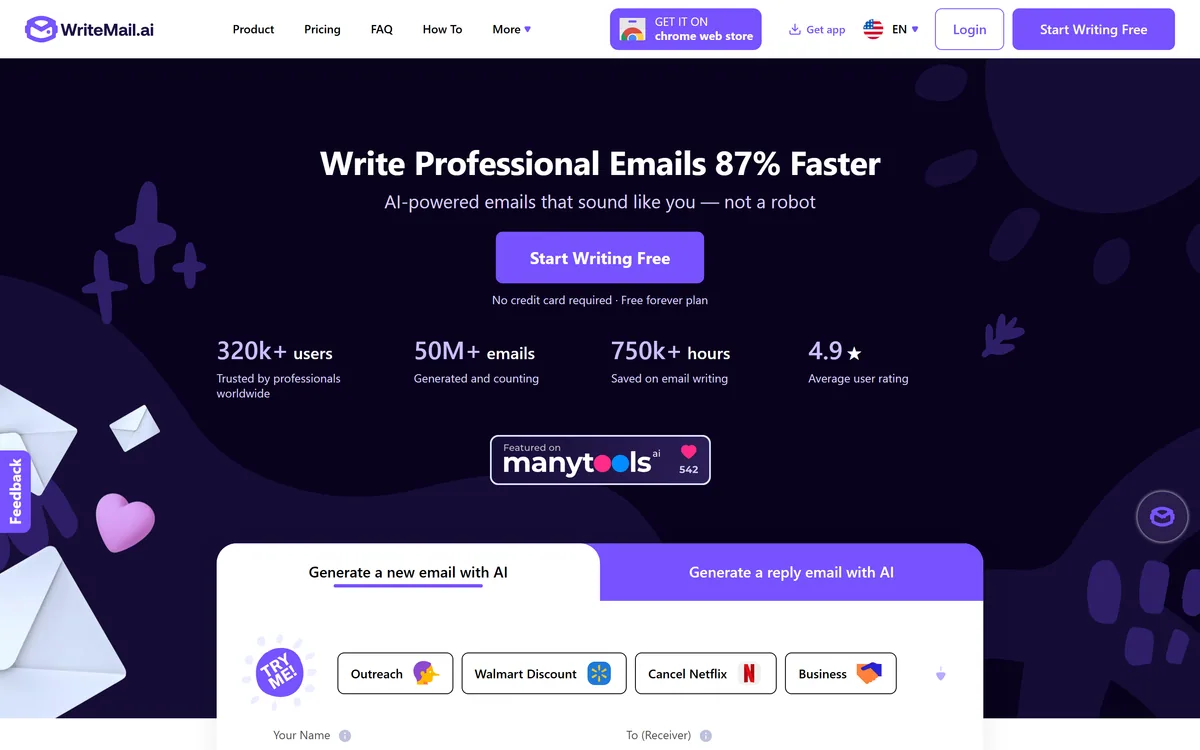
WriteMail.ai's more interesting contribution is not solving that. It is the privacy position — a claim that generated messages never reach its servers, which for business correspondence is a rarer thing than an email generator.
WriteMail.ai: The Inbox Case
- Messages never touch the server, per the site, with personalised options stored in a browser cookie rather than a database.
- Separate controls for length, style, tone and mood, rather than one setting doing all four badly.
- 30+ languages, which is where most of the practical value sits.
- Works inside Gmail through a Chrome extension, so there is no tab to switch to.
- Templates for common situations — outreach, job applications, proposals, invitations, newsletters and cancellations.
WriteMail.ai: Features And Privacy
| Product type | AI email writing and reply generator |
|---|
| Generation | New emails and replies from key points |
|---|
| Controls | Length, style, tone, mood and emoji, each set independently |
|---|
| Languages | 30+ |
|---|
| Templates | Outreach, business, marketing, job application, proposal, event invitation, newsletter and cancellation among others |
|---|
| Gmail integration | Works inside Gmail via a Chrome extension |
|---|
| Mail Assistant | Version 2, available on paid plans, including a signature creator prompt |
|---|
| Data handling | Generated messages stated never to touch the server; personalised options stored in a browser cookie rather than a database |
|---|
| Entry | Free forever plan, no credit card required |
|---|
| Stated reach | 320k+ users, 50M+ emails generated, 750k+ hours saved, 4.9 average user rating |
|---|
| Distribution | Chrome Web Store, plus an app |
|---|
Does Email Actually Need An AI Writer?
The honest answer is that it depends entirely on which emails, and the distinction is sharper than most tools admit.
For the emails where the words barely matter — a scheduling confirmation, a routine follow-up, a polite decline, an acknowledgement — generation is straightforwardly useful. Nobody reads those carefully, the format is fixed, and staring at a blank compose window for ten minutes is pure waste.
For the emails where the words are the whole point — a difficult conversation, a first approach to someone you want to impress, an apology, anything with a relationship attached — generated text is a liability. Those are precisely the messages where a recipient reads closely, and closely is where generated prose gives itself away.
The tell is not vocabulary. It is completeness: generated email answers every point, acknowledges the counter-argument, closes warmly and reads as though nobody was in a hurry — which is not how a person under pressure writes.
The workable division is that generation drafts the routine ones and you write the ones that matter. That is not a limitation of this product; it is the shape of the task, and any tool claiming otherwise is overselling.
The alternative to generating a routine email is speaking it. Willow Voice puts your own words in the compose window, which sidesteps the detection problem entirely.
Generated email gives itself away through completeness. It answers every point and closes warmly, which is not how a person under pressure writes.
Four Controls Beat One Voice Slider
WriteMail.ai separates length, style, tone, mood and emoji into distinct settings, and that separation is better design than the single brand-voice control most writing tools offer.
The reason is that those four things vary independently in real correspondence. A message can be short and warm, long and blunt, formal and friendly, or brief and apologetic — and a single slider between professional and casual cannot express any of those combinations.
Tone and mood in particular are different axes that get conflated constantly. Tone is how you are speaking — formal, direct, deferential. Mood is what you are conveying — enthusiasm, regret, urgency. A message can be formal and apologetic, or casual and firm.
Getting those right matters more in email than almost anywhere else, because email has no facial expression or timing to carry the meaning. A message that lands as colder than intended is a real and common failure, and it is usually a tone problem rather than a wording one.
The emoji control is a small thing that reveals attention. Whether emoji belong in an email is entirely contextual — normal in one industry, disqualifying in another — and making it a setting rather than a default is the right call.
Never Touching The Server Is An Unusual Design
WriteMail.ai states that it values user privacy and takes steps to ensure generated messages never touch its server, with personalised options stored in a browser cookie rather than in a database.
That claim deserves attention because of what email actually contains. Business correspondence carries pricing, negotiations, personnel matters, customer complaints and the occasional legally significant sentence — and a tool that drafts it is a tool with visibility into all of it.
Most competitors process this server-side, which is an ordinary arrangement governed by a privacy policy that can change. Stating that content does not reach the server is a structurally stronger position than promising to look after it.
The corollary is worth understanding: options stored in a cookie live in that browser only. Clear your cookies and your settings are gone, and they do not follow you to another machine. That is the trade a local-storage design makes, and it is a reasonable one.
It is also a claim worth verifying rather than accepting, because it is unusual enough to be a differentiator. The privacy policy is the place to read it in full, and anyone routing genuinely sensitive correspondence through any writing tool should do that before the first message rather than after.
That position is unusually strong for the category. An outbound platform like Instantly has to hold your messages server-side, because sending them is the product.
- Generate the routine emails and write the ones that carry a relationship.
- Set tone and mood separately — they are different axes and both matter.
- Read the privacy policy in full if the claim is why you are choosing this.
- Expect settings to live in one browser, since cookies do not travel.
- Check output in your second language with a native speaker before relying on it.
Thirty Languages And The Reply Problem
WriteMail.ai supports 30+ languages with what it describes as native-quality output, and this is where the practical value sits rather than in the speed claim.
Writing a professional email in a second language is disproportionately hard. You can read it fluently, you can speak it adequately, and writing something that lands as competent rather than awkward requires a register you may never have learned.
That gap has real consequences. A message that reads as slightly off in a business context affects how the sender is perceived, and people avoid writing in their second language for exactly that reason — which shrinks the set of people they can approach directly.
Generation genuinely helps here in a way it does not in your first language, because the baseline is not a fluent draft but a message you would have laboured over or not sent.
The caveat is that native-quality is a claim rather than a measurement, and quality varies by language for the usual reason. Have a native speaker read the first few in any language you will rely on, particularly for anything with commercial or legal weight.
For marketing copy beyond the inbox the comparison set changes again — generators such as StoryLab.ai cover formats an email tool has no reason to.
Writing An Email Worth Replying To
The measure of an email is whether it gets a reply, and generated messages fail on that more often than they fail on quality.
The reason is length and specificity, which are things a tool will not fix for you.
- Write down the one thing you want the recipient to do before generating anything.
- Give the tool the specific detail only you have — a name, a number, something from your last conversation.
- Set the length shorter than feels comfortable, since generated email runs long and long email gets skipped.
- Cut the opening pleasantry, which is where generated messages waste the attention they were given.
- Read it aloud before sending — anything you would not say out loud does not belong in the message.
- Reserve the emails that matter for your own words, and use the tool for the ones that do not.