Claude is Anthropic's AI assistant, available on web, desktop, mobile, and in Chrome, with Projects for persistent context, Artifacts for generated documents and apps, Skills, Connectors, and Claude Code for developers.
Anthropicclaude.ai89,018 viewsAdded December 21, 2025100M+ visitors
Claude is Anthropic's AI assistant, and its reputation rests on two things: it handles very long inputs well, and it tends to say when it is unsure rather than inventing an answer.
It is no longer only a chat window. Projects hold persistent context, Artifacts turn output into editable documents and working apps, Connectors reach your other tools, and Claude Code brings the same models into a terminal.
This review covers what each of those parts is for, which model family to reach for, where Claude genuinely leads, and the specific things it does worse than its competitors.
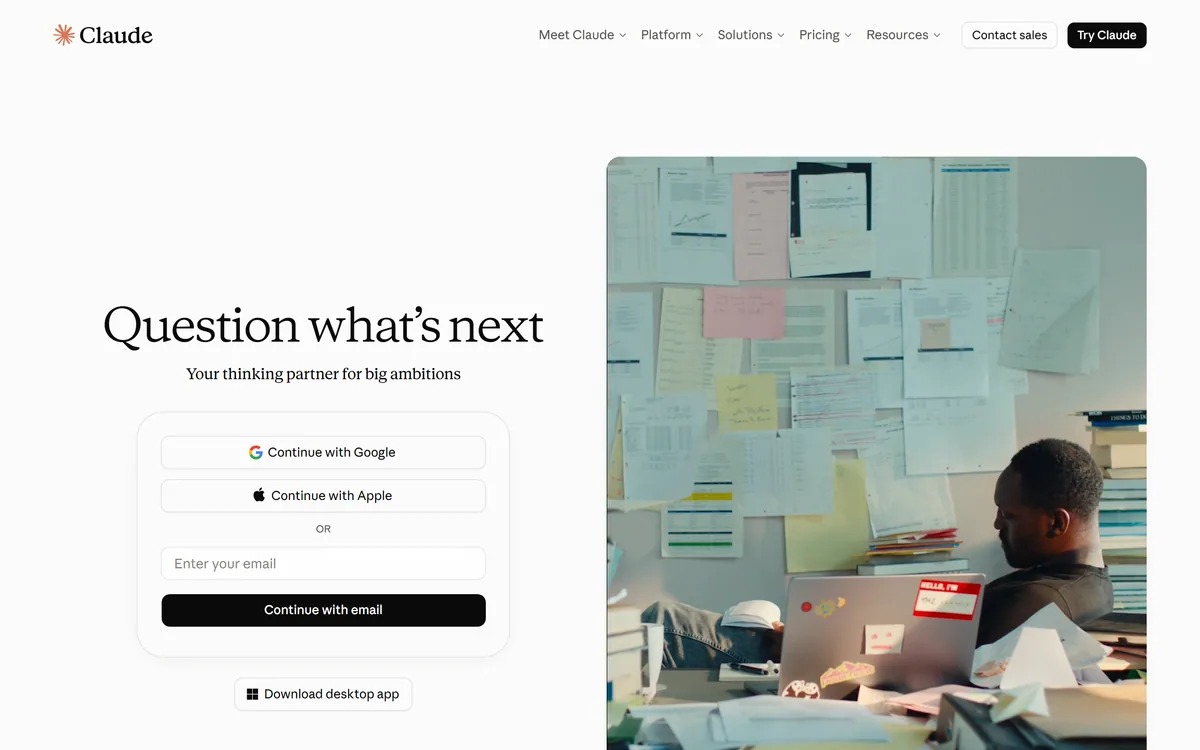
Claude's front door is a single prompt box; the structure lives in Projects behind it.
Claude Essentials
Maker
Anthropic
Category
General-purpose AI assistant
Model families
Mythos, Fable, Opus, Sonnet, and Haiku
Apps
Web, macOS and Windows desktop, iOS, Android
Browser
Claude in Chrome extension
Context features
Projects, Memory, Connectors, Skills
Output features
Artifacts, Research and web search, Voice mode
Developer product
Claude Code, plus the Claude API
Team product
Claude Cowork, and @Claude for tagging Claude into work
Free tier
Yes
Long Context Is The Real Differentiator
Claude's headline strength is how much material you can hand it at once and how well it holds together across that material. Whole contracts, long codebases, and lengthy research sets can go in as a single input.
This changes what you can ask. Instead of summarising a document then reasoning about the summary, you can reason about the document itself, which avoids the quiet errors that creep in when detail is compressed away.
For anyone whose work involves reading long things carefully, this is the feature that matters more than any interface detail.
Projects, Skills, And Persistent Context
The features that separate Claude from a chat box are the ones that stop you re-explaining yourself.
Projects
A Project holds documents and instructions that apply to every conversation inside it. Set up once — your style guide, your codebase conventions, your client's brief — and every chat in that Project starts already informed.
This is the single highest-return setup step in the product, and the one most casual users never take.
Skills
Skills package a repeatable procedure so Claude follows it consistently rather than improvising each time. They suit tasks with a defined method — a review checklist, a formatting standard, a recurring report.
Connectors And Memory
Connectors let Claude reach other tools and data sources rather than working only from what you paste. Memory carries context forward between conversations.
Both trade convenience against reach, so they are worth switching on deliberately rather than by default.
Artifacts Turn Answers Into Things
Artifacts render generated content — documents, diagrams, and working web apps — beside the conversation instead of inside it as a wall of text or code.
The practical effect is iteration. You see the result, ask for a change, and watch it update, which is a far better loop than copying code into an editor to find out whether it works.
For small tools, calculators, and prototypes, this collapses the distance between describing something and using it.
Picking A Model Family
Claude is a family rather than one model. Haiku is the fast, light option; Sonnet balances speed and capability for everyday work; Opus is the heavier reasoning tier; Fable sits above it for the most demanding problems, with Mythos in limited access.
The instinct to always pick the largest model is usually wrong. Routine drafting, summarising, and formatting are handled well by the lighter tiers, faster and at lower cost.
Save the heavier families for genuinely hard reasoning — intricate analysis, long agentic runs, problems where being right matters more than being quick.
Claude Code And Developer Work
Claude Code puts the same models in a terminal, where they can read a repository, edit files, run commands, and iterate. It is a different product from the chat assistant and competes with dedicated AI coding tools.
Coding is one of the areas where Claude is consistently rated at or near the front, and the terminal-first design suits engineers who would rather not change editors to get an agent.
The Claude API exposes the same models for teams building their own applications.
Claude Cowork And Team Use
Claude Cowork and the @Claude tag are the collaborative side of the product — bringing Claude into work that a team is doing together rather than into one person's private chat.
The distinction matters more than it sounds. A shared assistant that can see a team's context gives consistent answers to everyone, where individual chats quietly produce five different versions of the same guidance.
For teams, this is the difference between a personal productivity tool and something that shapes how a group works.
Privacy And What Claude Can Reach
Connectors and the Chrome extension widen what Claude can see, and each is worth enabling on purpose rather than because it was offered. An assistant with browser access is reading pages alongside you.
For regulated work, treat the decision the way you would any other vendor with access to source material — as a policy question with a review, not a setting toggled by whoever installs it first.
The upside is real: an assistant that can reach the actual document beats one you must paste into. Just make the trade knowingly.
Where Claude Falls Behind
Image generation is absent. Claude reads images well but does not create them, so anything visual needs a second tool.
The ecosystem is smaller than the largest competitor's. Fewer third-party integrations exist, and community tooling is thinner, which matters if you want a plug-in for something specific.
Claude also refuses more often than some rivals — usually appropriately, occasionally not. Users working in security, medicine, or law sometimes hit caution on legitimate professional questions.
Usage limits on lower tiers bite quickly with long documents, precisely because the long-context strength encourages large inputs.
Getting More Out Of It
Put your standing context in a Project rather than repeating it. Ten minutes of setup removes the same paragraph of preamble from a hundred future conversations.
Give it the whole document. Claude is built for length, and pre-summarising throws away the detail that makes its answers good.
Ask it to disagree with you explicitly. It is unusually willing to flag a flaw when invited, and that habit is worth more than a faster draft.
Final Assessment Of Claude
Claude is the strongest choice for work that involves reading long, complex material carefully and for coding, and it is the assistant least likely to bluff when it does not know.
Choose it when your work is document-heavy, when accuracy matters more than breadth of integrations, or when you want an agentic coding tool that lives in the terminal. Choose something else if you need image generation, a large plug-in ecosystem, or the fewest possible refusals.
Anthropic's product site now lives at claude.com, while the assistant itself is at claude.ai. Check there for current plans and limits before committing.
Key features of Claude
Very large context window for long documents and codebases
Projects that hold persistent instructions and files across chats
Artifacts rendering documents, diagrams, and working apps beside the chat
Skills for packaging repeatable procedures
Connectors and Memory for reaching other tools and carrying context forward
Claude Code for terminal-based agentic development
Apps for web, macOS, Windows, iOS, Android, and a Chrome extension
Pros & cons
Pros
5
Handles long documents better than any mainstream competitor
Notably willing to express uncertainty instead of inventing answers
Projects remove the need to re-explain context every session
Artifacts make generated tools usable immediately rather than after copying
Consistently strong at coding, with a terminal-native agent in Claude Code
Cons
5
No image generation — visual work needs a separate tool
Smaller third-party ecosystem than the largest competitor
Refuses more often than rivals, occasionally on legitimate professional work
Usage limits on lower tiers are reached quickly with long inputs
Model family choice is not obvious, and defaulting to the largest wastes capacity
Best For
Anyone analysing long contracts, papers, or reports
Developers who want an agentic coding tool in the terminal
Writers and researchers who need drafts grounded in supplied material
Teams standardising recurring procedures through Projects and Skills
Users who would rather hear "I am not sure" than a confident guess
Editor's Verdict
4.7/5
Claude has an AInexfinder Editor Score of 4.7/5.
Claude pricing
AInexfinder does not list plan prices or billing details. For current pricing, plans, and trials, visit the official Claude website.
Vendor pricing, credits, and billing policies change over time. Always confirm on the official site before you buy.
Frequently asked questions
What is Claude best at compared with other AI assistants?
Working with long, complex documents and coding. Its large context window means you can supply whole contracts or codebases rather than summaries, and it is unusually willing to say when it is uncertain instead of guessing.
Can Claude generate images?
No. Claude can read and analyse images, but it does not create them, so any image generation needs a separate tool alongside it.
What are Claude Projects for?
A Project holds files and instructions that apply to every conversation inside it, so your style guide, brief, or codebase conventions are already loaded. It is the most useful setup step and the one most people skip.
Which Claude model should I use?
Haiku for fast, light work; Sonnet for everyday balance; Opus for heavier reasoning; Fable for the most demanding problems, with Mythos in limited access. Routine drafting and formatting do not need the largest model.
What is Claude Code?
A terminal-based tool that puts the same models into your development environment, where they can read a repository, edit files, and run commands. It is a separate product from the chat assistant and competes with dedicated AI coding editors.
Why does Claude refuse some requests?
Anthropic tunes Claude to be cautious, which usually helps accuracy but occasionally catches legitimate professional work in security, medicine, or law. Adding clear professional context to the request often resolves it.
Is Claude free to use?
There is a free tier. Usage limits are the main constraint, and they arrive quickly if you take advantage of the long-context strength. Check claude.ai for current plans and limits.
Daniel reviews AI tools the slow way — by actually using them on real projects. His reviews cover what works, what breaks, and who each tool is genuinely a good fit for.
Daniel and the AInexfinder editorial team research Claude using public product information, listing evidence, and (when available) hands-on checks. Scores reflect listing completeness and transparency — not paid placement.
Listings may include affiliate or sponsored placements, which are labeled when present. Editorial scores and cons are not sold. See our affiliate disclosure and review methodology.
Perplexity AI is an answer engine that runs live web searches and returns cited answers, with Deep Research for long agentic reports, Spaces for persistent projects, the Comet browser, and the Sonar API for developers.
ChatGPT is OpenAI's AI assistant, covering conversation, document and image work, web browsing, Projects, Tasks, custom GPTs, agent actions, and the Codex coding agent, across web, desktop, and mobile.
JAIS Chat is a bilingual Arabic and English conversational assistant launched by Core42, part of the UAE's G42 group. It runs on the Jais family of Arabic large language models developed by Inception with MBZUAI and Cerebras, and is built to handle Arabic dialects and cultural context rather than translated English.
Kimi is Moonshot AI's assistant, running on its K3 model and positioned for agentic coding and knowledge work. Its interface opens on a set of output surfaces — slides, sheets, documents, websites, design, deep research and a multi-agent Swarm — alongside scheduled tasks, projects and a desktop app.
Reka is an AI research lab building omni models — Spark, Edge, Flash and Core — that process video, image, audio and text in a single architecture rather than bolting modalities together. It also runs Reka Cloud for training and deployment, video infrastructure available by API or MCP, and a training-data division.
Duck.ai is DuckDuckGo's free AI chat that gives anonymised access to a selection of popular models from major providers, with image creation and a deliberately light, privacy-first footprint. It is a privacy-focused front-end rather than its own frontier model.