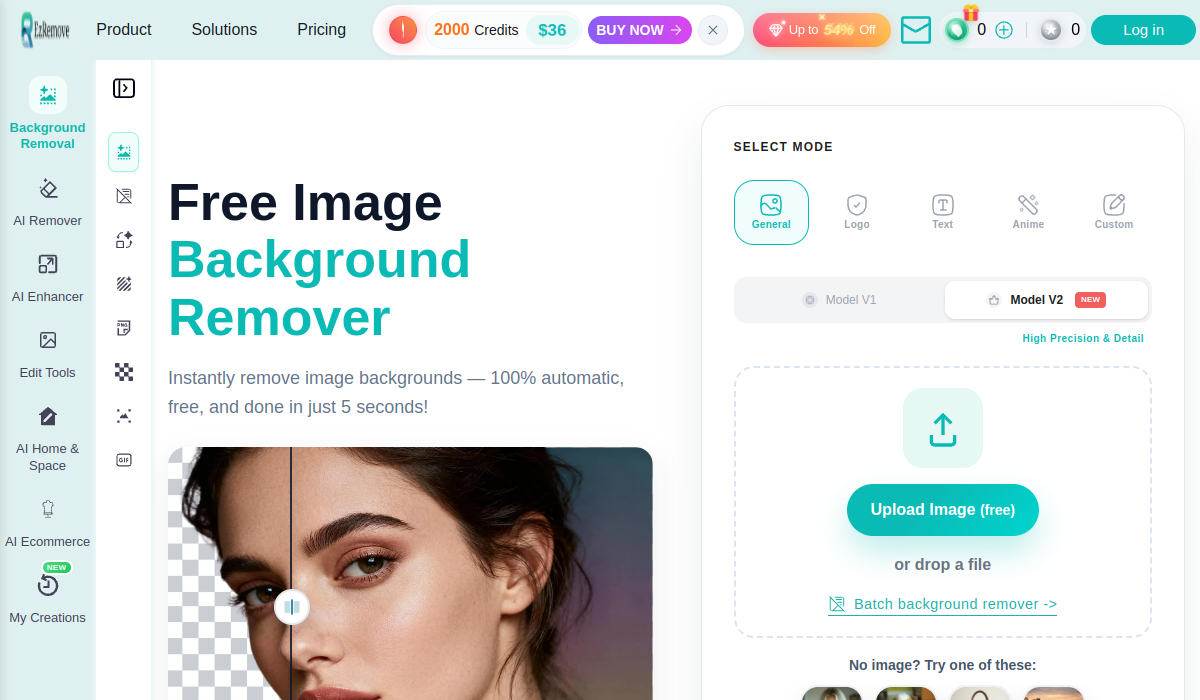
EzRemove is an AI background remover that produces clean transparent PNG cutouts automatically in a few seconds, with batch processing and a broader studio of image and video tools, aimed at ecommerce sellers, social creators and anyone needing quick cutouts.
ezremove.ai7 viewsAdded March 22, 2026565K visitors
Removing a background by hand is one of those small jobs that eats far more time than it should once you are chasing a messy edge at 400% zoom. EzRemove is built to take that off your plate with a one-click, automatic cutout.
It produces transparent PNGs in a few seconds, handles batches, and sits inside a wider studio of image and video tools such as a photo editor, an upscaler and ecommerce features. In the crowded cutout space it competes with image tools like VanceAI, where speed, edge quality and what comes bundled are what separate them.
This review covers how EzRemove cuts out a subject, who it suits, how it charges beyond the free tier, and where it comes up short.
EzRemove produces clean transparent PNG cutouts automatically in a few seconds.
EzRemove, The Cutout Brief
EzRemove is an AI background remover: upload an image and it returns a clean transparent PNG cutout in a few seconds.
It handles the hard edges: the AI aims for natural cutouts around hair and fine detail, with batch processing for volume.
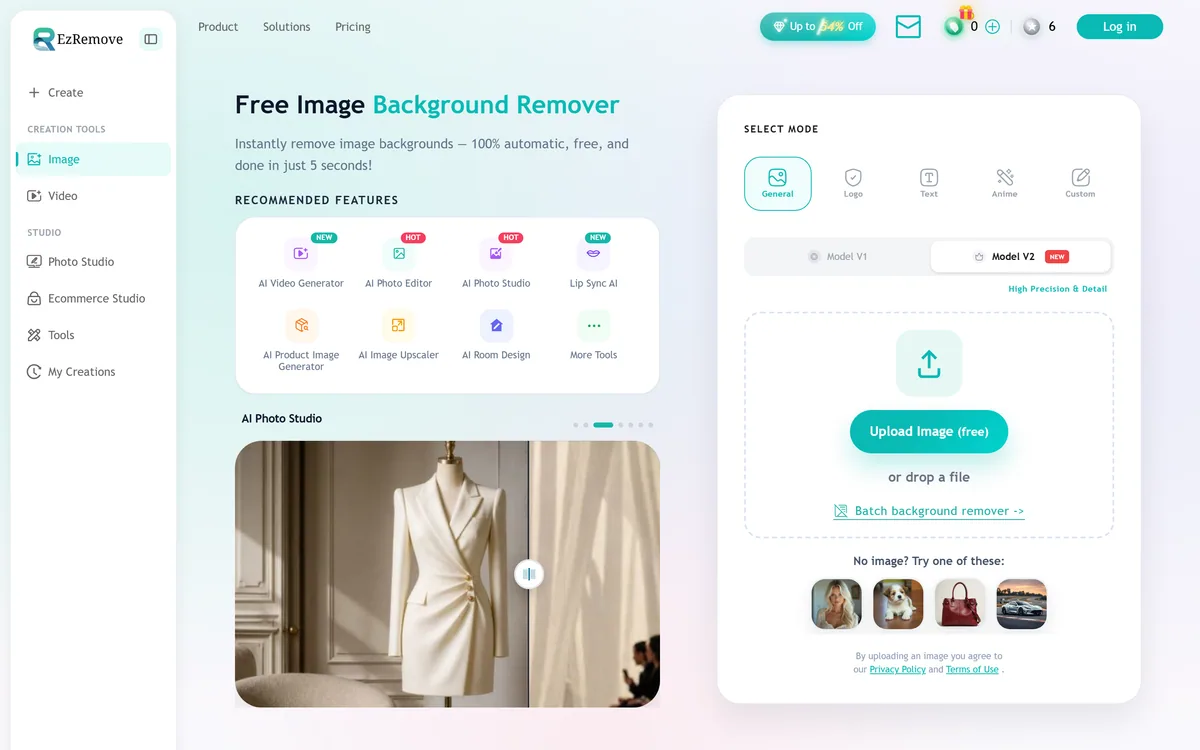
There is a wider studio: photo and ecommerce studios, an upscaler, a photo editor and video tools sit around the remover.
Free core, paid extras: background removal is positioned as free, with the broader studio and heavier use on paid plans.
Automatic Background Removal In A Few Seconds
EzRemove's core job is narrow and useful: upload a photo and get back a clean transparent PNG with the background gone, automatically, in a few seconds. For the common case, a product shot, a profile picture, a quick social graphic, that is exactly the speed and simplicity people want.
The quality that matters in a background remover is the edge, specifically how it handles hair, fur and fine detail, which is where cheap cutouts fall apart. EzRemove's pitch is a natural-looking cutout on those hard edges, and that is the first thing to test rather than take on trust.
Background removal is also a commoditised feature now; many tools do it, and several do it free. So EzRemove's real differentiation is less the removal itself and more the batch processing and the wider studio that surround it, which decide whether it saves you juggling multiple tools.
The fair framing is that EzRemove is a competent, fast background remover whose value depends on edge quality on your actual images and on whether the surrounding studio replaces tools you would otherwise pay for separately.
Background removal is commoditised; EzRemove's real differentiation is the batch processing and the wider studio around it.
How Does EzRemove Cut Out A Subject?
The experience is the one-click remover plus a broader set of creation tools built around it.
One-Click Removal And Clean Edges
You upload an image and EzRemove detects the subject and strips the background automatically, returning a transparent PNG ready for product listings, avatars or graphics, with a batch mode for processing many images at once. It also offers modes for different subjects, such as logos, text and anime, which can help accuracy on non-photo inputs.
The edge handling around hair and small details is the thing to judge, because that is where an automatic cutout either saves time or creates more cleanup. A general editor like Pixlr gives you manual control to fix edges; EzRemove is betting the automatic result is good enough that you rarely need to.
A Wider Studio Of Image And Video Tools
Around the remover, EzRemove bundles a photo editor, an image upscaler, a product-image generator, photo and ecommerce studios, and even video tools like an AI video generator and lip-sync. That breadth is the real pitch: one subscription covering several adjacent jobs rather than a single-purpose cutout tool.
Whether that breadth is a strength or a distraction depends on you. If you only ever remove backgrounds, the extras are noise; if you are an ecommerce seller who also upscales and edits, the bundle has appeal. A dedicated enhancer like Deep-Image.ai goes deeper on upscaling alone, so judge EzRemove's extra tools on whether they are good enough to actually replace specialists.
Who EzRemove Helps, And Where It Struggles
EzRemove suits ecommerce sellers who need clean product cutouts at volume, social creators making quick graphics, and anyone who wants background removal plus a few adjacent image jobs in one place without stitching tools together.
The batch mode suits anyone processing many images at once, and the ecommerce and product-image features suit sellers specifically, which is the audience the product leans into most.
Its limits are the usual ones for automatic cutout tools: tricky edges, fine hair, transparent or overlapping subjects can still need manual cleanup, and the bundled extras may not match dedicated specialists. Its '50 million images processed' and discount figures are vendor-stated marketing, not a measure of quality on your images.
How EzRemove Charges Beyond The Free Tier
EzRemove positions background removal as free and reserves heavier use and the broader studio for paid plans, with promotional discounts shown on the site. We do not reproduce prices, which change; check the site.
The value question is whether the free removal is good enough for your needs, and if not, whether the paid studio replaces tools you already pay for. A bundle only saves money if its parts are genuinely good enough to switch to.
Because the core is free, the sensible approach is to run your hardest real images through the free remover first, judge the edge quality, and only pay if the volume limits or the surrounding tools add something you would otherwise buy elsewhere.
A Quick Way To Cut Out With EzRemove
Because edge quality is everything in a cutout tool, trial EzRemove on your hardest images, not easy ones.
Upload a photo with difficult edges, fine hair, fur or a busy background.
Check the transparent PNG at full zoom for stray pixels and clean edges.
Run a batch to see whether quality holds across many images at once.
Try a mode matched to your input (logo, text or anime) if relevant.
Test one bundled extra you would actually use, like the upscaler or editor.
Pass/fail: EzRemove is worth it if automatic cutouts hold up with little cleanup on your images.
Treat the 50-million-images figure as vendor marketing; judge it on your own results.
Key features of EzRemove
One-click background removal
Transparent PNG output
Batch processing
Subject modes (logo, text, anime)
AI image upscaler
AI photo editor
Product-image generator
Photo and ecommerce studios
Pros & cons
Pros
5
Fast, automatic cutouts
Batch mode for volume
Free core background removal
Wider studio bundled in
Aimed well at ecommerce sellers
Cons
5
Tricky edges can still need cleanup
Bundled extras may not match specialists
Removal itself is a commoditised feature
Extras are noise for single-purpose users
Processed-images figure is vendor marketing
Best For
Ecommerce product cutouts
Quick social graphics
Batch image processing
All-in-one image needs
One-click simplicity
EzRemove Weighed Against Other Cutout Tools
The useful comparison is with other image tools that touch cutouts and editing.
An AI image background remover with a wider studio
Core
Automatic transparent PNG cutouts in a few seconds
Edges
Aims for natural cutouts around hair and detail
Batch
Batch background removal for many images
Studio
Photo editor, upscaler, photo and ecommerce studios
Video
AI video generator and lip-sync tools included
Audience
Ecommerce sellers, social creators, quick cutouts
Access
Free background removal; paid plans for more
Is EzRemove The Right Remover?
Sellers EzRemove Suits
Ecommerce sellers needing product cutouts at volume
Social creators making quick graphics
Anyone wanting removal plus adjacent image jobs in one place
Users processing many images in batches
People happy with automatic, one-click results
When EzRemove Falls Short On Edges
Very tricky edges needing manual control
Anyone wanting a best-in-class single specialist
Users who only ever need background removal (extras are noise)
Professional composites with exacting edge demands
Those taking the processed-images figure as proof of quality
How We Cut Out With EzRemove
Last checked . Read from ezremove.ai during this check, with the screenshot above captured at the same time.
An AI image background remover
Automatic transparent PNG cutouts in a few seconds
Aims for natural cutouts around hair and fine detail
Batch background removal
Modes for different subjects (logo, text, anime)
A wider studio: photo editor, upscaler, product-image generator
Photo and ecommerce studios, plus video and lip-sync tools
Free background removal, with paid plans for more
A stated 50 million images processed
No prices reproduced here, in line with this site's pricing policy
Background removal is a commoditised feature; judge EzRemove on edge quality on your own hard images and on whether its bundled studio replaces tools you would otherwise pay for. Its processed-images and discount figures are vendor marketing.
Other Image Editing Tools
An image toolkit, a hands-on editor and a dedicated enhancer to weigh alongside EzRemove.
EzRemove earns 3.6 as a competent, fast background remover with a wider studio attached: one-click transparent PNG cutouts in seconds, batch processing, and a bundle of photo, ecommerce, upscaling and video tools around it. Background removal is commoditised, so its real value is edge quality on your hardest images and whether the surrounding studio genuinely replaces tools you would otherwise pay for. For ecommerce sellers and quick cutouts it is a sensible, free-to-try choice; for exacting edges or a best-in-class specialist, look harder. AInexfinder Editor Score: 3.6/5.
EzRemove pricing
AInexfinder does not list plan prices or billing details. For current pricing, plans, and trials, visit the official EzRemove website.
Vendor pricing, credits, and billing policies change over time. Always confirm on the official site before you buy.
Frequently asked questions
What is EzRemove?
EzRemove is an AI image background remover that returns a clean transparent PNG cutout automatically in a few seconds. It includes batch processing and a wider studio of image and video tools, aimed at ecommerce sellers, social creators and anyone needing quick cutouts.
Is EzRemove free?
Background removal is positioned as free, with heavier use and the broader studio reserved for paid plans, and promotional discounts are shown on the site. We do not reproduce prices, which change; check the site, and test the free remover on your hardest images first.
How good are EzRemove's cutouts?
The thing to judge is edge quality, especially around hair, fur and fine detail, which is where automatic cutouts either save time or create cleanup. EzRemove aims for natural edges, but you should test it on your own difficult images rather than take that on trust.
Can EzRemove process many images at once?
Yes, it offers a batch background remover for processing multiple images together, which is useful for ecommerce sellers and anyone handling volume. Check that the cutout quality holds across a batch, not just on a single carefully chosen image.
What else does EzRemove do besides remove backgrounds?
It bundles a photo editor, an image upscaler, a product-image generator, photo and ecommerce studios, and video tools including an AI video generator and lip-sync. Whether that breadth helps depends on whether those extras are good enough to replace tools you already use.
Who is EzRemove best for?
Ecommerce sellers needing clean product cutouts at volume, social creators making quick graphics, and anyone wanting background removal plus a few adjacent image jobs in one place. It is less suited to exacting professional composites or users who only ever need removal.
What are EzRemove's limitations?
As with any automatic cutout tool, very tricky edges, fine hair, transparent or overlapping subjects can still need manual cleanup, and the bundled extras may not match dedicated specialists. If you need precise manual control, an editor like Pixlr gives you that.
Are EzRemove's numbers reliable?
Figures like '50 million images processed' and the discount percentages are vendor marketing, not a measure of quality on your images. Judge EzRemove on your own results: whether the automatic cutouts hold up with little cleanup on the photos you actually work with.
Does EzRemove keep image quality?
The cutout returns a transparent PNG, and the quality that matters is the edge, around hair and fine detail, rather than resolution alone. Test your hardest images at full zoom; the bundled upscaler can help enlarge results, but judge the core cutout first before relying on the extras.
Is EzRemove good for ecommerce product photos?
Product cutouts are a main use case, and the batch mode plus ecommerce studio lean into that audience. For clean product shots on white or transparent backgrounds it is well suited, provided the automatic edges hold up on your specific products without heavy manual cleanup.
Daniel reviews AI tools the slow way — by actually using them on real projects. His reviews cover what works, what breaks, and who each tool is genuinely a good fit for.
Daniel and the AInexfinder editorial team research EzRemove using public product information, listing evidence, and (when available) hands-on checks. Scores reflect listing completeness and transparency — not paid placement.
Listings may include affiliate or sponsored placements, which are labeled when present. Editorial scores and cons are not sold. See our affiliate disclosure and review methodology.
Removal.ai is an automatic background removal service that cuts the subject out of a photo and returns it on a transparent or replaced background. It handles bulk uploads, exposes an API, ships a desktop app, and adds a light editor for text, effects and marketplace-sized presets.
krea2.org is a browser image-generation workspace that runs several third-party models side by side, including Krea 2 tiers, FLUX.2, GPT Image 2, Nano Banana and Seedream 5.0, with reference uploads, six aspect ratios and live model switching.
Pet Pic Portraits turns a pet photo into styled artwork — Royal King, Pop Art, Watercolour, Viking, Wizard and more — with an instant preview before ordering. Output is a digital download, a canvas print or framed wall art, and it includes a pet memorial option.
RetypeWords is a browser tool that replaces text that has been flattened into a PNG, JPG or WebP image. It reads the words with OCR, lets you correct what it read, then regenerates the selected area so the new wording sits in the picture rather than on top of it.
Canva AI is the Magic Studio suite built into Canva — Magic Write for copy, Dream Lab for images, Magic Edit, Expand and Eraser for photos, Magic Switch for reformatting, Magic Charts for data, and Canva Code for interactive widgets.
Pixlr is a browser-based photo editor from Pixlr Pte Ltd with two editors and a generative AI layer — Generative Fill, Expand and Transform, background and object removal, Super Scale upscaling, face swap, plus image, video, and audio generation.