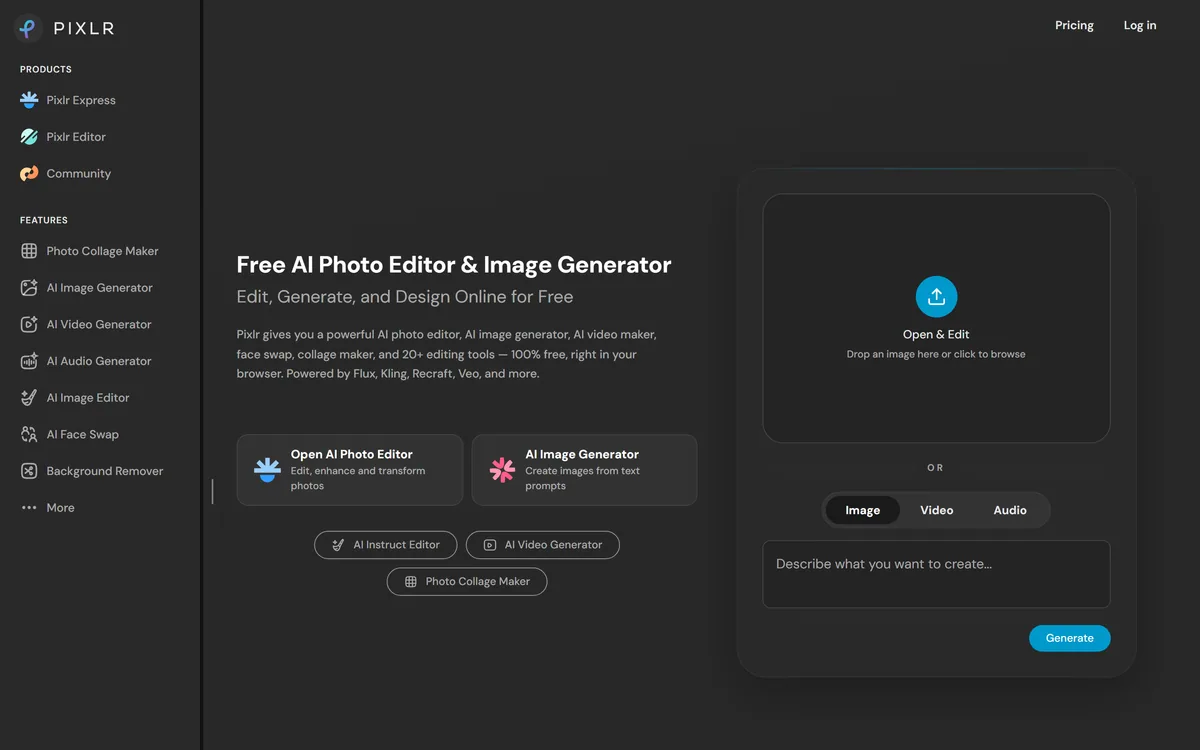
Pixlr is a browser-based photo editor from Pixlr Pte Ltd with two editors and a generative AI layer — Generative Fill, Expand and Transform, background and object removal, Super Scale upscaling, face swap, plus image, video, and audio generation.
pixlr.com20 viewsAdded January 8, 20264M+ visitors
Pixlr is a photo editor that runs in a browser, and it has been doing that since long before generative AI existed. That history matters, because it means the AI features sit on top of real editing tools rather than standing in for them.
The current product spans two editors, a cleanup and enhancement set, and a generative layer covering fill, expansion, upscaling, face swap, and even video and audio.
This review covers what the editors actually do, which AI tools earn their place, how the free tier's limits bite, and where Pixlr genuinely beats both desktop software and pure AI generators.
Pixlr leads on being free and browser-based — no install, no account needed to start.
Pixlr Tooling And Access
Company
Pixlr Pte Ltd
Category
Browser-based photo editor with generative AI
Editors
Pixlr Express for quick edits, Pixlr Editor for layer-based work
Images, video, and audio; AI Face Swap and Sticker Maker
Platforms
Web browser, desktop, iOS, Android
Free plan
Yes — with ads, watermarks on some output, and limited AI credits
Paid tiers
Ad-free editing, no watermarks, larger AI credit allowance
Two Editors For Two Different Jobs
Choosing the wrong one is the most common reason people bounce off Pixlr, and the distinction is not well signposted.
Pixlr Express — crops, filters, quick corrections, and one-click fixes. Built for finishing something in two minutes.
Pixlr Editor — layers, masks, and selection tools. Closer to a desktop editor, and the right choice for anything composited.
Photo Collage Maker — multi-image layouts without building them by hand
Sticker Maker — cut-outs for social and messaging use
Design tools and templates — layout work rather than photo work
The layers matter more than the AI. Generative tools produce a result; layers let you disagree with it.
Which AI Tools Actually Earn Their Place
The generative list is long, and quality across it is uneven. A few are genuinely useful; others are there because the category expects them.
The Reliable Ones
Background Remover and Remove Object handle the two most common editing requests, and they work well enough that most people stop reaching for anything else.
Generative Expand is the quiet winner. Extending an image because your layout needs a different aspect ratio used to mean recomposing or cropping badly; now it does not.
The Situational Ones
Super Scale upscaling helps with small or low-resolution source images, within limits — it cannot invent detail that was never captured.
Generative Fill and Generative Transform are capable on simple backgrounds and struggle on complex scenes, which is true of every implementation of this idea.
The Ones To Treat Sceptically
AI Face Swap raises consent questions before it raises quality questions. Swapping a face you do not have permission to use is a problem no feature toggle resolves.
Video and audio generation exist here but are not why anyone chooses Pixlr. Dedicated tools are substantially better at both.
The Free Tier, Honestly Described
Pixlr's free plan is genuinely usable, which is unusual, but the limits are worth knowing before you build a workflow on it.
You get ads during editing, watermarks on some output, and a small allowance of AI credits. Paid tiers remove the ads and watermarks and raise the credit allowance substantially.
The practical consequence is that traditional editing — crops, layers, colour, masking — is effectively free, while the generative tools are metered. That is a sensible split, and it means the free tier is a real editor rather than a demo.
The Case For A Browser Editor
Running in a browser sounds like a compromise until you need it. There are situations where installing software is not an option, and Pixlr is the answer to all of them.
Open pixlr.com on whatever machine you are using — including a locked-down work laptop.
Choose Express for a quick fix or Editor for anything involving layers.
Drag the image straight in; no account is required to start.
Do the traditional editing first — crop, correct, mask — before spending any AI credits.
Apply generative tools last, so you are not regenerating after every adjustment.
Export at the size you actually need rather than the maximum available.
Where It Runs Out Of Depth
Against professional desktop software, Pixlr is not close. Colour management, advanced masking, non-destructive workflows, and plugin ecosystems are all absent or thin, and for professional retouching that matters.
Browser performance sets a ceiling too. Very large files and complex multi-layer documents will be slower than a native application, and on a modest machine noticeably so.
Generative quality is mid-tier. Pixlr's AI tools are convenient because they are beside your editing tools, not because they beat dedicated generators.
And the free tier's watermarks catch people out — discovering one after finishing an export is a poor experience, so check before you invest time in a piece.
Who Should Use It
Pixlr fits the enormous middle ground between "crop it on my phone" and "open professional editing software". Social media creators, small businesses, teachers, and anyone editing occasionally.
It is also the pragmatic answer for people on locked-down or shared machines, on Chromebooks, or working across several computers.
For professional retouching, brand-critical imagery, or high-volume production, it is a supplement rather than a replacement.
Other Image Tools Worth A Look
These cover neighbouring parts of the same job.
Canva AI — stronger for layouts, templates, and branded social content
Adobe Firefly — commercially safe generation with Content Credentials attached
Midjourney — far better generated imagery, with no editing tools at all
Pixelcut — focused on product photography and e-commerce cut-outs
Key features of Pixlr
Pixlr Editor with layers, masks, and selection tools in the browser
Pixlr Express for fast crops, filters, and corrections
Background Remover, Remove Object, and Remove Noise
Generative Fill, Generative Expand, and Generative Transform
Super Scale upscaling for low-resolution source images
AI Image Generator, plus video and audio generation
AI Face Swap, Sticker Maker, and Photo Collage Maker
Runs on browser, desktop, iOS, and Android
Pros & cons
Pros
5
A genuine layer editor that needs no installation at all
Free tier covers traditional editing properly rather than teasing it
Background and object removal are reliable enough to be the default
Generative Expand solves the aspect-ratio problem cleanly
Works on locked-down machines, Chromebooks, and low-powered hardware
Cons
5
Not competitive with professional desktop software on depth or colour work
Browser performance limits large files and complex layered documents
Generative quality is mid-tier compared with dedicated generators
Free tier applies watermarks to some output, which is easy to discover too late
Face swap raises consent questions the product does not resolve for you
Best For
Social media creators editing images regularly but not professionally
Small businesses without design software or a designer
Anyone on a locked-down work machine or a Chromebook
Teachers and students needing a real editor at no cost
People who mainly need background removal and aspect-ratio fixes
Pixlr Versus The Obvious Alternatives
The choice depends on whether you need editing depth, generation quality, or simply no installation.
Tool
Runs in browser
Real layer editing
Best fit
Pixlr
Yes, no install
Yes, in Pixlr Editor
Occasional editing anywhere, including locked-down machines
Vendor pricing, credits, and billing policies change over time. Always confirm on the official site before you buy.
Frequently asked questions
Is Pixlr actually free?
Yes, with real limits: ads while editing, watermarks on some output, and a small allowance of AI credits. Traditional editing — crops, layers, masking, colour — is effectively free; the generative tools are what get metered.
What is the difference between Pixlr Express and Pixlr Editor?
Express handles quick fixes — crops, filters, one-click corrections. Editor gives you layers, masks, and selection tools, closer to desktop software. Picking the wrong one is the usual reason people find Pixlr disappointing.
Which Pixlr AI tools are worth using?
Background Remover, Remove Object, and Generative Expand are the reliable ones. Super Scale helps within limits. Generative Fill struggles on complex scenes, and the video and audio generation exist but are not why anyone chooses Pixlr.
Can Pixlr replace professional editing software?
No. Colour management, advanced masking, non-destructive workflows, and plugin ecosystems are absent or thin, and browser performance limits large layered documents. It is a strong supplement, not a replacement.
Does Pixlr put a watermark on my images?
On some free-tier output, yes. Paid tiers remove watermarks and ads and increase the AI credit allowance. Check before investing time in a piece, since discovering a watermark after export is a poor surprise.
Does Pixlr work without installing anything?
Yes — it runs in a browser, which is its main practical advantage. That makes it usable on locked-down work machines, shared computers, Chromebooks, and any device where you cannot install software.
Is Pixlr's AI Face Swap safe to use?
Technically it works; ethically it depends entirely on consent. Swapping a face you do not have permission to use is a problem no product setting resolves, and that judgement sits with you rather than with the tool.
Daniel reviews AI tools the slow way — by actually using them on real projects. His reviews cover what works, what breaks, and who each tool is genuinely a good fit for.
Daniel and the AInexfinder editorial team research Pixlr using public product information, listing evidence, and (when available) hands-on checks. Scores reflect listing completeness and transparency — not paid placement.
Listings may include affiliate or sponsored placements, which are labeled when present. Editorial scores and cons are not sold. See our affiliate disclosure and review methodology.
Photoroom is a product visual platform for ecommerce covering background removal, AI product photography, batch editing, an image API, brand kits, marketplace sync and video templates. It states 1M+ businesses, SOC 2 Type 2 and enterprise options including custom models and SLA-backed uptime.
Pebblely generates product photography from a single uploaded image, placing the item into more than a hundred pre-built scene templates, generating in bulk, and resizing for marketplaces and social platforms. It is operated by a Singapore-registered company and states over 25 million images generated.
Pixelcut is an AI photo and video editor built around ecommerce workflows: product showcases, UGC-style ads and consistent AI personas, plus background removal, 16x upscaling, generative fill, magic eraser and batch editing across web, iOS and Android.
Collov AI does virtual staging and interior design from property photographs: furnishing empty rooms in named styles, applying consistent furniture across multiple angles of the same room, removing objects, converting to twilight, changing seasons, and producing 360-degree virtual tours. An API is available.
Deep-Image.ai is an AI image-enhancement and generation platform offering generative upscaling, denoising, sharpening, colour correction, background removal, avatars and text-to-image, with batch processing, vertical tools like Packshot Pro, and an API for automated workflows.
VanceAI is a suite of AI photo- and video-enhancement tools, upscaling, sharpening, denoising, restoring, colorizing, cartoonizing and background removal, built on proprietary deep convolutional networks, usable online or as desktop apps for local batch processing, with an API.