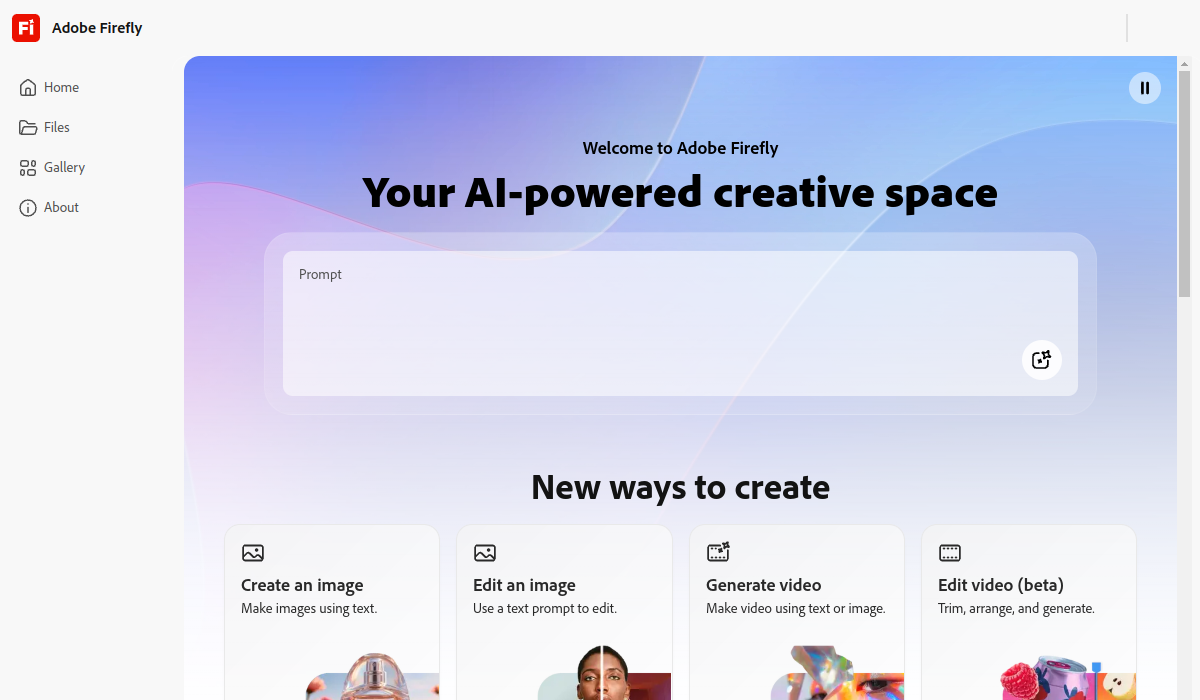
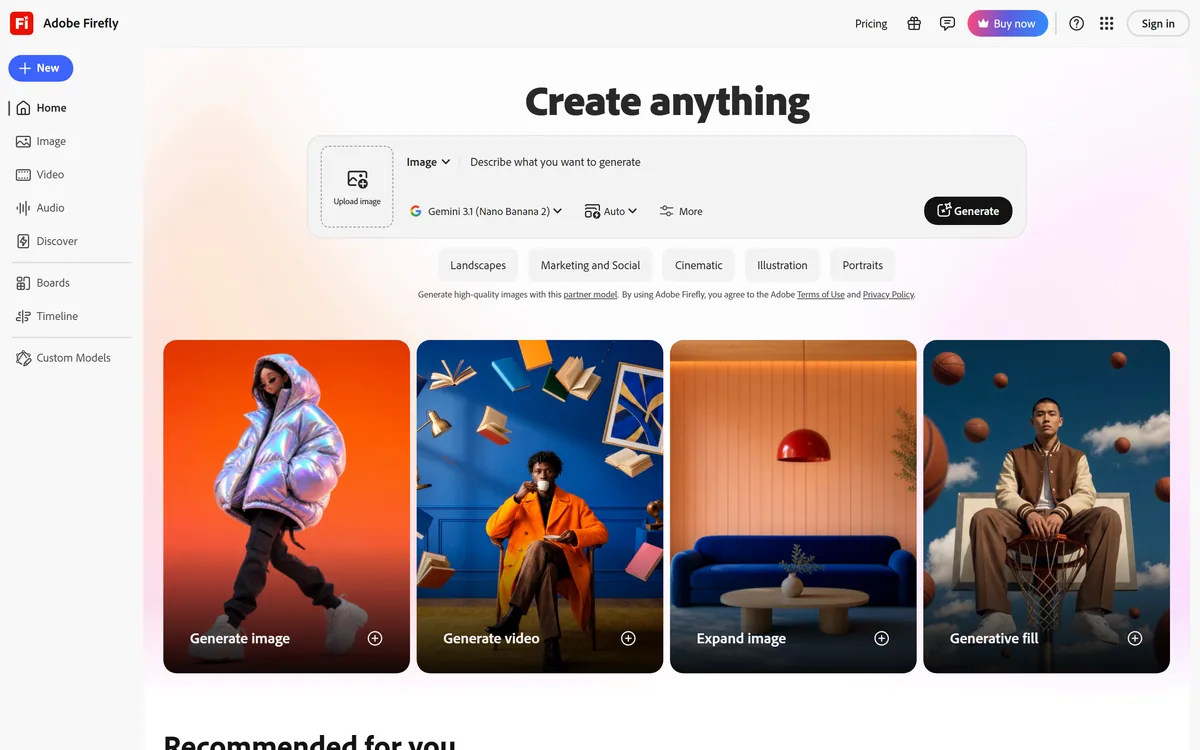
Adobe Firefly generates images, video, and audio from models trained on licensed Adobe Stock and public domain content, with Content Credentials on every output, Firefly Boards for ideation, Custom Models for brand style, and third-party partner models alongside Adobe's own.
Adobefirefly.adobe.com67,008 viewsAdded May 7, 202510M+ visitors
Adobe Firefly is Adobe's generative AI product, covering images, video, and audio. Its distinguishing claim is not raw quality but provenance: the models are trained on licensed Adobe Stock content and public domain material.
That choice is deliberate and commercially motivated. For agencies, brands, and anyone whose legal team asks where the training data came from, it is often the only answer that clears review.
Firefly has also grown into something broader — a place to run third-party models alongside Adobe's own, ideate on a shared canvas, and train a model on your own brand imagery. This review covers all of it.
Firefly has become a hub for many models, not only Adobe's own.
Adobe Firefly Fact File
Maker
Adobe
Category
Generative AI for images, video, and audio
Training data
Licensed Adobe Stock content and public domain material where copyright has expired
User content
Adobe states it does not train on users' personal or generated content
Provenance
Content Credentials attached to Firefly outputs
Ideation surface
Firefly Boards, an infinite collaborative canvas
Brand training
Firefly Custom Models, trained on 10 to 30 of your own reference images
Third-party models
Partner models available across Firefly and in Express, Illustrator, and Photoshop
Video
Firefly Video Model generating 1080p clips from text or images, with camera controls
Model choice
Adobe cites 30+ AI models available in the app
Commercial Safety Is The Whole Argument
Adobe states that Firefly's models are trained on licensed Adobe Stock content and public domain material where copyright has expired, and that it does not train on users' personal or generated content.
This matters in a specific and practical way. Many organisations cannot use generative imagery whose provenance is unclear, because the exposure sits with them rather than with the model vendor.
For those buyers the comparison is not "which model makes the nicest picture" but "which model can we actually ship". Firefly frequently wins that comparison by default rather than on merit.
Content Credentials And Provenance
Firefly outputs carry Content Credentials — embedded information about how a file was created or edited and who was involved.
As synthetic media becomes ordinary, being able to demonstrate the origin of an asset shifts from a nicety to a requirement, particularly in journalism, advertising, and regulated communication.
It is worth understanding that credentials travel with the file and can be stripped, so they evidence provenance rather than enforce it. Still, having them by default is materially better than having nothing.
Firefly Boards For Ideation
Boards is an infinite collaborative canvas built for the earliest stage of creative work — brainstorming, exploring directions, and iterating on many variations at once with colleagues.
You generate and edit images and video directly on the canvas, then arrange them into mood boards or storyboards. That is a meaningfully different activity from generating one finished asset.
For agencies and in-house teams, this is where Firefly fits most naturally. Concept exploration is high-volume, low-stakes work, which is exactly what generative tools are best at.
Custom Models For Brand Consistency
Firefly Custom Models, launched in public beta in March 2026, let you train a model on 10 to 30 of your own reference images so output matches a specific visual identity.
This addresses the fundamental problem with generative imagery in brand work: a model trained on everything produces work that looks like everything. A brand needs the opposite.
Custom Models can be used inside Boards alongside Adobe and partner models, so exploration and brand-consistent generation happen in one place rather than in separate workflows.
Partner Models: Firefly As A Hub
Firefly now hosts third-party models alongside Adobe's own, available across image and video generation, the Firefly video editor, Boards, and Firefly Graph — and inside Adobe Express, Illustrator, and Photoshop.
This is a significant strategic shift. Rather than insisting its own models are best, Adobe is offering governed access to whichever model suits the task, within enterprise creative production workflows.
The important caveat is that partner models come with their own training data and terms. Firefly's commercial safety claim covers Adobe's models, so check what applies before assuming the guarantee extends across everything in the picker.
Video, Audio, And The Wider Suite
The Firefly Video Model generates 1080p clips from text prompts or images, with camera controls for framing and movement, positioned as production-ready and IP-friendly.
Audio generation covers sound and speech, which completes the set for anyone assembling a short piece without licensing music or booking a voice artist. For a social cut or an internal explainer, that removes the two slowest steps in the process.
The deeper advantage is integration. Firefly generation appears inside Photoshop, Illustrator, and Express, so output lands in the tool where the actual work is finished rather than as a file to import.
Where Firefly Falls Behind
Raw output quality is the honest weak point. Firefly's image and video generation is competent but generally trails the strongest dedicated models, particularly on photorealism and complex scenes.
The licensed training data is part of the reason. A model trained on a curated, cleared corpus has less to work from than one trained on everything, and that shows up as a narrower range.
Credit-based limits also apply across generation, and heavy video work consumes them quickly, which makes usage harder to predict than a flat subscription suggests.
For creators who care only about the best possible image and carry no legal constraints, Firefly is rarely the first choice.
Making The Right Call On It
Decide on constraints first. If your work must clear a legal review, Firefly's provenance story is the deciding factor and output quality is secondary — you cannot ship the better image you are not allowed to use.
If you have no such constraints, evaluate it on quality alongside the alternatives, and use Boards and partner models to compare within one workspace rather than across several subscriptions.
For brand work at volume, invest in a Custom Model early. Twenty reference images is a small effort against the alternative of correcting generic output indefinitely.
The Verdict On Firefly
Adobe Firefly is the safest generative AI option for commercial work, and Boards, Custom Models, and partner model access have turned it from a defensive choice into a genuinely capable creative platform.
Choose it if provenance matters, if you work inside Adobe's applications, or if you need brand-consistent generation at volume. Choose a dedicated model if output quality is the only criterion and nobody is going to ask where the training data came from.
Check adobe.com for current plans and credit allowances, and confirm which terms apply to partner models before relying on the commercial safety claim across all of them.
Key features of Adobe Firefly
Image, video, and audio generation from commercially safe Adobe models
Content Credentials embedded in Firefly outputs
Firefly Boards — an infinite canvas for ideation and storyboarding
Custom Models trained on 10 to 30 of your own reference images
Third-party partner models available alongside Adobe's own
Firefly Video Model producing 1080p clips with camera controls
Generation built into Photoshop, Illustrator, and Adobe Express
Pros & cons
Pros
5
Training data provenance that survives a legal review
Content Credentials on outputs by default, not as an add-on
Boards is genuinely well suited to early creative exploration
Custom Models solve brand consistency rather than working around it
Partner models mean one workspace instead of several subscriptions
Cons
5
Output quality trails the strongest dedicated models, especially on photorealism
The curated training corpus narrows range as well as risk
Credit limits are consumed quickly by video work and are hard to forecast
Commercial safety claims cover Adobe's models, not necessarily partner models
Little reason to choose it on quality alone if you face no legal constraints
Best For
Agencies and brands whose assets must clear legal review
Teams already working inside Photoshop, Illustrator, or Express
Creative groups exploring concepts collaboratively before production
Brand teams needing generated imagery to match one visual identity
Publishers and communicators who need demonstrable content provenance
Editor's Verdict
4.4/5
Adobe Firefly has an AInexfinder Editor Score of 4.4/5.
Adobe Firefly pricing
AInexfinder does not list plan prices or billing details. For current pricing, plans, and trials, visit the official Adobe Firefly website.
Vendor pricing, credits, and billing policies change over time. Always confirm on the official site before you buy.
Frequently asked questions
What makes Adobe Firefly commercially safe?
Adobe states its Firefly models are trained on licensed Adobe Stock content and public domain material where copyright has expired, and that it does not train on users' personal or generated content. That provenance is what lets many organisations use the output at all.
Does the commercial safety claim cover partner models too?
Not automatically. Firefly now hosts third-party partner models alongside Adobe's own, and those come with their own training data and terms. Check which terms apply before assuming the guarantee extends across everything in the model picker.
What is Firefly Boards?
An infinite collaborative canvas for early creative work — generating and editing images and video in place, iterating on many variations, and arranging them into mood boards or storyboards with teammates.
What are Firefly Custom Models?
Models you train on 10 to 30 of your own reference images so generated output matches your brand's visual identity. They entered public beta in March 2026 and can be used inside Boards alongside Adobe and partner models.
What are Content Credentials?
Information embedded in Firefly outputs about how a file was created or edited and who was involved. They evidence provenance rather than enforce it — credentials travel with a file and can be stripped — but having them by default is a meaningful advantage.
Is Firefly's image quality as good as dedicated AI image generators?
Generally no. Firefly is competent but trails the strongest dedicated models, particularly on photorealism and complex scenes, partly because a curated licensed corpus offers less range than training on everything.
How much does Adobe Firefly cost?
AInexfinder does not publish plan prices because vendor pricing changes frequently. Check adobe.com for current plans and credit allowances — and note that video generation consumes credits quickly.
Daniel reviews AI tools the slow way — by actually using them on real projects. His reviews cover what works, what breaks, and who each tool is genuinely a good fit for.
Daniel and the AInexfinder editorial team research Adobe Firefly using public product information, listing evidence, and (when available) hands-on checks. Scores reflect listing completeness and transparency — not paid placement.
Listings may include affiliate or sponsored placements, which are labeled when present. Editorial scores and cons are not sold. See our affiliate disclosure and review methodology.
krea2.org is a browser image-generation workspace that runs several third-party models side by side, including Krea 2 tiers, FLUX.2, GPT Image 2, Nano Banana and Seedream 5.0, with reference uploads, six aspect ratios and live model switching.
GenApe is an all-in-one AI platform covering writing, chat, image and video generation, image editing, product photography, translation, and research — with 145 free credits on signup and commercial rights granted to paid users.
GPT Image 2 launched on 21 April 2026 as ChatGPT Images 2.0 and as the gpt-image-2 API model. Its distinguishing capabilities are dense, accurate text rendering, layout fidelity for infographics and packaging, up to 3840px output, prompt-guided masking, and reasoning applied to image structure before generation.
Stockimg AI offers separate generators for logos, stock photos, illustrations, wallpapers, product photos and social posts, then schedules the output to Instagram, TikTok, LinkedIn, YouTube and X, with an API for programmatic use.
OpenArt is an all-in-one AI creation platform covering image, video, voice and audio in one place, built around a Director that lets you lay out a storyboard and shape each shot through conversation, alongside persistent characters and worlds for consistency across a project.
Thumbmagic generates YouTube, Shorts, Instagram and TikTok thumbnails from a video, link or script, using creator-proven layout frameworks, face and expression detection, and 4K platform-ready exports built for A/B testing.