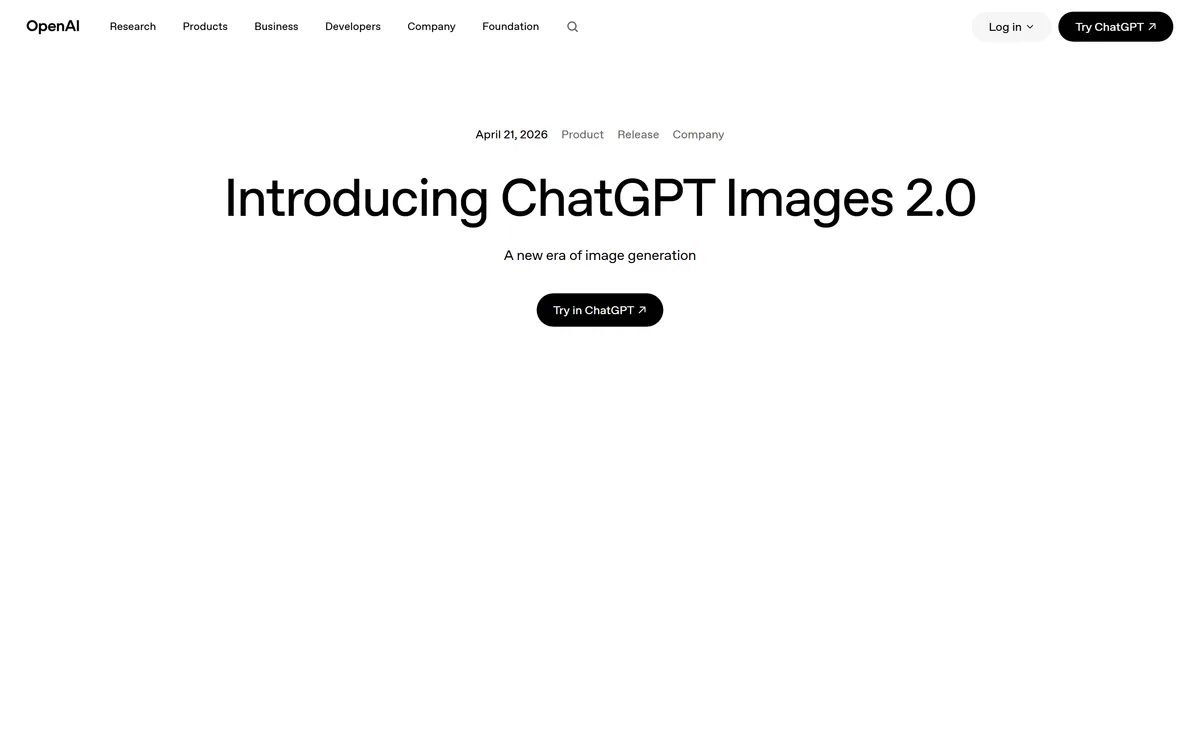
GPT Image 2 launched on 21 April 2026 as ChatGPT Images 2.0 and as the gpt-image-2 API model. Its distinguishing capabilities are dense, accurate text rendering, layout fidelity for infographics and packaging, up to 3840px output, prompt-guided masking, and reasoning applied to image structure before generation.
openai.com13 viewsAdded February 17, 2026164M+ visitors
Every image model before this generation shared one embarrassing weakness, DALL·E 3 included. Ask for a poster, a product label, a chart or a shop front, and the words came back as convincing gibberish — letter-shaped marks arranged like text by something that had never read anything.
That single failure kept generated images out of most commercial work. A beautiful mock-up you cannot put a real product name on is a mood board, not an asset.
GPT Image 2, released on 21 April 2026 under the product name ChatGPT Images 2.0, is the point at which OpenAI's answer to that problem became genuinely usable. It also changes how the model works: rather than generating in one pass, it plans the structure of the image first. This review covers what that buys, the documented constraints most write-ups skip, and where the model still loses to its rivals.
What Shipped On 21 April 2026
Text rendering is the reason to care — dense paragraphs, small lettering, multilingual characters and complex layouts, which is what made previous image models unusable for anything with words in it.
It reasons before it renders, planning image structure rather than generating in a single pass, which is why layouts hold together.
Resolution goes to 3840px on the long edge, with both edges multiples of 16 and an aspect ratio no wider than 3:1.
Editing supports masks and multiple reference images, and every input is processed at high fidelity automatically rather than being a setting you tune.
Two API surfaces: the Image API for generation and edits, and the Responses API for images produced inside a conversation or an agent flow.
GPT Image 2: The Model Card In Plain English
Announced
21 April 2026, as ChatGPT Images 2.0
API model ID
gpt-image-2
Pinned snapshot
gpt-image-2-2026-04-21
Modalities
Text and image in; image out
Endpoints
Image generations, image edits, and batch; also available through the Responses API
Maximum edge
3840 pixels
Size constraints
Both edges multiples of 16; long-to-short ratio no more than 3:1; total pixels between 655,360 and 8,294,400
Experimental above
Roughly 2560 by 1440
Quality settings
low, medium, high, auto
Output formats
PNG (default), JPEG, WebP, with compression control on JPEG and WebP
Transparency
Available in preview, PNG or WebP only
Streaming
Up to three partial images during generation
Moderation
auto (default) or low; cannot be disabled
Rate limiting
By usage tier, in tokens per minute and images per minute
Availability
OpenAI API and inside ChatGPT
OpenAI's announcement page for ChatGPT Images 2.0, captured 9 September 2026. The release is dated 21 April 2026 and tagged as a product release.
Text Rendering Is The Headline Improvement
OpenAI's documentation is direct about the priority: stronger text rendering, layout fidelity, editing and multilingual support.
In practice this means three things that previous models could not do. Dense text — a paragraph rather than a word — comes out readable. Small lettering survives, which is what packaging, labels and chart axes require. Non-Latin scripts render as the characters they are meant to be rather than as decorative approximations.
The layout half is just as important and less discussed. An infographic is not text on an image; it is a spatial argument where the position of each element carries meaning. Producing one requires holding a structure in mind while rendering its parts, which is precisely what single-pass generation cannot do.
For anyone producing marketing assets, this is the difference between a model that generates a background for a designer and a model that produces something close to a finished comp. Product photography with accurate text on labels, logos and packaging is called out specifically in OpenAI's own materials, and that is a commercial use case rather than a demo.
The constraint on generated imagery was never beauty. It was that you could not put a real word in it.
Reasoning Applied To Pictures
The architectural change behind the layout improvement is that the model plans before it renders — researching and reasoning about image structure rather than producing the whole frame in one shot.
The practical consequence is that complex, multi-element prompts behave far better. Previous models degraded sharply as you added requirements: three specific objects in specific positions with specific text usually produced two of them, somewhere else, with the wrong words.
The trade-off is latency. Planning takes time, and a model that thinks about composition is slower than one that does not. OpenAI exposes quality tiers partly for this reason, and recommends square images and JPEG output where speed matters. For a batch of thumbnails, use the low tier; for a hero asset, do not.
The Resolution Rules Are Unusually Specific
Most image APIs offer a short list of sizes. GPT Image 2 accepts any resolution that satisfies a documented set of constraints, which is more flexible and requires more care.
The rules are: the longest edge may not exceed 3840 pixels, both edges must be multiples of 16, the ratio of long edge to short edge may not exceed 3:1, and the total pixel count must fall between 655,360 and 8,294,400.
Two of these catch people out. The multiple-of-16 requirement means an arbitrary size from a design spec will be rejected, so round before you request. The 3:1 limit means very wide banners — the kind a website header often needs — cannot be generated directly and must be produced at a legal ratio and cropped.
There is also a documented caveat worth respecting: outputs above roughly 2560×1440 are described as experimental. If you are building a pipeline that depends on 4K output, treat that as a feature under development rather than a guarantee, and keep a fallback path.
Common safe sizes: 1024×1024, 1536×1024, 1024×1536, 2048×2048, 2048×1152.
Large sizes available but flagged experimental: 3840×2160 and 2160×3840.
Quality settings are low, medium, high and auto — low is genuinely useful for drafts and thumbnails.
Output formats are PNG (default), JPEG and WebP, with a compression parameter on the latter two.
Transparent backgrounds are in preview, and require PNG or WebP; JPEG cannot carry them.
Editing, Masks And The Four-Image Trick
The edits endpoint is where most production work actually happens, and it behaves differently from the selection tools designers are used to.
Masking here is prompt-based guidance. OpenAI's documentation states plainly that the model uses the mask as guidance but may not follow its exact shape with complete precision. That is an important expectation to set: this is not a lasso selection, and a pixel-exact edit against a hard boundary still belongs in an image editor.
Masks must match the input's format and size, stay under 50MB, and carry an alpha channel. What the mask buys you is a strong steer about where to work — enough for replacing a background, changing an object, or adjusting a region, and not enough for compositing against a precise edge.
The more interesting capability is supplying several reference images at once. OpenAI's own examples demonstrate four inputs in a single edit, which enables a genuinely useful pattern: give it the product, the brand palette, a style reference and a layout reference, and ask for a composition that respects all four.
One detail saves confusion. Unlike the previous generation, input fidelity is not a parameter you set — the model processes every input at high fidelity automatically. If you have code carrying that setting from an older integration, remove it.
Getting A Usable Asset Out Of It
The model rewards a different working method from its predecessors. Because it plans structure before rendering, front-loading the constraints produces far better results than iterating on a vague prompt.
This is the sequence that gets a production-ready asset with the fewest wasted renders.
Pin the snapshot in code — gpt-image-2-2026-04-21 — so an upstream model update cannot silently change output your brand depends on.
Draft at the low quality tier and a square 1024 by 1024. Composition problems show at that size, and you will find them for a fraction of the cost and latency.
Write the exact text you want rendered in quotation marks in the prompt, rather than describing it. The model can render words accurately, but only the ones you actually specify.
Round your target dimensions to multiples of 16 before requesting them, and check the long-to-short ratio is within 3:1 — a rejected request is the most common integration error.
Once composition is right, re-render at high quality and your final resolution, keeping the prompt identical so only the quality variable changes.
For edits, supply the product, palette, style and layout as separate reference images in one call, and use the mask as a steer rather than expecting it to be honoured exactly.
Where GPT Image 2 Is Weakest
A model this strong deserves an honest account of what it does not do, because the gaps are structural rather than temporary.
It is hosted only. There are no open weights, no self-hosting and no offline path. For a studio with confidentiality obligations over unreleased product imagery, or anyone in a jurisdiction with data residency requirements, that is a threshold question rather than an inconvenience — and it is where open-weight alternatives keep their advantage regardless of quality. Suite-tied models such as Adobe Firefly trade raw capability for provenance and integration instead.
Moderation is adjustable but not removable: the setting offers standard or less restrictive filtering, with no way to switch it off. For most work this never surfaces. For medical, forensic or certain artistic contexts, occasional refusals on legitimate requests are part of the deal.
Style is the other honest limitation. Models with a strong aesthetic signature — the reason many people still reach for Midjourney — produce a distinctive look that a general-purpose model tuned for accuracy and instruction-following does not. Precision and character are different goals, and this model chose precision.
Finally, provenance is not documented in the API reference. If your workflow depends on embedded content credentials being present in the returned file, verify that yourself rather than assuming it, and keep your own record of what was generated and when.
How OpenAI Charges For Images
Image generation is metered rather than subscribed, and the unit is worth understanding before building anything at volume.
Cost varies with what you ask for: the quality tier and the output resolution both move it, because both change how much work the model does. A low-quality 1024×1024 draft and a high-quality 3840×2160 render are not comparable line items. OpenAI publishes a calculator for exactly this reason.
Access is also tiered by rate limit rather than by feature. Usage tiers govern tokens per minute and images per minute, with the entry tier permitting only a handful of images a minute and the top tier permitting hundreds. For a batch pipeline this is the constraint that will bite first, well before spend does.
The batch endpoint is the lever most teams miss. Work that does not need to be interactive — overnight catalogue regeneration, bulk variants — belongs there rather than in the synchronous path.
Inside ChatGPT the model is bundled with a subscription instead, which is the better route for occasional use. We do not publish amounts here, since both the per-image rates and the plan structure change; read OpenAI's pricing page alongside the calculator.
Image Generation Terms Worth Knowing
Five terms from the documentation that determine what you can actually build.
Inpainting
Regenerating part of an existing image while leaving the rest intact. Here it is guided by a mask, but the mask is a steer rather than a precise boundary.
Input fidelity
How faithfully the model preserves detail from a supplied image. On this model it is fixed at high and is not a parameter you set — a change from the previous generation.
Partial images
Progressive renders streamed while generation completes, up to three. Useful for showing a user something is happening on a slow, high-quality render.
Quality tier
Low, medium, high or auto. Controls how much computation the model spends, which changes both latency and cost. Low is genuinely usable for drafts.
Snapshot
A pinned, dated model version — here gpt-image-2-2026-04-21. Pin it in production so an upstream update cannot silently change your output.
Key features of GPT Image 2
Dense and small text rendering, including multilingual characters, at a quality usable in commercial layouts
Structural reasoning before rendering, so complex multi-element prompts hold together
Output up to 3840 pixels on the long edge, within a documented size contract
Four quality tiers, with low fast enough for drafts and thumbnails
PNG, JPEG and WebP output with compression control, plus transparent backgrounds in preview
Prompt-guided masking for inpainting, with multiple reference images supported in a single edit
Progressive partial images streamed during generation, up to three
Available through the Image API, the Responses API for agent flows, and the batch endpoint
Pros & cons
Pros
6
Solves the text problem that kept generated images out of commercial work
Layout fidelity holds structure across infographics, packaging and marketing compositions
A documented, predictable size and format contract rather than a fixed list of presets
Multiple reference images in one edit enables product, palette, style and layout in a single call
High input fidelity applied automatically, removing a parameter that was easy to get wrong
Batch endpoint and pinned snapshots make production pipelines practical
Cons
7
Hosted only — no open weights, no self-hosting, no offline path for confidential work
Largest resolutions are explicitly experimental, so 4K output is not a guarantee to build on
Masking is guidance rather than precise selection, so pixel-exact edits still need an image editor
Moderation can be relaxed but not disabled, which occasionally blocks legitimate professional work
No distinctive aesthetic signature compared with style-led models
Aspect ratios wider than 3:1 must be produced at a legal ratio and cropped
Content provenance is not documented in the API reference
Best For
Marketing and packaging work where real text must appear correctly
Infographics, charts and any image whose layout carries meaning
Developers building programmatic generation with predictable size and format contracts
Last checked . Read from OpenAI's model reference and image generation guide, with the announcement page screenshot above captured in the same session.
Announcement page confirms the release date of 21 April 2026 under the product name ChatGPT Images 2.0
Model reference confirms the API model ID gpt-image-2 with default snapshot gpt-image-2-2026-04-21
Modalities confirmed as text and image input with image output; endpoints listed as image generations, image edits and batch, with Responses API access documented separately
Resolution contract confirmed: maximum edge 3840 pixels, both edges multiples of 16, long-to-short ratio no greater than 3:1, total pixels between 655,360 and 8,294,400
Outputs above roughly 2560 by 1440 documented as experimental
Quality settings documented as low, medium, high and auto, with low recommended for drafts and thumbnails
Output formats confirmed as PNG, JPEG and WebP, with an output compression parameter on JPEG and WebP
Transparent backgrounds documented as available in preview for PNG and WebP only
Input fidelity documented as fixed at high and not adjustable on this model
Masking documented as prompt-based guidance that may not follow the mask shape precisely; masks must match input format and size, stay under 50MB and carry an alpha channel
Moderation parameter documented with auto and low settings; no option to disable was found
Rate limits documented by usage tier in tokens per minute and images per minute
What we could not confirm: the model reference does not state a knowledge cutoff or a context limit for this model; no maximum number of reference images for an edit is stated, though four are demonstrated in OpenAI's own example; content provenance or embedded credentials are not mentioned in the API documentation we read, so verify that yourself if your workflow depends on it; and no benchmark figures accompanied the release, so comparisons against rival models here reflect documented capabilities rather than measured scores.
Editor's Verdict
4.5/5
GPT Image 2 earns a high score for solving the problem that made every previous image model unusable for commercial work: it renders dense, small and multilingual text accurately enough for infographics, packaging and marketing layouts, and it holds a layout together while doing it. Output to 3840px, a documented resolution contract, prompt-guided masking and high-fidelity handling of every input image make it a production tool rather than a toy. It loses ground because the largest outputs are explicitly flagged as experimental, because masking is guidance rather than a precise selection so pixel-exact edits still need an editor, and because it remains a hosted model with no self-hosting, no weights and moderation you cannot fully disable. AInexfinder Editor Score: 4.5/5.
GPT Image 2 pricing
AInexfinder does not list plan prices or billing details. For current pricing, plans, and trials, visit the official GPT Image 2 website.
Vendor pricing, credits, and billing policies change over time. Always confirm on the official site before you buy.
Frequently asked questions
What is GPT Image 2?
OpenAI's image generation and editing model, released on 21 April 2026 as ChatGPT Images 2.0 and available in the API as gpt-image-2. Its distinguishing capabilities are accurate rendering of dense, small and multilingual text, strong layout fidelity, and reasoning about image structure before rendering rather than generating in a single pass.
What resolution can GPT Image 2 produce?
Up to 3840 pixels on the longest edge, subject to a documented contract: both edges must be multiples of 16, the long-to-short ratio cannot exceed 3:1, and the total pixel count must fall between 655,360 and 8,294,400. Outputs above roughly 2560 by 1440 are documented as experimental, so keep a fallback if you depend on 4K.
Is GPT Image 2 free?
No. Through the API it is metered per image, with cost varying by quality tier and output resolution, and access governed by usage tiers that cap images per minute. Inside ChatGPT it comes with a paid subscription. We do not publish amounts because they change — read OpenAI's pricing page alongside its image cost calculator.
Can GPT Image 2 edit existing images?
Yes, through the edits endpoint, with masking and support for several reference images at once. Be aware that masking is prompt-based guidance: OpenAI's documentation states the model may not follow the mask shape precisely. For pixel-exact work against a hard edge you still need an image editor.
How is GPT Image 2 different from DALL-E 3?
It replaces it, and the differences are substantial rather than incremental. Text rendering went from a known weakness to the headline capability; resolution rose to 3840 pixels within a documented size contract; the model plans image structure before rendering instead of generating in one pass; and editing gained mask guidance and multi-image references.
Does GPT Image 2 support transparent backgrounds?
Yes, in preview. Request a transparent background with PNG or WebP output — JPEG cannot carry an alpha channel. Because the feature is in preview rather than generally available, verify results before relying on it in a production pipeline.
Can I self-host GPT Image 2 or download its weights?
No. It is a hosted model available only through OpenAI's API and ChatGPT. If self-hosting, open weights or offline generation is a requirement — for confidentiality, data residency or air-gapped work — you need an open-weight model instead, regardless of the quality difference.
Daniel reviews AI tools the slow way — by actually using them on real projects. His reviews cover what works, what breaks, and who each tool is genuinely a good fit for.
Daniel and the AInexfinder editorial team research GPT Image 2 using public product information, listing evidence, and (when available) hands-on checks. Scores reflect listing completeness and transparency — not paid placement.
Listings may include affiliate or sponsored placements, which are labeled when present. Editorial scores and cons are not sold. See our affiliate disclosure and review methodology.
krea2.org is a browser image-generation workspace that runs several third-party models side by side, including Krea 2 tiers, FLUX.2, GPT Image 2, Nano Banana and Seedream 5.0, with reference uploads, six aspect ratios and live model switching.
GenApe is an all-in-one AI platform covering writing, chat, image and video generation, image editing, product photography, translation, and research — with 145 free credits on signup and commercial rights granted to paid users.
Adobe Firefly generates images, video, and audio from models trained on licensed Adobe Stock and public domain content, with Content Credentials on every output, Firefly Boards for ideation, Custom Models for brand style, and third-party partner models alongside Adobe's own.
Stockimg AI offers separate generators for logos, stock photos, illustrations, wallpapers, product photos and social posts, then schedules the output to Instagram, TikTok, LinkedIn, YouTube and X, with an API for programmatic use.
OpenArt is an all-in-one AI creation platform covering image, video, voice and audio in one place, built around a Director that lets you lay out a storyboard and shape each shot through conversation, alongside persistent characters and worlds for consistency across a project.
Thumbmagic generates YouTube, Shorts, Instagram and TikTok thumbnails from a video, link or script, using creator-proven layout frameworks, face and expression detection, and 4K platform-ready exports built for A/B testing.