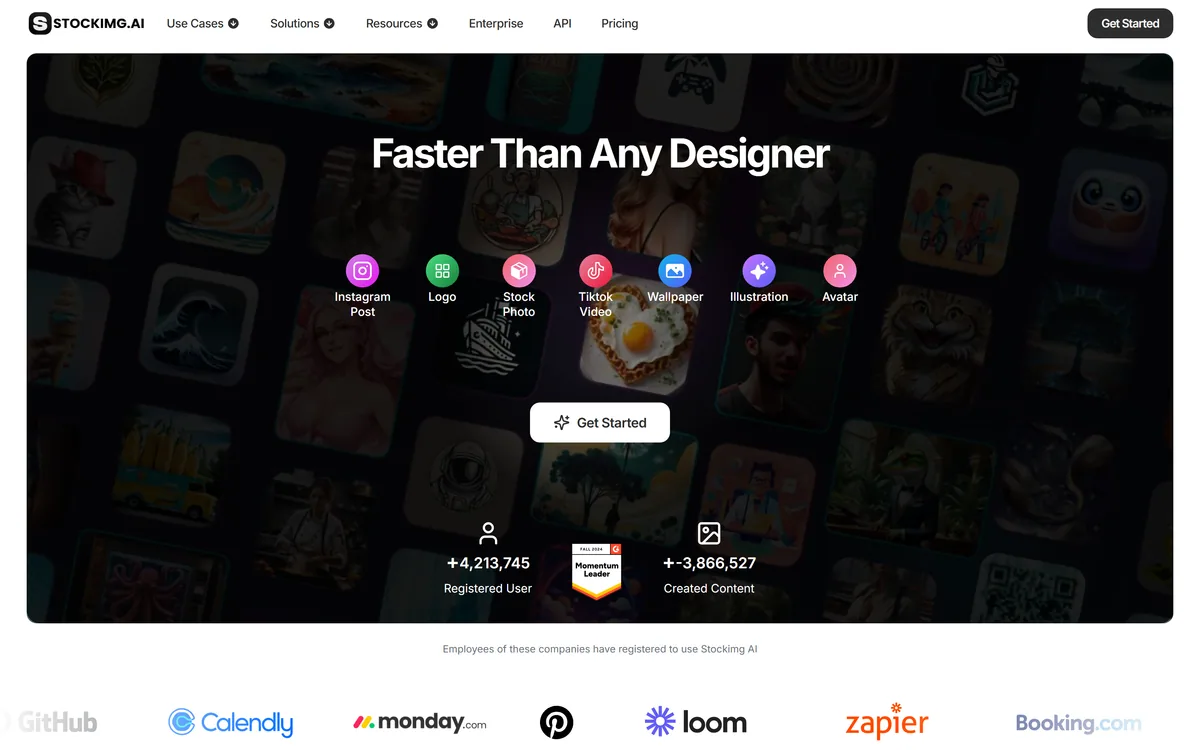
Stockimg AI offers separate generators for logos, stock photos, illustrations, wallpapers, product photos and social posts, then schedules the output to Instagram, TikTok, LinkedIn, YouTube and X, with an API for programmatic use.
stockimg.ai11 viewsAdded October 17, 202511K visitors
Stockimg AI takes a different approach from the general image generators. Instead of one prompt box that makes anything, it offers separate tools for separate jobs — a logo generator, a stock photo generator, a product photo generator, a social post generator.
That split is the whole design argument, and it is a reasonable one. A logo and a stock photo are different problems with different constraints, and a general model asked for either tends to produce something that looks like neither.
This review covers whether specialised generators actually help, what the social scheduling adds, and the licensing question you need to settle before using any of it commercially.
Stockimg splits generation by what you are making, rather than offering one prompt box for everything.
Stockimg AI, The Short Read
The design decision: separate generators per output type — logo, stock photo, illustration, wallpaper, product photo, social post — rather than one prompt box.
It also schedules. Generated posts publish to Instagram, TikTok, LinkedIn, YouTube and X, which is unusual for an image tool.
There is an API, so generation can run inside your own product rather than only in the interface.
Free scheduling is advertised; credit limits for generation are not stated on the site.
Check the licence yourself. Commercial use terms are not on the homepage — they live in the Terms of Use, and logos in particular deserve that check.
Stockimg AI Generator Line-Up
Company
Stockimg AI, Inc.
Category
AI image generation split by output type, with social scheduling
Generators
Logo, stock photo, illustration, wallpaper, product photo, Instagram post, Reels and TikTok video
Social publishing
Scheduling to Instagram, TikTok, LinkedIn, YouTube, X and more
Developer access
API offered
Free tier
Yes — scheduling advertised as free; generation credit limits not stated
Models used
Not stated on the site
Commercial terms
Not on the homepage; the site points to its Terms of Use
Why Splitting By Output Type Helps
A general image generator gives you one interface and expects your prompt to carry all the context. Asking it for a logo produces an illustration of a logo — detailed, textured, unusable at 32 pixels.
A dedicated logo generator can bake in what logos require: simplicity, scalability, working in one colour, reading at small sizes. Those constraints live in the tool rather than in your prompt-writing skill.
The benefit is largest for people who do not know what to ask for. If you cannot articulate why your generated logo looks wrong, a tool that already knows is worth more than a better model with a blank box.
A general model gives you a bigger blank canvas. A specialised tool gives you fewer ways to get it wrong.
Generation Plus Distribution
The scheduling feature is the genuinely unusual part. Most image tools stop at export; Stockimg publishes to Instagram, TikTok, LinkedIn, YouTube and X directly.
For social media managers that closes a real gap. The usual chain is generate in one tool, download, upload to a scheduler, write the caption, set the time — four context switches for one post.
Whether you want your image generator to also hold your social account credentials is a separate question, and worth deciding deliberately rather than by clicking through.
The Licensing Question On Logos
This deserves its own attention because a logo is not like other generated images.
A logo is a trademark in waiting. You will put it on a product, a contract, a shopfront — and you need to know you can use it exclusively and that nobody else was handed something similar by the same generator.
Stockimg's homepage does not address commercial use; it points to its Terms of Use. Read those before adopting a generated logo, and understand that AI-generated marks raise trademark questions that are still unsettled in many jurisdictions. For anything that will carry real business value, a designer and a trademark search remain the safer path.
Getting Usable Output From It
The specialised-generator model rewards a slightly different approach from a general image tool.
Pick the generator that matches your output, rather than using the general one for everything.
Generate several variations before judging — specialised tools converge quickly, so the first result is rarely the best.
For logos, test at small size and in one colour before falling in love with a full-colour version.
Read the Terms of Use on commercial rights before anything goes on a product or an advert.
Connect social accounts only if you actually want scheduling; otherwise export and keep the credentials separate.
For product photos, compare against a dedicated product-photography tool before committing to volume.
What The Site Does Not Say
Two absences are worth noting, neither of them unusual for this category.
No underlying models are named. That matters less for output quality than people assume, but it does mean you cannot anticipate how the tool will change when the models behind it do.
Generation credit limits are not stated either — scheduling is advertised as free, but how much you can generate before paying is something you will discover by using it.
Neither is a problem for casual use. Both are worth resolving before building a workflow, particularly one running through the API.
Where It Sits Honestly
Stockimg is a convenience product, and that is not a criticism. It competes on having the right tool for the job already configured, not on producing better images than the leading generators.
For a social media manager or small business owner producing steady volume across several formats, that convenience is worth real money. For anyone whose output quality is the differentiator, a dedicated generator will beat it.
The API is the part that could matter most long term, since it moves the specialised generators into other products rather than keeping them in an interface.
Compare Against These
Each takes a different position on breadth versus depth.
Canva AI — a full design editor with templates and brand controls around the AI
Midjourney — far stronger image quality, with no scheduling or specialisation
GenApe — a broader bundle including copy, on a single credit pool
Mew Design — when the graphic needs correct, editable text rather than pure imagery
Key features of Stockimg.ai
Dedicated logo generator with logo-specific constraints
Stock photo and product photo generators
Illustration and wallpaper generators
Instagram post, Reels and TikTok video generation
Scheduling and publishing to Instagram, TikTok, LinkedIn, YouTube and X
API access for generation inside your own product
Free social post scheduling
Pros & cons
Pros
5
Purpose-built generators bake in constraints your prompt would otherwise have to carry
Generation and social publishing in one place removes several context switches
Especially helpful for people who cannot articulate what is wrong with a design
API opens use beyond the interface
Broad enough to cover most small-business visual needs
Cons
5
Competes on convenience, not on output quality
Commercial licensing is not stated on the homepage
You produce steady volume across several different output formats
You want generation and social scheduling in the same place
You cannot easily articulate why a generated design looks wrong
You need product photos and social posts rather than fine art
You want generation available through an API in your own product
Not The Tool When
Image quality is your actual differentiator
You need a logo that will carry serious trademark value
You would rather not connect social credentials to an image tool
You need to know which models sit behind the output
You require documented commercial licensing before you start
Checked Against The Site
Last checked . Read from stockimg.ai during this check, with the screenshot above captured at the same time.
Generator types and social platform list taken from Stockimg's own homepage
Free scheduling confirmed as advertised on the site
API availability confirmed on the site
Company attributed to Stockimg AI, Inc. per the copyright notice
No underlying models are named and no generation credit limits are stated on the site, so neither is claimed here
Commercial licensing is not addressed on the homepage; the site directs users to its Terms of Use
The caution on AI-generated logos and trademark reflects the general legal position, which is unsettled in many jurisdictions, rather than anything specific to Stockimg.
Editor's Verdict
4.0/5
Stockimg.ai has an AInexfinder Editor Score of 4.0/5.
Stockimg.ai pricing
AInexfinder does not list plan prices or billing details. For current pricing, plans, and trials, visit the official Stockimg.ai website.
Vendor pricing, credits, and billing policies change over time. Always confirm on the official site before you buy.
Frequently asked questions
Why use Stockimg instead of a general AI image generator?
Because the constraints live in the tool rather than in your prompt. Asking a general model for a logo tends to produce an illustration of a logo — detailed and unusable at small sizes. A dedicated generator already knows what logos require.
Can Stockimg post to social media for me?
Yes. Generated posts can be scheduled and published to Instagram, TikTok, LinkedIn, YouTube and X, which removes the usual generate-download-upload-schedule chain. Whether you want an image tool holding those credentials is worth deciding deliberately.
Can I use a Stockimg logo for my business?
Read the Terms of Use first — commercial licensing is not addressed on the homepage. Separately, AI-generated logos raise trademark questions that remain unsettled in many jurisdictions, so anything carrying real business value warrants a designer and a trademark search.
Which AI models does Stockimg use?
The site does not name them. That matters less for output quality than people assume, but it does mean you cannot anticipate how output will shift when the underlying models change.
Is Stockimg free?
Social post scheduling is advertised as free. Generation credit limits are not stated on the site, so how much you can create before paying is something you will find out by using it.
Does Stockimg have an API?
Yes. That is arguably the most interesting part long term, since it moves the purpose-built generators into other products rather than keeping them behind an interface.
Is the image quality as good as Midjourney?
No, and it is not trying to be. Stockimg competes on having the right tool already configured for the job. If image quality is your differentiator, a dedicated generator will beat it.
Daniel reviews AI tools the slow way — by actually using them on real projects. His reviews cover what works, what breaks, and who each tool is genuinely a good fit for.
Daniel and the AInexfinder editorial team research Stockimg.ai using public product information, listing evidence, and (when available) hands-on checks. Scores reflect listing completeness and transparency — not paid placement.
Listings may include affiliate or sponsored placements, which are labeled when present. Editorial scores and cons are not sold. See our affiliate disclosure and review methodology.
krea2.org is a browser image-generation workspace that runs several third-party models side by side, including Krea 2 tiers, FLUX.2, GPT Image 2, Nano Banana and Seedream 5.0, with reference uploads, six aspect ratios and live model switching.
GenApe is an all-in-one AI platform covering writing, chat, image and video generation, image editing, product photography, translation, and research — with 145 free credits on signup and commercial rights granted to paid users.
Adobe Firefly generates images, video, and audio from models trained on licensed Adobe Stock and public domain content, with Content Credentials on every output, Firefly Boards for ideation, Custom Models for brand style, and third-party partner models alongside Adobe's own.
GPT Image 2 launched on 21 April 2026 as ChatGPT Images 2.0 and as the gpt-image-2 API model. Its distinguishing capabilities are dense, accurate text rendering, layout fidelity for infographics and packaging, up to 3840px output, prompt-guided masking, and reasoning applied to image structure before generation.
OpenArt is an all-in-one AI creation platform covering image, video, voice and audio in one place, built around a Director that lets you lay out a storyboard and shape each shot through conversation, alongside persistent characters and worlds for consistency across a project.
Thumbmagic generates YouTube, Shorts, Instagram and TikTok thumbnails from a video, link or script, using creator-proven layout frameworks, face and expression detection, and 4K platform-ready exports built for A/B testing.