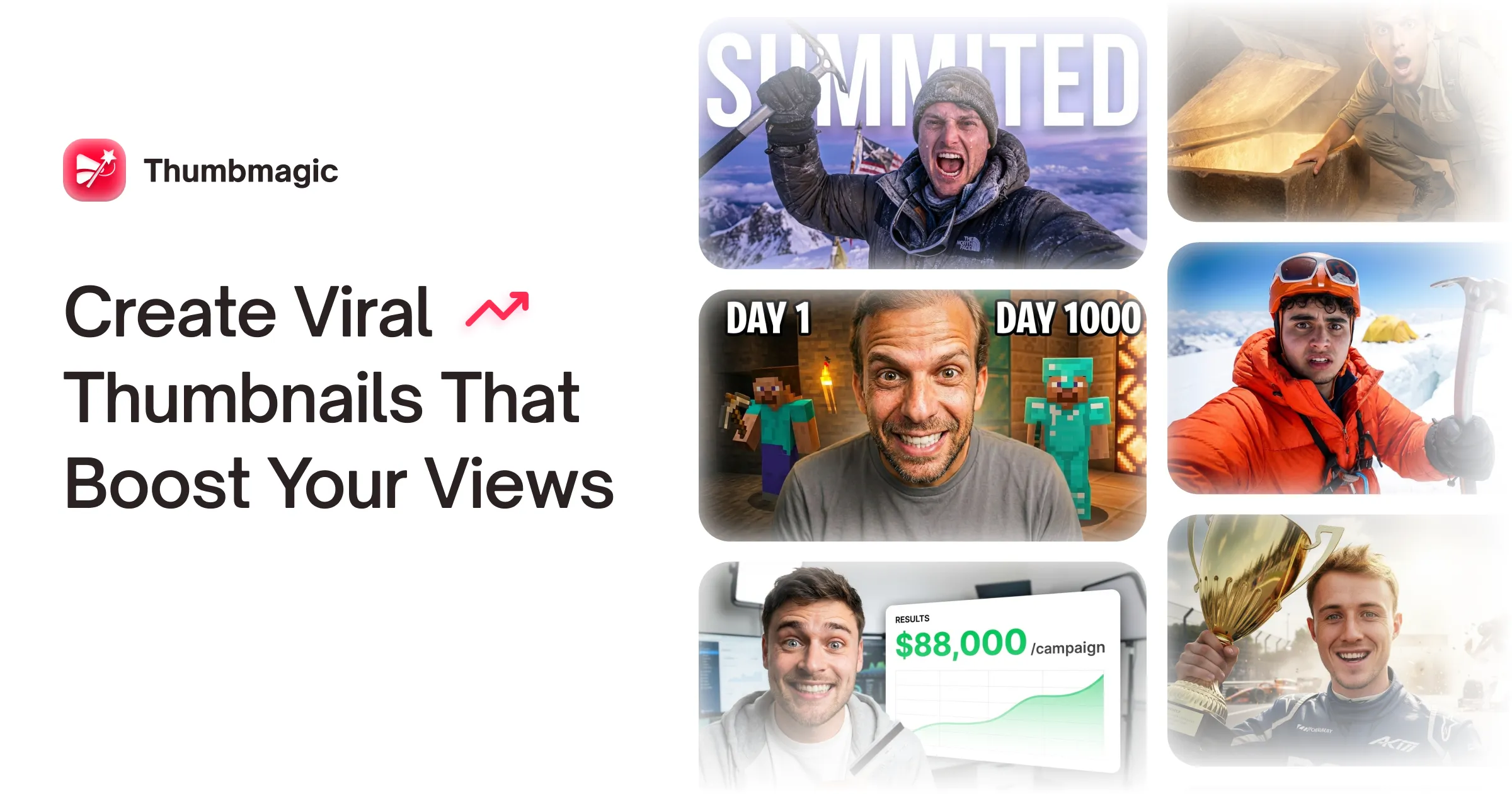
Thumbmagic generates YouTube, Shorts, Instagram and TikTok thumbnails from a video, link or script, using creator-proven layout frameworks, face and expression detection, and 4K platform-ready exports built for A/B testing.
thumbmagic.co10 viewsAdded February 19, 202616K visitors
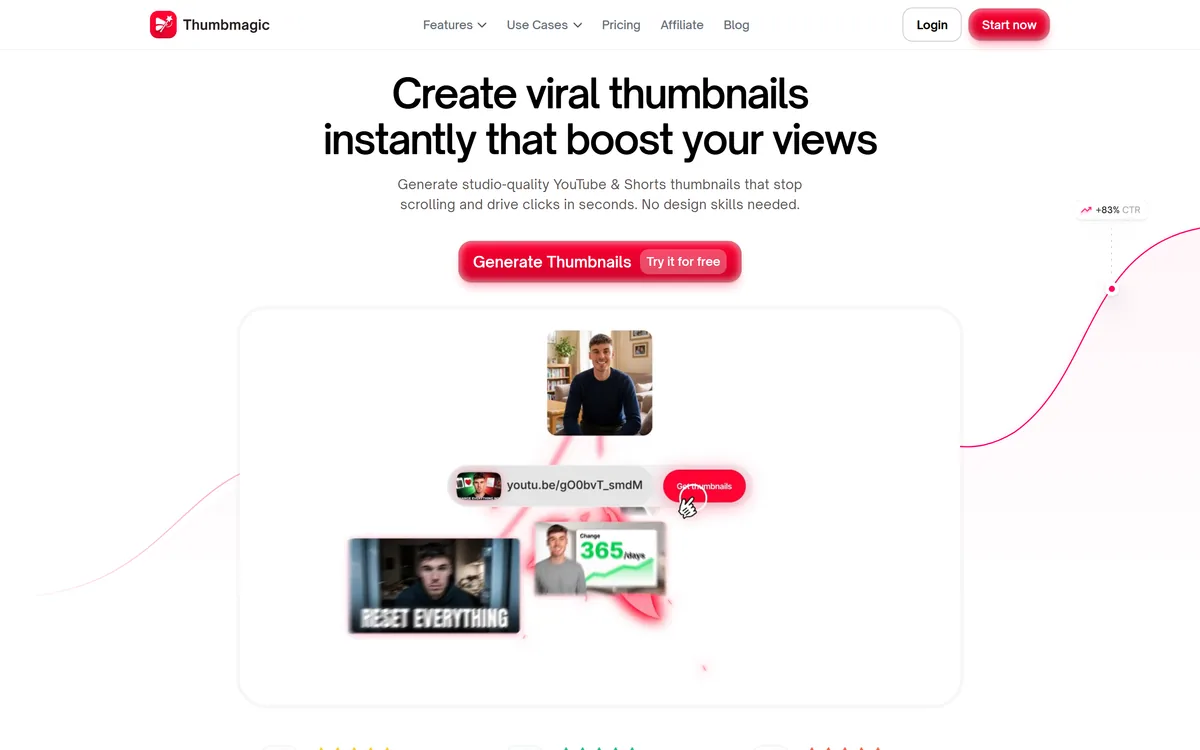
Thumbmagic's homepage, captured 9 September 2026, showing its thumbnail generation positioning.
Thumbmagic: Thumbnails Built For A Test, Not A Portfolio
The positioning is direct: create viral thumbnails instantly that boost your views, generating studio-quality YouTube and Shorts thumbnails in seconds with no design skills needed.
The most useful line sits in the feature list rather than the headline: built for A/B testing, generating multiple variations instantly so you can find what gets the highest click-through rate.
That reframing is the actual argument, and it is correct. A thumbnail is not a piece of design to be perfected; it is a guess about what will make a stranger stop scrolling, and nobody can reliably predict which guess wins.
Experienced creators are better than novices at eliminating obvious failures and no better at picking winners — which is why every large channel tests rather than decides.
The economic consequence follows directly. If the answer comes from testing, then the cost per variant governs your strategy, and generating twelve in seconds is a different activity from commissioning one. That is the case for this category, and it does not require the thumbnails to be better than a designer's.
A thumbnail is not a design deliverable, it is a hypothesis. Experienced creators are good at eliminating obvious failures and no better than anyone at picking winners.
Faces, Expressions And Why They Work
Two features encode real knowledge of the format: smart face and style detection that captures your best expressions, and a separate expression changer tool.
Human faces displaying clear emotion are the single most consistent element in high-performing thumbnails, and the reason is not aesthetic.
Faces attract attention pre-attentively — we detect and read them before deciding to look, which is why a face in a grid of thumbnails is processed first. A face showing a legible emotion also implies a story: surprise implies something unexpected, concern implies stakes, delight implies a payoff.
That is a great deal of narrative information transmitted in a fraction of a second, which is all a thumbnail gets.
Automatically finding the frame where your expression is strongest solves a genuinely tedious problem, since the best expression in an hour of footage is rarely near the moment you would have chosen. The expression changer raises a question the tool does not: an altered expression is a picture of a reaction you did not have. For most content that is unremarkable stylisation; for anything documentary it is worth thinking about. Portrait tools like PFPMaker sit in the same territory with lower stakes.
Can A Thumbnail Really Move Click-Through?
The claims are specific: a stated 50 percent average click-through increase, twice the production speed and a 90 percent reduction in design cost.
The first of those cannot be true as an average, and it is worth explaining why rather than simply doubting it.
Click-through rate is a ratio against impressions, and impressions are allocated by a platform partly in response to click-through rate. Improve the thumbnail and the video is shown to a wider, less targeted audience — which typically pushes the rate back down. The system is self-correcting, which is exactly why sustained large average gains are not a thing that happens.
What is true is that thumbnails genuinely matter enormously, and that the difference between a poor thumbnail and a good one is often the difference between a video being distributed and disappearing.
The honest version of the claim is that testing beats guessing and that a bad thumbnail is the single most fixable reason a good video failed. Neither requires a percentage. A creator should measure their own before-and-after in their own analytics, which is the only figure that describes their channel. Generators such as Pikzels aim at a specific visual look rather than at variant volume, which is a different bet on the same problem.
Test variants rather than choosing one you like.
Test the thumbnail with the title, since viewers judge them together.
Keep the promise the thumbnail makes, or watch time punishes you.
Measure your own before-and-after; ignore average uplift claims.
Check legibility at the size a phone actually displays.
Generating Variants Worth A Test
The workflow is described as importing a video, transcript or link so the AI extracts key moments and identifies visual hooks, then choosing a layout from creator-proven design frameworks and adjusting text, colours, backgrounds or expressions.
Extracting candidate frames from the video is the useful half, and it addresses a real friction.
Finding a good thumbnail frame means scrubbing through footage looking for a moment that reads clearly out of context — well lit, expressive, uncluttered. It takes longer than it should and creators routinely settle for a mediocre frame because they have run out of patience at the end of an edit.
The layout frameworks are the part to treat with more care. Templates used by top creators work because they are legible at small sizes and direct attention efficiently, which is genuine craft knowledge.
They also converge. If a hundred channels in your niche use the same three high-performing frameworks, the frameworks stop distinguishing anyone and the advantage moves to whoever looks different. That is not an argument against using them — it is an argument for testing something unlike them occasionally, which the variant workflow makes cheap. Design tools such as MolyPix.AI give more editorial control at the cost of speed.
Four-K Exports And Platform Requirements
Export is stated as 4K, platform-ready and optimised for YouTube, Shorts and other platforms, with a separate resizer, previewer and rater among the free tools.
The specification that actually matters is not resolution — it is legibility at display size.
A thumbnail is designed on a large monitor and seen on a phone, where it occupies roughly the area of a postage stamp. Text that reads comfortably while you are making it becomes illegible at the size a viewer receives, and this is the most common mistake in amateur thumbnails by a wide margin.
Three or four words is the practical ceiling, and the previewer tool exists precisely to test that.
Aspect ratio is the other practical requirement, and it is why the resizer earns its place. A YouTube thumbnail and a Shorts cover have different shapes, and a cropped 16:9 image loses whatever was near the edges — typically the text. Handling each platform natively rather than by cropping is the difference between reuse and rework.
The site's own testimonials say plainly that the tool is replacing thumbnail designers for some users, and it would be evasive not to note that. For creators who never had a designer it removes a barrier; for those who did, it is a substitution, and both things are true at once.
Testing Thumbnails Without Guessing
The mistake is generating twelve thumbnails, picking a favourite, and calling it a test.
This order produces an answer rather than an opinion.
Generate variants that differ in one thing — expression, text, or layout.
Check every one at phone size before it enters a test.
Keep text to three or four words at most.
Test the thumbnail alongside the title, not in isolation.
Give each variant enough impressions to mean something.
Keep the promise it made, and watch retention as well as clicks.
Thumbmagic: What One Video Produces
Multiple variants in seconds, generated for testing rather than for a single choice.
Face and expression detection, finding the best frame from your own footage.
Creator-proven layout frameworks rather than generic design templates.
4K platform-ready exports for YouTube, Shorts, Instagram and TikTok.
Free tools around it: previewer, rater, resizer and CTR calculator.
Key features of Thumbmagic
Thumbnail generation from video, link or script
Automatic key moment and visual hook extraction
Face and expression detection
Expression changing on generated thumbnails
Creator-proven layout frameworks
Instant variant generation for A/B testing
4K platform-ready exports
Previewer, rater, resizer and CTR calculator
Pros & cons
Pros
7
Treats thumbnails as hypotheses to test rather than designs to perfect
Variant generation matches how large channels actually work
Face and expression detection encodes real knowledge of what performs
Extracting frames from footage removes a genuinely tedious step
Native handling of several aspect ratios rather than cropping one image
The previewer directly addresses the most common amateur mistake
Free surrounding tools make evaluation easy before committing
Cons
7
A 50 percent average CTR increase is not plausible as stated
Production-speed and cost figures carry no methodology
Popular frameworks converge, eroding the advantage they confer
The expression changer depicts a reaction that did not happen
Testimonials explicitly describe replacing designers, which is worth naming
Judging what is interesting to your audience remains yours
Nothing here helps a video whose problem is the video
Best For
Creators publishing weekly or more often
Channels testing thumbnails before every upload
Creators publishing to YouTube, Shorts and TikTok together
Anyone without a designer and without design skills
Agencies producing thumbnails for several channels
Thumbmagic Against Other Thumbnail Tools
Image tools differ by whether they are built for testing.
Last checked . Read from thumbmagic.co in a browser session on the date above, with the screenshot captured at the same time.
Positioned as an AI thumbnail maker for YouTube, Shorts, Instagram and TikTok
Instant generation described from a video upload, platform link or script
Described as built for A/B testing with multiple variations generated instantly
Smart face and style detection stated to capture your best expressions
Templates described as creator-proven viral design frameworks
Exports stated as 4K and platform-ready
A three-step workflow: import, select template and customise, export
An expression changer listed among the features
Free tools listed including a thumbnail tester, previewer, CTR calculator, resizer and rater
Title and description generators offered alongside thumbnails
Claims displayed of 50 percent average CTR increase, twice production speed and 90 percent lower design cost
Named testimonials with a link to a third-party review platform, and a footer showing a 2025 copyright with terms and privacy policy
What we could not confirm: how the 50 percent CTR figure was measured, which as an average is not plausible given how impressions are allocated; the basis for the production-speed and cost-reduction figures; how the layout frameworks were derived; whether testimonials are from identifiable creators; and pricing. We did not generate a thumbnail or run a test.
Editor's Verdict
3.5/5
Thumbmagic has the right theory of the problem: a thumbnail is not a design deliverable, it is a hypothesis, and the only thing that settles it is a test. Generating a dozen variants in seconds and exporting them platform-ready is a genuinely better fit for that reality than a single carefully crafted image. The expression changer and face detection reflect real understanding of what performs. The claims are the weak part — a stated 50 percent average click-through increase with no methodology is precisely the kind of number that cannot be true as an average. AInexfinder Editor Score: 3.5/5.
Thumbmagic pricing
AInexfinder does not list plan prices or billing details. For current pricing, plans, and trials, visit the official Thumbmagic website.
Vendor pricing, credits, and billing policies change over time. Always confirm on the official site before you buy.
Frequently asked questions
What does Thumbmagic do?
It generates thumbnails from a video, link or script — extracting candidate frames, applying layout frameworks, detecting faces and expressions — and produces multiple variants for A/B testing in 4K platform-ready exports.
Why generate variants instead of one good thumbnail?
Because a thumbnail is a guess about what makes a stranger stop scrolling, and nobody predicts that reliably. Experienced creators eliminate obvious failures well and pick winners no better than anyone else.
Is the 50 percent click-through claim credible?
Not as an average. Click-through is a ratio against impressions, and platforms allocate more impressions to videos with higher rates — which pushes the rate back down. The system is self-correcting.
So do thumbnails actually matter?
Enormously. The difference between a poor thumbnail and a good one is often the difference between a video being distributed and disappearing. That is true without needing a percentage attached to it.
Why do faces work so well in thumbnails?
Because we detect and read faces pre-attentively, before deciding to look. A legible emotion also implies a story — surprise implies something unexpected, concern implies stakes — which is a lot of information in a fraction of a second.
What is the most common thumbnail mistake?
Text that is illegible at display size. A thumbnail is designed on a monitor and seen on a phone at roughly the size of a postage stamp, where three or four words is the practical ceiling.
Are the layout templates a reliable advantage?
They work because they are legible and direct attention efficiently. They also converge — once a hundred channels in your niche use the same three frameworks, the advantage moves to whoever looks different.
Should I use the expression changer?
For most content it is unremarkable stylisation. For documentary or journalistic work, an altered expression depicts a reaction you did not have, which is worth thinking about before publishing.
How should I run a test properly?
Vary one thing at a time, check legibility at phone size first, test the thumbnail alongside the title since viewers judge them together, and give each variant enough impressions to mean something.
Does a better thumbnail risk anything?
Yes — overselling. Viewers who click and leave immediately signal disappointment, and platforms increasingly weight watch time over clicks. A thumbnail that wins the click and loses the viewer is a net loss.
Daniel reviews AI tools the slow way — by actually using them on real projects. His reviews cover what works, what breaks, and who each tool is genuinely a good fit for.
Daniel and the AInexfinder editorial team research Thumbmagic using public product information, listing evidence, and (when available) hands-on checks. Scores reflect listing completeness and transparency — not paid placement.
Listings may include affiliate or sponsored placements, which are labeled when present. Editorial scores and cons are not sold. See our affiliate disclosure and review methodology.
krea2.org is a browser image-generation workspace that runs several third-party models side by side, including Krea 2 tiers, FLUX.2, GPT Image 2, Nano Banana and Seedream 5.0, with reference uploads, six aspect ratios and live model switching.
GenApe is an all-in-one AI platform covering writing, chat, image and video generation, image editing, product photography, translation, and research — with 145 free credits on signup and commercial rights granted to paid users.
Adobe Firefly generates images, video, and audio from models trained on licensed Adobe Stock and public domain content, with Content Credentials on every output, Firefly Boards for ideation, Custom Models for brand style, and third-party partner models alongside Adobe's own.
GPT Image 2 launched on 21 April 2026 as ChatGPT Images 2.0 and as the gpt-image-2 API model. Its distinguishing capabilities are dense, accurate text rendering, layout fidelity for infographics and packaging, up to 3840px output, prompt-guided masking, and reasoning applied to image structure before generation.
Stockimg AI offers separate generators for logos, stock photos, illustrations, wallpapers, product photos and social posts, then schedules the output to Instagram, TikTok, LinkedIn, YouTube and X, with an API for programmatic use.
OpenArt is an all-in-one AI creation platform covering image, video, voice and audio in one place, built around a Director that lets you lay out a storyboard and shape each shot through conversation, alongside persistent characters and worlds for consistency across a project.