Pikzels is a thumbnail and title tool for YouTube creators from Pikzels LLC. It scores a thumbnail across five dimensions, applies performance-based fixes in one click, generates thumbnails from prompts, and keeps a consistent face and style across a channel.
On YouTube, the video is not what gets clicked. The thumbnail and title are, and everything else in the production only matters to the people the packaging already persuaded.
Creators know this and still judge their own thumbnails by whether they like them, which is the worst available criterion. You are not the audience, you have seen the footage, and you know what the video is about — three disqualifying advantages.
Pikzels replaces that judgement with a score across five dimensions and a fix that acts on it. Whether the score is right is a fair question; that it beats liking your own work is not.
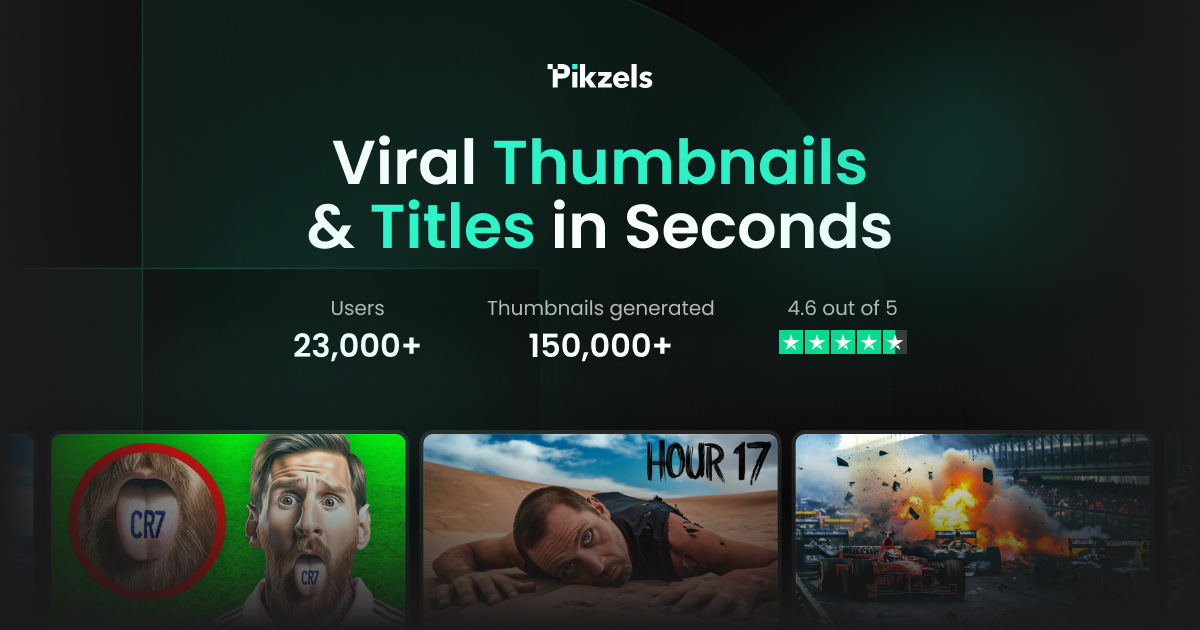
Pikzels' homepage, captured 9 September 2026, showing the thumbnail generation and scoring tools for YouTube creators.
Pikzels: The Thumbnail Problem, Solved?
Pikzels Score analyses a thumbnail across five dimensions with data-backed feedback, rather than telling you it looks nice.
One-Click Fix applies performance-based improvements to what the score found.
Persona and Style keep a consistent face and visual identity across a whole channel, which is the harder problem.
Prompt-to-Thumbnail, Recreate and Edit cover generating from scratch, rebuilding a format, and changing an existing image by instruction.
Operated by Pikzels LLC of San Francisco, with an API, documentation and a status page.
Why Does A Thumbnail Score Beat A Gut Feeling?
The Pikzels Score analyses a thumbnail across five dimensions and returns data-backed feedback, and One-Click Fix acts on what it found.
The value is not that the number is correct. It is that a number is arguable and a feeling is not — a creator told their thumbnail scores badly on subject clarity has something specific to change, where a creator who thinks it looks fine has nothing.
Thumbnails also fail in predictable ways, which is what makes scoring tractable at all. Too much text to read at the size it is actually shown. A face too small to register an expression. Contrast that disappears against a dark interface. Detail that vanishes on a phone.
Those are all measurable properties of an image rather than matters of taste, and a tool checking them systematically will catch things a creator staring at a full-resolution version at midnight will not.
What it cannot know is your audience. A thumbnail that scores well in general can underperform for a channel whose viewers respond to something else entirely, and the score has no access to that. Treat it as catching mistakes rather than predicting performance.
The same logic runs through creator tooling generally. OpusClip picks moments from a recording on a similar kind of heuristic, and the honest framing in both cases is a shortlist rather than a verdict.
A number is arguable and a feeling is not. A creator told their thumbnail scores badly on subject clarity has something specific to change.
Persona And Style Are The Consistency Play
Persona gives consistent facial representation without photography, and Style maintains visual branding across multiple thumbnails. These are the two features that address a channel rather than an image.
The reason that matters is how discovery actually works. A viewer scrolling a feed is not evaluating your thumbnail on merit; they are recognising, in a fraction of a second, whether this is a channel they already like.
Recognition requires consistency — the same colour treatment, the same typography, the same face in roughly the same place — and consistency is exactly what a creator making each thumbnail from scratch never achieves.
Persona solves a specific, tedious problem too. Getting a good photograph of yourself with the right expression for every video is genuinely difficult, and most creators end up reusing three photographs indefinitely.
The caution is that a generated likeness of yourself is still a generated likeness. It should look like you, and viewers who know your channel will notice when it does not quite — so check the output against real photographs rather than against your memory of yourself.
What The Pikzels Score Cannot Measure
Being clear about the limits makes the tool more useful, and there are three that matter.
The first is the title. Thumbnail and title work as a pair, and the best-performing combinations frequently have a thumbnail that raises a question the title answers, or the reverse. Scoring the image alone misses that relationship entirely — which is presumably why Pikzels also generates titles.
The second is context. A thumbnail is seen next to other thumbnails, and what stands out depends on what it is standing out from. An image that scores well in isolation can disappear on a results page where everything is the same colour.
The third is your specific audience, and this is the one people forget. Channels build expectations, and a thumbnail that violates the pattern your viewers have learned can underperform while scoring perfectly. The score describes an average viewer, and you are not selling to one.
The reliable way to close all three gaps is the same: your own analytics. Click-through rate on your own channel, compared against your own baseline, is the only measurement that accounts for your audience, your titles and your competitive context.
Consistency is the identical problem an e-commerce catalogue faces, which is what a tool like Pebblely exists to solve — same principle, different shelf.
Judge the thumbnail at the size it is actually shown, not at full resolution.
Use Persona and Style for channel consistency, which matters more than any single image.
Check a generated likeness against real photographs, not against memory.
Test against your own click-through baseline, since the score describes an average viewer.
Treat the score as catching mistakes rather than predicting performance.
Packaging A Video Properly
Packaging is a separate task from making the video, and treating it as an afterthought is why good videos fail.
The order below works because it front-loads the decision that everything else follows from.
Decide the promise the video makes before you edit it — the thumbnail has to show that promise, and it is easier to make the video match than the reverse.
Generate three genuinely different concepts rather than three variations of one.
View each at the smallest size YouTube shows it, on a phone, before looking at the score.
Run the score, and act on any dimension that flags something you could not see yourself.
Fix the title and thumbnail together, checking whether one raises the question the other answers.
Compare click-through against your own channel baseline after 48 hours, and keep what beats it rather than what scored best.
Who Actually Needs A Thumbnail Tool
The honest answer depends entirely on where a channel currently is, and the answer changes as it grows.
For a small channel the constraint is usually not thumbnail quality but the fact that nobody sees the thumbnail. Impressions have to exist before packaging can improve them, and a channel with a hundred views per video is solving a different problem.
For a mid-sized channel this is close to the highest-leverage tool available. Impressions exist, click-through is measurable, and a percentage point of improvement compounds across every video in the library rather than only the next one.
For a large channel the calculation shifts again. At that scale most creators have a designer, and the argument for Pikzels becomes speed and consistency rather than capability — although Persona and Style remain genuinely useful even with a designer.
The API, documentation and status page suggest the product expects programmatic use, which points at agencies and multi-channel operations more than at individual creators. That is a reasonable business to be in, and it is worth knowing whose needs shaped the product.
Whichever bracket you are in, packaging is only half the job. Production tools such as Vmaker AI and clipping tools like quso.ai handle the other half.
Pikzels: Company And Features
Operating company
Pikzels LLC
Address
28 Geary St, San Francisco, CA 94108
Product type
AI thumbnail and title tool for YouTube creators
Pikzels Score
Analyses a thumbnail across five dimensions with data-backed feedback
You have enough impressions that click-through is a meaningful number.
Your thumbnails look different from each other and none of them look like your channel.
Photographing yourself for every video is a real bottleneck.
You want a second opinion that is arguable rather than a friend saying it looks fine.
You run several channels and consistency is an operational problem.
Skip it for a channel when
Your videos get very few impressions, where packaging is not the constraint.
You work with a designer whose output already reflects your channel's identity.
You would optimise for the score rather than for your own click-through baseline.
Your audience responds to something a general model has no access to.
You are not publishing often enough for consistency to matter yet.
Other Creator And Design Tools
Packaging, production and identity are three different jobs, served by different tools.
OpusClip — for cutting the video that the thumbnail sells
Vmaker AI — recording and editing on the production side
Pebblely — the same consistency problem, applied to product photography
Logomakerr.ai — for the channel identity a thumbnail carries
quso.ai — clipping and scheduling around the videos you publish
Reading The Pikzels Site Closely
Last checked . Read from pikzels.com and its footer navigation, with the screenshot above captured in the same session.
Operating company confirmed as Pikzels LLC, at 28 Geary St, San Francisco, CA 94108
Positioned as a platform for YouTube creators to generate, test and optimise thumbnails and titles
Pikzels Score confirmed as analysing thumbnails with data-backed feedback across five dimensions
One-Click Fix confirmed as applying performance-based improvements
Prompt-to-Thumbnail confirmed as generating from a text description
Recreate confirmed as rebuilding existing thumbnail formats
Edit confirmed as modifying thumbnails through text instructions
Persona confirmed as consistent facial representation without photography
Style confirmed as maintaining visual branding across thumbnails
Titles confirmed as a generation feature
Product surface confirmed as web app, customer portal, API, documentation and status page
Thumbnail Downloader confirmed as a free tool
Footer sections confirmed for Company, Product, Features, Free Tools and Legal
What we could not confirm: what the five scoring dimensions are, or what data backs them; whether the score correlates with actual click-through, and on what evidence; which underlying image models are used; pricing or plan structure; how Persona training images are stored, retained or deleted; and whether any published study supports the performance claims. We did not use the product, so nothing here reflects tested output quality.
Editor's Verdict
3.8/5
Pikzels is built on a correct premise: on YouTube the packaging decides whether the video gets watched at all, and most creators judge their own thumbnails by whether they like them. Scoring against five dimensions and applying a one-click fix replaces taste with something arguable, which is a real improvement over the alternative. Persona and Style are the smarter half — channel-level consistency is what makes a thumbnail recognisable in a feed, and it is exactly what a creator working image by image never achieves. It scores where it does because no external model can know your audience, and a score is a heuristic rather than a prediction. AInexfinder Editor Score: 3.8/5.
Pikzels pricing
AInexfinder does not list plan prices or billing details. For current pricing, plans, and trials, visit the official Pikzels website.
Vendor pricing, credits, and billing policies change over time. Always confirm on the official site before you buy.
Frequently asked questions
What is Pikzels?
Pikzels is an AI thumbnail and title tool for YouTube creators, from Pikzels LLC in San Francisco. It scores thumbnails across five dimensions, applies one-click fixes, generates thumbnails from prompts, rebuilds existing formats, and offers Persona and Style for consistent faces and branding across a channel.
How does the Pikzels Score work?
It analyses a thumbnail across five dimensions and returns data-backed feedback. The dimensions themselves are not published. The value is less that the number is correct and more that it is arguable — a creator told their thumbnail fails on subject clarity has something specific to change, where one who thinks it looks fine has nothing.
Can a tool actually predict thumbnail performance?
No, and it is worth being clear about that. Thumbnails fail in predictable ways — too much text, faces too small, contrast that disappears — and those are measurable. What no external model can know is your specific audience, your competitive context, or how the title pairs with the image. Treat it as catching mistakes.
What do Persona and Style do?
Persona gives a consistent facial representation without photography; Style maintains visual branding across thumbnails. Both address the channel rather than the image, which matters because a viewer scrolling a feed is recognising whether this is a channel they like, not evaluating your thumbnail on merit.
Is Pikzels worth it for a small channel?
Usually not yet. A channel with very few impressions has a discovery problem rather than a packaging problem, and improving click-through on a hundred views changes very little. The case gets strong at mid-size, where impressions exist and a percentage point compounds across the whole library.
How should I test whether it works?
Against your own click-through baseline, not against the score. That is the only measurement accounting for your audience, your titles and the thumbnails yours appears beside. Compare after 48 hours and keep what beats your baseline, which is not always what scored highest.
Does Pikzels generate titles too?
Yes, and it should, because thumbnail and title work as a pair. The best-performing combinations frequently have an image that raises a question the title answers, or the reverse. Scoring the image alone would miss that relationship, so generating both is the right product decision.
Should I trust a generated likeness of myself?
Check it against real photographs rather than against your memory of yourself, which is unreliable. Viewers who know your channel will notice when a face is not quite right even if they cannot say why, and that uncanny quality costs more than an ordinary photograph would.
Does Pikzels have an API?
Yes — the footer lists a web app, customer portal, API, documentation and a status page. That surface suggests the product expects programmatic use, which points at agencies and multi-channel operations rather than individual creators, and is worth knowing when judging whose needs shaped the features.
What size should I judge a thumbnail at?
The smallest size YouTube actually shows it, on a phone. Almost every thumbnail mistake is invisible at full resolution and obvious at feed size — text that cannot be read, a face too small to have an expression, detail that turns to noise. Check that before you check anything else.
Daniel reviews AI tools the slow way — by actually using them on real projects. His reviews cover what works, what breaks, and who each tool is genuinely a good fit for.
Daniel and the AInexfinder editorial team research Pikzels using public product information, listing evidence, and (when available) hands-on checks. Scores reflect listing completeness and transparency — not paid placement.
Listings may include affiliate or sponsored placements, which are labeled when present. Editorial scores and cons are not sold. See our affiliate disclosure and review methodology.
krea2.org is a browser image-generation workspace that runs several third-party models side by side, including Krea 2 tiers, FLUX.2, GPT Image 2, Nano Banana and Seedream 5.0, with reference uploads, six aspect ratios and live model switching.
GenApe is an all-in-one AI platform covering writing, chat, image and video generation, image editing, product photography, translation, and research — with 145 free credits on signup and commercial rights granted to paid users.
Adobe Firefly generates images, video, and audio from models trained on licensed Adobe Stock and public domain content, with Content Credentials on every output, Firefly Boards for ideation, Custom Models for brand style, and third-party partner models alongside Adobe's own.
GPT Image 2 launched on 21 April 2026 as ChatGPT Images 2.0 and as the gpt-image-2 API model. Its distinguishing capabilities are dense, accurate text rendering, layout fidelity for infographics and packaging, up to 3840px output, prompt-guided masking, and reasoning applied to image structure before generation.
OpenArt is an all-in-one AI creation platform covering image, video, voice and audio in one place, built around a Director that lets you lay out a storyboard and shape each shot through conversation, alongside persistent characters and worlds for consistency across a project.
Stockimg AI offers separate generators for logos, stock photos, illustrations, wallpapers, product photos and social posts, then schedules the output to Instagram, TikTok, LinkedIn, YouTube and X, with an API for programmatic use.