Pixelcut is an AI photo and video editor built around ecommerce workflows: product showcases, UGC-style ads and consistent AI personas, plus background removal, 16x upscaling, generative fill, magic eraser and batch editing across web, iOS and Android.
pixelcut.ai9 viewsAdded July 19, 20253.6M+ visitors
Most image editors are organised around operations. Here is background removal, here is upscaling, here is inpainting — work out for yourself which sequence produces the thing you need. That works for designers, who think in operations, and badly for the far larger group of people who just want their product to look sellable.
Pixelcut is organised the other way round. Its top-level entries are outcomes — a product showcase, a UGC-style ad, a consistent presenter — with the editing operations underneath as steps rather than as the menu.
This review covers what that reorganisation buys you, why Personas is the feature worth paying attention to, how the editing fundamentals hold up, and what a seller should be careful about.
Pixelcut is organised around what a seller is trying to produce, not around which editing operation they need.
Pixelcut's Actual Shape
Organised by outcome, not by tool. Product Showcase and AI UGC Ads are workflows; background removal and upscaling are the parts inside them.
Personas are the interesting feature — consistent AI actors you can reuse, which is the thing most ad generators cannot do.
The editing basics are strong: background removal for image and video, upscaling up to 16x, generative fill, magic eraser and shadows.
Batch editing is the ecommerce feature, because a catalogue is four hundred photos and nobody edits those one at a time.
Web, iOS, Android and an API, so a phone photo can become a listing image without a desktop ever being involved.
Tools, Platforms And Coverage
Category
AI photo and video editor for ecommerce and social creative
Headline workflows
Product Showcase, AI UGC Ads, Personas
Editing tools
Background removal for image and video, change background, generative fill, magic eraser, retouching, shadows
Framing tools
Expand and uncrop
Upscaling
Up to 16x
Volume
Batch editing
Generation
AI image generator, AI video generator, AI product photography, AI actors
Automation
Creative Agent for autonomous task execution
Platforms
Web, iOS, Android
Developer access
API, plus a Pixelcut integration for Claude
Languages
13
Vendor claims
70 million users and customer logos including Adidas, Apple, Google, Nike and Sephora, as displayed on the site
Workflows Instead Of A Toolbox
The three headline workflows are Product Showcase, AI UGC Ads and Personas, and together they describe exactly who this is for.
Product Showcase takes the phone photo a small seller actually has and produces something that looks like it came from a studio. This is the workhorse, and it addresses a genuine gap: professional product photography is expensive per SKU, and a catalogue of four hundred items makes it impossible.
AI UGC Ads targets the format that currently dominates paid social — the deliberately unpolished, person-holding-product video. There is a productive irony in generating content whose entire appeal is looking ungenerated, and how well that lands is worth testing with your own audience before scaling it.
Personas is the one that would be hardest to build elsewhere. Consistent AI actors mean the same presenter across a campaign, which is the difference between a set of ads that feel related and a set that feel randomly assembled. Most generators produce a new stranger every time you press go.
The reorganisation is the product. Sellers do not want a magic eraser; they want the shoe to look sellable, and they do not care which four operations get it there.
The Editing Fundamentals Underneath
None of the workflow framing matters if the underlying operations are weak. They are not — this is a competent editor by the standards of the category.
Removal, Replacement And Shadows
Background removal covers both images and video, with background replacement and generative fill alongside it.
The shadows feature is the detail that separates convincing composites from obvious ones. A cut-out product dropped onto a new background floats, and the human eye registers that instantly without naming it. Generated contact shadows are what make the object appear to sit on the surface rather than hover above it.
Upscaling And Repair
Upscaling to 16x is a large multiplier, and worth understanding correctly: upscaling invents plausible detail rather than recovering real detail. For a product image that is usually fine, and occasionally not — fabric weave, printed text and fine patterns are where invented detail becomes visibly wrong.
Magic eraser and retouching handle the reflections, dust and background clutter that phone photography reliably produces. Expand and uncrop extend a frame that was shot too tight, which is the single most common problem with a photo you cannot reshoot.
Batch Editing
This is the ecommerce feature and it is easy to undervalue. Editing one photo well is a pleasant afternoon. Editing four hundred consistently is the actual job, and consistency across a catalogue matters more to how a shop looks than the quality of any single image.
The Creative Agent, which executes tasks autonomously, points in the same direction — reducing the per-image attention a catalogue demands.
Reading The Claims On The Page
Pixelcut's homepage states 70 million users and displays logos including Adidas, Apple, Google, Nike and Sephora. Both deserve the same treatment: they are the company's own presentation, and this page repeats them as such rather than as verified fact.
Large user numbers in consumer photo tools usually count app installs rather than active paying customers, which is a materially different figure. Brand logos on a marketing page typically indicate that someone at that company has used the product, which is not the same as an enterprise relationship.
None of that means the claims are wrong, and neither is unusual practice. It means they should not be part of your evaluation. What should be is whether the output looks right for your specific products, which takes twenty minutes to establish with your own photos and settles the question far better than a logo wall.
The genuinely checkable facts are more useful anyway: web, iOS and Android apps, an API, a Claude integration, and thirteen language options.
Getting A Catalogue Through It
The tool rewards deciding on a look once and then applying it, rather than improvising per image.
Shoot consistently before you edit — same distance, same lighting, plain background. Ten minutes of setup saves more than any amount of processing.
Build one product image end to end and get it exactly right before touching the rest of the catalogue.
Check the shadows on that first image specifically. It is the detail that decides whether a composite reads as real.
Run a batch of ten and inspect all ten, since consistency problems only appear across a set.
Zoom in on any upscaled image containing text, fabric weave or fine pattern, where invented detail goes wrong most visibly.
Set up your Personas once and reuse them across a campaign rather than generating fresh presenters per ad.
Keep original files untouched. Editing choices age, platforms change their image requirements, and you will want to redo this in a year.
Two Things To Be Careful About
The first is representational accuracy. Generative editing can quietly make a product look like something it is not — a colour that shifts, a texture that smooths, a shadow that implies a size. For a listing image that is not merely a taste question; misrepresenting a product in an ad creates returns, complaints and, depending on your market, a regulatory problem. Enhance the photograph, not the product.
The second concerns AI actors. A generated presenter holding your product is a person who does not exist recommending something, and audiences increasingly notice. Disclosure norms and platform rules around synthetic media are tightening, and it is worth knowing where your channels stand before a campaign rather than after.
Neither is a reason to avoid the tool. Both are reasons to make deliberate decisions rather than accepting whatever the default output produces.
Key features of Pixelcut
Product Showcase workflow for turning phone photos into studio-style images
AI UGC Ads for generating unpolished, social-native ad creative
Personas for consistent AI actors reused across a campaign
Background removal for both images and video
Upscaling up to 16x resolution
Generative fill, magic eraser and retouching
Generated shadows for convincing composites
Expand and uncrop for reframing tight photos
Batch editing for whole catalogues
Web, iOS and Android apps, plus an API and a Claude integration
Pros & cons
Pros
5
Organised around outcomes rather than operations, which suits sellers rather than designers
Persona consistency solves a problem most ad generators simply do not address
Shadow generation is the detail that makes composites read as real
Batch editing addresses catalogue consistency, which matters more than any single image
Mobile apps mean a phone photo becomes a listing image without a desktop
Cons
5
Upscaling invents plausible detail, which goes visibly wrong on text, fabric and fine pattern
Generative editing can drift a product away from how it actually looks
AI actors raise disclosure questions that platform rules are actively tightening around
Less precise control than a designer working in layers would want
Headline user and customer claims are the vendor's own and should not carry weight in a decision
Best For
Small and mid-size ecommerce sellers photographing their own products
Marketplace sellers with large catalogues needing consistent imagery
Social advertisers producing UGC-style creative without a production budget
Brands wanting a recurring presenter across a campaign
Anyone editing product photos on a phone rather than at a desk
Pixelcut Beside Other Product Image Tools
These overlap heavily on background work and diverge on what they do next.
Tool
Core strength
Ad and video creative
Best suited to
Pixelcut
Outcome-shaped workflows over a solid editor
UGC ads, AI actors, video background removal
Sellers producing listings and paid social themselves
Canva AI — general design breadth once the product images exist
GoStudio — another route to studio-style images without a studio
Seller Or Designer? That Decides It
Buy It If
You sell products and photograph them yourself, usually on a phone
Your catalogue is large enough that batch consistency matters more than any single image
You run paid social and need UGC-style creative without a production budget
You want the same presenter across a campaign rather than a new stranger per ad
You would rather pick an outcome than assemble four editing operations yourself
Skip It If
You are a designer who wants precise layer-level control
Your products need genuine studio photography for accuracy reasons
Your channels restrict synthetic presenters or require disclosure you would rather avoid
You only ever need background removal, where a single-purpose tool is simpler
You need broad design work beyond product imagery
Read From The Site, With Caveats
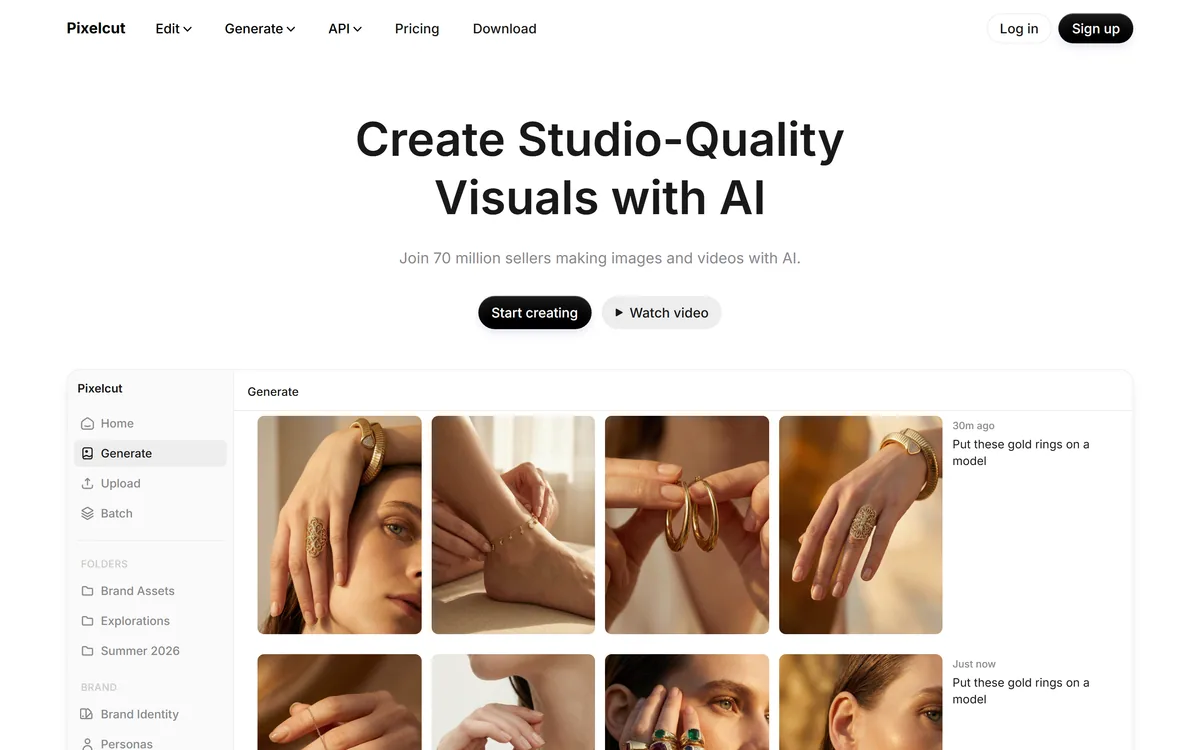
Last checked . Read from pixelcut.ai during this check, with the screenshot above captured at the same time.
Workflow names Product Showcase, AI UGC Ads and Personas, taken from the site
Editing tools including background removal for image and video, upscaling to 16x, expand and uncrop, retouching and magic eraser, shadows, batch editing, generative fill and change background
Generation features covering AI image generator, AI video generator, AI actors, AI product photography and Creative Agent
Platform availability across web, iOS and Android, with API access and a Pixelcut integration for Claude listed
Thirteen language options offered on the site
The figure of 70 million users and the displayed customer logos are Pixelcut's own presentation and are reported here as vendor claims rather than verified facts
Tools, products, blog, careers, documentation, brand assets, terms and privacy pages present in the site footer
No plan prices published here, in line with this site's pricing policy
The cautions about upscaling inventing detail, product representation and synthetic presenters describe the category and its regulatory context generally, not specific behaviour of this product. Platform rules on synthetic media change; check your own channels before running a campaign.
Editor's Verdict
4.2/5
Pixelcut has an AInexfinder Editor Score of 4.2/5.
Pixelcut pricing
AInexfinder does not list plan prices or billing details. For current pricing, plans, and trials, visit the official Pixelcut website.
Vendor pricing, credits, and billing policies change over time. Always confirm on the official site before you buy.
Frequently asked questions
Who is Pixelcut actually built for?
Sellers rather than designers. The interface leads with outcomes — a product showcase, a UGC ad, a persona — and treats background removal and upscaling as steps inside those. If you think in editing operations and want layer-level control, a conventional editor will suit you better.
What are Personas and why do they matter?
Consistent AI actors you can reuse across a campaign. Most generators produce a different person every time, which makes a set of ads feel randomly assembled. The same presenter across several ads is what makes a campaign read as one campaign.
How good is 16x upscaling?
Effective, with one caveat worth understanding: upscaling invents plausible detail rather than recovering real detail. For most product shots that is fine. Zoom in on anything containing printed text, fabric weave or fine pattern, because that is where invented detail becomes visibly wrong.
Are the 70 million users and brand logos meaningful?
Treat them as the company's own presentation. Large user figures in consumer photo apps usually count installs rather than active paying customers, and logos generally indicate someone at that company used the product. Test the output on your own photos instead — it answers the question better in twenty minutes.
Can I use it for a whole catalogue?
Yes, and batch editing is one of the main reasons to choose it. Build one image end to end first, then run a batch of ten and inspect all ten — consistency problems only show up across a set, and catalogue consistency matters more than any individual photo.
Is there a risk of misrepresenting my product?
Yes, and it deserves deliberate attention. Generative editing can shift a colour, smooth a texture or imply a size. Beyond taste, a listing image that misrepresents a product creates returns and complaints, and in some markets a regulatory issue. Enhance the photograph, not the product.
Do I need to disclose that an actor is AI-generated?
Check your channels before running a campaign rather than after. Platform rules and disclosure norms around synthetic media are tightening, and a generated person recommending your product is exactly the case those rules address.
Daniel reviews AI tools the slow way — by actually using them on real projects. His reviews cover what works, what breaks, and who each tool is genuinely a good fit for.
Daniel and the AInexfinder editorial team research Pixelcut using public product information, listing evidence, and (when available) hands-on checks. Scores reflect listing completeness and transparency — not paid placement.
Listings may include affiliate or sponsored placements, which are labeled when present. Editorial scores and cons are not sold. See our affiliate disclosure and review methodology.
Pixlr is a browser-based photo editor from Pixlr Pte Ltd with two editors and a generative AI layer — Generative Fill, Expand and Transform, background and object removal, Super Scale upscaling, face swap, plus image, video, and audio generation.
Photoroom is a product visual platform for ecommerce covering background removal, AI product photography, batch editing, an image API, brand kits, marketplace sync and video templates. It states 1M+ businesses, SOC 2 Type 2 and enterprise options including custom models and SLA-backed uptime.
Pebblely generates product photography from a single uploaded image, placing the item into more than a hundred pre-built scene templates, generating in bulk, and resizing for marketplaces and social platforms. It is operated by a Singapore-registered company and states over 25 million images generated.
Collov AI does virtual staging and interior design from property photographs: furnishing empty rooms in named styles, applying consistent furniture across multiple angles of the same room, removing objects, converting to twilight, changing seasons, and producing 360-degree virtual tours. An API is available.
Deep-Image.ai is an AI image-enhancement and generation platform offering generative upscaling, denoising, sharpening, colour correction, background removal, avatars and text-to-image, with batch processing, vertical tools like Packshot Pro, and an API for automated workflows.
VanceAI is a suite of AI photo- and video-enhancement tools, upscaling, sharpening, denoising, restoring, colorizing, cartoonizing and background removal, built on proprietary deep convolutional networks, usable online or as desktop apps for local batch processing, with an API.