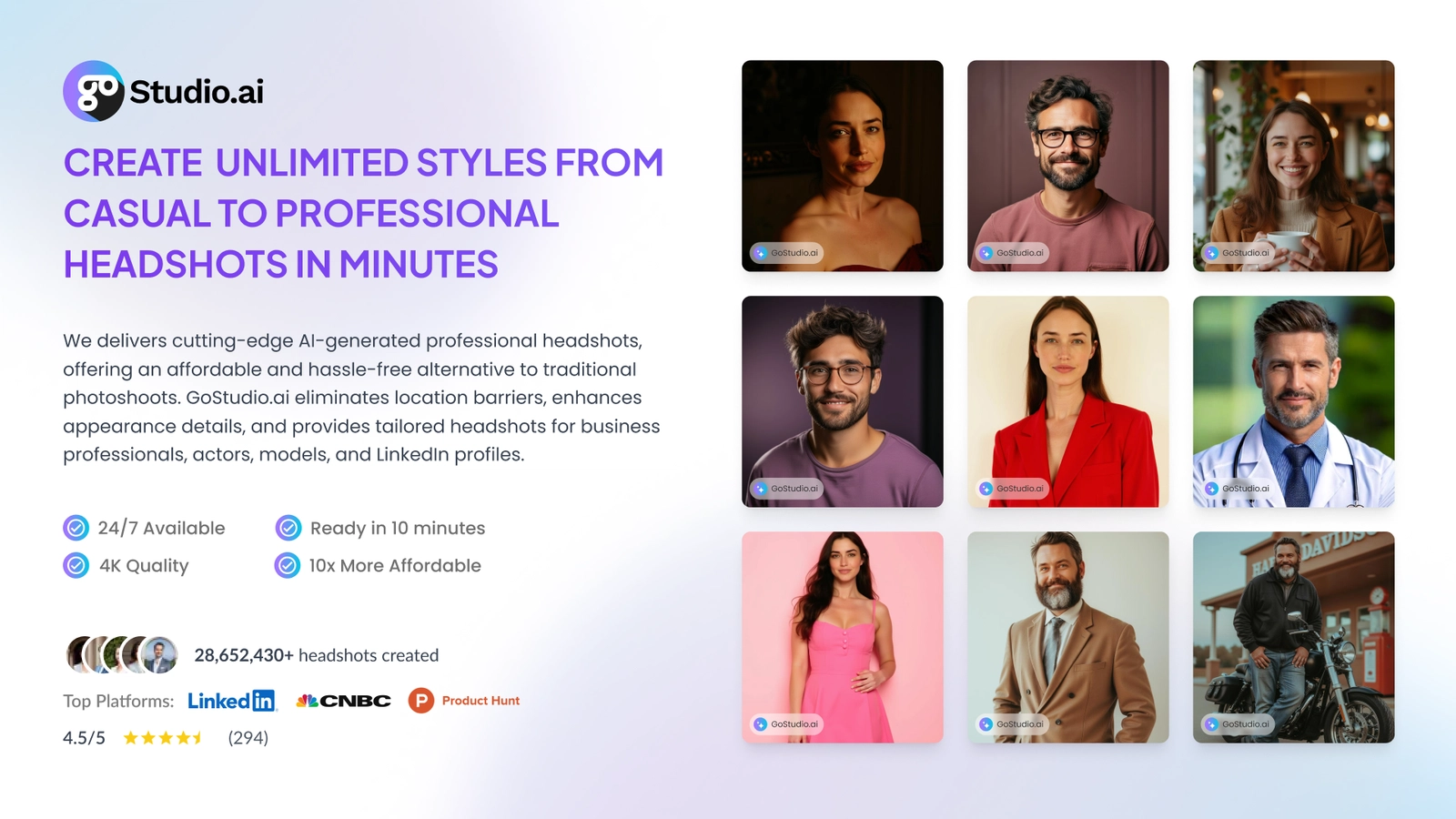
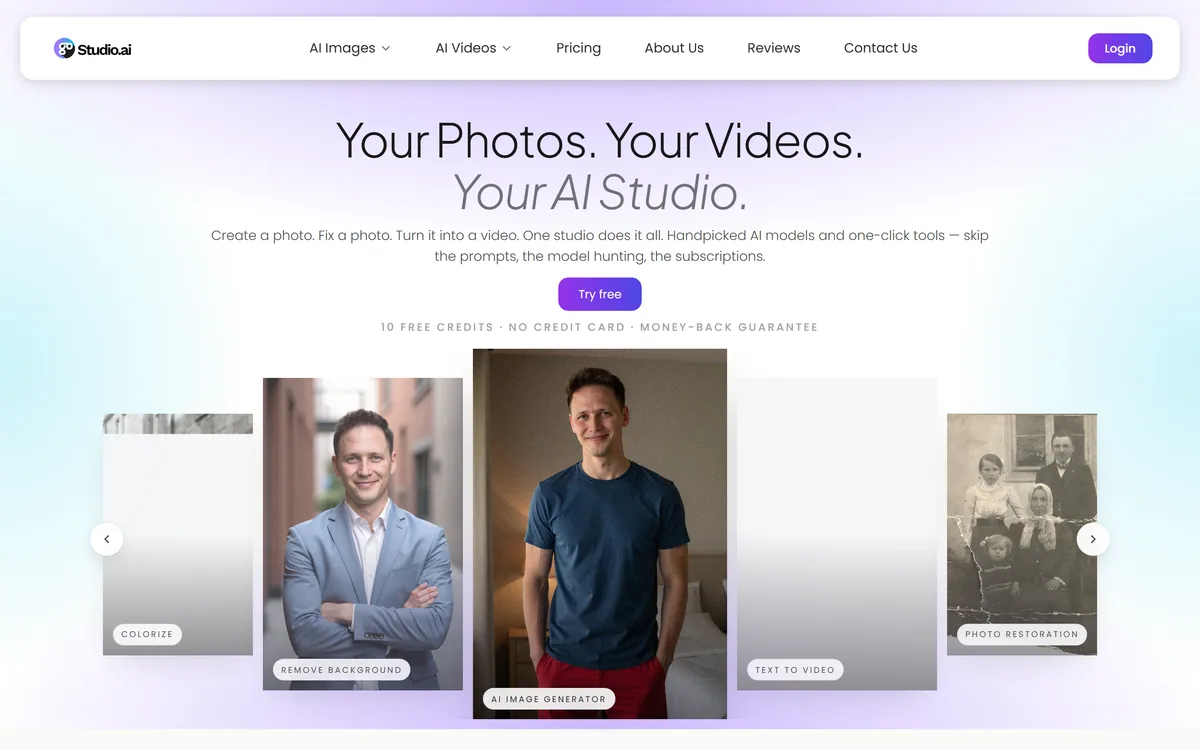
GoStudio is an AI photo and video studio offering headshots and personal branding packs, image and video generation, and more than 38 one-click editing tools. It routes across twenty-plus underlying models — including GPT Image, FLUX, Veo and Nano Banana — without asking users to choose between them.
Twenty models underneath, none of them shown to you. For this audience that is a feature.
Hiding The Models Is The Correct Design Choice
GoStudio runs more than twenty underlying models and does not let you pick between them. That sounds like a limitation and for this audience it is the opposite.
The people buying headshot packs and one-click background removal do not want to evaluate whether FLUX or Seedream handles skin texture better. They want a photograph that looks good, and every decision they are asked to make between here and there is friction.
Compare this against an aggregator like Freepik, which exposes the model list deliberately. That is right for designers, whose needs vary by job and who benefit from choosing. It is wrong for someone who wants a LinkedIn photo.
Routing behind the scenes also means the studio can swap models as they improve without the user learning anything new. A better model ships, output quality rises, nobody is asked to migrate. That is a genuine advantage of the abstraction.
The trade-off is control. If you know that a specific model handles your particular case well, you cannot ask for it, and when output disappoints you have no lever beyond regenerating.
The honest read is that this is packaging rather than technology — the models belong to other people. But packaging is a real product, and doing it for a non-technical audience is harder than it looks.
Somebody buying a LinkedIn headshot does not want to compare diffusion models. Every choice you put between them and the photo is friction, not power.
Two Hundred Style Packs Is A Curation Claim
The pack count is the headline and it is worth understanding what a pack actually is, because it explains the value more precisely than the number does.
A style pack is a prepared combination of prompt, model, lighting, wardrobe and setting that reliably produces a particular look. It exists because writing that prompt yourself takes expertise most users do not have and do not want to acquire.
So the real claim is not two hundred features. It is that somebody has already done two hundred rounds of prompt engineering, and you get the result of that work by clicking rather than by learning.
The specific inclusions worth noting are the culturally inclusive ones — hijab-respectful headshots and diverse ethnic representations are called out explicitly. That matters because generated portraiture has a well-documented tendency to default toward narrow representations, and building packs deliberately around that is a considered choice rather than a marketing line.
Editing-first tools such as PhotoRoom work on photographs you already have rather than generating new ones. The role-specific packs follow the same logic: a nurse headshot, a CEO headshot, a LinkedIn photo and a birthday shoot need different framing, wardrobe and lighting, and encoding that removes the guesswork.
The limit is the same as with any preset library. You get the looks somebody anticipated. If your requirement is unusual, a pack-based tool has no answer and a promptable platform would.
The Team Size Is Worth Knowing About
GoStudio publishes something most vendors would hide: it is a five-person team in Bangalore, founded by an indie creator. That transparency is unusual and it cuts both ways.
The positive reading is genuine. Small teams ship quickly, respond to individual users, and a 24-hour support response commitment from five people is more likely to be honoured than the same promise from a large company's ticket queue. The founder-led framing tends to mean someone actually reads complaints.
The cautious reading is equally real and worth stating plainly. Five people means limited capacity for support at scale, limited security engineering, and genuine key-person risk. If your work depends on a tool continuing to exist, that is a different bet from depending on a funded company.
For a credit-based product with no subscription lock-in, that risk is manageable — you are not committing to an annual contract or migrating a workflow. Buy credits you intend to use soon rather than stockpiling.
The 50% repeat-customer figure the company cites is self-reported and unverifiable, though repeat purchase on a non-subscription product is at least a meaningful thing to be measuring — people coming back when nothing obliges them to is a genuine signal, if the number is accurate.
There is no independent review presence cited, which for a consumer product is the gap most worth noticing.
Use the free starting credits before buying anything — output quality is immediately visible.
Test a pack close to what you actually need rather than the most impressive-looking one.
Check the output at full resolution, not in the gallery grid.
Ask what happens to uploaded facial images and trained models before uploading many.
Buy credits you intend to use soon rather than stockpiling against a small team's continuity.
Credits That Do Not Expire
This site does not publish plan prices. GoStudio's structure has two features that genuinely favour the buyer and are worth setting out.
There are one-time credit packs with no monthly commitment and monthly subscriptions at Lite, Pro and Max levels. New accounts get a free starting credit allowance with no card required, there is a money-back guarantee with a short window, and — the important one — credits do not expire.
Non-expiring credits matter more than they sound. Most credit systems in this category reset monthly, which means unused capacity is lost and you are effectively on a subscription whether you use it or not. Credits that persist convert the purchase into something you own rather than something that decays.
That fits the actual use pattern too. Nobody needs headshots every month. They need them when they change jobs, refresh a profile or launch something — which is bursty, unpredictable, and badly served by a recurring charge.
The one-time pack route means you can buy once, use it across a year, and never hold a subscription. For an occasional user that is straightforwardly better than every subscription-only competitor.
Two things to confirm: what video generation costs against the same balance, since video is far more expensive to compute than images, and whether subscription credits behave the same way as purchased ones.
The Silence On Data Handling
This is the gap that matters most, and it is worth being direct about rather than glossing.
GoStudio generates headshots from uploaded selfies, which means users are supplying photographs of their own faces and the platform is building a model from them. That is the most sensitive category of input a consumer product can take.
The site states the product is safe to use without setting out what that means — no detail on retention, no stated deletion policy, no encryption specifics, and no certification. Competitors in the same category publish considerably more: Aragon states SOC 2 Type II, AES-256 encryption and deletion on request.
That absence is not evidence of a problem. It is a five-person team that has not written a security page, which is entirely normal at that scale. But for a buyer it means the questions are unanswered rather than answered badly, and they are the right questions to ask before uploading twenty photographs of yourself.
The specific things worth asking: how long uploaded images are retained, whether the trained model of your face is deleted when your account is, whether images are used to improve models, and where processing happens.
Biometric data carries distinct consent and retention obligations in several jurisdictions, and those apply to the platform regardless of what its website says. If you are procuring this for a team rather than yourself, that is a conversation to have first.
No stated retention period for uploaded facial images
No published deletion policy for images or trained face models
No encryption detail or security certification cited
No statement on whether uploads improve models
Competitors at similar price points publish considerably more on all of this
Packs, Tools And Terms
Category
AI photo and video studio, headshots and editing
Team
Five-person team based in Bangalore, founded by indie creator Kanika Bhatt
Photo packs
More than 200 style packs across corporate, personal branding, lifestyle, travel and themed categories
Inclusive options
Hijab-respectful headshots and diverse ethnic representations called out explicitly
Role-specific packs
Includes CEO, LinkedIn, nurse and birthday photoshoot packs
Editing tools
More than 38 one-click tools including background removal, object removal, upscaling, colourisation and restoration
Underlying models
20+ hand-picked models including GPT Image, FLUX, Veo, Kling, Nano Banana and Seedance, with users not selecting between them
Video
AI video generation and editing alongside images
Support
24-hour response commitment
Stated retention
50% repeat customer rate, per the company
Not published
Data retention, deletion policy, encryption detail or security certification
Charging model
One-time credit packs with no monthly commitment, plus Lite, Pro and Max subscriptions; free starting credits with no card required, a short money-back window, and credits that do not expire. No prices published here
What GoStudio Bundles
GoStudio is an AI photo and video studio combining headshot generation, personal branding packs, image and video creation, and one-click editing tools in a single credit balance.
More than 200 photo style packs across corporate, personal branding, lifestyle, travel and themed categories, including hijab-respectful and diverse ethnic options.
Over 38 one-click tools — background removal, object removal, upscaling, colourisation, restoration and more.
Twenty-plus models run underneath, including GPT Image, FLUX, Veo, Kling, Nano Banana and Seedance, with users never selecting between them.
Credits do not expire, with a free starting allowance, no card required, and one-time packs alongside subscriptions.
Key features of GoStudio
AI headshot generation from selfies
More than 200 photo style packs across categories
Culturally inclusive headshot options
Role-specific packs for CEO, LinkedIn, nurse and other contexts
More than 38 one-click editing tools
Background and object removal
Upscaling, colourisation and photo restoration
AI image generation and editing
AI video generation and editing
Automatic routing across 20+ underlying models
Non-expiring credits
Pros & cons
Pros
6
Hiding model selection is the right call for a non-technical audience
Non-expiring credits convert the purchase into something you own rather than something that decays
Free starting credits with no card make it genuinely testable first
One-time packs suit the bursty reality of needing headshots occasionally
Culturally inclusive packs address a well-documented weakness in generated portraiture
A five-person team is more likely to actually answer a support message
Cons
6
No published data retention, deletion policy, encryption detail or certification
A five-person team carries genuine continuity and key-person risk
No model selection, so a disappointing result leaves you only regeneration
Requirements outside the prepared packs have no route to a result
The repeat-customer figure is self-reported with no independent reviews cited
Video generation costs against the same balance are not made clear upfront
Best For
Individuals needing a professional headshot without a photographer
People who want a result rather than a model to configure
Occasional users better served by credits than a subscription
Anyone needing a specific style pack the library already covers
Small business owners producing personal branding imagery
GoStudio Beside Its Neighbours
Compare on scope and on what each vendor tells you about handling your face.
PhotoRoom — editing real photographs rather than generating new ones
Removal.ai — if background removal at volume is the one tool you actually need
GoStudio's Team And Output
Last checked . Read from gostudio.ai during this check, with the screenshot above captured at the same time.
Product described as an AI photo and video creation studio covering generation, editing, headshots and branding packs
More than 38 one-click editing tools stated, including background removal, object removal, upscaling, colourisation and restoration
More than 200 photo style packs stated across corporate, personal branding, lifestyle, travel and themed categories
Culturally inclusive options stated, including hijab-respectful headshots and diverse ethnic representations
Role-specific packs stated including CEO, LinkedIn, nurse and birthday photoshoot
More than 20 underlying models stated, including GPT Image, FLUX, Veo, Kling, Nano Banana and Seedance, with users not selecting models directly
Team stated as five people based in Bangalore, founded by Kanika Bhatt, with a 24-hour support response commitment
Repeat customer rate stated by the company as 50%
Charging described as one-time credit packs with no monthly commitment plus Lite, Pro and Max subscriptions, with free starting credits, no card required, a short money-back window, and credits that do not expire; no plan prices published here, in line with this site's pricing policy
The site states the product is safe to use without detailing retention, deletion, encryption or certification
The repeat-customer figure is self-reported and no independent review presence is cited. The site does not publish retention periods, deletion policy, encryption detail or any security certification, which is a meaningful gap for a product built on uploaded facial images — competitors at similar price points disclose considerably more. Biometric data carries distinct consent and retention obligations in several jurisdictions regardless of what a vendor publishes.
Editor's Verdict
3.7/5
Hiding the model choice is the right call for this audience, and non-expiring credits with a free starting allowance make it genuinely low-risk to try. The score reflects real gaps rather than poor execution — a five-person team means limited support depth, the site says almost nothing about how facial images are handled, and a 50% repeat-customer rate is a self-reported figure with no independent signal behind it. AInexfinder Editor Score: 3.7/5.
GoStudio pricing
AInexfinder does not list plan prices or billing details. For current pricing, plans, and trials, visit the official GoStudio website.
Vendor pricing, credits, and billing policies change over time. Always confirm on the official site before you buy.
Frequently asked questions
What does GoStudio do?
It generates AI headshots and personal branding photos from more than 200 style packs, generates images and video, and offers over 38 one-click editing tools — background removal, upscaling, restoration and similar — from one credit balance.
Which AI models does GoStudio use?
More than twenty, including GPT Image, FLUX, Veo, Kling, Nano Banana and Seedance. You do not select between them — the studio routes automatically, which suits a non-technical audience and removes control if you wanted it.
Do GoStudio credits expire?
No, and that is one of its better features. Most credit systems reset monthly, so unused capacity is lost. Non-expiring credits with one-time packs suit a product people need occasionally rather than every month.
Is GoStudio free to try?
New accounts get a free starting credit allowance with no card required, plus a short money-back window on purchases. Use the free credits on a pack close to what you actually need before buying anything.
Is it safe to upload my photos to GoStudio?
The site says it is safe without detailing what that means — no retention period, deletion policy, encryption specifics or certification are published. Ask directly how long images are kept and whether the trained model of your face is deleted with your account.
Who runs GoStudio?
A five-person team in Bangalore, founded by indie creator Kanika Bhatt, with a stated 24-hour support response. That transparency is unusual and cuts both ways — responsive support, but genuine continuity risk on a small team.
GoStudio vs Aragon AI — which is better for headshots?
Aragon is narrower and publishes far more about how it handles your face, including SOC 2 Type II and deletion on request. GoStudio is broader — packs, editing and video in one balance — with almost nothing published on data handling. That difference should decide it.
Daniel reviews AI tools the slow way — by actually using them on real projects. His reviews cover what works, what breaks, and who each tool is genuinely a good fit for.
Daniel and the AInexfinder editorial team research GoStudio using public product information, listing evidence, and (when available) hands-on checks. Scores reflect listing completeness and transparency — not paid placement.
Listings may include affiliate or sponsored placements, which are labeled when present. Editorial scores and cons are not sold. See our affiliate disclosure and review methodology.
Imglarger is a set of focused AI image tools covering enlargement up to eight times, resolution upscaling, generative uncropping, photo enhancement, sharpening and background removal, alongside browser-based editors and format converters. Uploaded and processed images are stated as deleted within six hours.
Remini is a photo and video enhancement app from Bending Spoons offering unblurring, denoising, old-photo restoration, face enhancement, colour correction and upscaling, plus AI-generated professional headshots. It runs on iOS, Android and the web, and states 100 million monthly active users.
Topaz Labs makes professional AI image and video enhancement software, upscaling, sharpening, denoising, restoring, stabilizing and frame interpolation, across desktop, web and mobile, with Emmy-winning technology and a long track record, used by photographers, videographers and finishing pros.
Aiarty Image Enhancer is desktop software from Digiarty that upscales, denoises, deblurs and restores images using several purpose-built AI models. It runs entirely on your own machine with no upload, handles large batches, and reaches 32K output on Windows.
krea2.org is a browser image-generation workspace that runs several third-party models side by side, including Krea 2 tiers, FLUX.2, GPT Image 2, Nano Banana and Seedream 5.0, with reference uploads, six aspect ratios and live model switching.