Aiarty Image Enhancer is desktop software from Digiarty that upscales, denoises, deblurs and restores images using several purpose-built AI models. It runs entirely on your own machine with no upload, handles large batches, and reaches 32K output on Windows.
aiarty.com13 viewsAdded January 4, 20268K visitors
Almost every AI image tool you can name is a website with a credit balance. You upload, you wait in a queue, you spend a credit, you download. It works, and it quietly assumes three things: that your images can leave your machine, that you have connectivity, and that you will keep paying monthly.
Aiarty Image Enhancer refuses all three assumptions. It is desktop software from Digiarty, it processes locally on your own GPU, and it is sold as a licence you buy once.
That combination is now rare enough to be the story. This review covers what offline processing genuinely buys you, why having five separate models matters more than having one good one, what to expect from 8x enlargement in practice, and where a cloud service such as Magnific is still the better answer.
Two decisions define this product: it runs on your machine, and you buy it once.
Local Upscaling, In Short
Aiarty Image Enhancer is desktop software that enlarges and repairs images using AI models running on your own computer, with no upload and no cloud queue.
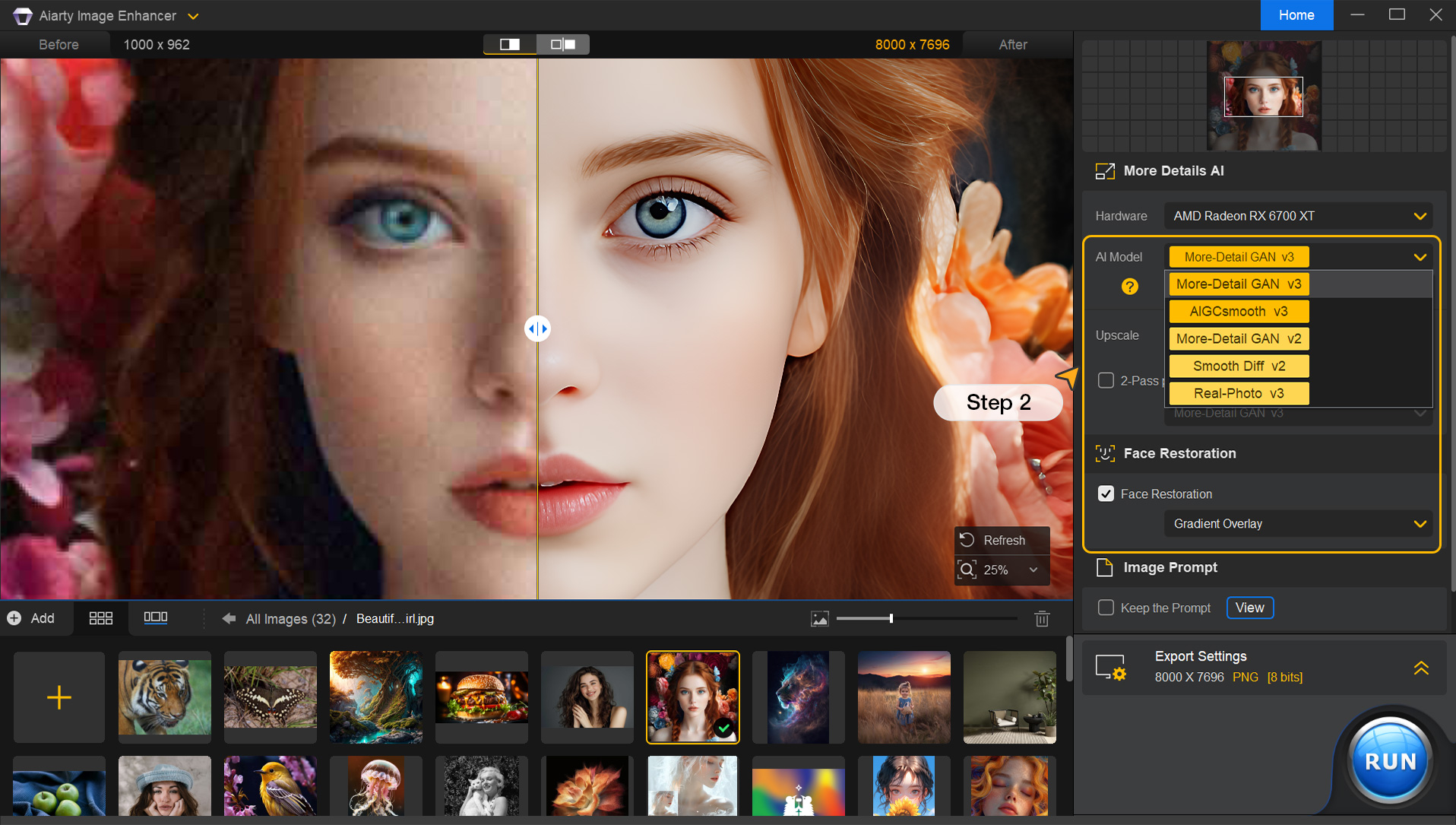
Five named models do different jobs: More-Detail GAN v3, AIGCsmooth v3 for AI-generated imagery, Real-Photo for photographic restoration, Face Restoration, and AI Erase for object removal.
Scaling runs 1x to 8x plus custom sizes, reaching 32K output on Windows and 16K on Mac.
Batch throughput is the practical draw — the vendor states 3,000 images an hour offline, which is a different kind of tool from a per-image web service.
It sells as a one-time licence, not a subscription, with a free trial first — increasingly unusual, and the main reason people choose it.
What Running Locally Actually Gets You
Four concrete advantages, and none of them are about output quality.
The images never leave. For medical imagery, legal evidence, unreleased product photography, client work under NDA, or anything involving identifiable people, upload is frequently the blocker regardless of how good a service is. Local processing removes the question entirely rather than answering it with a policy page.
Volume stops costing money. A cloud upscaler charges per image, so a 4,000-image archive is a budget decision. Locally it is a decision about how long you are prepared to leave the machine running.
No queue, no outage, no rate limit. Your throughput is your hardware, which is at least a variable you control.
It keeps working. Software installed on your machine does not get repriced, deprecated or sunset. Anyone who has had a cloud tool change its plans mid-project knows why that matters.
The costs are equally real. Your GPU sets the ceiling, a laptop on battery will be slow, and the models only improve when you install an update rather than silently overnight. Cloud services genuinely do get better while you sleep.
Cloud upscalers charge you per image. Local software charges you per purchase. On a four-thousand-image archive that stops being a preference and becomes arithmetic.
Five Models, Because One Model Cannot Do This
The model list looks like feature-page padding and is actually the most important thing on the page.
Upscaling is not one problem. Enlarging a sharp modern photograph, rescuing a noisy phone shot from a dark restaurant, restoring a scanned print from 1974, and cleaning up an AI-generated image with diffusion artefacts are four different tasks that want four different behaviours.
Free local tools such as Upscayl ship one model and stop there. A single general model handles all four adequately and none well, because the right answer for one is wrong for another. Aggressive detail invention rescues a soft scan and ruins a sharp product shot by hallucinating texture that was never there.
AIGCsmooth v3 is the most interesting inclusion. It targets AI-generated images specifically, which have their own failure signature — over-smooth skin, mangled hands, the particular mush diffusion models leave in fine detail. A model trained on photographs treats those artefacts as real detail and enlarges them faithfully.
Face Restoration exists separately for the same reason. Human faces are the one subject where viewers detect error instantly, and a face-specific pass is standard practice across this category.
The practical implication is that you should not pick a model once and forget it. Run the same problem image through two or three and compare, because the wrong model is a bigger quality difference than the wrong software.
What 8x And 32K Really Mean
The headline numbers are true and they are easy to misread, so it is worth being precise.
Upscaling does not recover detail. The information is not in the file. What these models do is invent plausible detail consistent with what is there — which is genuinely useful and is not the same as enhancement in the television sense.
At 2x the invention is mostly conservative and the result usually looks like a better version of your image. At 8x, most of what you are looking at was generated, and the model's guesses about texture, hair and small text become the picture.
That is fine for some purposes and disqualifying for others. A rescued family photograph enlarged for a frame is a good use, and it is a different job from what Topaz Gigapixel users call creative enlargement. Enlarging a photograph that will be used as evidence, or a product shot where the customer will compare it against the physical item, is not.
The 32K ceiling on Windows against 16K on Mac is a real difference and worth knowing before you buy on the wrong platform. In practice most work never approaches either.
The vendor also states 6.78 million training images. That is a reasonable corpus figure, and the only meaningful test remains your own images at your own output size.
Collect ten images that represent your actual worst cases, not your best ones.
Run each through at least two different models and compare at 100%, not zoomed to fit.
Check faces and any text in the frame first — those fail most visibly.
Try 2x and 4x on the same source before assuming you need 8x.
Time a batch of fifty on your own hardware, since throughput claims assume a machine that may not be yours.
Buying It Outright
This site does not publish plan prices. The structure is the durable part, and here it is unusual enough to be a reason to choose the product.
Aiarty sells a one-time lifetime licence rather than a subscription, with a free trial to test first and a refund guarantee stated on the page.
That inverts the economics of the whole category. A subscription upscaler costs you every month whether you process one image or a thousand; a perpetual licence costs once and then rewards volume. If your work is bursty — an archive project, a seasonal catalogue, an occasional restoration job — the difference over a couple of years is substantial.
The trade-off is equally clear. A perpetual licence usually buys a version, not a future. Confirm what a major new release costs existing owners, because upgrade pricing is where perpetual-licence software recovers its margin.
Two other things to check before buying: whether the licence covers the number of machines you actually use, and whether Windows and Mac are separate purchases. Cross-platform terms vary a lot in desktop software and are rarely on the front page.
The Honest Limits
Three, and they follow directly from the design rather than being flaws in it.
Your hardware is the product's speed. The stated 3,000 images an hour describes some machine somewhere. GPU support spans NVIDIA, AMD, Intel and CoreML with a CPU fallback, and that fallback is slow enough to change how you plan a batch.
Improvement arrives on a release cycle. Cloud tools in this category iterate quickly, and a hosted competitor may simply be running a newer model than the one you installed.
It enhances; it does not generate. This is a restoration and enlargement tool. If you want to reimagine an image rather than repair it, that is a different category entirely.
Digiarty has been publishing desktop media software for years, which is a reasonable signal of continuity — relevant when you are buying a licence rather than renting access.
Throughput is bounded by your GPU, with a notably slower CPU fallback
Model updates arrive when you install them, not continuously
Windows reaches 32K output where Mac reaches 16K
Restoration and enlargement only — no generative reimagining
Perpetual licences typically buy a version, so check upgrade terms
Models, Limits And Platforms
Publisher
Digiarty Software, Inc.
Category
AI image upscaling, denoising and restoration
Processing location
Entirely offline on the local machine
Named models
More-Detail GAN v3, AIGCsmooth v3, Real-Photo, Face Restoration, AI Erase
Scaling factors
1x, 2x, 4x, 8x, plus custom resolutions
Maximum output
32K on Windows, 16K on Mac
Stated batch throughput
3,000 images per hour offline, per the vendor
Stated training data
6.78 million images
Other operations
Noise reduction, deblurring, face restoration, colour adjustment, HDR conversion, AI object removal
Desktop platforms
Windows and macOS
Mobile
Available as a separate download
GPU support
NVIDIA, AMD, Intel and CoreML, with a CPU fallback
Charging model
Free trial, then a one-time lifetime licence with a stated refund guarantee; no prices published here
Terms Upscaler Marketing Leans On
Three phrases carry most of the weight in this category and are worth pinning down before comparing anything.
Upscaling
Enlarging an image by generating plausible new pixels. It invents detail consistent with the source; it does not recover detail that was never captured.
GAN vs diffusion
Two model families. GAN-based upscalers tend to be fast and sharp; diffusion-based ones tend to be slower and more photorealistic. Aiarty ships both kinds for different jobs.
Face restoration
A separate pass dedicated to faces, used because viewers detect facial error instantly and general models reconstruct faces poorly.
Key features of Aiarty Image Enhancer
Offline AI upscaling with no upload required
More-Detail GAN v3 for detail generation and sharpness
AIGCsmooth v3 tuned for AI-generated imagery
Real-Photo diffusion model for photographic restoration
Dedicated face restoration pass
AI Erase for object removal
Noise reduction and deblurring
Colour adjustment and HDR conversion
1x to 8x scaling plus custom output resolutions
Batch processing at scale
Windows and macOS desktop builds, plus mobile
NVIDIA, AMD, Intel and CoreML acceleration with CPU fallback
Pros & cons
Pros
6
Fully offline processing removes the upload question for confidential or sensitive imagery
A one-time licence rewards volume instead of taxing it, unlike per-image cloud pricing
Five task-specific models beat one general model on a mixed library
A dedicated model for AI-generated images is unusual and genuinely useful
Batch throughput makes archive-scale work practical rather than merely possible
A free trial before a perpetual purchase is the right way round
Cons
5
Speed is entirely a function of your GPU, and the CPU fallback is slow
Model improvements arrive only when you install an update
Mac tops out at 16K where Windows reaches 32K
8x output is largely invented detail and should not be treated as recovered detail
Perpetual licences usually buy a version — check upgrade and multi-machine terms first
Best For
Photographers restoring archives and scanned prints
Studios handling client imagery under NDA
E-commerce teams preparing large catalogues for print
Anyone cleaning up AI-generated images before publishing them
Users who prefer buying software outright to another subscription
Aiarty Against The Other Enlargers
Compare these on where processing happens and how you pay, because output quality is closer between them than any marketing page admits.
Magnific AI — cloud upscaling that reimagines rather than restores
Upscayl — free and open source, if a licence is the objection
Upscale.media — browser-based for the occasional one-off
Clipdrop — a wider bundle where upscaling is one utility among several
Read From The Product Page
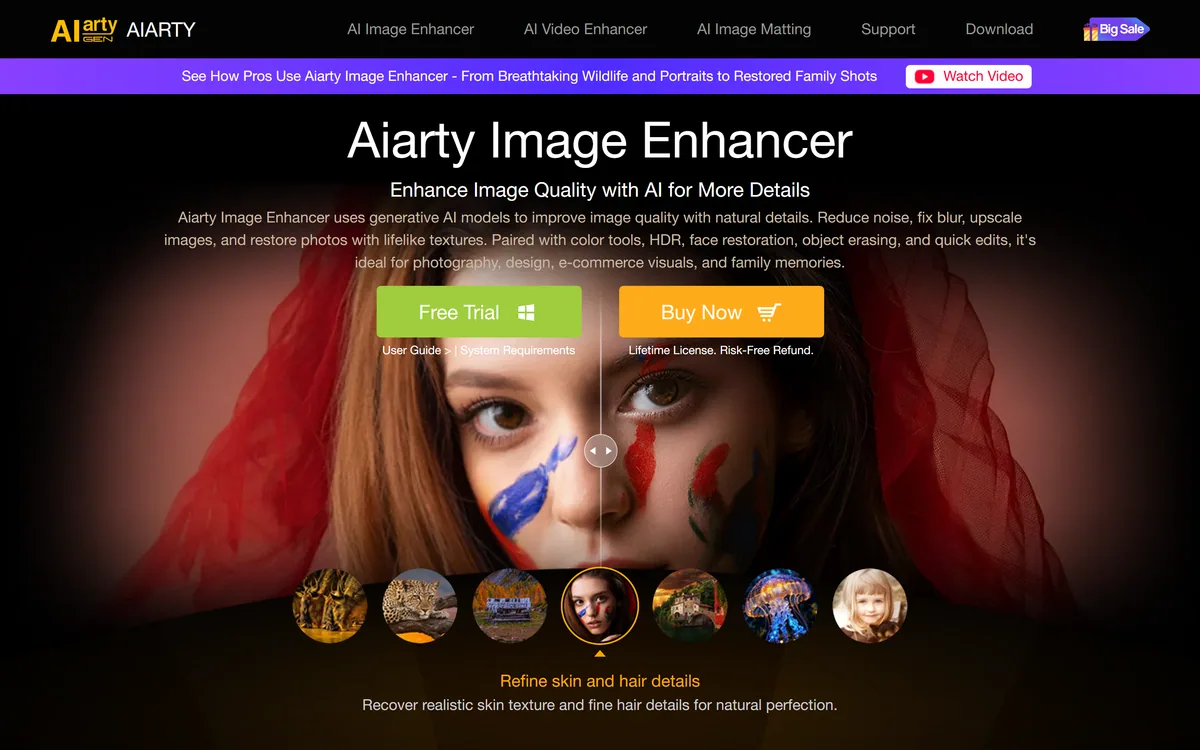
Last checked . Read from aiarty.com during this check, with the screenshot above captured at the same time.
Publisher identified on site as Digiarty Software, Inc.
Processing stated as entirely offline and local
Five models named: More-Detail GAN v3, AIGCsmooth v3, Real-Photo, Face Restoration and AI Erase
Scaling factors stated as 1x, 2x, 4x and 8x plus custom resolutions
Maximum output stated as 32K on Windows and 16K on Mac
Batch throughput stated as 3,000 images per hour offline
Training data stated as 6.78 million images
GPU support stated for NVIDIA, AMD, Intel and CoreML with CPU fallback
Windows and macOS desktop builds plus a separate mobile download
Charging described as a free trial followed by a one-time lifetime licence with a refund guarantee; no plan prices published here, in line with this site's pricing policy
Throughput, output ceilings and training-data figures are the vendor's own and were not independently benchmarked; speed in particular depends entirely on your hardware. Upscaling generates plausible detail rather than recovering real detail — do not rely on enlarged images where the accuracy of fine detail carries evidential or commercial consequences.
Editor's Verdict
4.0/5
Aiarty Image Enhancer has an AInexfinder Editor Score of 4.0/5.
Aiarty Image Enhancer pricing
AInexfinder does not list plan prices or billing details. For current pricing, plans, and trials, visit the official Aiarty Image Enhancer website.
Vendor pricing, credits, and billing policies change over time. Always confirm on the official site before you buy.
Frequently asked questions
Does Aiarty Image Enhancer work offline?
Yes, entirely. Processing runs on your own machine with no upload, which is the main reason to choose it over a cloud upscaler when your images are confidential, sensitive or simply numerous.
Is Aiarty Image Enhancer a subscription?
No — it is sold as a one-time lifetime licence with a free trial first and a stated refund guarantee. Check the upgrade terms for major new versions and how many machines a licence covers, since that is where perpetual-licence software usually differs.
How much can Aiarty enlarge an image?
Up to 8x, plus custom resolutions, reaching 32K output on Windows and 16K on Mac. Be aware that at 8x most of what you see was generated by the model rather than recovered from the original.
Which Aiarty model should I use?
It depends on the source. Real-Photo for photographs and scans, AIGCsmooth v3 for AI-generated images, More-Detail GAN v3 when you want sharpness, and the face pass when people are in frame. Run a problem image through two or three — model choice affects quality more than software choice.
Can AI upscaling recover detail that is not in the photo?
No. It generates plausible new detail consistent with what is there, which looks like recovery and is not. That is fine for a family photograph and unsuitable for anything where fine detail carries evidential or commercial weight.
Aiarty vs Topaz Gigapixel — which is better?
Both run locally and both are good. Topaz is the longer-established benchmark with a large user base; Aiarty's pitch is a one-time licence, a dedicated model for AI-generated images, and heavy batch throughput. Trial both on your own worst images.
What hardware do I need?
It accelerates on NVIDIA, AMD, Intel and CoreML with a CPU fallback. The fallback works but is slow enough to change how you plan a batch, so time fifty of your own images before committing to an archive project.
Daniel reviews AI tools the slow way — by actually using them on real projects. His reviews cover what works, what breaks, and who each tool is genuinely a good fit for.
Daniel and the AInexfinder editorial team research Aiarty Image Enhancer using public product information, listing evidence, and (when available) hands-on checks. Scores reflect listing completeness and transparency — not paid placement.
Listings may include affiliate or sponsored placements, which are labeled when present. Editorial scores and cons are not sold. See our affiliate disclosure and review methodology.
Imglarger is a set of focused AI image tools covering enlargement up to eight times, resolution upscaling, generative uncropping, photo enhancement, sharpening and background removal, alongside browser-based editors and format converters. Uploaded and processed images are stated as deleted within six hours.
Remini is a photo and video enhancement app from Bending Spoons offering unblurring, denoising, old-photo restoration, face enhancement, colour correction and upscaling, plus AI-generated professional headshots. It runs on iOS, Android and the web, and states 100 million monthly active users.
Topaz Labs makes professional AI image and video enhancement software, upscaling, sharpening, denoising, restoring, stabilizing and frame interpolation, across desktop, web and mobile, with Emmy-winning technology and a long track record, used by photographers, videographers and finishing pros.
GoStudio is an AI photo and video studio offering headshots and personal branding packs, image and video generation, and more than 38 one-click editing tools. It routes across twenty-plus underlying models — including GPT Image, FLUX, Veo and Nano Banana — without asking users to choose between them.
krea2.org is a browser image-generation workspace that runs several third-party models side by side, including Krea 2 tiers, FLUX.2, GPT Image 2, Nano Banana and Seedream 5.0, with reference uploads, six aspect ratios and live model switching.