Remini is a photo and video enhancement app from Bending Spoons offering unblurring, denoising, old-photo restoration, face enhancement, colour correction and upscaling, plus AI-generated professional headshots. It runs on iOS, Android and the web, and states 100 million monthly active users.
Almost everyone has the same photograph somewhere. A grandparent, taken decades ago, printed small and photographed badly, the face soft enough that you cannot quite see the person you remember.
That picture is the reason this category exists, and why enhancement tools such as Aiarty Image Enhancer keep appearing, and it explains why an enhancement app reaches a hundred million people a month while a professional editing tool does not. The demand is not for better photographs; it is for photographs of people who are gone.
Remini is very good at exactly this, and there is a specific thing about how it works that anyone using it on a family photograph should understand first — because it changes what you are looking at afterwards.
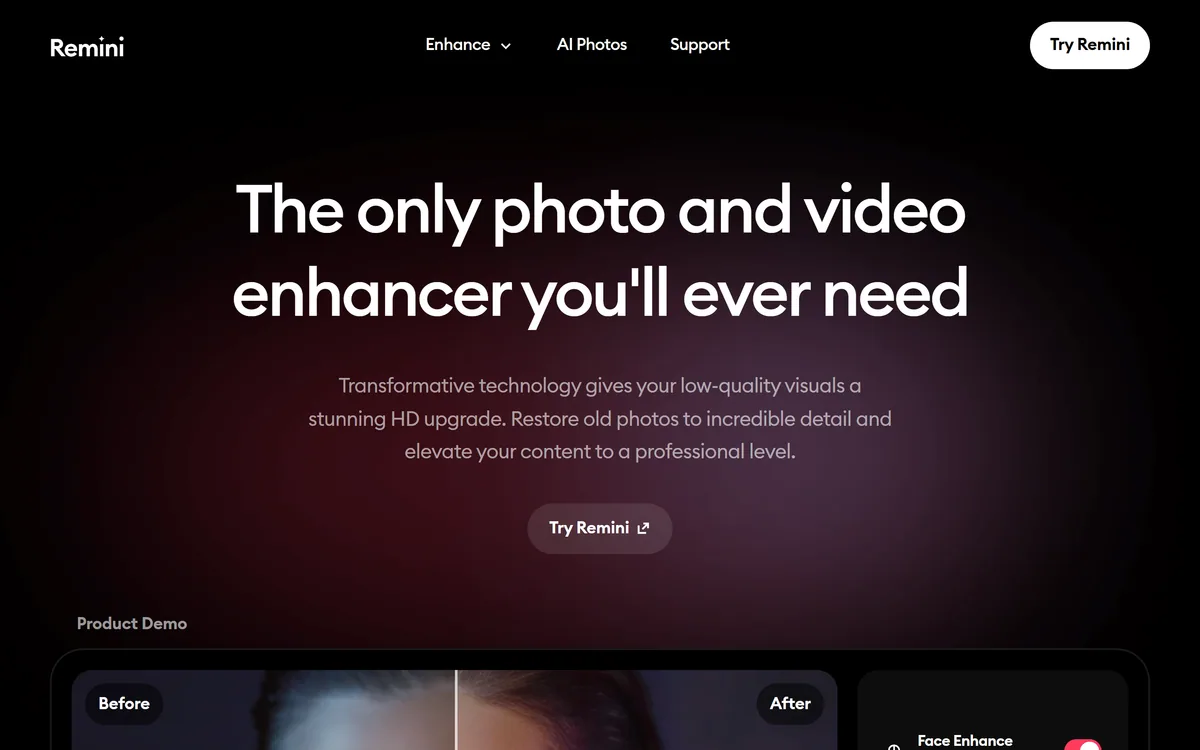
Remini's homepage, captured 9 September 2026. Restoration leads, with the generative headshot product positioned alongside it.
What Is Remini Used For?
Repairing photographs that are already damaged — blur, noise, age, fading and low resolution — rather than editing good ones.
Face enhancement is the headline capability, and it is what makes an old family photograph suddenly look like a photograph of a person.
Video enhancement runs alongside the photo tools, with upscaling stated at up to 2x.
AI Photos generates professional headshots, putting it in the same territory as dedicated headshot tools.
Very large scale: 100 million monthly active users, 15 million monthly downloads and 5 billion photos and videos enhanced, with Bending Spoons as the parent company.
Enhancement Invents Detail, It Does Not Recover It
This is the single most important fact about the whole category, and it is stated almost nowhere in the marketing.
When a photograph is blurred or low resolution, the detail is not hidden — it is gone. The pixels that would have shown someone's eyelashes were never captured. No amount of processing can retrieve information that the film or sensor did not record.
What an AI enhancer does instead is generate plausible detail. It has learned what faces look like from a vast number of them, and it produces a face consistent with the blurry evidence available. The result looks sharp because it genuinely is sharp — it is just not necessarily the same face.
For most uses this is fine and the distinction is academic. Restoring a faded holiday photograph to something you can print and hang is a good outcome whether the exact texture of a jumper was reconstructed or invented.
For a photograph of a person you loved, it is worth pausing over. The enhanced image may subtly change the shape of a nose, the set of a mouth, an expression — moving the face toward a statistical average of faces. People sometimes look at the result and feel something is wrong without being able to say what, and this is why.
The practical advice is simple and worth following: keep the original. Enhance a copy, compare the two side by side, and if the enhanced version does not look like the person you remember, trust your memory over the model.
A blurred photograph is not hiding detail. It never recorded it — so an enhancer is not recovering a face, it is proposing one.
Where Remini Is Genuinely Excellent
The caution above is not a reason to avoid the tool, and it is worth being clear about what it does very well.
Denoising is close to unambiguous good, and it is the capability general editors such as Pixelcut handle least well. Sensor noise in a dark photograph is genuine interference rather than missing information, and removing it recovers something that really was recorded.
Colour restoration on faded prints is similarly sound. Dye fading follows known physical patterns, so reversing it is closer to correction than invention.
Motion blur removal on a moderately blurred image, and modest upscaling — the site states up to 2x — sit in reasonable territory too: enough inference to help, not so much that the result is mostly generated.
The place to be careful is heavy enhancement of a very poor original, particularly of a face. That is where the proportion of invented detail rises sharply, and where the result deserves the side-by-side check.
The AI Headshot Product Is A Different Thing
Remini's AI Photos feature generates professional-quality headshots, which is a generative product sitting inside a restoration app.
It is worth separating in your mind, because the two do fundamentally different work. Restoration starts from a photograph of you and repairs it. Headshot generation starts from photographs of you and creates new images that did not happen.
The evaluation criteria differ accordingly. Restoration is judged on faithfulness — does it still look like the person. Generation is judged on plausibility and likeness together, and the failure modes are the familiar ones: glasses that do not sit right, ears that do not match, skin with an evenness real skin does not have.
Against a trained-model specialist such as Aragon AI, Remini's advantage in this second market is that it already has your photographs and an enormous user base, so the feature reaches people who would never seek out a dedicated headshot tool.
Whether it beats a specialist is worth testing rather than assuming. Dedicated tools that train a model on a set of your images generally produce a closer likeness than a general enhancer's generative feature, and that gap matters most for exactly the professional use a headshot is for.
Restoration and generation are different products; judge them on different criteria.
For a headshot that people who know you will see, test the likeness on someone who knows you.
Check glasses, ears and hairline at full size — the three places generated portraits fail first.
Compare against a dedicated headshot tool before assuming the bundled feature is equivalent.
Keep the original photographs regardless; a generated image is not a substitute for one.
What Happens To The Photos You Upload?
Remini processes an extraordinary volume of images — 5 billion enhanced, by its own count — and a great many of them are photographs of family members, children and people who are no longer alive.
That makes data handling the question that matters most, and the site's homepage does not answer it in detail. There is a privacy and cookie notice and an app privacy notice available through the footer, and those are the documents that actually bind.
The specific questions worth answering before uploading anything irreplaceable: how long are uploaded images retained, are they used to improve the models, can you delete them, and what happens to images of people who did not consent to the upload — which includes essentially everyone in an old family photograph.
The parent company is a point in its favour on accountability. Bending Spoons S.p.A. is a substantial named business rather than an anonymous operator, which means there is a real entity subject to European data protection law.
The practical guidance is proportionate rather than alarmist. Read the privacy notice before uploading a photograph you could not replace, and remember that a scan you upload is a copy — keep the original file and the physical print, because those are the things that cannot be regenerated.
Restoring One Photograph Properly
The free tier makes this testable at no cost, and there is a right way to do it that takes five extra minutes and materially improves the result.
The bar is step five. If the enhanced face does not look like the person to someone who knew them, the enhancement has gone too far.
Start from the best original you have. Rescan the print at high resolution if you can, rather than enhancing a photograph of a photograph — input quality sets the ceiling more than any setting.
Keep the original file untouched and work on a copy. This is the step people skip and later regret.
Apply one correction at a time — denoise first, then colour, then sharpening — rather than the maximum setting in one pass.
Stop earlier than feels natural. The most common mistake is over-enhancement, which produces a plastic face that reads as processed.
Show the result to someone who knew the person, without saying what you changed, and watch their reaction rather than asking their opinion.
Archive both versions together. In twenty years the original is the historical record and the enhancement is an interpretation of it.
Free With Ads, Or Premium
The model is free with advertising, plus a premium membership; amounts are not disclosed on the pages we read. It is available on iOS, Android and the web.
Free-with-ads is the right structure for a product whose main use is occasional. Most people restore a handful of photographs when they find a box of them, not continuously — and a subscription for that pattern would be poor value.
The thing to watch, common across consumer apps of this shape, is the conversion from a trial into a recurring charge on a mobile app store, where cancellation is a different process from cancelling on the web. Check where you subscribed and how to cancel there.
For genuinely occasional restoration, the free tier plus patience with advertising is usually the sensible choice. For a large archive project, the premium tier makes sense — but plan the project in a burst rather than paying monthly for a year.
We do not publish amounts, since they change and differ by platform.
Remini At Scale: The Stated Figures
Product type
AI photo and video enhancement, restoration and generation
Photo tools
Unblur and sharpen, denoise, old photo restoration, face enhancement, colour fixer, image enlarger, background enhancer, low quality enhancer, face glow, auto colour
Upscaling
Stated at up to 2x without quality loss
Video
Video enhancer for upscaling and enhancement
Generative
AI Photos for professional-quality headshots
Platforms
iOS, Android and web
Stated monthly active users
100 million
Stated monthly downloads
15 million
Stated volume processed
5 billion photos and videos enhanced
Parent company
Bending Spoons S.p.A.
Pricing model
Free with advertising, plus a premium membership
Published links
Privacy and cookie notice, app privacy notice, help centres, contact form, careers
When Remini Is The Right Choice
Restore with it when
You have old family photographs that are faded, damaged or too small to see properly.
The problem is genuine interference — sensor noise, dye fading, motion blur — rather than missing resolution.
You want a usable result on a phone in a minute, without learning an editing application.
You are restoring a handful of images occasionally, which suits the free tier well.
You want to try AI headshots without committing to a dedicated tool.
Think twice when
The photograph is a historical or evidential record, where an interpretation must not replace the original.
The face matters more than the sharpness — heavy enhancement moves features toward an average, and people who knew the person often notice.
You need professional headshots at their best, where a tool trained on your own images produces a closer likeness.
You need editorial control over exactly what changed, which a one-tap enhancer does not give you.
You are uploading irreplaceable images without having read the privacy notice first.
Key features of Remini
Unblurring and sharpening for motion blur, camera shake and focus problems
Denoising to remove grain from photographs taken in poor light
Old photo restoration for faded, damaged and blurred prints
Face enhancement that reconstructs facial detail in portraits
Colour correction and automatic tone adjustment on faded images
Image upscaling stated at up to 2x without quality loss
Video enhancement and upscaling alongside the photo tools
AI Photos generating professional-quality headshots from your images
Pros & cons
Pros
6
Genuinely excellent at the emotional core of the category — making an old family photograph legible again
Denoising and colour restoration are close to unambiguous improvements rather than invention
Works in a minute on a phone with no editing knowledge required
Free tier is enough for the occasional restoration most people actually need
Available across iOS, Android and web, so it fits wherever the photograph is
A substantial named parent company subject to European data protection law
Cons
6
Enhancement generates plausible detail rather than recovering lost detail, which is barely acknowledged in the marketing
Heavy face enhancement can move features toward an average, and people who knew the person often sense it
Retention, training use and deletion of uploaded images are not addressed on the homepage
No underlying AI model or provider is named
The bundled headshot feature is unlikely to match a tool trained on your own photographs
Stated user and volume figures are vendor counts with no published basis
Best For
Restoring old, faded or damaged family photographs
Removing genuine sensor noise from dark images
Quick fixes on a phone without editing knowledge
Occasional use where a free tier suits the pattern
Trying AI headshots without a separate subscription
Remini Against Other Enhancement Tools
These tools differ on whether they repair an existing image or generate a new one, and how much invention they apply to a face.
Tool
Primary job
Face handling
Best for
Remini
Restoring damaged, blurred and aged photographs
Heavy face enhancement, plus generative headshots
Old family photographs and casual restoration at scale
Last checked . Read from remini.ai, including the footer, with the screenshot above captured in the same session.
Photo tools confirmed on the site: unblur and sharpener, denoiser, old photos restorer, face enhancer, colour fixer, image enlarger, background enhancer, low quality enhancer, face glow and auto colour
Image enlarger stated as upscaling up to 2x without quality loss
Video enhancer confirmed for upscaling and enhancement
AI Photos confirmed as a generative feature producing professional-quality headshots
Platform availability confirmed as iOS, Android and web
Stated figures read from the site: 100 million monthly active users, 15 million monthly downloads, 5 billion photos and videos enhanced
Parent company identified on the site as Bending Spoons S.p.A.
Pricing structure confirmed as free with advertising plus a premium membership
Footer read directly and confirmed to carry a privacy and cookie notice, an app privacy notice, help centres, a contact form, careers and legal documents
What we could not confirm: the homepage does not state how long uploaded images are retained, whether they are used to train or improve models, or how deletion works — for a product handling irreplaceable family photographs those are the material questions, and they sit in the privacy notices rather than on the marketing pages. No underlying AI model is named; no pricing amounts are disclosed; the user and volume figures are vendor counts with no published basis; and we did not process images, so nothing here reflects tested output quality.
Other Photo Enhancement And Portrait Tools
Compare on how much a tool invents. That single property decides whether it suits restoration or generation.
Aiarty Image Enhancer — enhancement with more control over how aggressive the reconstruction is
Aragon AI — trains on your own photographs, which produces a closer likeness for headshots
GoStudio — another enhancement and headshot combination worth comparing
Pixelcut — general editing when you want to change an image rather than repair it
HeadshotMaster — fast generated headshots with a published deletion window
Editor's Verdict
3.9/5
Remini scores well because it is genuinely excellent at the one thing most people want from this category: taking a damaged, blurred or ancient photograph of someone who matters and making it look like a photograph again. That is emotionally valuable work and it does it better than almost anything else at consumer prices, with scale — 100 million monthly active users — and a substantial parent company behind it. It loses ground because AI enhancement invents detail rather than recovering it, which matters far more than the marketing admits for old family photographs, and because a face-processing app at this scale publishes very little about what happens to uploaded images. AInexfinder Editor Score: 3.9/5.
Remini pricing
AInexfinder does not list plan prices or billing details. For current pricing, plans, and trials, visit the official Remini website.
Vendor pricing, credits, and billing policies change over time. Always confirm on the official site before you buy.
Frequently asked questions
What does Remini do?
Remini repairs damaged photographs and video: unblurring, denoising, restoring old and faded prints, enhancing faces, correcting colour and upscaling images. It also generates professional-style headshots through its AI Photos feature. It runs on iOS, Android and the web and states 100 million monthly active users.
Does Remini really recover detail from a blurry photo?
No — and this is the most important thing to understand about the whole category. Detail that was never captured cannot be retrieved. What Remini does is generate plausible detail consistent with the blurry evidence, based on what it has learned faces look like. The result is genuinely sharp; it is not necessarily the same face.
Is Remini safe to use on old family photographs?
It works very well on them, with one discipline: keep the original untouched and enhance a copy. Because enhancement proposes detail rather than recovering it, an enhanced face can drift toward an average. Compare the two side by side, and if the result does not look like the person you remember, trust your memory over the model.
Is Remini free?
Yes, with advertising, alongside a premium membership; amounts are not disclosed on the pages we read. Free-with-ads suits the real usage pattern, since most people restore a handful of photographs when they find a box of them rather than continuously. If you subscribe on a mobile app store, note that cancellation happens there rather than on the web.
What happens to photos I upload to Remini?
The homepage does not say. A privacy and cookie notice and an app privacy notice are linked from the footer, and those are the binding documents. Before uploading anything irreplaceable, check retention, whether images are used to improve models, and how deletion works — and keep the original file and the physical print regardless.
Which Remini tools are most reliable?
Denoising and colour restoration are the safest, because sensor noise is genuine interference and dye fading follows known physical patterns — so both are closer to correction than invention. Modest upscaling and moderate motion-blur removal are reasonable too. Heavy enhancement of a very poor facial image is where invented detail dominates.
How good are Remini's AI headshots?
They are a bundled generative feature rather than a specialist product, and worth testing rather than assuming. Tools that train a model on a set of your photographs generally produce a closer likeness, which matters most for exactly the professional use a headshot serves. Check glasses, ears and hairline at full size — those fail first.
Who owns Remini?
Bending Spoons S.p.A., an Italian company that operates a portfolio of consumer apps. That is a point in its favour for accountability: a substantial named business subject to European data protection law is a materially better position than an anonymous operator, particularly for a product processing billions of images of people.
Can Remini enhance video as well as photos?
Yes, there is a video enhancer for upscaling and enhancement alongside the photo tools. The same caution applies and applies more strongly: video enhancement generates detail frame by frame, so an enhanced clip of a person is further from the original recording than an enhanced still is.
How much can Remini upscale an image?
The site states the image enlarger upscales up to 2x without quality loss. That is a comparatively modest and honest figure — tools claiming far larger multiples are generating most of the resulting pixels, and 2x sits in territory where inference helps without the output becoming mostly invented.
Daniel reviews AI tools the slow way — by actually using them on real projects. His reviews cover what works, what breaks, and who each tool is genuinely a good fit for.
Daniel and the AInexfinder editorial team research Remini using public product information, listing evidence, and (when available) hands-on checks. Scores reflect listing completeness and transparency — not paid placement.
Listings may include affiliate or sponsored placements, which are labeled when present. Editorial scores and cons are not sold. See our affiliate disclosure and review methodology.
Topaz Labs makes professional AI image and video enhancement software, upscaling, sharpening, denoising, restoring, stabilizing and frame interpolation, across desktop, web and mobile, with Emmy-winning technology and a long track record, used by photographers, videographers and finishing pros.
GoStudio is an AI photo and video studio offering headshots and personal branding packs, image and video generation, and more than 38 one-click editing tools. It routes across twenty-plus underlying models — including GPT Image, FLUX, Veo and Nano Banana — without asking users to choose between them.
Aiarty Image Enhancer is desktop software from Digiarty that upscales, denoises, deblurs and restores images using several purpose-built AI models. It runs entirely on your own machine with no upload, handles large batches, and reaches 32K output on Windows.
Pet Pic Portraits turns a pet photo into styled artwork — Royal King, Pop Art, Watercolour, Viking, Wizard and more — with an instant preview before ordering. Output is a digital download, a canvas print or framed wall art, and it includes a pet memorial option.
krea2.org is a browser image-generation workspace that runs several third-party models side by side, including Krea 2 tiers, FLUX.2, GPT Image 2, Nano Banana and Seedream 5.0, with reference uploads, six aspect ratios and live model switching.