Topaz Labs makes professional AI image and video enhancement software, upscaling, sharpening, denoising, restoring, stabilizing and frame interpolation, across desktop, web and mobile, with Emmy-winning technology and a long track record, used by photographers, videographers and finishing pros.
topazlabs.com9 viewsAdded March 29, 2026572K visitors
Upscaling and cleaning up images and video is one of the oldest and most proven uses of AI, and Topaz Labs has been doing it longer and more seriously than almost anyone. It is the tool professionals reach for when quality is non-negotiable.
Its software, across desktop, web and mobile, upscales, sharpens, denoises, restores, stabilizes and interpolates frames for both photo and video, locally or in the cloud. It sits above lighter enhancers like Aiarty Image Enhancer on reputation and professional depth, which is why the comparison matters.
This review covers what Topaz actually improves, who it serves best, how it charges across its apps, and the mild caveats worth noting on a tool this capable.
Topaz Labs is the long-standing standard for AI upscaling across photo and video.
Topaz Labs Enhancement Facts
What it is
Professional AI photo and video enhancement
Core
Upscale, sharpen, denoise, restore, stabilize
Media
Both photo and video
Platforms
Desktop (Mac/Windows), web, mobile
Processing
Local or cloud
Extras
SDR-to-HDR, frame interpolation, Premiere panel, API
Track record
Established 2001; Emmy-winning tech (vendor)
Pricing
App purchases, web subscription, cloud credits, enterprise
Topaz Labs, The Short Look
Topaz Labs is professional AI enhancement software: upscale, sharpen, denoise, restore and stabilize photo and video.
It spans photo and video: across desktop apps, web tools and mobile, with local or cloud processing.
It is the long-standing standard: established in 2001, with Emmy-winning technology and heavy professional use.
Mild caveats: face enhancement touches likeness, and 'the standard' and 'Emmy-winning' are vendor framing.
Professional Upscaling For Photo And Video
Topaz's reputation rests on doing enhancement at a professional standard, not as a casual filter. Its upscalers and restorers are what photographers, videographers and finishing houses use when the output has to hold up at full resolution or on a big screen.
The breadth is unusual: most tools do photo or video, Topaz does both, with dedicated models and apps, plus a unifying Topaz Studio. That range, and a track record going back to 2001, is why it is so often called the default in its niche.
It processes locally on desktop or in the cloud, which lets pros keep heavy jobs on their own machine while using web and mobile for convenience. Being honest, the "Emmy-winning" and "the standard" lines are the vendor's framing, credible given its history, but framing nonetheless.
Topaz is what professionals reach for when the output has to hold up at full resolution or on a big screen, not a casual one-tap filter.
What Does Topaz Actually Improve?
The value is in a deep, specialised model set rather than one general enhancer.
Upscale, Sharpen, Denoise And Restore
The core jobs are done to a high bar: upscaling that holds detail, sharpening that rescues soft or motion-blurred shots, denoising for high-ISO images, and restoration of old or damaged photos. For a working photographer, that covers the daily reality.
These overlap with dedicated enhancers, so the fair way to choose is on your own hardest files. A focused tool like VanceAI competes on the image side; Topaz's edge is depth, the video side, and the professional finishing pedigree.
Local Or Cloud, Across Photo And Video
On video it adds stabilization, frame interpolation and SDR-to-HDR, with an Adobe Premiere panel and an API, and it even offers upscalers tuned for the output of other AI generators like Sora, Veo, Kling and Midjourney. For a bulk image-prep workflow, a platform like Deep-Image.ai leans more e-commerce; Topaz leans finishing and quality.
The choice of local or cloud processing matters for pros: local keeps big files and control on your machine, cloud adds convenience and scale. Having both, rather than forcing one, is part of why it fits professional pipelines.
Who Topaz Labs Serves Best
Topaz serves professionals and serious enthusiasts: photographers rescuing and upscaling shots, videographers and finishing editors cleaning and upscaling footage, and increasingly AI creators upscaling the output of generative models.
It suits anyone for whom final quality is the point, prints, large displays, broadcast finishing, where a casual one-tap enhancer is not good enough. The depth and the local-processing option are aimed squarely at that bar.
It is more than a casual user needs for touching up the odd phone photo, where a free or built-in tool suffices, and its professional pricing reflects that. The heavier and more quality-critical your work, the stronger the case.
How Topaz Labs Charges Across Its Apps
Topaz spans several products: desktop app purchases, a web-tools subscription, cloud credits for cloud processing, plus enterprise and API options, with a Topaz Studio bundle for everything. We do not publish prices, which change; check the site.
That multi-product model means the right purchase depends on your workflow: a photographer may want a desktop app outright, while a team doing cloud or bulk work leans on the subscription and credits.
The honest value test is quality on your own files versus what a cheaper tool produces; for work where the final result must hold up, Topaz's output usually justifies its professional pricing, and for casual use it does not.
A Quick Way To Put Topaz Labs To Work
Because output quality is the whole point, trial Topaz on your own hardest, most quality-critical files.
Pick your toughest real files, a noisy low-light shot, soft footage, an old scan, a shot for print.
Run the relevant model, upscale, denoise, sharpen or restore, and inspect at full resolution.
On video, test stabilization and frame interpolation on a genuinely shaky or low-frame-rate clip.
Compare the result against your current tool on the same files, not on demos.
Decide local versus cloud based on file sizes and whether you need to keep work on your machine.
Pass/fail: Topaz is worth it if its output clearly beats cheaper tools on the quality that matters to you.
Use face and restoration features on real people only with the appropriate rights.
Topaz Labs Enhancement Terms
Upscaling
Increasing an image or video's resolution while reconstructing detail, rather than simply enlarging pixels.
Frame interpolation
Generating in-between frames to raise frame rate or create smooth slow motion in video.
SDR to HDR
Converting standard-dynamic-range footage to high dynamic range for richer contrast and colour.
Denoise
Removing the grain and noise that appear in high-ISO or low-light shots while preserving real detail.
Key features of Topaz Labs
AI upscaling for photo and video
Sharpening and denoising
Photo restoration
Video stabilization
Frame interpolation and SDR-to-HDR
Local or cloud processing
Adobe Premiere panel and API
Upscalers for other AI generators' output
Pros & cons
Pros
5
Professional-grade quality across photo and video
Deep, specialised model set
Local or cloud processing choice
Long track record and finishing pedigree
Fits professional pipelines (Premiere, API)
Cons
5
More than a casual user needs
Professional pricing across several products
Face features touch likeness
Superlative claims are vendor framing
Enhancement, not creative generation
Best For
Professional photographers
Videographers and finishers
AI-output upscalers
Print and broadcast quality
Pros wanting local processing
Topaz Labs Against Other Enhancers
The useful comparison is with other enhancement tools, on depth and on photo-versus-video reach.
Deep-Image.ai — enhancement plus generation, commerce-focused
How We Graded Topaz Labs
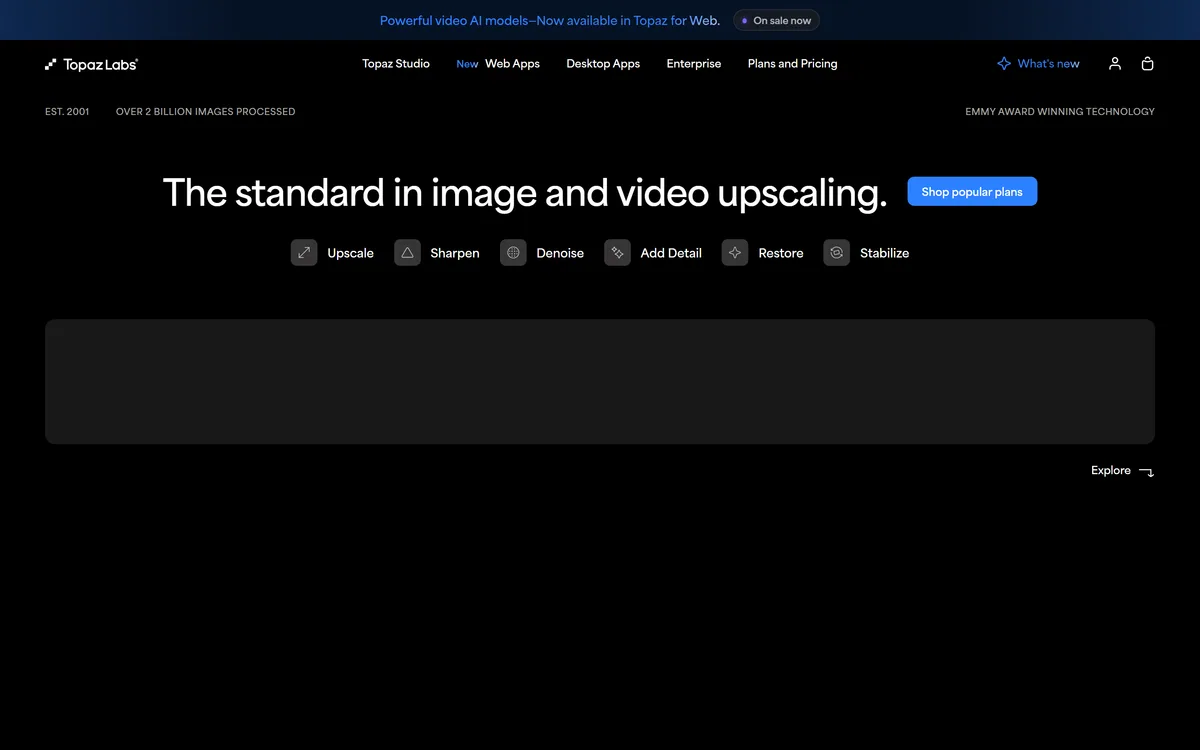
Last checked . Read from topazlabs.com during this check, with the screenshot above captured at the same time.
Professional AI image and video enhancement software
Upscale, sharpen, denoise, restore and stabilize
Coverage across both photo and video
Desktop (Mac/Windows), web and mobile, with local or cloud processing
SDR-to-HDR, frame interpolation, an Adobe Premiere panel and an API
Upscalers tuned for other AI generators' output
A long track record (established 2001) and Emmy-winning technology (vendor)
A multi-product pricing model with a Topaz Studio bundle
No plan prices reproduced here, in line with this site's pricing policy
Face and restoration features touch the likeness of real people; use them with appropriate rights. 'Emmy-winning', 'the standard' and 'over 2 billion images processed' are vendor-stated.
Editor's Verdict
4.5/5
Topaz Labs earns 4.5 as the professional standard for AI enhancement: deep, specialised upscaling, sharpening, denoising, restoration and video tools across desktop, web and mobile, with local or cloud processing and a finishing pedigree going back to 2001. Its superlatives are vendor framing and face features touch likeness, and it is more than a casual user needs, but for quality-critical photo and video work it is hard to beat. AInexfinder Editor Score: 4.5/5.
Topaz Labs pricing
AInexfinder does not list plan prices or billing details. For current pricing, plans, and trials, visit the official Topaz Labs website.
Vendor pricing, credits, and billing policies change over time. Always confirm on the official site before you buy.
Frequently asked questions
What is Topaz Labs?
Topaz Labs makes professional AI image and video enhancement software, covering upscaling, sharpening, denoising, restoration, stabilization and frame interpolation across desktop, web and mobile, with local or cloud processing. It is long established and widely used by photographers, videographers and finishing professionals.
Does Topaz Labs handle video as well as photos?
Yes, and that breadth is unusual. Alongside its photo tools it offers video upscaling, stabilization, frame interpolation and SDR-to-HDR, with an Adobe Premiere panel and an API. Most enhancers specialise in one; Topaz does both to a professional standard.
Is Topaz Labs worth the cost?
For quality-critical work, prints, large displays, broadcast finishing, its output usually justifies its professional pricing, and it is often called the standard for upscaling. For casually touching up the odd phone photo, a free or built-in tool is enough and Topaz is more than you need.
Can Topaz run locally?
Yes. It offers local processing on its desktop apps as well as cloud and web options, so professionals can keep large files and heavy jobs on their own machine for control and speed, while using the web and mobile tools for convenience. Having both is part of its professional appeal.
Does Topaz upscale AI-generated images?
Yes. It offers upscalers tuned for the output of other AI generators such as Sora, Veo, Kling and Midjourney, which is increasingly useful for AI creators who need to raise the resolution and quality of generated images and video for final use.
How is Topaz Labs priced?
It spans several products: desktop app purchases, a web-tools subscription, cloud credits for cloud processing, enterprise and API options, and a Topaz Studio bundle. We do not publish prices, which change; check the site, and pick the mix that matches your workflow.
Who is Topaz Labs best for?
Professional photographers, videographers and finishing editors, plus serious enthusiasts and AI creators, anyone for whom final quality is non-negotiable. Its depth, model range and local-processing option are aimed at work that must hold up at full resolution rather than casual edits.
Are Topaz's quality claims verified?
Claims like 'Emmy-winning technology', 'the standard in upscaling' and 'over 2 billion images processed' are vendor-stated, though credible given its long history. The reliable test is to run Topaz on your own hardest files and compare the output against your current tool rather than the marketing.
Do Topaz's face features raise any concerns?
Its face enhancement and restoration operate on images of real people, which touches likeness. That is fine for your own or properly licensed photos, but use those features with the appropriate rights, and be mindful when enhancing or restoring images of other people.
Is Topaz Labs a creative image generator?
No. Its focus is enhancement and restoration, improving images and video you already have, rather than generating new images from a prompt. If you want creative generation, a dedicated generator is the right tool; Topaz's job is making real footage and photos look their best.
Daniel reviews AI tools the slow way — by actually using them on real projects. His reviews cover what works, what breaks, and who each tool is genuinely a good fit for.
Daniel and the AInexfinder editorial team research Topaz Labs using public product information, listing evidence, and (when available) hands-on checks. Scores reflect listing completeness and transparency — not paid placement.
Listings may include affiliate or sponsored placements, which are labeled when present. Editorial scores and cons are not sold. See our affiliate disclosure and review methodology.
Imglarger is a set of focused AI image tools covering enlargement up to eight times, resolution upscaling, generative uncropping, photo enhancement, sharpening and background removal, alongside browser-based editors and format converters. Uploaded and processed images are stated as deleted within six hours.
Remini is a photo and video enhancement app from Bending Spoons offering unblurring, denoising, old-photo restoration, face enhancement, colour correction and upscaling, plus AI-generated professional headshots. It runs on iOS, Android and the web, and states 100 million monthly active users.
GoStudio is an AI photo and video studio offering headshots and personal branding packs, image and video generation, and more than 38 one-click editing tools. It routes across twenty-plus underlying models — including GPT Image, FLUX, Veo and Nano Banana — without asking users to choose between them.
Aiarty Image Enhancer is desktop software from Digiarty that upscales, denoises, deblurs and restores images using several purpose-built AI models. It runs entirely on your own machine with no upload, handles large batches, and reaches 32K output on Windows.
Pet Pic Portraits turns a pet photo into styled artwork — Royal King, Pop Art, Watercolour, Viking, Wizard and more — with an instant preview before ordering. Output is a digital download, a canvas print or framed wall art, and it includes a pet memorial option.