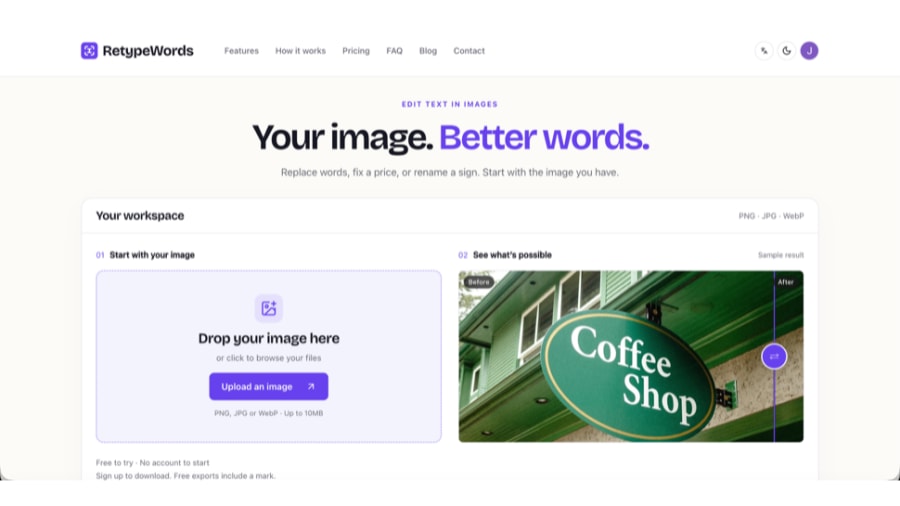
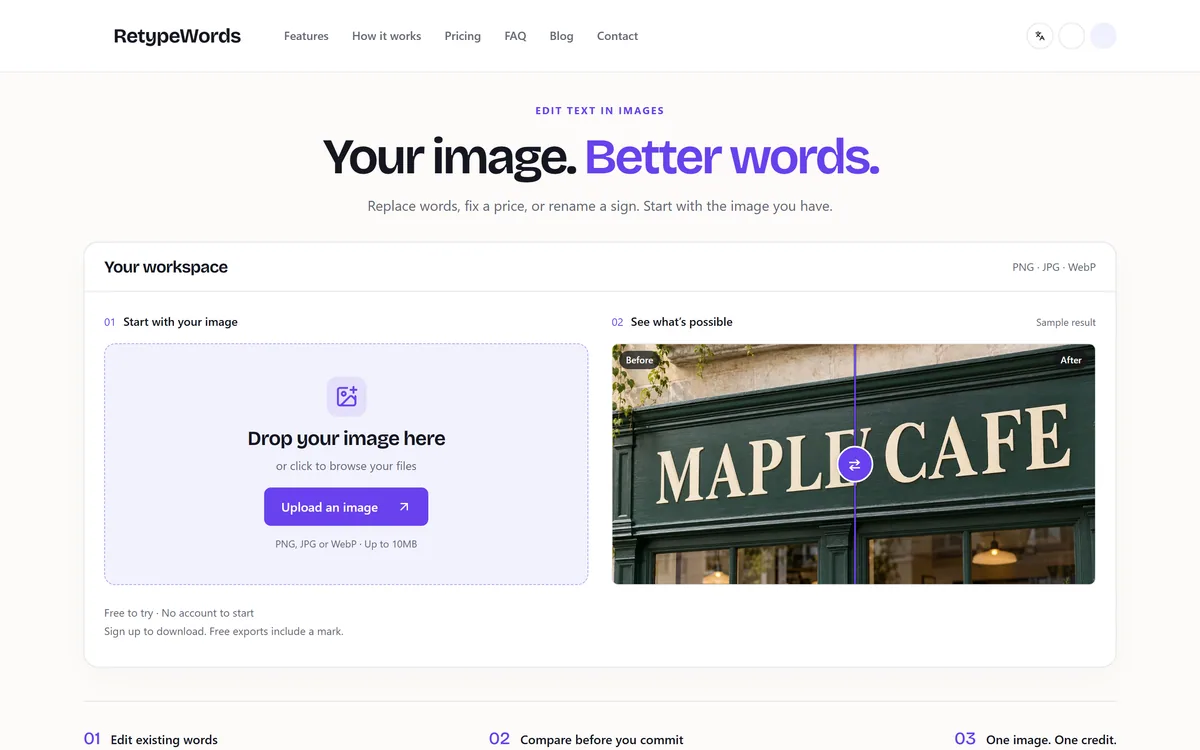
RetypeWords is a browser tool that replaces text that has been flattened into a PNG, JPG or WebP image. It reads the words with OCR, lets you correct what it read, then regenerates the selected area so the new wording sits in the picture rather than on top of it.
Once text has been flattened into a picture, it stops being text. There is no layer to click, no font to swap, and no way to fix a misspelled headline except to rebuild the graphic — which is impossible when the source file belongs to a designer who left six months ago.
RetypeWords is built for exactly that moment and nothing else. You upload a raster image, it reads the words it can see, you correct anything it misread, you type what those words should say instead, and it regenerates the affected area so the replacement belongs to the picture rather than sitting on top of it.
That framing matters, because it is not what a design app does. Putting a text box over the old words in Canva AI leaves the original lettering underneath and a patched background that rarely matches. RetypeWords changes the pixels — and, as the vendor says plainly on its own homepage, that comes with consequences worth understanding before you trust a result.
The RetypeWords Summary, In Five Lines
What it does: replaces text that is already part of a PNG, JPG or WebP image, rewriting it in place rather than layering a new text box over it.
Where it shines: flat, clearly printed lettering on digital artwork — posters, product graphics, packaging mock-ups, UI screenshots, and the garbled typography that Ideogram and other generators leave behind.
Where it does not: handwriting, script and hand-painted signs, and any lettering on a curve or in perspective. The vendor states this on the product pages rather than in a support reply.
The catch to plan for: the model redraws the whole frame, so detail outside your selection can shift. Every result has to be compared against the original before you use it.
How you pay: a credit per generation task, however many words you change in that image, with retries and downloads inside the same task included.
The RetypeWords workspace: drop in a PNG, JPG or WebP, and compare the edit against the original before downloading. Captured September 2026.
RetypeWords At A Technical Glance
What it edits
Text already rendered into a raster image
Formats accepted
PNG, JPG, WebP
Upload ceiling
10MB per image
Languages supported
English, Spanish, German, French, Japanese, Simplified and Traditional Chinese
Multiple edits per image
Yes — several text areas in one generation task
Unit of charge
One credit per generation task
Retries inside a task
Included, up to three processing attempts in total
Image retention
48 hours, then deleted
Training on your images
The vendor states uploads are not used to train models and not sold
Free usage
One image per device without an account; free exports carry a RetypeWords mark
Payment handling
Stripe checkout; the vendor states card numbers never reach its own servers
Runs in
The browser — nothing to install
Why Can't You Just Edit Text In A Finished Image?
A JPG has no idea it contains words. It contains pixels that happen to form letter shapes, and the moment an export happens, the type layer, the font reference and the background behind the letters all stop existing separately.
The manual repair is genuinely laborious: mask out the old lettering, reconstruct whatever was behind it, identify a font close enough to pass, match the weight and letter spacing, redraw any shadow or texture the letters were sitting on, then position the replacement so the optical rhythm still reads. On a photograph of a sign, add perspective and lighting to that list.
Inpainting tools such as Cleanup.pictures solve half of it — they will erase the words and rebuild the background convincingly — but they leave you holding a clean gap and no way to put new lettering back in the original style. RetypeWords is aimed at the whole round trip: remove, rebuild and rewrite in one pass.
The Service is not a design tool and does not place a new text layer over your image. It changes the pixels. — RetypeWords Terms of Service, dated 3 September 2026
How Does RetypeWords Rewrite Words In Pixels?
The workflow is short enough to describe in one breath. Upload the image, wait for the scan to box the words it recognises, fix any character the OCR misread, tick the boxes you want changed, type the replacement wording, generate, then compare the result against the original before you confirm it.
The OCR correction step is the one people skip and then regret. If the scan reads a price as 519 and you do not notice, the generator faithfully rewrites 519 — the model is working from what the scan reported, not from what your eyes can see in the picture.
Several boxes can ride along in a single task, which is both a convenience and the basis of the pricing: an image where four separate labels change costs the same as one where a single word does.
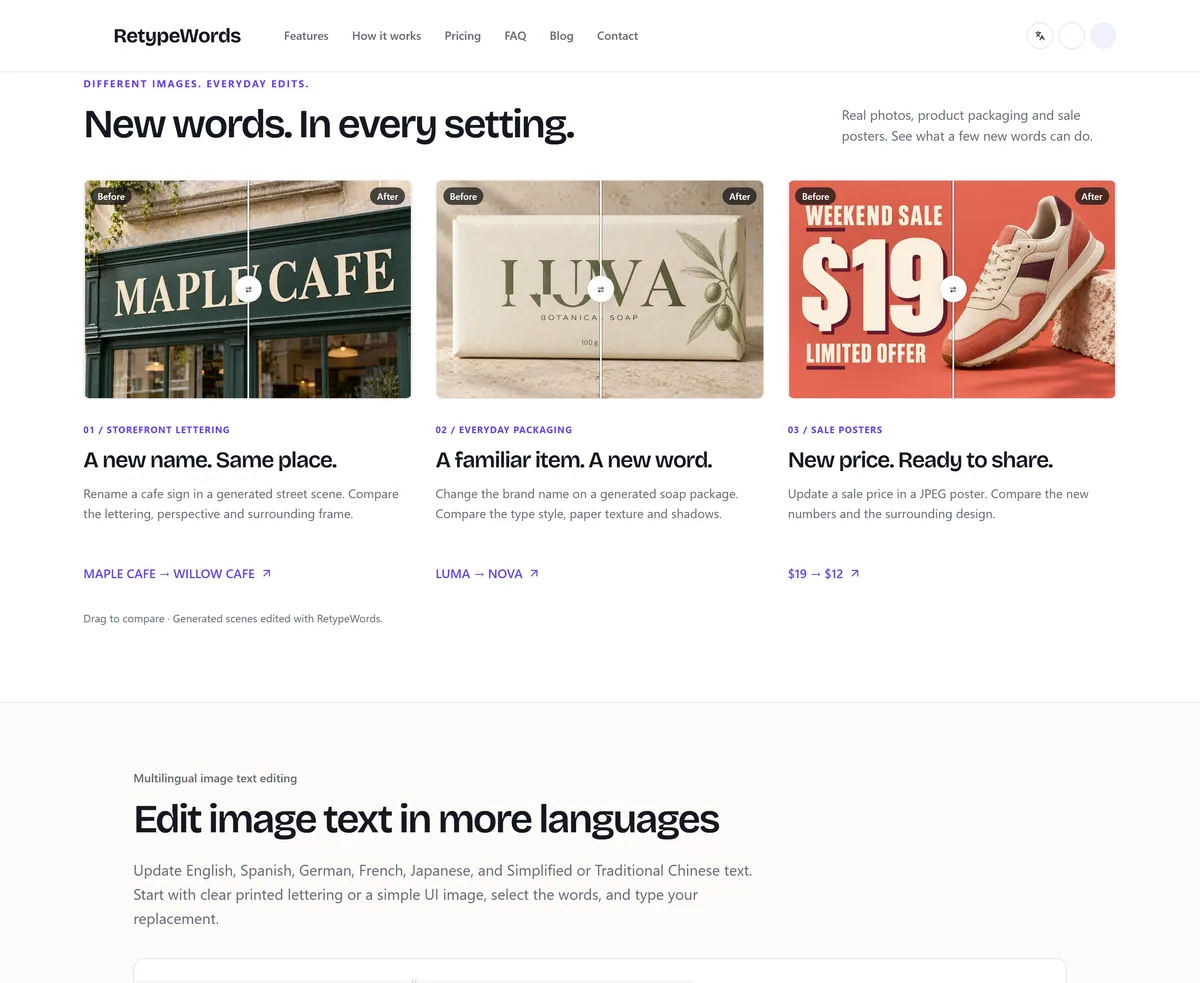
The vendor's own worked examples — a storefront sign, product packaging and a sale poster — each shown as a draggable before-and-after comparison. Captured September 2026.
What Style Matching Actually Promises
Style matching here means a close visual approximation of the lettering in your image: weight, size, colour, spacing and the way the characters meet the background behind them. It is not font recovery, and the vendor is explicit that no original typeface file is identified or reproduced.
On ordinary sans-serif and serif type the approximation holds up well. On a distinctive display face — a logotype, a custom masthead, anything with hand-drawn character — the difference will be visible to anyone who knows the original. For brand assets, the honest answer is still to open the vector file.
A Fifteen-Minute Test Before You Trust RetypeWords
Free usage covers one image per device, which is enough to learn whether your particular kind of picture is inside or outside what the tool handles. Spend it deliberately rather than on a screenshot you do not care about.
Pick the hardest image you actually need to edit, not a clean one. If your real work is menu boards shot at an angle, test a menu board shot at an angle.
Before uploading, write down the exact replacement wording, character for character. Deciding it in the input box is how a stray capital or a missing hyphen gets baked into the result.
Upload, then read every OCR box the scan produced — including the ones you are not changing. A misread elsewhere in the image is a warning about how legible the tool finds your typography.
Correct the boxes you will edit, select them, enter the replacement, and generate.
Open the result at full size, not at thumbnail size, and check the edited region first: spelling, line breaks, and any digit adjacent to the words you changed.
Pass/fail step: now compare the parts of the image you did not ask to change — small print, logos, faces, background signage. If anything outside your selection has shifted in a way you would have to explain to a client, this image is outside what the tool handles, and no amount of retrying will settle it.
If the edit passes, retry once anyway within the same task. Retries inside a task cost nothing, and seeing the second version tells you how stable the result is.
Which Images Suit RetypeWords, And Which Fight Back?
The vendor publishes its own boundary, which is rare enough to be worth repeating: flat, clearly rendered lettering on digital artwork is what the tool handles well. Everything below that line is described on the site as not there yet rather than as a limitation you discover after paying.
In practice, the images that come back cleanly share a few traits — printed type rather than written, front-on rather than angled, and enough resolution that each character is unambiguous before the model ever sees it.
Reliable: posters, banners, sale graphics, product images, packaging mock-ups, UI and app screenshots, and generated artwork where the design is right but the lettering is gibberish.
Workable with care: photographed signage that faces the camera squarely, image-based menus, and documents or forms with crisp printed text.
Unreliable: handwriting, script and brush lettering, hand-painted signs, text wrapped around a curve or receding in perspective, and type so small or so heavily compressed that the characters have merged.
Wrong tool entirely: logos and brand lettering, where an approximation of a custom typeface is worse than no edit at all.
Handwriting, Curves And Hand-Painted Signs
These fail for the same underlying reason. OCR has to decide what a character is before anything can be rewritten, and irregular strokes give it far less to work with than a typeface does. A model then has to reproduce that irregularity convincingly, which is a harder problem again.
Curved and angled lettering adds a second difficulty: the replacement has to follow a path and a vanishing point rather than a straight baseline. Product photography of cylindrical packaging is the common case here, and it is the one most likely to look nearly right and be subtly wrong.
What Happens To An Image After You Upload It?
Uploads and results are stored for 48 hours and then deleted, and the vendor states plainly that images are not used to train models and are not sold. Downloading a confirmed result again inside that window costs no additional credit, but once the window closes the file is gone, so save what you need.
Producing an edit involves handing the image to third parties: cloud hosting, an OCR provider and an image model provider, each named by category in the privacy policy along with what it receives. Payment details go to Stripe directly. Usage analytics run through PostHog, and the policy states that images, OCR text and replacement text are not sent to it; session replay is configured to mask page text and block uploaded artwork and generated results.
There is also an opt-in worth knowing about: you can allow the team to inspect a sample of images and results for quality checks, inside the same 48-hour window, and you can uncheck it in the result panel. It is off unless you choose it.
The practical read: this is proportionate handling for a small product, and it is documented in more detail than most listings of this size manage. It is still a third-party service, so confidential contracts, medical records and unreleased commercial assets deserve the same caution you would apply to any upload.
Where The Acceptable-Use Line Sits
RetypeWords deliberately does not screen images by what they look like — invoices, forms, certificates and screenshots all have ordinary reasons to be edited, for mock-ups, localisation, redaction and teaching material. The policy draws its line at conduct instead.
What you agree not to do is present an edited image as a genuine, unaltered record to someone who will rely on it as authentic, or use one to obtain money, credit, employment or status you are not entitled to. Identity and travel documents, prescriptions and professional qualifications, and material fabricated for legal or insurance proceedings are all named as prohibited. Enforcement is reactive, acting on reports rather than pre-screening, and the vendor says so rather than implying it catches everything.
Edited files may also carry embedded provenance information marking them as machine-edited, and stripping that to pass a result off as an original is a breach in itself. If you publish AI-modified media somewhere that requires it to be labelled, that labelling is your responsibility, not the tool's.
How RetypeWords Charges, And What One Credit Buys
The unit is a generation task, not a word and not an image area. Change one headline or change five separate labels in the same picture, and the same single credit covers it — which quietly rewards planning every replacement before you hit generate rather than running three separate tasks.
A credit is deducted when generation starts, and the model around that is more forgiving than most: retries within the same task cost nothing, downloading costs nothing, and a task that ends without producing an image returns the credit automatically. There are up to three processing attempts in total including automatic recovery. One asymmetry to note — a generated image consumes the credit even if you decide not to download it, so discarding a result you dislike does not refund it.
Two purchasing shapes exist: recurring monthly credit plans in three tiers, and one-time credit packs with no renewal. Monthly credits are described as rolling over without expiry, and cancelling stops future renewals rather than clawing back credits already granted. Checkout runs through Stripe.
Free usage is real but bounded: one image per device without an account, with sign-up required to download, and free exports carrying a visible RetypeWords mark that paid exports do not. AInexfinder does not publish plan amounts because vendor pricing changes without notice — the pricing page is the only current source.
Key features of RetypeWords
Replaces text already rendered into PNG, JPG and WebP images, up to 10MB per upload
OCR pass that boxes detected words and lets you correct misreads before anything is generated
Multiple text areas edited inside a single generation task
In-place regeneration that approximates the original weight, size, colour and spacing rather than overlaying a text box
Full-image before-and-after comparison with warnings when areas outside your selection have changed
Text editing across English, Spanish, German, French, Japanese and Simplified or Traditional Chinese
Browser-based with no installation, and one free image per device before an account is needed
Credit-based charging with free retries inside a task and automatic credit return on a failed job
Pros & cons
Pros
5
Solves a specific problem design tools handle badly — replacing baked-in text without rebuilding the graphic
Publishes its own limits on the product pages, including the fact that the model redraws the whole frame
Forgiving credit rules: retries and re-downloads inside a task are free, and a failed job returns the credit
Clear data handling — 48-hour retention, no training on uploads, processor categories named in the privacy policy
A genuine free try with no account, so you can test your own hardest image before paying
Cons
6
The whole frame is redrawn, so detail outside your selection can shift and every result needs manual comparison
Handwriting, script, hand-painted, curved and perspective lettering are outside what it handles reliably
Style matching approximates the original type — it will not reproduce a distinctive display face or a logotype
Numbers, prices and dates carry real risk, because a single wrong character changes the meaning entirely
Free exports carry a visible mark, and a generated image consumes its credit even if you never download it
No named legal entity or jurisdiction in the Terms, and no independently published accuracy measurement
Best For
Marketers and ecommerce teams updating dates, prices or calls to action in finished promo graphics without the source file
Creators fixing garbled or misspelled lettering inside AI-generated images, without rerolling the whole composition
Technical writers and product teams correcting stale labels in UI screenshots used across documentation and decks
Designers handed a flattened image by a client and asked for a small wording change by the end of the day
Anyone localising a poster or menu into Spanish, German, French, Japanese or Chinese from an image they cannot re-typeset
RetypeWords Against Other Ways To Change Image Text
Four different answers to "the words in this picture are wrong", each solving a different part of the problem.
Tool
Approach to the text
Best when
Main limitation
RetypeWords
Rewrites the existing lettering in place, matching the surrounding style
You have only a flattened image and need specific words changed
Redraws the whole frame, so every result needs checking
Generates a fresh image from a prompt, with typography as a strength
Nothing about the existing picture has to be preserved
Regenerating rerolls the entire composition, not just the words
Words You Will Meet In This Workflow
Five terms that decide whether a result is usable, and that the product pages use without much explanation.
Flattened image
A raster file — PNG, JPG, WebP — in which every layer has been merged into pixels. Text in a flattened image is a picture of text, which is why no editor can select it.
OCR
Optical character recognition: reading characters out of an image and reporting where each one sits. It is the step that decides what RetypeWords thinks your image says, which is why correcting its output before generating matters more than it looks.
In-place replacement
Rewriting lettering where it already sits, carrying the original weight, colour and spacing, rather than covering it with a new element. The distinction from a text overlay in a tool like Canva AI is the whole reason this category exists.
Drift
Unrequested change elsewhere in the frame, caused by the model redrawing the whole image rather than only your selection. Small print, logos and faces are where it surfaces first — the same failure mode that makes regenerating an image in Nano Banana Pro a poor fix for one wrong word.
Provenance metadata
Embedded information marking a file as machine-edited. RetypeWords may attach it to exports, and its Acceptable Use Policy treats removing it as a breach rather than a formatting choice.
Is RetypeWords The Right Tool For Your Picture?
Upload With Confidence When
The source design file is gone and the words in a finished graphic need to change — the canonical case, and the one everything else here is built around.
A generated image is compositionally right and typographically wrong, and regenerating would reroll a picture you already like.
A screenshot in documentation, a deck or a help article carries a stale label, and rebuilding the interface to recapture it would cost an afternoon.
You are updating a date, price or call to action on a promo graphic whose layout is fine, and an ecommerce editor like Photoroom would be rebuilding far more than you need.
The lettering is printed, front-on and legible — the conditions the tool actually performs under.
Open A Design File Instead When
You still have the editable original in Photoshop, Illustrator, Figma or Canva. Changing a real text layer is more precise and costs nothing.
The text is handwritten, brush-lettered, hand-painted, curved or heavily angled — all documented as outside what the tool handles.
You are editing a logo or brand mark, where a close approximation of custom type is worse than leaving it alone.
Nobody will be checking the output. The workflow assumes a human compares the result against the original, and an unchecked edit is exactly what the vendor warns against.
You need the underlying image to be provably unaltered for someone who will rely on it — that use is prohibited by the Acceptable Use Policy, not merely discouraged.
How This RetypeWords Listing Was Checked
Last checked . Everything above was read from the vendor's own pages rather than from a press kit or an earlier version of this listing.
Homepage, pricing page, About page and the Retype Anything page rendered in a real browser, including the footer.
Terms of Service (dated 3 September 2026), Acceptable Use Policy (dated 2 September 2026) and Privacy Policy read in full for the credit rules, retention period and processor categories.
Supported formats, the 10MB ceiling, the language list and the free-usage terms taken from the homepage and pricing page as they stood on the capture date.
Both screenshots on this page captured from retypewords.com in September 2026, unedited.
The company's footer links to About, Contact, Privacy, Terms, Acceptable Use and Cookie policies — all present and all reachable.
What could not be confirmed: the Terms are governed by the laws of the vendor's "place of establishment" without identifying a country, and the About page describes a small independent team without naming a registered entity, so we cannot tell you which jurisdiction a dispute would sit in. The Terms also carry a note that they have not been reviewed by a lawyer. Independently measured accuracy figures do not exist either — the quality claims on the site come from the vendor's own evaluation set, which it says is not a published benchmark. Treat both as open questions rather than as marks against the product.
Other Ways To Fix Text In A Picture
Where to look next, depending on which part of the problem you actually have.
Cleanup.pictures — removes unwanted text and objects and rebuilds the background, when deleting the words is enough.
Ideogram — generates images with typography as a focus, for when nothing about the existing picture needs preserving.
Canva AI — the full design suite, for when you are rebuilding the graphic rather than patching four words in it.
Photoroom — product-visual editing at ecommerce scale, for catalogues rather than one-off corrections.
Clipdrop — a toolkit of single-purpose image operations, useful alongside a text edit rather than instead of one.
Editor's Verdict
3.8/5
RetypeWords does one narrow job and is unusually honest about where that job fails, publishing its limits and a whole-image change warning rather than burying them. The credit model is fair and the 48-hour retention is clear. What holds the score back is the technology itself: the model redraws the entire frame, so every result needs manual checking, and handwriting, curved and hand-painted lettering are out of reach. AInexfinder Editor Score: 3.8/5.
RetypeWords pricing
AInexfinder does not list plan prices or billing details. For current pricing, plans, and trials, visit the official RetypeWords website.
Vendor pricing, credits, and billing policies change over time. Always confirm on the official site before you buy.
Frequently asked questions
What is RetypeWords?
RetypeWords is a browser tool that replaces text already baked into a raster image. It reads the words with OCR, lets you correct what it read, then regenerates the selected area so the new wording matches the surrounding style instead of sitting on top of the old lettering as a separate text layer.
Can RetypeWords edit text inside a JPG?
Yes. JPG, PNG and WebP are all accepted, up to 10MB per image. Higher-resolution files work better, because heavy compression merges characters together and makes them harder for the OCR pass to read correctly before anything is regenerated.
Does RetypeWords keep the original font?
No — it produces a close visual approximation, not the original typeface. It matches weight, size, colour, spacing and how the letters meet the background, but no font file is recovered. On ordinary printed type the difference is hard to spot; on a distinctive display face or a logotype it will be visible.
Can I change several words in one image?
Yes, and it costs no more than changing one. Multiple detected text boxes can be selected inside a single generation task, and the whole task consumes one credit — so it pays to decide every replacement before you generate rather than running separate tasks.
Does RetypeWords change parts of the image I did not select?
It can, and the vendor says so directly. The model redraws the entire frame, so detail outside your selection may shift. RetypeWords shows a full-image comparison and flags areas it detects have changed, but it states that detection is not perfect — checking the result at full size is part of the workflow, not an optional extra.
Can RetypeWords fix text in AI-generated images?
Yes, and it is one of the strongest cases for the tool. When a generated image is compositionally right but the lettering is misspelled or garbled, changing just the words is a smaller and safer edit than regenerating the whole picture and rolling the dice on the composition again.
What languages does RetypeWords support?
English, Spanish, German, French, Japanese, and Simplified and Traditional Chinese. The vendor's guidance is to start from clear printed lettering or a simple interface image, which matters more for the non-Latin scripts than for the Latin ones.
How does RetypeWords charge for an edit?
By generation task — one credit per task, however many text areas you change in that image. Retries inside the same task and downloads cost nothing extra, and a task that ends without producing an image returns the credit automatically. A generated image does consume its credit even if you choose not to download it. Monthly credit plans and one-time packs both exist; check the vendor's pricing page for current amounts.
Is there a free version of RetypeWords?
Yes, with limits. You can try one image per device without creating an account, and you sign up to download the result. Free exports carry a visible RetypeWords mark; paid exports do not. That is enough to test your own most difficult image before committing anything.
What happens to images uploaded to RetypeWords?
They are stored for 48 hours and then deleted, and the vendor states they are not used to train models and not sold. Producing an edit involves a cloud host, an OCR provider and an image model provider, each named by category in the privacy policy. Team inspection of a sample for quality review is opt-in and can be switched off in the result panel.
Is it acceptable to use RetypeWords on a document or a receipt?
Editing one is allowed; passing the result off as genuine is not. RetypeWords deliberately does not screen images by type, because invoices, forms and certificates have ordinary uses in mock-ups, localisation and teaching material. Its Acceptable Use Policy prohibits presenting an edited image as an unaltered record to anyone relying on it, and using one to obtain money, credit, employment or status you are not entitled to.
What is Retype Anything?
It is a second feature the vendor has announced but not released, for changes you describe in a sentence — swapping a prop, changing a background, recolouring a material — rather than exact word replacements. It is waitlist-only with no stated date, and it is not what you are buying when you use the text editor today.
Daniel reviews AI tools the slow way — by actually using them on real projects. His reviews cover what works, what breaks, and who each tool is genuinely a good fit for.
Daniel and the AInexfinder editorial team research RetypeWords using public product information, listing evidence, and (when available) hands-on checks. Scores reflect listing completeness and transparency — not paid placement.
Listings may include affiliate or sponsored placements, which are labeled when present. Editorial scores and cons are not sold. See our affiliate disclosure and review methodology.
Pixlr is a browser-based photo editor from Pixlr Pte Ltd with two editors and a generative AI layer — Generative Fill, Expand and Transform, background and object removal, Super Scale upscaling, face swap, plus image, video, and audio generation.
Photoroom is a product visual platform for ecommerce covering background removal, AI product photography, batch editing, an image API, brand kits, marketplace sync and video templates. It states 1M+ businesses, SOC 2 Type 2 and enterprise options including custom models and SLA-backed uptime.
Pebblely generates product photography from a single uploaded image, placing the item into more than a hundred pre-built scene templates, generating in bulk, and resizing for marketplaces and social platforms. It is operated by a Singapore-registered company and states over 25 million images generated.
Pixelcut is an AI photo and video editor built around ecommerce workflows: product showcases, UGC-style ads and consistent AI personas, plus background removal, 16x upscaling, generative fill, magic eraser and batch editing across web, iOS and Android.
Collov AI does virtual staging and interior design from property photographs: furnishing empty rooms in named styles, applying consistent furniture across multiple angles of the same room, removing objects, converting to twilight, changing seasons, and producing 360-degree virtual tours. An API is available.
Deep-Image.ai is an AI image-enhancement and generation platform offering generative upscaling, denoising, sharpening, colour correction, background removal, avatars and text-to-image, with batch processing, vertical tools like Packshot Pro, and an API for automated workflows.