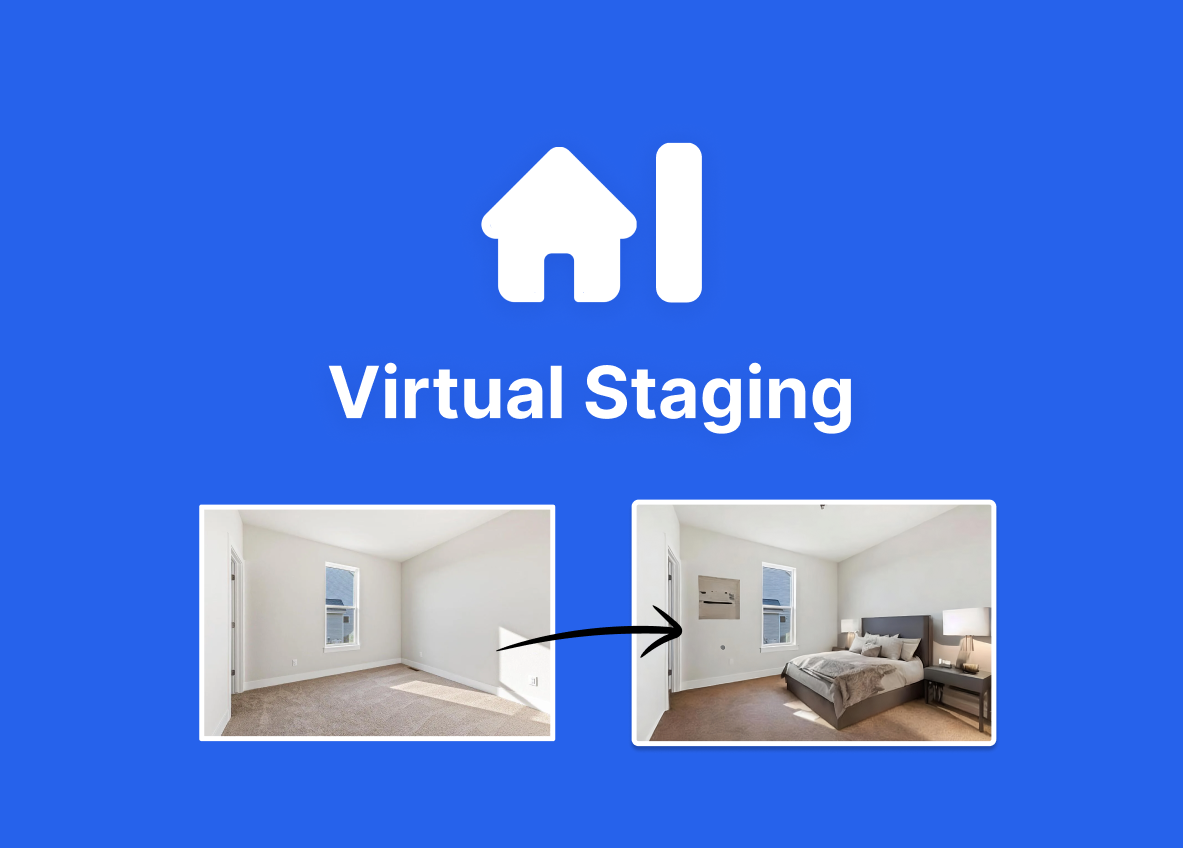
What is Virtual Staging AI?
Virtual Staging AI is an AI-powered virtual staging tool that digitally furnishes empty or sparsely furnished rooms in real estate listing photos within seconds.
Agents upload a room photo, pick a style, and the AI adds realistic furniture that respects the room layout, typically completing in around fifteen seconds.
It offers more than 50 design styles, including modern, Scandinavian, luxury, coastal, farmhouse and industrial, and supports common room types such as bedrooms, living rooms, kitchens, home offices, dining rooms and outdoor spaces.
The tool can also remove existing furniture and declutter before re-staging, and it allows unlimited regenerations so users can iterate on different looks at no extra cost. Outputs are positioned as MLS-compliant for use in listings.
The primary audience is real estate agents, brokers and listing teams who want faster, cheaper staging than traditional physical or outsourced services. Strengths include the very fast turnaround, the breadth of styles, furniture removal, unlimited regenerations and pricing that undercuts traditional staging.
Weaknesses are that AI-placed furniture can occasionally clash with real room geometry or lighting and need re-rolling, and it stages photos rather than physical spaces, so buyers still see an empty home in person.
Virtual Staging AI offers a free trial image without signup, with subscriptions starting at a low monthly rate for a set number of images. Pricing changes often, so check the official site for current plans.
Virtual Staging AI's core capabilities include AI furnishing of empty rooms in seconds, 50+ design styles across many room types, Existing furniture removal and decluttering, Unlimited free regenerations of a staging and MLS-compliant output for listings.
AI furnishing of empty rooms in seconds is built in, 50+ design styles across many room types is built in, Existing furniture removal and decluttering is built in, Unlimited free regenerations of a staging is built in, so you get a rounded toolkit rather than a single trick.
Each feature is designed to take the manual effort out of the task and help you reach a usable result faster, which is what makes Virtual Staging AI worth a place on your shortlist.
On the plus side, users consistently highlight Very fast and far cheaper than physical staging, Wide style range with unlimited re-rolls and Free trial image without signup as the reasons they keep using Virtual Staging AI.
It isn't perfect, though — Furniture can clash with real room geometry and Stages photos only, not the physical space are the trade-offs people most often mention, so weigh those against your own priorities before you commit.
As with any AI tool, the output still benefits from a quick human review, but Virtual Staging AI gets you most of the way there with far less effort.
Virtual Staging AI runs on a freemium pricing model, so you can start for free and only pay once you outgrow the free tier — handy for testing it on a real task before spending anything.
AI-tool pricing changes often, so always check the current plans, seats and add-ons on the official site for the latest details before you buy. Who is Virtual Staging AI for? It's best suited for furnish empty property photos with ai in seconds.
Whether you're a beginner trying this kind of AI tool for the first time or a professional who'll use it every day, it's a credible option to consider.
If you're still deciding, compare Virtual Staging AI against the alternatives and the head-to-head comparisons linked below — looking at features, pricing and real user ratings side by side is the fastest way to find the right fit for your workflow and budget.
Who is Virtual Staging AI for?
Virtual Staging AI is best suited for furnish empty property photos with ai in seconds. Whether you are trying this kind of image & design tool for the first time or use one every day, it is a credible option to shortlist — compare it with the alternatives and head-to-head comparisons linked on this page to find the best fit for your workflow and budget.