What is Aftershoot?
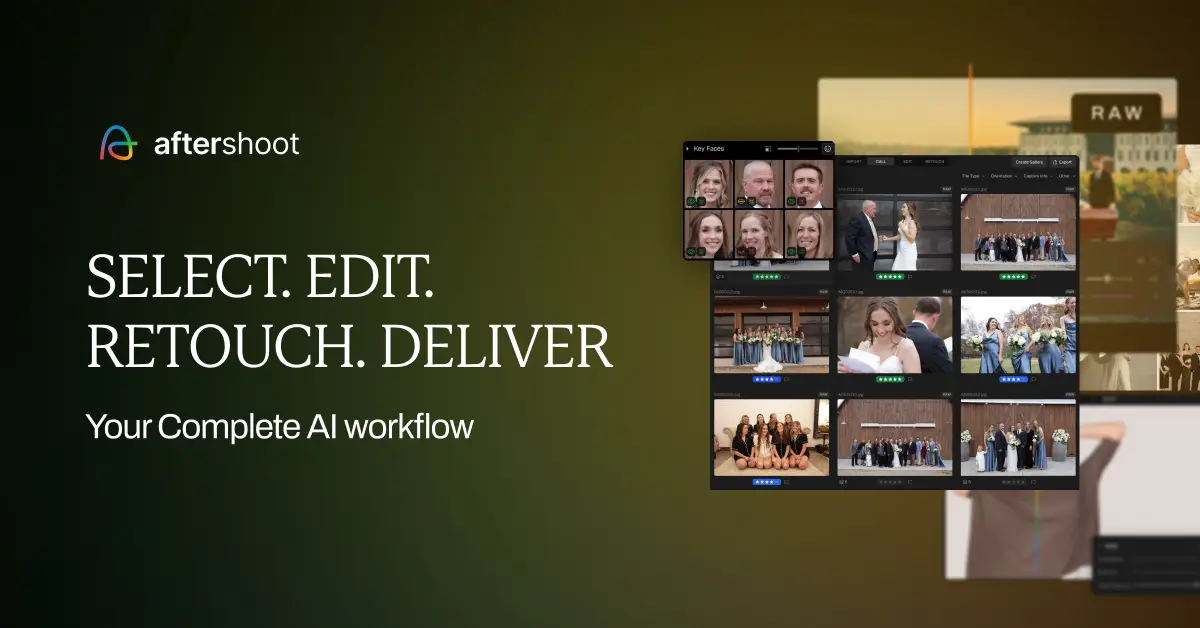
Aftershoot is AI post-processing software that helps professional photographers cull, edit and retouch images far faster while keeping the work consistent and true to their own style. It is built for wedding, event, portrait and high-volume photographers who spend long hours sorting and editing large shoots.
The platform combines three workflows in one app: AI culling to quickly select the best frames and discard duplicates or out-of-focus shots, AI editing that learns and applies a photographer's editing style across an entire album, and AI retouching that smooths skin, removes blemishes and glare, and cleans up hair while keeping results natural.
Because it learns from a photographer's existing edits, the output aims to match personal style rather than impose a generic look. Typical use cases include culling thousands of images after a wedding, batch-editing an album consistently, and retouching portraits at scale.
A major draw is pricing: it is flat and not per-image, so culling, editing and retouching are effectively unlimited at a predictable cost. Pros include a complete cull-edit-retouch workflow, style-matched results, predictable flat pricing, and a generous free trial.
Cons are that it is desktop software requiring capable hardware, and the AI still benefits from review and occasional manual correction. It offers separate culling, editing and retouching plans with monthly or annual billing and a thirty-day free trial.
Pricing changes often, so check the official site for current plans. Aftershoot's core capabilities include AI photo culling and duplicate detection, Style-matched AI batch editing, AI retouching for skin, blemishes and hair, Flat unlimited pricing, not per image and Client galleries and complete workflow in one app.
AI photo culling and duplicate detection is built in, Style-matched AI batch editing is built in, AI retouching for skin, blemishes and hair is built in, Flat unlimited pricing, not per image is built in, so you get a rounded toolkit rather than a single trick.
Each feature is designed to take the manual effort out of the task and help you reach a usable result faster, which is what makes Aftershoot worth a place on your shortlist.
As with any AI tool, the output still benefits from a quick human review, but Aftershoot gets you most of the way there with far less effort. Aftershoot runs on a subscription pricing model, aimed at users who want the full feature set without free-tier limits.
AI-tool pricing changes often, so always check the current plans, seats and add-ons on the official site for the latest details before you buy. Who is Aftershoot for? It's best suited for ai culling, editing and retouching for photographers.
Whether you're a beginner trying this kind of AI tool for the first time or a professional who'll use it every day, it's a credible option to consider.
Who is Aftershoot for?
Aftershoot is best suited for ai culling, editing and retouching for photographers. Whether you are trying this kind of image & design tool for the first time or use one every day, it is a credible option to shortlist — compare it with the alternatives and head-to-head comparisons linked on this page to find the best fit for your workflow and budget.