
Free private background remover that runs in your browser Category: Image & Design.
Image & Design Review
PhotoScissors review on AInexfinder — freemium AI tool for Image & Design. Features, pricing notes, and alternatives.

Provisional score · full review pending
PhotoScissors has an AInexfinder Editor Score of 4.5/5.
Best for: Users who need AI automatic background removal; Manual keep-and-remove markers workflows
The visit link goes to photoscissors.com, the official site. Paid placements on AInexfinder are always labelled. How we make money
PhotoScissors is an AI-powered background removal tool trained on large image datasets with deep neural networks to automatically detect subjects and clear backgrounds.
Its distinguishing feature is the balance of automatic removal with intuitive manual markup tools: users can paint simple green and red markers to indicate what to keep and what to remove, giving fine control over difficult edges, hair, and overlapping objects where fully automatic tools sometimes struggle.
After removal, users can replace the background with a solid color, gradient, or another image, and adjust the cutout for size and placement.
PhotoScissors is available both as an online tool and as desktop software, making it useful for designers, e-commerce sellers, and anyone preparing product or portrait images. It suits users who want more hands-on control over cutout quality than a one-click tool provides.
Features include AI automatic background removal, manual keep-and-remove markers, background replacement, edge refinement, and online plus desktop options. Pros include the precise manual refinement controls, reliable handling of complex edges, and availability as both web and desktop tools.
Cons include that the workflow can be slower than fully automatic services for large batches, and that high-resolution downloads and advanced use require a paid plan. PhotoScissors generally uses a freemium model with paid plans. Pricing changes often, so check the official site for current plans.
PhotoScissors's core capabilities include AI automatic background removal, Manual keep-and-remove markers, Background color and image replacement, Edge and cutout refinement tools and Online and desktop versions.
AI automatic background removal is built in, Manual keep-and-remove markers is built in, Background color and image replacement is built in, Edge and cutout refinement tools is built in, so you get a rounded toolkit rather than a single trick.
Each feature is designed to take the manual effort out of the task and help you reach a usable result faster, which is what makes PhotoScissors worth a place on your shortlist.
As with any AI tool, the output still benefits from a quick human review, but PhotoScissors gets you most of the way there with far less effort.
PhotoScissors runs on a freemium pricing model, so you can start for free and only pay once you outgrow the free tier — handy for testing it on a real task before spending anything.
AI-tool pricing changes often, so always check the current plans, seats and add-ons on the official site for the latest details before you buy. Who is PhotoScissors for? It's best suited for ai background remover with manual refinement controls.
Whether you're a beginner trying this kind of AI tool for the first time or a professional who'll use it every day, it's a credible option to consider.
PhotoScissors is best suited for ai background remover with manual refinement controls. Whether you are trying this kind of image & design tool for the first time or use one every day, it is a credible option to shortlist — compare it with the alternatives and head-to-head comparisons linked on this page to find the best fit for your workflow and budget.
AI automatic background removal
Manual keep-and-remove markers
Background color and image replacement
Edge and cutout refinement tools
Online and desktop versions
AInexfinder does not list plan prices or billing details. For current pricing, plans, and trials, visit the official PhotoScissors website.
Visit official website for pricingVendor pricing, credits, and billing policies change over time. Always confirm on the official site before you buy.
PhotoScissors has a provisional score of 4.5/5: a formula estimate from this listing’s details, not yet an Editor Score. It is replaced once PhotoScissors gets its full research-based review. Best for: Users who need AI automatic background removal; Manual keep-and-remove markers workflows; Teams that need background color and image replacement.
Visit PhotoScissorsLog in to write a review.
No reviews yet. Be the first to share your experience with PhotoScissors.
Assigned to
Daniel ReedSenior AI Tools Reviewer
Daniel leads AInexfinder's tool reviews. He researches each tool from its own pricing, documentation and policies, checks its claims against independent sources, and writes up what it does well, where it falls short and who it genuinely suits.
This page is a summary of PhotoScissors built from its own website and listing details. It has not had its full research-based review yet, so its score is a provisional formula estimate, not an Editor Score. Daniel will research and re-score it; payment never changes a score.
Similar Tools
Free private background remover that runs in your browser Category: Image & Design.

Removal.ai is an automatic background removal service that cuts the subject out of a photo and returns it on a transparent or replaced background. It handles bulk uploads, exposes an API, ships a desktop app, and adds a light editor for text, effects and marketplace-sized presets.
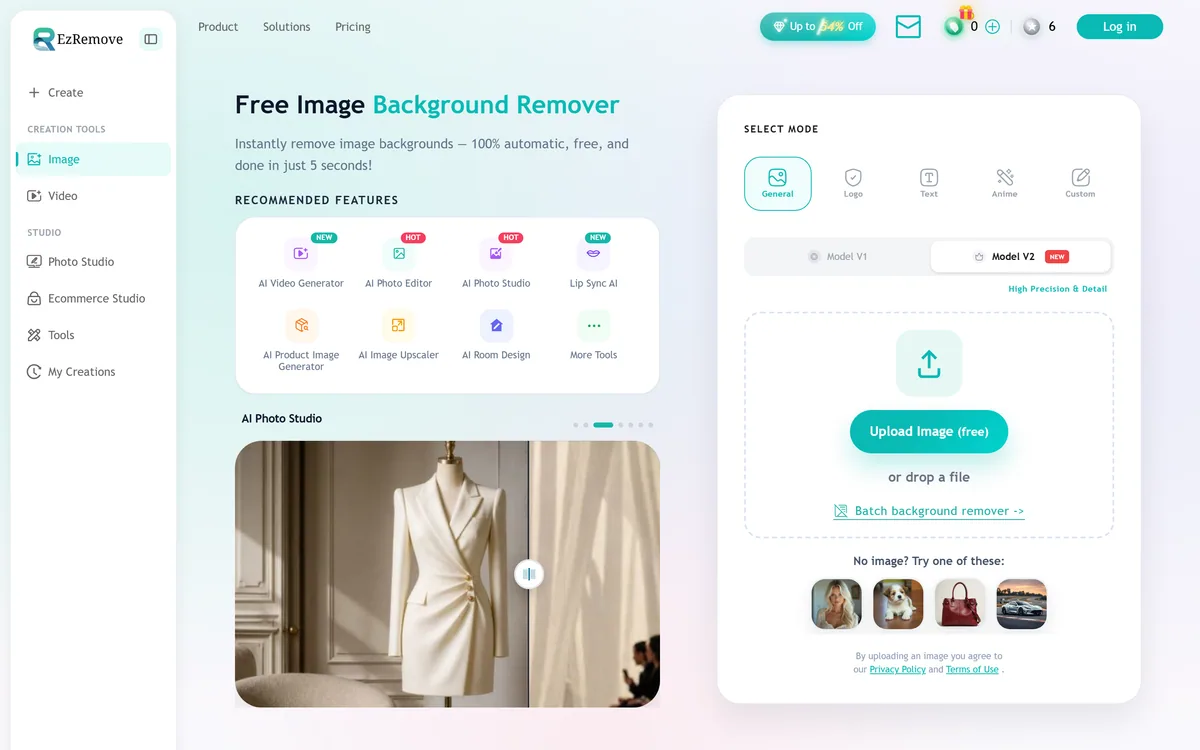
EzRemove is an AI background remover that produces clean transparent PNG cutouts automatically in a few seconds, with batch processing and a broader studio of image and video tools, aimed at ecommerce sellers, social creators and anyone needing quick cutouts.


Midjourney is an AI image generator known for its distinctive aesthetic quality, currently on model V8.2, with a full web app alongside the original Discord workflow, plus an Editor, moodboards, style profiles, and five-second image-to-video.

Mobile-first AI art and video generator with many styles Category: Image & Design.


Canva AI is the Magic Studio suite built into Canva — Magic Write for copy, Dream Lab for images, Magic Edit, Expand and Eraser for photos, Magic Switch for reformatting, Magic Charts for data, and Canva Code for interactive widgets.
Related Pages