
Mobile-first AI art and video generator with many styles Category: Image & Design.
Image & Design Review
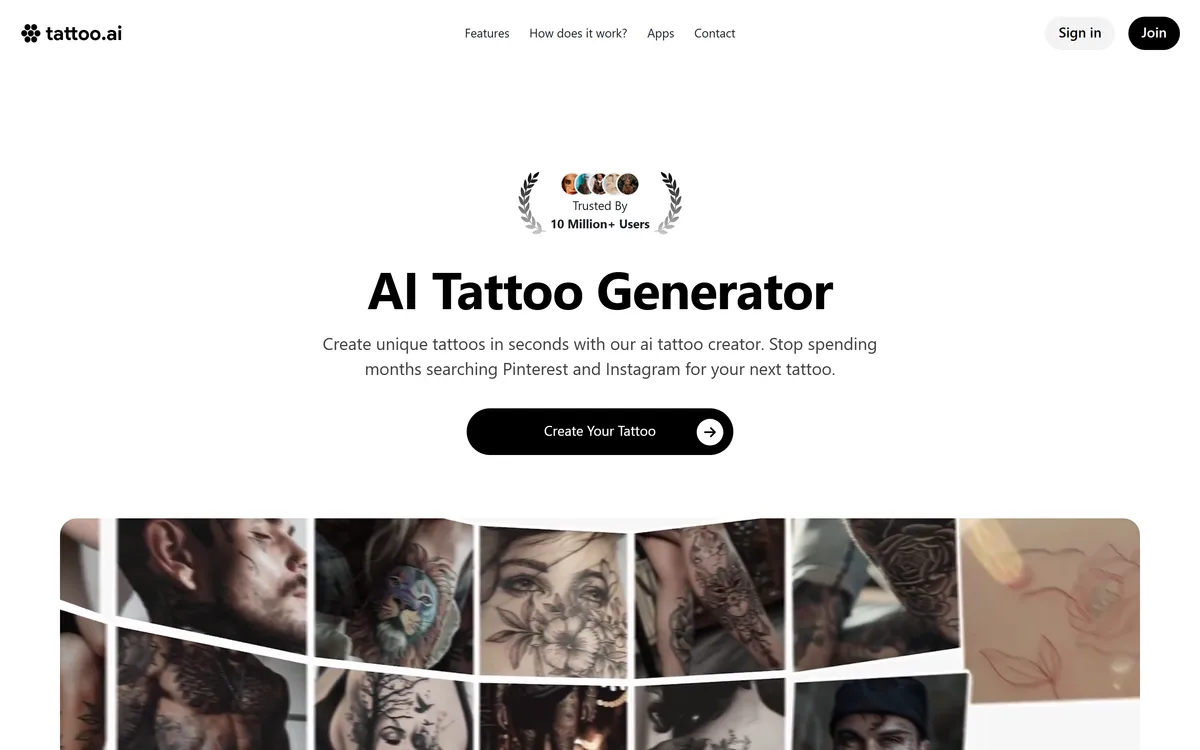
Tattoo AI generates tattoo designs from a written idea, in styles from dotwork to minimalist, then previews them on your skin through augmented reality before you download a high-resolution file to take to an artist. Apps are available for iOS and Android.
Good
As a way to stop scrolling Pinterest for six months and start seeing your own idea rendered, Tattoo AI does the job well, and the AR try-on is the feature that genuinely earns its place — placement and scale are what people get wrong, not motif. Where it needs framing is what happens next. A generated image is a reference, not a stencil, and any competent artist will redraw it for how ink actually sits in skin. Treat it as the fastest way to arrive at a consultation with something specific to point at, and it is worth the download. AInexfinder Editor Score: 3.5/5.
Best for: Anyone stuck between an idea and a first appointment; People deciding on placement and scale rather than subject
The visit link goes to tattoo.ai, the official site. Paid placements on AInexfinder are always labelled. How we make money
A tattoo is the rare purchase where the research phase can last years and the decision is permanent. Most of that research is scrolling other people's tattoos hoping one is close enough.
Tattoo AI inverts that. You describe the idea, pick a style, and get designs built from your own description rather than someone else's finished work.
The more interesting half is the augmented reality preview, because motif is rarely what people regret. Size and placement are.
The site frames its own value plainly: stop spending months searching Pinterest and Instagram for your next tattoo.
That is a sharper description of the problem than most product copy manages, because searching for a tattoo is genuinely a bad way to arrive at one.
Search returns finished tattoos on other people's bodies. Those are the outputs of a conversation between a specific person and a specific artist, and copying one wholesale is both creatively hollow and, in many studios, politely declined.
Generation starts from your description instead. Whatever the design's quality, it is at least derived from what you asked for rather than from what happened to rank well.
The trade is that a generative model has seen enormous quantities of existing tattoo imagery and will reproduce its conventions. Ask for a wolf in blackwork and you will get something recognisably in that tradition — which is what you wanted, and also why the output is a starting point rather than an original. The same constraint applies to every style-trained generator, PixelLab included.
Search returns other people's finished tattoos. Generation returns something derived from your description. Both need an artist afterwards.
The style dropdown is doing more work than it appears to. The footer lists sketch, realistic, minimalist, black and white, surreal and geometric among the options.
Style is not decoration in tattooing — it is a constraint set that determines what survives on skin over decades.
Fine-line and minimalist work reads beautifully in a rendered image and is the most likely to blur and spread over years. Blackwork and traditional styles have thick lines and solid fill precisely because those hold.
Realistic and surreal designs place the greatest demand on the artist, and a generated image gives no indication of whether the studio you are visiting can execute it.
So a style selection is best treated as the first question for the consultation rather than a settled answer — the tool renders the look, and only an artist can tell you how that look ages on your particular skin.
The fourth of the site's five steps is trying the design on: previewing it on your skin before making a final decision, with the same feature in the mobile apps.
This is the strongest thing in the product and it deserves more emphasis than the generator gets.
Regret in tattooing clusters around scale and placement far more than subject. A design that looked balanced on a screen turns out to be too small to read at arm's length, or sits across a curve that distorts it, or crowds a piece already on the arm.
Seeing it on the actual limb, at actual size, catches most of that before the deposit rather than after the outline.
What AR cannot show is how the body moves. A flat preview on a still forearm says nothing about how a design reads across a shoulder in motion or over a joint that flexes, and that is exactly what an artist assesses in person.
The site's own fifth step is the honest one: download the high-resolution design and bring it to your tattoo artist for final adjustments and inking.
That sentence contains the whole limitation, and it is a credit to the product that it appears on the homepage rather than in a disclaimer.
A generated image is not a stencil. Line weights that render cleanly at screen resolution may be too fine to hold in skin. Gradients that look like shading are not achievable the way the image implies. Negative space that reads on white does not read on skin tone. A vector tool such as Vector Witch would at least hand over clean paths; a raster design gives an artist an impression to work from.
Artists also solve for the body, which no image can. Flow along a limb, how a design wraps, where it will stretch, and what will still be legible in twenty years are all decisions made on the person rather than on the file.
The productive way to use this is as a communication tool. Arriving at a consultation with a specific image beats arriving with a description, and it saves the part of the appointment usually spent establishing what you actually want.
Two figures appear near the top of the site: a trusted-by badge stating 10 million+ users, and a counter stating 89,930,213 custom tattoo designs created by 987,900 users.
Those numbers do not describe the same population, and neither is labelled well enough to reconcile them.
The plausible reading is that one counts everyone across the publisher's apps or all-time downloads, while the other counts people who have generated a design. That would make the smaller number the more meaningful one.
We flag it not as a criticism but because it is the kind of thing worth noticing on any consumer app page — a headline figure and a working figure sitting side by side, measuring different things.
The design counter itself is the more interesting statistic. Ninety designs per generating user is a lot of iteration, which tells you something true about how people use this: not to find a design, but to keep going until one feels right. Editors like Photoleap see the same behaviour, and it is worth knowing before you judge a first result.
The gap between a generated image and a tattoo is a conversation, and it goes better when you arrive prepared.
This sequence gets the most out of the tool without mistaking its output for a finished plan.
| Publisher | HubX, per the footer copyright |
|---|---|
| What it does | Generates tattoo designs from a written description |
| Process | Five steps — idea, style and colour, generate, AR try-on, download |
| Styles listed | Sketch, realistic, minimalist, black and white, surreal, geometric |
| AR preview | Try a design on your skin before deciding |
| Mobile apps | iOS and Android, with generation and try-on on device |
| Design counter | 89,930,213 designs created, as displayed |
| User counter | 987,900 users on the counter; a separate badge states 10 million+ users |
| Output | High-resolution download intended to be taken to an artist |
| Other features | AI Create, AR Preview and Discover |
| Idea categories | Dragon, bird, wolf, compass, anchor, elephant, lion, snake, tree, leaf, reaper, eagle |
| Model | Auto-renewing subscription with a free entry point |
Text-to-design tattoo generation
Style selection across sketch, minimalist, geometric, realistic and more
Augmented reality preview on your own skin
High-resolution download for taking to an artist
iOS and Android apps with on-device try-on
A discover feed of designs generated by other users
Browsable idea, design and style categories
Colour selection alongside style
A specialised generator makes assumptions a general one cannot.
| Tool | Specialism | Preview | Best for |
|---|---|---|---|
| Tattoo AI | Tattoo designs by style | AR on your own skin | Arriving at a consultation prepared |
| PixelLab | Pixel art and game assets | None | Sprite work rather than body art |
| Vector Witch | Scalable SVG output | None | Line work you need to resize cleanly |
| Photoleap | Photo editing and effects | On-image preview | Editing photos rather than designing |
| Refabric | Fashion design generation | Garment visualisation | Clothing rather than skin |
Other generators, from specialised output formats to general editing.
Last checked . Read from tattoo.ai in a browser session on the date above, including the full footer. The screenshot was captured at the same time.
What we could not confirm: how the 10 million+ badge and the 987,900 user counter relate, since neither figure is defined on the page; which model generates the designs; whether generated output carries any commercial or reproduction rights; how accurate the AR placement preview is in practice on different skin tones and body positions; and whether tattoo artists in general accept generated references, which varies by studio. Plan prices displayed on the page are not reproduced here. We did not generate a design or use the AR preview.
AInexfinder does not list plan prices or billing details. For current pricing, plans, and trials, visit the official Tattoo AI website.
Visit official website for pricingVendor pricing, credits, and billing policies change over time. Always confirm on the official site before you buy.
Tattoo AI earns an AInexfinder Editor Score of 3.5/5 (good). Best for: Anyone stuck between an idea and a first appointment; People deciding on placement and scale rather than subject; Clients who want something concrete for a consultation.
Visit Tattoo AILog in to write a review.
No reviews yet. Be the first to share your experience with Tattoo AI.
Assigned reviewer
Daniel ReedSenior AI Tools Reviewer
Daniel leads AInexfinder's tool reviews. He researches each tool from its own pricing, documentation and policies, checks its claims against independent sources, and writes up what it does well, where it falls short and who it genuinely suits.
Daniel and the AInexfinder editorial team research Tattoo AI from its own website, pricing, documentation and policies, checked against independent sources. This review is research-based: unless its method note says otherwise, we have not bought a plan or run hands-on tests. The Editor Score is our editorial judgement, and payment never changes it.
Similar Tools
Mobile-first AI art and video generator with many styles Category: Image & Design.
Scenario review on AInexfinder — subscription AI tool for Image & Design. Features, pricing notes, and alternatives.
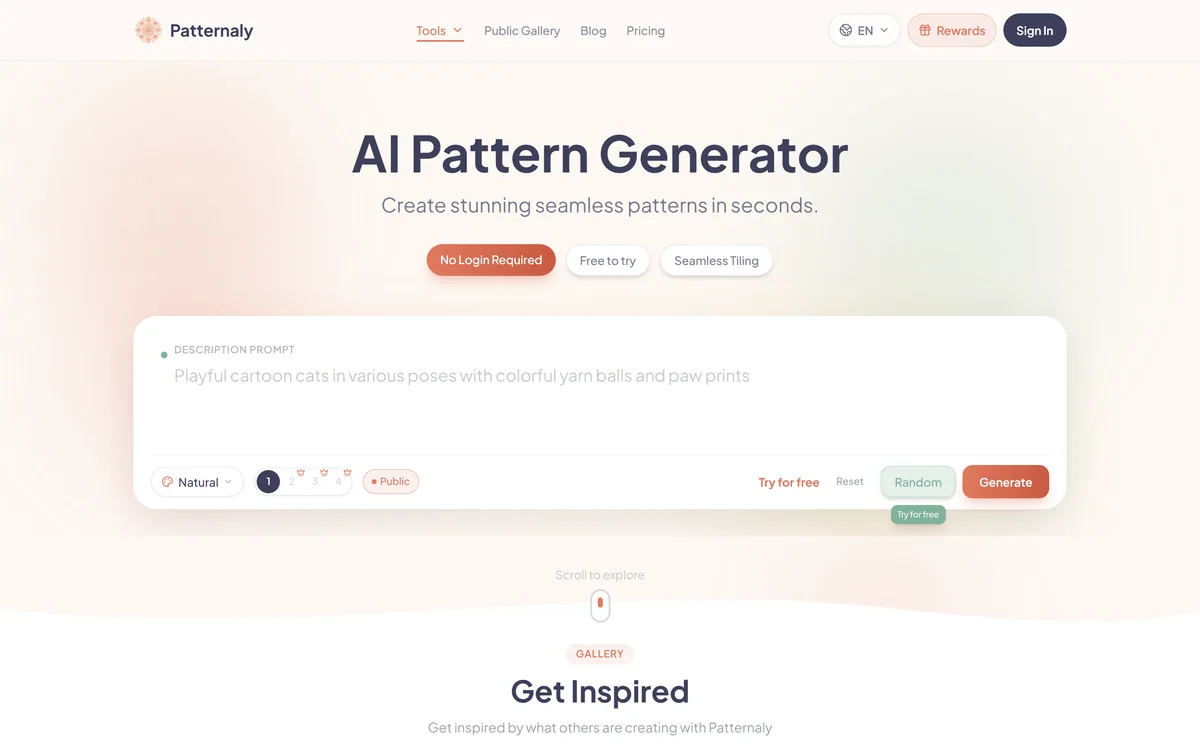
Patternaly is an AI pattern generator that turns a text prompt into seamless, tileable patterns for print-on-demand, textiles, packaging and wallpaper, with 19 artistic styles, a seamless checker, product mockups and HD export, and commercial rights on paid plans.


Midjourney is an AI image generator known for its distinctive aesthetic quality, currently on model V8.2, with a full web app alongside the original Discord workflow, plus an Editor, moodboards, style profiles, and five-second image-to-video.


Canva AI is the Magic Studio suite built into Canva — Magic Write for copy, Dream Lab for images, Magic Edit, Expand and Eraser for photos, Magic Switch for reformatting, Magic Charts for data, and Canva Code for interactive widgets.
GPT Image 2 launched on 21 April 2026 as ChatGPT Images 2.0 and as the gpt-image-2 API model. Its distinguishing capabilities are dense, accurate text rendering, layout fidelity for infographics and packaging, up to 3840px output, prompt-guided masking, and reasoning applied to image structure before generation.
Related Pages