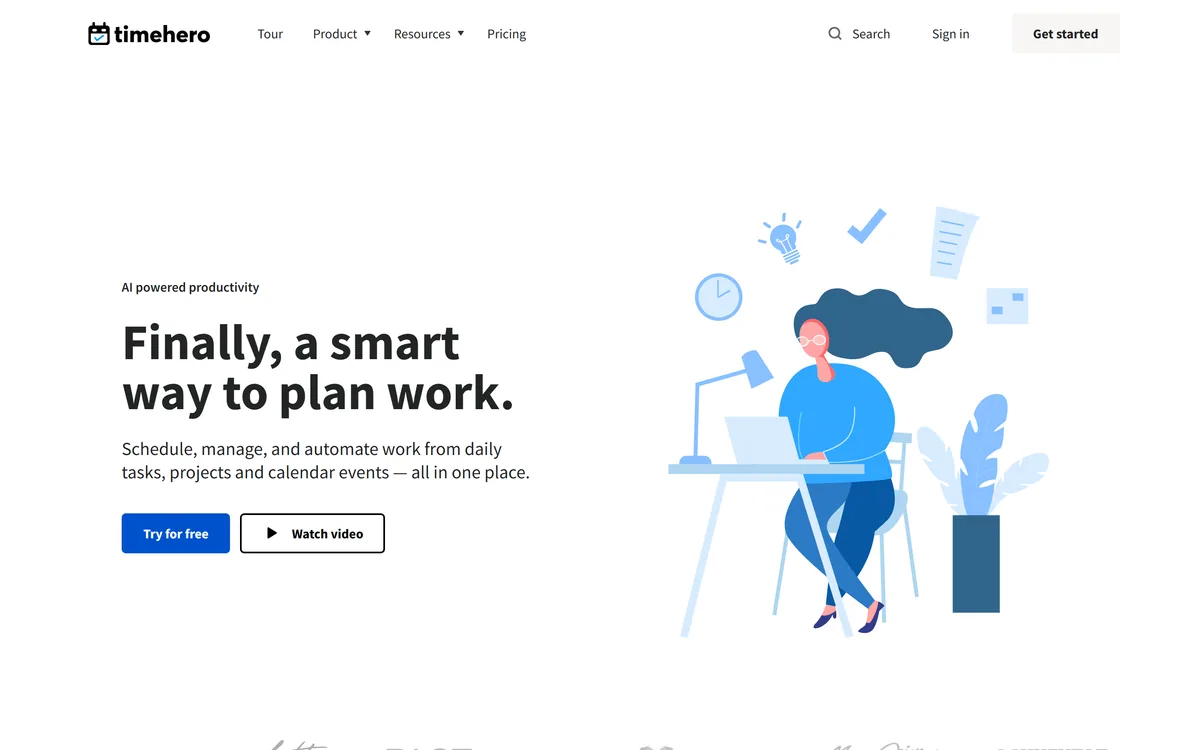
A to-do list tells you what to do, not when, which is why so many tasks slip. TimeHero's pitch is to answer the 'when': it looks at your calendar and availability and schedules your tasks for you.
It plans tasks and projects automatically, tracks time, automates recurring work and templates, and connects to Google, Microsoft and 1000+ apps. It sits among productivity tools like Dust, at the auto-scheduling end.
This review covers how TimeHero schedules your work, which teams it suits, how it's priced, and a freshness caveat, its site shows a 2019 copyright, to weigh first.
TimeHero Task-Automation Facts
| What it is | A work-management tool with automatic task scheduling |
|---|
| Company | TimeHero (site footer shows '© TimeHero 2019'; no entity in our read) |
|---|
| Core | Auto-schedules tasks and projects around your availability |
|---|
| Also | Time tracking, recurring automation, workflow templates |
|---|
| Connects | Google, Microsoft and 1000+ apps via Zapier; Gmail add-on |
|---|
| Access | 7-day free trial then subscription |
|---|
| Audience | Teams, managers, individuals, client-facing and remote teams |
|---|
| Sensitive | Freshness (2019 copyright on site); reads task data across apps |
|---|
TimeHero, The Auto-Scheduling Brief
- TimeHero schedules your work: it auto-plans tasks around your calendar.
- It automates the busywork: recurring tasks, templates and time tracking.
- It connects widely: Google, Microsoft and 1000+ apps via Zapier.
- Mind the basics: the site shows a 2019 copyright, so confirm it's current.
Automatic Scheduling For Tasks And Projects
TimeHero's core idea is automatic scheduling. Instead of you deciding when to do each task, it looks at your calendar, deadlines and availability and slots tasks into your free time, rescheduling automatically when plans change. As the site puts it, it's about 'do dates', not just due dates.
Around that it bundles the pieces of work management: project management with task and event dependencies, built-in time tracking (timers that roll up into timesheets), autonomous recurring tasks, smart workflow templates, automatic risk detection and project forecasting, and natural-language task entry. It integrates with Google and Microsoft calendars and, it states, over 1000 apps through Zapier.
It's aimed at teams, managers and individuals, including client-facing and remote teams, who want their workload planned rather than just listed. Natural-language task entry and a Gmail add-on lower the friction of getting work in, so the scheduler always has something current to plan around.
The honest framing is that automatic scheduling is a genuinely useful idea and TimeHero executes a full work-management feature set around it. One caveat stands out from our read: the site's footer shows '© TimeHero 2019', while its claims speak of modern AI-powered productivity, so confirm the product is actively maintained and that its current capabilities match the marketing before you commit a team to it. Its automation and integration claims (including the 1000+ apps figure) are vendor-stated, and because it schedules around your calendar and connects to your other apps, it reads task and calendar data you should be comfortable sharing.
TimeHero's auto-scheduling genuinely answers the 'when' of your to-do list; just note the site's 2019 copyright and confirm the product is current and actively maintained before committing a team.
How Does TimeHero Schedule Your Work?
TimeHero pairs automatic scheduling with projects, time tracking and automation.
Tasks, Projects And Workflows
It auto-plans tasks around your availability, tracks time and reschedules when things change.
A platform like Relevance AI builds AI agents for workflows; TimeHero's angle is scheduling and running your actual task list, a planning-first job.
Calendars, Teams And Rescheduling
Workflow templates, recurring automation and 1000+ app integrations extend it across a team.
An automation tool like Activepieces wires apps together; TimeHero centres on planning the work itself, so match it to whether you need scheduling or pipelines.
Which Busy Teams TimeHero Fits
TimeHero suits teams, managers and individuals who want their tasks planned around real availability rather than tracked on a flat list, especially people juggling many projects and deadlines.
It suits client-facing and remote teams that value time tracking, forecasting and automated recurring work, and who use Google or Microsoft calendars it can schedule around.
It suits less well anyone who wants a simple checklist without automated scheduling, teams uneasy connecting their calendar and apps, and anyone who needs certainty the product is current given the dated copyright on its site.
A fair way to place it: if auto-scheduling appeals and the product proves current and well-supported when you trial it, TimeHero is a capable work-management tool, provided you're comfortable with the data access its integrations need; if you want a minimal list, or can't confirm the product's freshness, weigh it carefully. Run the trial on a real week of work, see whether the automatic schedule actually matches how you work, and confirm the integrations and current feature set before rolling it out.
How TimeHero Prices Its Scheduling
TimeHero offers a 7-day free trial then a subscription (the site shows 'try free for 7 days' and a Pricing page). We do not publish prices, which change; check the site and confirm what each plan includes.
The value question is time saved on planning versus the subscription: if automatic scheduling genuinely keeps a busy team on track, it can earn its cost, while a light user may be fine with a simpler free tool.
The sensible approach is to use the trial on real work, judge whether the auto-schedule and time tracking fit how you operate, confirm the product is current and actively supported, and only subscribe once it clearly helps.
Trying TimeHero On A Real Week
Because the site looks dated, trial TimeHero on a real week and confirm it's current.
- Start the 7-day trial and load a real week of tasks and projects.
- See whether the automatic schedule matches how you actually work.
- Test the Google/Microsoft calendar and Zapier integrations you need.
- Confirm the product is current and actively maintained (the site shows 2019).
- Check the time tracking and recurring automation on real tasks.
- Pass/fail: TimeHero is worth it if auto-scheduling keeps you on track.
- Treat the 1000+ apps and AI claims as vendor-stated.
Is TimeHero The Right Task Planner?
Busy Teams TimeHero Helps
- Teams juggling many projects
- Managers wanting workload planned
- Client-facing and remote teams
- Google/Microsoft calendar users
- Anyone who values auto-scheduling
When TimeHero's Freshness Is Unclear
- Anyone wanting a simple checklist
- Teams uneasy connecting apps
- Those needing proof it's current
- People avoiding subscriptions
- Users who plan manually by choice