AuthorFlows is browser-based novel-writing software combining a paginated manuscript editor, story map, timeline, character bible and an AI Story Analyzer that scores chapters for strengths and weaknesses. Exports to five formats, and the AI can be switched off entirely.
authorflows.com13 viewsAdded February 16, 20261K visitors
Most AI novel software is built on an assumption novelists tend to reject: that the hard part of writing a book is producing sentences. Writers who have finished one know the hard part is structural — a subplot that goes nowhere, a character whose motivation dissolves in act two, a timeline where someone is in two cities on Thursday.
AuthorFlows is built on the opposite assumption. It runs in a browser, combines a paginated manuscript editor with an outline generator, a story map, a timeline and a character bible, and points its AI at analysis rather than at drafting. The Story Analyzer reads what you have written and tells you where it is weak.
This review covers what that analysis actually produces, why the restrained writing assistant is the more interesting design decision, how the structural tools fit together, and what the privacy and export positions really commit to.
"Our AI reads your story to help you write it. It never trains on it, and you can switch it off." — the positioning, in the vendor's own words.
AuthorFlows For The Impatient
The AI critiques rather than drafts. The Story Analyzer scores chapters and characters for strengths, weaknesses and severity instead of generating prose for you.
Four structural tools — outline, story map, timeline and character bible — that most writers currently keep in four separate documents.
The writing assistant is restrained by design: slash commands only, reading only what is above your cursor, with every suggestion accepted or discarded by you.
Export is generous — five formats per chapter, three for the whole book, free on every plan. No lock-in.
AI is optional and manuscripts are not used for training, which is the single question most novelists ask first.
Analysis As The Centre Of Gravity
The Story Analyzer reads chapters, characters, world elements and notes, then returns scores, strengths, weaknesses and severity ratings, with chapter-specific and character-specific feedback. It can be re-run without limit, keeps a history, and exports its reports to PDF.
The unlimited re-runs matter more than they appear to. A single critique is an opinion; a critique you can re-run after revising turns into a loop, and the history is what shows whether a problem you were told about in March is actually fixed in June.
Severity ratings do the other useful job. A critique that lists twelve problems without weighting them is paralysing, and the failure mode of most feedback — human and machine — is treating a comma preference and a collapsed motivation as equivalent notes.
What it cannot do is tell you whether the book is good. Machine analysis reliably catches internal problems: contradictions, sagging pace, a character who disappears for eleven chapters. It has no view on whether the thing is worth reading, and no writer should mistake a high score for a verdict.
It will find the chapter where your subplot dies. It will not tell you whether anyone wants to read the book. Those are different questions, and only one of them is mechanical.
A Writing Assistant With Deliberate Handcuffs
The AI Writing Assistant is triggered by typing a slash in the editor and offers Continue, Rephrase, Expand, Summarize and Improve. It reads only the paragraphs above the cursor, and you accept, edit or delete every suggestion.
Each of those constraints is a decision, and together they describe a coherent philosophy.
Slash-command invocation means the assistant never volunteers. There is no ghost text arriving while you think — and anyone who has written prose alongside an eager autocomplete knows how effectively that hijacks a sentence you had not finished forming.
Reading only above the cursor prevents the tool from knowing where you are going. That sounds like a limitation and functions as a safeguard: an assistant that has read your outline will steer you towards it, and steering is exactly what a novelist does not want from software.
For writers who want a tool that drafts chapters from a prompt, this restraint will read as a missing feature. That is a genuine difference in what people want from AI in fiction, not a defect.
The Four Structural Views
Around the editor sit four tools that together replace the pile of side documents most novelists maintain.
Outline And Story Map
The outline generator takes a premise, optional genre and target length and produces chapters, sections and character profiles in under a minute — with a manual toggle for writers who want the structure without the generation.
The Story Map then renders connections between characters, chapters and world elements as a graph, with optional physics-based placement and a choice between following one thread or viewing everything. It is most useful for the question 'what does this subplot actually touch?', which is genuinely hard to answer from a manuscript.
Timeline
The timeline puts plots, scenes and chapters on a single view, supports drag-and-drop reordering to test pacing, and flags clashing events and continuity gaps.
Continuity errors are the most embarrassing category of mistake and the least interesting to hunt manually. Catching them mechanically is exactly the right use of software, and the drag-to-reorder pacing test is something a manuscript simply cannot offer.
Characters
Character profiles hold an image, biography, traits, quirks, goals, backstory, relationships and per-character notes, with arc tracking across chapters.
Arc tracking is the standout. A character bible records who someone is; arc tracking shows whether they changed, and 'this character ends where they began' is a diagnosis most writers only reach after a full read-through.
Export And Privacy, Read Carefully
Per chapter, AuthorFlows exports .txt, .doc, .pdf, .md and .html. For the whole book, .doc, .pdf and .txt. Story Analyzer reports export to PDF. Export is stated as free on all plans.
That last clause is the one to weigh. Export gated behind a paid tier is the standard mechanism by which writing software holds a manuscript hostage, and a novelist committing two years to a platform should check this before anything else. Free export on every plan, in five formats, is a meaningful commitment rather than a feature bullet.
On privacy, the company states industry-standard encryption in transit and at rest, that manuscripts are never used to train AI models, that AI can be turned off entirely, and that data deletion is available.
'Never trains on your manuscript' is the sentence novelists care about most, and it is the right thing for the vendor to state plainly. As with any such commitment, it is a contractual promise rather than a technical guarantee — worth reading in the actual terms if your manuscript is commercially sensitive.
A Sensible Order To Work In
The tool has enough surfaces to be overwhelming on day one. This sequence keeps it useful.
Set up characters before writing, including goals and backstory — arc tracking has nothing to track otherwise.
Build the outline manually if you have one, or generate it and then rewrite it. A generated outline is a starting position, not a plan.
Write in the editor and leave the writing assistant alone for the first few chapters, so you establish your own voice before anything suggests an alternative.
Run the Story Analyzer at around a quarter of the way in, not at the end. Structural problems found at 25,000 words are fixable; the same problems at 90,000 are a rewrite.
Work the timeline whenever a scene moves, since that is when continuity quietly breaks.
Re-run the analyzer after each revision pass and compare against the history — that comparison is the actual feature.
Export a full copy at every milestone, because the export exists precisely so you are never dependent on the platform staying available.
Key features of AuthorFlows
Paginated manuscript editor with live word, page and section counts
AI Story Outline Generator, with a manual mode for writers who prefer to plan themselves
AI Story Analyzer scoring chapters and characters with severity-rated feedback
Unlimited analyzer re-runs with history, so revisions can be compared
Story map showing connections between characters, chapters and world elements
Timeline with drag-and-drop pacing and continuity gap detection
Character profiles with traits, goals, relationships and arc tracking
Slash-command writing assistant that reads only what is above the cursor
Daily word goals, streaks and a year-long writing heatmap
Export to five formats per chapter and three for the full book, free on all plans
Pros & cons
Pros
5
Points AI at the structural problems that actually stall novels rather than at producing prose
Unlimited analyzer re-runs with history turn feedback into a revision loop instead of a one-off verdict
The writing assistant's constraints are deliberate and protect a writer's voice
Free export in five formats on every plan means no manuscript lock-in
Consolidates outline, map, timeline and character bible that most writers keep in separate files
Cons
5
No offline mode — it is browser-based, so writing depends on a connection
Writers who want AI to draft chapters will find the assistant deliberately unhelpful
Machine analysis catches internal problems but has no view on whether a book is worth reading
Heavy overhead for short fiction, essays or anything that is not a novel
Switching from an established setup like Scrivener means leaving an ecosystem behind
Best For
Novelists whose drafts stall on structure rather than on word count
Writers juggling outlines, timelines and character notes across several documents
Anyone who wants AI feedback on a draft without AI writing it
Plotters who want their plan and manuscript in the same place
Writers who need certainty that their manuscript is exportable and not used for training
AuthorFlows Versus Other Fiction Tools
The dividing line is whether the AI writes the book or reads it.
Tool
What the AI does
Structural tools
Export
AuthorFlows
Analyses and critiques; drafting is opt-in and constrained
Story map, timeline with continuity checks, character bible with arc tracking
Chapter exports
.txt, .doc, .pdf, .md, .html
Full-book exports
.doc, .pdf, .txt
Export availability
Free on all plans
AI training
Manuscripts stated as never used to train models; AI can be switched off
Security
Industry-standard encryption in transit and at rest
Is This The Right Studio For Your Book?
A Strong Choice If
Your problem is structure, pacing and continuity rather than producing sentences
You maintain outlines, timelines and character notes across scattered documents
You want AI feedback on a draft without AI writing the draft
You need your manuscript exportable and portable from day one
You want the option to turn the AI off entirely and still have a usable tool
Not Your Tool If
You want software that drafts chapters from a prompt
You write short pieces where a full novel studio is overhead
You need offline writing, since this runs in a browser
You are committed to an existing setup like Scrivener and its ecosystem
You want line-level prose editing more than structural analysis
Other Tools For Long-Form Fiction
Drafting, structure, prose polish and interactive storytelling are separate jobs.
Squibler — generates prose if you want the AI drafting rather than critiquing
ProWritingAid — sentence-level style analysis to run over a finished draft
Talefy — interactive branching fiction rather than a manuscript
Grammarly — correctness and clarity checking on the final pass
StoryLab AI — short-form narrative generation for marketing rather than novels
What AuthorFlows States On Its Site
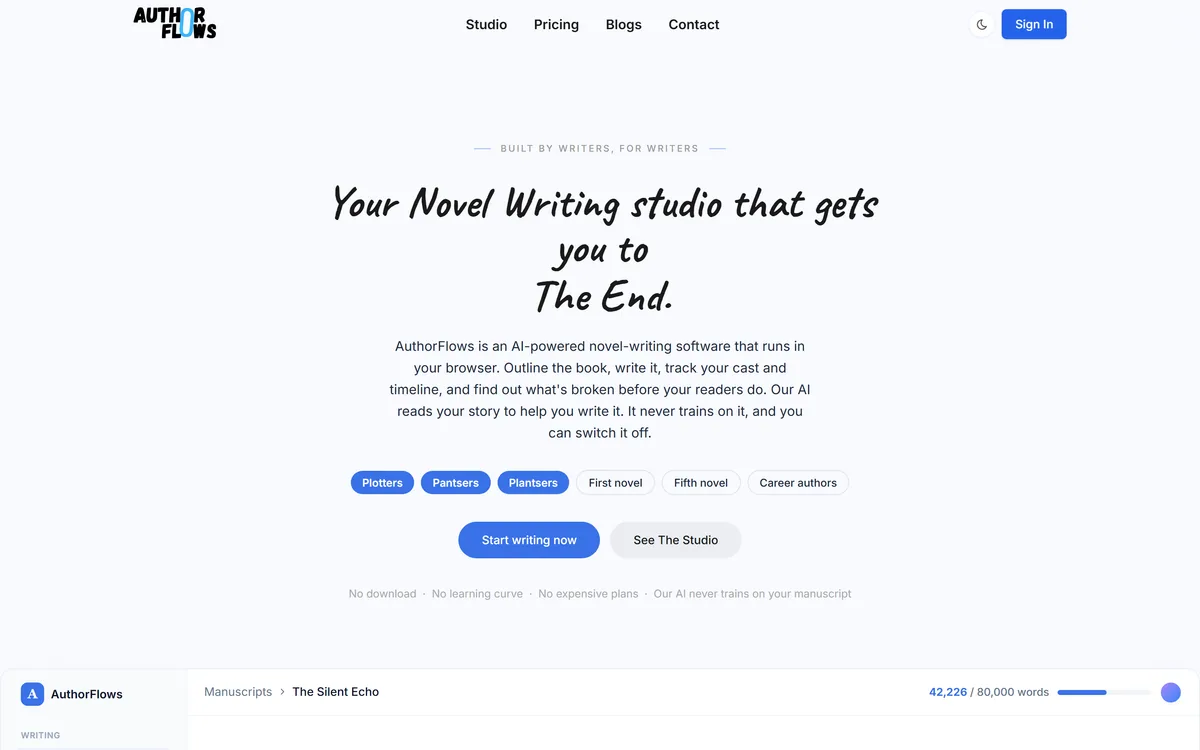
Last checked . Read from authorflows.com during this check, with the screenshot above captured at the same time.
Browser-based operation across Windows, Mac, Linux, tablet and phone, stated on the site
Manuscript editor specifications including real-time pagination, live counts, reading time, 13 font families, 4 themes, 4 page sizes and 4 font sizes
AI Story Outline Generator producing chapters, sections and character profiles in 30–60 seconds, with a manual toggle
Story Analyzer returning scores, strengths, weaknesses and severity ratings, with unlimited re-runs, history tracking and PDF export
Writing assistant commands — Continue, Rephrase, Expand, Summarize, Improve — triggered by slash, reading only paragraphs above the cursor
Story map, timeline with clash and continuity detection, and character profiles with arc tracking and relationship mapping
Export formats: .txt, .doc, .pdf, .md and .html per chapter; .doc, .pdf and .txt for the whole story; stated as free on all plans
Privacy claims of encryption in transit and at rest, manuscripts not used to train AI models, optional AI and available data deletion
About, contact, privacy policy and terms of service pages present in the site footer
No plan prices published here, in line with this site's pricing policy
Privacy and training commitments are as stated by the vendor; a writer with a commercially sensitive manuscript should read the actual terms rather than relying on a summary. Observations about the limits of machine story analysis apply to the approach generally.
Editor's Verdict
4.4/5
AuthorFlows has an AInexfinder Editor Score of 4.4/5.
AuthorFlows pricing
AInexfinder does not list plan prices or billing details. For current pricing, plans, and trials, visit the official AuthorFlows website.
Vendor pricing, credits, and billing policies change over time. Always confirm on the official site before you buy.
Frequently asked questions
Does AuthorFlows write my novel for me?
No, and that is the design. The writing assistant only responds to slash commands, reads only the paragraphs above your cursor, and never volunteers text. The AI's main job is the Story Analyzer, which critiques what you have written rather than producing more of it.
What does the Story Analyzer actually tell me?
Scores, strengths, weaknesses and severity ratings across chapters and characters, exportable to PDF. It reliably catches internal problems — contradictions, sagging pace, a character who vanishes for eleven chapters. It has no opinion on whether the book is good.
Will my manuscript be used to train AI models?
AuthorFlows states that manuscripts are never used for training, that AI can be switched off entirely, and that data deletion is available. That is a contractual commitment rather than a technical guarantee, so read the actual terms if your book is commercially sensitive.
Can I get my book out if I stop using it?
Yes — .txt, .doc, .pdf, .md and .html per chapter, and .doc, .pdf and .txt for the whole story, stated as free on all plans. Export gated behind a paid tier is how writing software holds manuscripts hostage, so free export across plans is worth noticing.
Does it work offline?
No. It runs in a browser across Windows, Mac, Linux, tablet and phone, which makes it available anywhere with a connection and unavailable without one. If you write on trains or in places with poor signal, that is a genuine constraint.
When should I run the analyzer?
Early — around a quarter of the way in, then after each revision pass. Structural problems found at 25,000 words are fixable; the same problems discovered at 90,000 are a rewrite. Comparing runs against the history is the part that actually shows progress.
Is it worth leaving Scrivener for?
Only if your bottleneck is structural analysis rather than organisation. Scrivener's ecosystem and offline capability are real advantages. AuthorFlows' case is the analyzer, the timeline continuity checks and arc tracking, which Scrivener does not attempt.
Daniel reviews AI tools the slow way — by actually using them on real projects. His reviews cover what works, what breaks, and who each tool is genuinely a good fit for.
Daniel and the AInexfinder editorial team research AuthorFlows using public product information, listing evidence, and (when available) hands-on checks. Scores reflect listing completeness and transparency — not paid placement.
Listings may include affiliate or sponsored placements, which are labeled when present. Editorial scores and cons are not sold. See our affiliate disclosure and review methodology.
Talefy, from AIcberg Labs, is an interactive AI storytelling platform. Readers make choices that change the plot, and creators build characters, worlds and branching narratives across fantasy, sci-fi, romance, horror and comedy.
Type.ai is an AI editor built for long-form creative writing, with a draft and AI assistant deeply integrated, story notes for characters and settings, custom style rules, offline mode and export to DOCX, PDF or narrated audio.
Squibler is an AI writing platform for long-form fiction and screenplays. It generates full books organised into chapters and scenes, drafts formatted screenplays, builds outlines, keeps characters and settings consistent, and adds AI images and short video from your text.
Copy.ai has become an AI-native go-to-market platform: workflows and agents that run prospecting, lead processing, deal coaching, ABM, and CRM enrichment across Salesforce, HubSpot, Gong, Outreach, and 2,000+ integrations.
Writesonic has become an AI search growth platform — tracking whether your brand appears across 10 AI platforms, running optimisation and citation work through an Action Center, and reporting results against traffic and revenue.
MailMaestro is an AI email assistant from Maestro Labs that drafts replies, summarizes threads and triages your inbox directly inside Outlook and Gmail, offering three drafts per request in your tone across 20+ languages, with enterprise-grade security.