Duplichecker review on AInexfinder — freemium AI tool for Writing & Content. Features, pricing notes, and alternatives.
FreemiumWriting & Content

Grammarly is an AI writing assistant that checks grammar, clarity, and tone wherever you already write — browser, desktop, mobile keyboard, Google Docs, and Microsoft Office — and now ships AI agents for humanising, detecting, and grading text.
Grammarly is an AI writing assistant that reviews grammar, spelling, clarity, and tone in the places you already type. Rather than pulling you into its own editor, it layers onto browsers, desktop apps, mobile keyboards, Google Docs, and Microsoft Office.
The product has moved well past catching typos. It now runs rewriting, tone adjustment, and a set of named AI agents — including a Humanizer and an AI Detector — alongside the checks that made it well known.
This review covers what Grammarly actually does today, the surfaces it reaches, the corporate change that confuses a lot of search results, and the limits worth knowing before you standardise a team on it.
| Maker | Superhuman (the company formerly named Grammarly, Inc.) |
|---|---|
| Category | AI writing assistant and proofreader |
| Works in | Chrome, Safari, Firefox and Edge extensions; Windows and macOS apps; iOS and Android keyboards |
| Documents | Google Docs, Microsoft Office, Grammarly Docs |
| Named integrations | Microsoft Office, Google Docs, Zendesk |
| Free plan | Yes |
| Team controls | Style guides, brand tones, snippets, analytics, granular roles |
| Data handling | Vendor states it does not sell user content or allow third-party model training on it |
In October 2025 Grammarly's parent company renamed itself Superhuman, bringing Grammarly, the Coda workspace, and Superhuman Mail under a single brand. The name came from the email client the company acquired in June 2025.
This trips people up, so it is worth stating plainly: the writing assistant is still called Grammarly. The rebrand renamed the company, not the product you install.
Practically, it signals where the roadmap is heading — from a proofreader toward a broader AI productivity suite. If you are evaluating Grammarly today, you are evaluating one product inside a wider bundle.
Reach is Grammarly's real advantage, and it is the thing most competitors do not match. The assistant follows you rather than asking you to move your writing to it.
That coverage is why it sticks: the suggestions arrive in the email client, the ticket queue, or the doc where the writing is already happening.
The agent layer is newer than the grammar engine and is where the product has changed most. Each agent handles a narrow job rather than acting as a general chatbot.
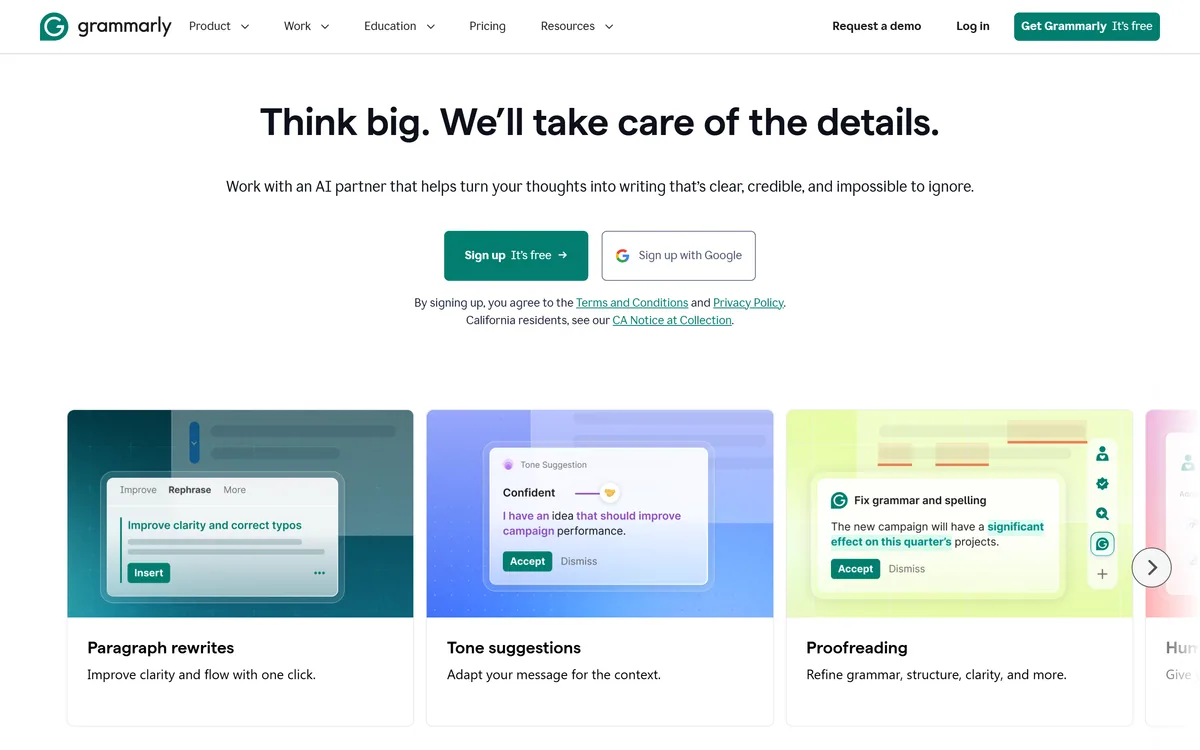
Paragraph rewrites restructure a block of text in one pass instead of proposing word-level edits. Tone suggestions adapt the same message for the context — a customer apology reads differently from an internal status note.
Teams can lock this down with brand tones, so output stays recognisably theirs across writers.
The AI Detector flags passages that read as machine-generated; the Humanizer rewrites text so it reads less like model output. Shipping both sides of that problem in one product is unusual.
Treat detector scores as a signal rather than proof. No detector on the market reliably distinguishes careful AI writing from careful human writing, and Grammarly's is no exception.
A citation generator and citation finder cover the mechanics of sourcing, and an AI grader scores drafts against expectations. These lean clearly toward students and academic writing.
A plagiarism checker and paraphrasing tool sit alongside them, which is the cluster most universities care about.
Style guides, snippets, and analytics are the business-side features. Snippets turn repeated answers into reusable blocks, which matters most for support and sales teams answering the same question daily.
Analytics report how the team writes over time rather than scoring one document.
Grammarly earns its place when writing is constant, spread across tools, and done by people who are not full-time writers.
Students lean on the grading, citation, and plagiarism side. Support and sales teams lean on snippets and tone. Marketing teams lean on brand tones and the style guide. Non-native English speakers get the steadiest return of any group, because the corrections are continuous and in context.
It is a weaker fit for writers who want deep long-form structural help, or for anyone who finds constant inline suggestions distracting rather than useful.
Because Grammarly reads what you type, data handling is a fair first question. The vendor states it does not sell or monetise user content and does not allow third-party model training on it.
Enterprise plans add confidential mode, data loss prevention, granular roles and permissions, unlimited members, and dedicated support. Confidential mode and DLP are usually the two that decide whether a security review passes.
Even so, an assistant with visibility into everything staff write is a policy decision, not just a tooling one. Regulated teams should route it through review before rollout.
The most common reason people abandon Grammarly is not quality — it is volume. Out of the box it comments on almost everything, and in a busy inbox that reads as nagging.
The fix is to narrow it before you judge it. Switch the goals to match the actual document type, disable the extension on sites where you never want suggestions, and turn off the categories you consistently dismiss.
Give it a week configured that way. A tuned Grammarly that speaks up rarely is far more useful than a default one you have learned to ignore.
The free plan covers basic correctness and little of the agent layer, so a free trial will not tell you much about the features you would actually be paying for.
AI detection remains unreliable across the whole category — treat any score as advisory. Suggestion quality also drops in technical, legal, and heavily jargoned writing, where the model pushes toward plainer phrasing that may be wrong for the field.
Coverage varies by surface too. The experience inside Microsoft Office and Google Docs is stronger than inside less common web editors, where the extension can conflict with the host app's own formatting.
Grammarly is the most broadly deployed AI writing assistant for a reason: it works where people already write, and the correctness engine is genuinely good. The agent layer has turned it from a checker into something closer to an editing partner.
Choose it if writing volume is high, spread across many apps, and produced by a mixed group. Look elsewhere if you need deep long-form editorial support, or if inline suggestions get in your way.
Check current plans on grammarly.com — the feature split between free and paid tiers moves often, and the agents are the part worth testing before you decide.
Grammar, spelling, and clarity checks across browser, desktop, and mobile
Paragraph rewrites and context-aware tone suggestions
AI Humanizer and AI Detector agents
Plagiarism checker, paraphrasing, and citation generator
Style guides, brand tones, and reusable snippets for teams
Works inside Google Docs, Microsoft Office, and Zendesk
Grammarly has an AInexfinder Editor Score of 4.6/5.
AInexfinder does not list plan prices or billing details. For current pricing, plans, and trials, visit the official Grammarly website.
Visit official website for pricingVendor pricing, credits, and billing policies change over time. Always confirm on the official site before you buy.
Log in to write a review.
No reviews yet. Be the first to share your experience with Grammarly.
Assigned reviewer
Daniel ReedSenior AI Tools Reviewer
Daniel reviews AI tools the slow way — by actually using them on real projects. His reviews cover what works, what breaks, and who each tool is genuinely a good fit for.
Daniel and the AInexfinder editorial team research Grammarly using public product information, listing evidence, and (when available) hands-on checks. Scores reflect listing completeness and transparency — not paid placement.
Duplichecker review on AInexfinder — freemium AI tool for Writing & Content. Features, pricing notes, and alternatives.
Hemingway Editor highlights writing problems by colour — long sentences in yellow, unreadable ones in red, complex words in purple, adverbs and passive voice in blue — and reports a readability grade. A paid tier adds AI fixes, an advanced grammar checker and tone adjustment.
ProWritingAid is a writing platform for novelists from Orpheus Technology, combining grammar and style reports with manuscript-level critique — Chapter Critique, Character Analysis, Virtual Beta Reader and Marketability Analysis — across Word, Google Docs and Scrivener.
Originality.ai detects AI-generated text and checks for plagiarism, with fact checking, readability and grammar tools alongside. It runs on a patented modified BERT model, publishes its own false positive rates, and is built around team workflows for publishers and agencies rather than individual writers.

Copy.ai has become an AI-native go-to-market platform: workflows and agents that run prospecting, lead processing, deal coaching, ABM, and CRM enrichment across Salesforce, HubSpot, Gong, Outreach, and 2,000+ integrations.

Writesonic has become an AI search growth platform — tracking whether your brand appears across 10 AI platforms, running optimisation and citation work through an Action Center, and reporting results against traffic and revenue.