
Logome review on AInexfinder — freemium AI tool for Image & Design. Features, pricing notes, and alternatives.
FreemiumImage & Design
BrandCrowd is an online logo and brand-design maker that generates logos from a business name or lets you browse thousands of premium designs, then extends into business cards, social graphics, a website builder and a wide range of branded templates.
A new business needs a logo and a consistent look fast, and a bespoke designer is out of budget for many. BrandCrowd's answer is template-driven DIY branding: type your name, get a logo, and extend it across everything.
It generates logos from a business name or lets you browse thousands of premium designs, then covers business cards, social graphics, flyers, letterheads and even a website builder, all from editable templates. It sits among design tools like the editor Pixlr, but its angle is a complete, template-based brand kit rather than freeform editing.
This review covers what BrandCrowd lets you make, who it fits and its limits, how it charges, and the originality question that comes with template-based logos.
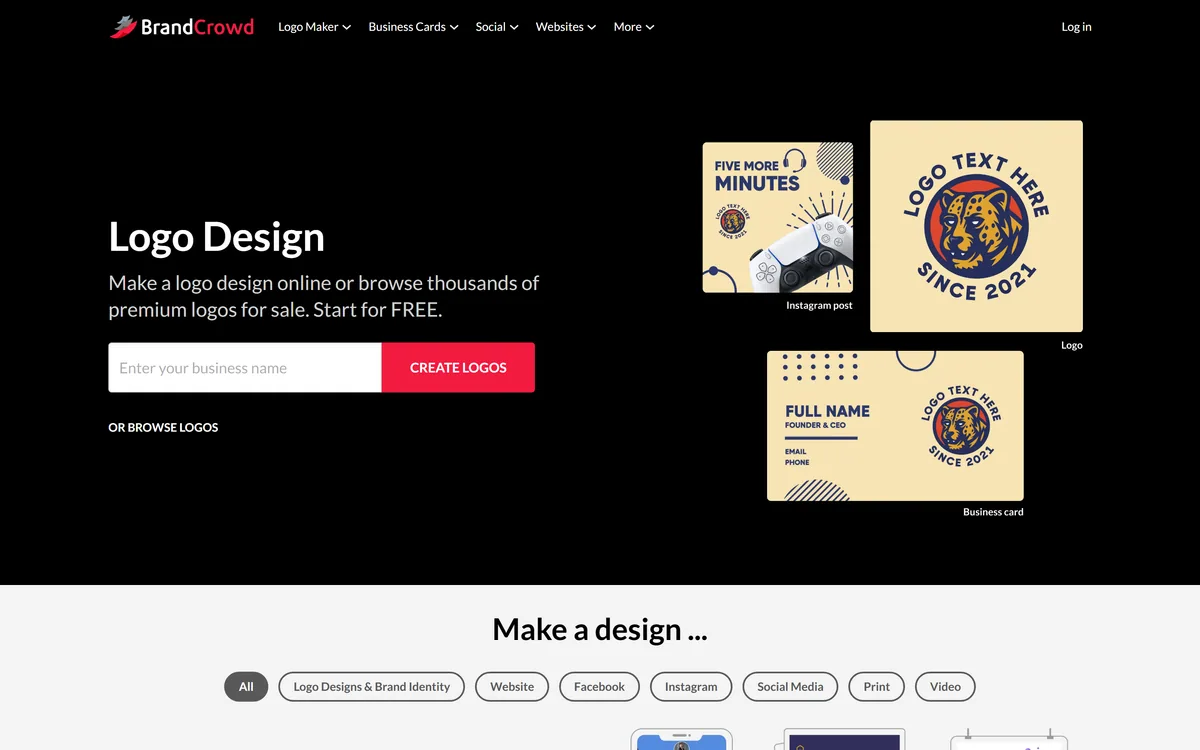
BrandCrowd's starting point is the logo: enter your business name and it generates logo options, or you can browse thousands of premium, pre-made designs and adapt one. Either way, you get to a usable logo in minutes without design skills.
The real pitch, though, is coherence. Once you have a logo, BrandCrowd extends it across business cards, social posts, flyers, letterheads, T-shirts and more, so a small business gets a consistent look everywhere without piecing it together.
It is template-driven, which is both its strength, fast and cheap, and the source of its one real caveat, which the originality section covers. We review it as a DIY branding tool for people who need a professional-enough look without a designer's budget, judged on that basis rather than against bespoke studio work it never claims to replace.
Once you have a logo, BrandCrowd extends it across cards, posts, flyers and more, so a small business gets a consistent look everywhere without piecing it together.
The breadth is the headline, but the template model deserves an honest word.
Beyond logos, BrandCrowd covers business cards, a huge range of social graphics (posts, stories, covers across platforms), flyers, posters, letterheads, email signatures and a website builder, all editable for colours, fonts and layout.
That one-stop breadth is what makes it a brand kit rather than a logo maker. For freeform image editing outside templates a tool like Pixlr is handier; BrandCrowd's value is the coherent, template-based set.
Here is the honest caveat: because logos come from templates or a shared library, a design you pick is not guaranteed to be unique, another business could adapt the same base. You can edit colours, fonts and layout to differentiate, but it is not bespoke identity work.
That is a reasonable trade for a startup on a budget, but worth understanding before you build a brand on it. For purely AI-generated visuals a tool like GenApe is a different route; BrandCrowd's template model trades some originality for speed, cost and coherence.
BrandCrowd fits small businesses, solopreneurs, side projects and local services that need a professional-looking logo and a consistent set of branded materials quickly and cheaply, without hiring a designer.
The breadth suits anyone who wants one place for logo, cards, social and more, and the template editing is enough for most to get a look they are happy with. For getting a business presentable fast, it is genuinely practical. For broader design-asset work beyond templated branding, a tool like Mew Design covers more ground, while BrandCrowd stays focused on the quick, coherent brand kit.
Its limits are those of template design: a logo may resemble others, you do not get the strategy and uniqueness of a professional brand project, and for a business where distinctive identity is a competitive edge, a designer is still the right investment. It is DIY branding, clearly.
BrandCrowd is free to create and browse, with payment to download and use your designs commercially, typically via subscription or purchase. We do not publish prices, which change; check the site.
The value question is simple against the alternative: a designer costs far more for a logo and brand kit, so for a budget-conscious startup BrandCrowd's cost is easy to justify if the template look suits you.
Because you can design before paying, the sensible approach is to build your logo and a few materials first, confirm you are happy and understand the licensing, then pay to download, rather than committing blind.
Because the output is your brand, trial BrandCrowd by actually building a logo and a few materials before paying.
| What it is | An online logo and brand-design maker |
|---|---|
| Logos | Generated from a name, or browse premium designs |
| Also makes | Business cards, social graphics, flyers, letterheads |
| Plus | A website builder and digital business cards |
| Approach | Editable templates (colours, fonts, layout) |
| Breadth | Dozens of branded design types |
| Audience | Small businesses and solopreneurs |
| Access | Free to start, paid to download/use |
Logo generation from a business name
Thousands of premium logo designs
Business card maker
Social graphics across platforms
Flyers, posters and letterheads
Website builder
Editable colours, fonts and layout
Digital business cards
The useful comparison is with other design tools, on template kits versus editing or AI generation.
| Tool | Tool | Approach | Best for |
|---|---|---|---|
| BrandCrowd | Template logo and brand kit | Coherent DIY branding | Budget small-business branding |
| Pixlr | Browser image editor | Freeform editing | Custom edits |
| GenApe | AI image generation | Generated visuals | Original AI imagery |
| Mew Design | Design assets | Broader design needs | Wider design work |
Last checked . Read from brandcrowd.com during this check, with the screenshot above captured at the same time.
BrandCrowd is template-based, so a chosen logo is not guaranteed to be unique; editing differentiates it but it is not bespoke identity work. Understand the licensing before building a brand on it.
An image editor, an AI generator and a design-assets tool to weigh alongside BrandCrowd.
BrandCrowd earns 3.7 as a practical DIY branding tool: generate a logo from your business name or adapt one of thousands of designs, then extend it coherently across cards, social, flyers and a website, all from editable templates. The honest caveat is that template-based logos are not guaranteed unique, so for a business where distinctive identity is a competitive edge a designer is still the call, but for fast, cheap, coherent branding it delivers. AInexfinder Editor Score: 3.7/5.
AInexfinder does not list plan prices or billing details. For current pricing, plans, and trials, visit the official BrandCrowd website.
Visit official website for pricingVendor pricing, credits, and billing policies change over time. Always confirm on the official site before you buy.
Log in to write a review.
No reviews yet. Be the first to share your experience with BrandCrowd.
Assigned reviewer
Daniel ReedSenior AI Tools Reviewer
Daniel reviews AI tools the slow way — by actually using them on real projects. His reviews cover what works, what breaks, and who each tool is genuinely a good fit for.
Daniel and the AInexfinder editorial team research BrandCrowd using public product information, listing evidence, and (when available) hands-on checks. Scores reflect listing completeness and transparency — not paid placement.
Logome review on AInexfinder — freemium AI tool for Image & Design. Features, pricing notes, and alternatives.

krea2.org is a browser image-generation workspace that runs several third-party models side by side, including Krea 2 tiers, FLUX.2, GPT Image 2, Nano Banana and Seedream 5.0, with reference uploads, six aspect ratios and live model switching.

Pet Pic Portraits turns a pet photo into styled artwork — Royal King, Pop Art, Watercolour, Viking, Wizard and more — with an instant preview before ordering. Output is a digital download, a canvas print or framed wall art, and it includes a pet memorial option.

RetypeWords is a browser tool that replaces text that has been flattened into a PNG, JPG or WebP image. It reads the words with OCR, lets you correct what it read, then regenerates the selected area so the new wording sits in the picture rather than on top of it.

Canva AI is the Magic Studio suite built into Canva — Magic Write for copy, Dream Lab for images, Magic Edit, Expand and Eraser for photos, Magic Switch for reformatting, Magic Charts for data, and Canva Code for interactive widgets.
Pixlr is a browser-based photo editor from Pixlr Pte Ltd with two editors and a generative AI layer — Generative Fill, Expand and Transform, background and object removal, Super Scale upscaling, face swap, plus image, video, and audio generation.