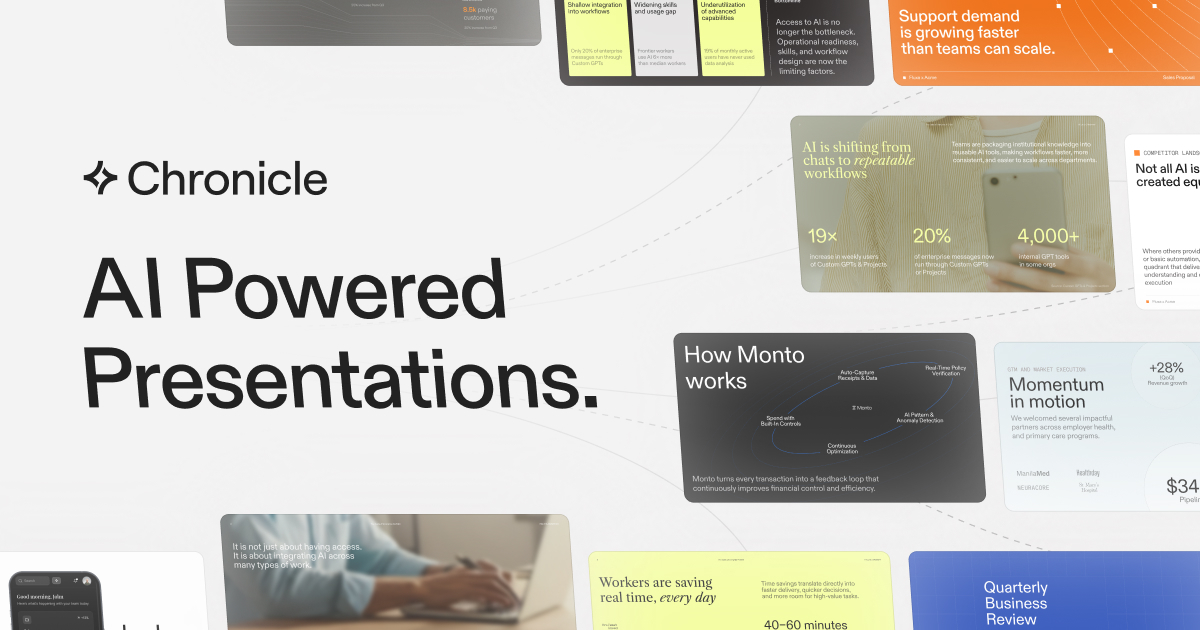
What is Chronicle?
Chronicle is an AI-powered presentation platform that helps teams create professional, client-ready decks without design skills. Users can paste raw notes, outlines, meeting documents, markdown, Google Docs, Notion docs, or existing PowerPoints, and Chronicle structures the material into polished slides with diagrams, layouts, and visuals.
Unlike tools that focus purely on speed, Chronicle takes a story-first approach, organizing content into narrative sequences with intentional visual hierarchy so decks feel crafted rather than auto-generated.
Every slide remains fully editable, giving control over content, layout, animations, and media, and the platform adds interactive presenting features such as revealing hidden content live and isolating specific data points.
Users can start from templates inspired by world-class storytellers and major firms, apply brand styling, collaborate with teammates in real time, and export finished work to PowerPoint, PDF, or a shareable web page.
Typical use cases include pitch decks, investor updates, sales presentations, marketing and strategy decks, proposals, and team reports. Pros include strong design quality, flexible import options, true storytelling structure, interactive presenting tools, and clean export paths.
Cons include a feature set that can feel deeper than simple slide generators and evolving availability as the product matures. Chronicle offers a free starting tier with paid upgrades for templates, brand tools, and team collaboration. Pricing changes often, so check the official site for current plans.
Chronicle's core capabilities include AI slide generation from notes and documents, Story-first deck structuring, Import from PowerPoint, Docs, Notion, and markdown, Editable layouts, animations, and media, Interactive presenting and brand styling and Export to PowerPoint, PDF, and web.
AI slide generation from notes and documents is built in, Story-first deck structuring is built in, Import from PowerPoint, Docs, Notion, and markdown is built in, Editable layouts, animations, and media is built in, so you get a rounded toolkit rather than a single trick.
Each feature is designed to take the manual effort out of the task and help you reach a usable result faster, which is what makes Chronicle worth a place on your shortlist.
On the plus side, users consistently highlight Strong design and storytelling quality, Flexible import from many content sources and Clean export to PowerPoint and the web as the reasons they keep using Chronicle.
It isn't perfect, though — More involved than basic slide generators and Some features still evolving in beta are the trade-offs people most often mention, so weigh those against your own priorities before you commit.
As with any AI tool, the output still benefits from a quick human review, but Chronicle gets you most of the way there with far less effort.
Chronicle runs on a freemium pricing model, so you can start for free and only pay once you outgrow the free tier — handy for testing it on a real task before spending anything.
AI-tool pricing changes often, so always check the current plans, seats and add-ons on the official site for the latest details before you buy. Who is Chronicle for? It's best suited for ai presentation maker for professional, story-driven decks.
Whether you're a beginner trying this kind of AI tool for the first time or a professional who'll use it every day, it's a credible option to consider.
If you're still deciding, compare Chronicle against the alternatives and the head-to-head comparisons linked below — looking at features, pricing and real user ratings side by side is the fastest way to find the right fit for your workflow and budget.
Who is Chronicle for?
Chronicle is best suited for ai presentation maker for professional, story-driven decks. Whether you are trying this kind of productivity & automation tool for the first time or use one every day, it is a credible option to shortlist — compare it with the alternatives and head-to-head comparisons linked on this page to find the best fit for your workflow and budget.