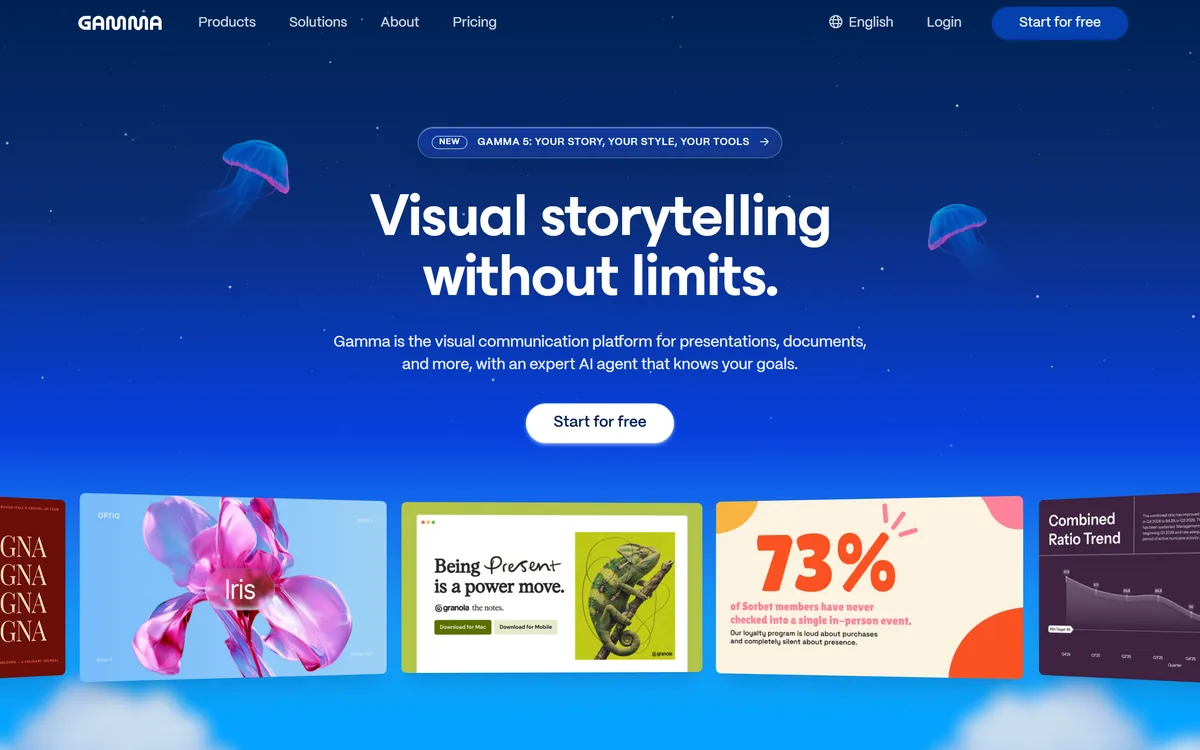
Gamma is a visual communication platform with an AI agent that turns an idea into presentations, documents or websites. It brainstorms an outline, designs a look from a prompt or inspiration, refines freeform, and imports and exports PowerPoint and PDF with 25+ connectors.
Making a good-looking deck usually means a trade: fast but generic from a template, or polished but slow by hand. Gamma's pitch is to remove that trade by having an AI agent do the heavy lifting while you keep control of the story and the look.
It turns an idea into presentations, documents or even websites, outlining first so you shape the narrative, designing a style from a prompt or inspiration, and letting you refine in chat or with freeform editing. It sits among visual and content tools like Canvid, but its specific strength is agent-built, on-brand decks that still feel yours.
This review covers how Gamma builds a deck from an idea, who it fits, how it prices, and where it is not the right tool.
Gamma's AI agent builds decks, docs and sites you can then refine freeform.
Gamma, The Deck Brief
Gamma is a visual communication platform: an AI agent turns an idea into presentations, documents or websites.
The flow respects the story: it outlines first, designs a look from a prompt or inspiration, then refines in chat or freeform.
It fits existing tools: PowerPoint and PDF import with formatting intact, 25+ connectors, and high-fidelity export.
It is a strong default for fast, on-brand decks: less suited to pixel-exact design control or heavy offline PowerPoint work.
Gamma Presentation Facts
What it is
A visual communication platform with an AI agent
Makes
Presentations, documents and websites
Brainstorm
Outlines first, so you shape the story
Design
A look from a prompt, inspiration or your brand
Refine
Agent edits, smart layouts and freeform mode
Import
PowerPoint and PDF with formatting intact
Connect
25+ connectors; start in Claude, ChatGPT or Slack
Export
High-fidelity PowerPoint, PDF and more
A Visual Agent For Decks, Docs And Sites
Gamma's core is an AI agent built specifically for visual communication, not a generic chatbot bolted onto a slide editor. It turns an idea into a finished-looking deck, document or site, and the thing that makes it work is that it starts from an outline so you control the narrative before any slide is designed.
That outline-first approach is a genuine design decision, not a gimmick. Decks fail when the structure is wrong, so shaping the story before the visuals means the AI is decorating a sound argument rather than generating pretty but hollow slides.
The other half of the strength is taste. Gamma's output aims to look considered and on-brand rather than like an obvious template, and it orchestrates different capabilities for different parts of the job rather than one-shotting everything. For most people, getting to a presentable draft this fast is the whole value.
The fair framing is that Gamma is one of the strongest general tools for getting from idea to polished visual draft quickly, while leaving you room to refine. It is not a precision design program, and it does not pretend to be.
Gamma starts from an outline so you control the narrative before any slide is designed, decorating a sound argument rather than a hollow one.
How Does Gamma Build A Deck From An Idea?
The workflow runs from brainstorming through design to refinement, with strong import and export so it fits the tools you already use.
Brainstorm, Design And Freeform Refine
Gamma starts with a conversation and an outline so you shape the story, then designs a look you can steer by describing a style or attaching inspiration, matched to your content and brand. You refine by asking the agent for changes, dropping in smart layouts, or switching to full freeform editing to move anything anywhere, so you are never locked into the automatic result.
That blend of agent speed and manual control is what sets it apart from pure template tools. A design asset tool like Mew Design helps with graphics; Gamma is about assembling the whole narrative artefact, deck, doc or site, from your idea.
Imports, Exports And 25-Plus Connectors
Gamma imports PowerPoint and PDF with formatting intact, pulls real content from tools like Slack, Notion and Dropbox through 25+ connectors, lets you start from Claude, ChatGPT or Slack, and exports to PowerPoint, PDF and more at high fidelity. That connectivity is what makes it usable in a real workflow rather than a walled garden.
High-fidelity export matters because a deck tool that traps your work is a non-starter for anyone who presents in PowerPoint. A documentation tool like Theneo solves a different structured-content problem; Gamma's edge is moving fluidly between its own editor and the formats colleagues expect.
Who Gamma Fits Across Visual Work
Gamma fits anyone who needs to get from an idea to a polished, on-brand deck, document or simple website quickly, founders, marketers, educators, consultants, who value speed and taste over pixel-level control.
It suits people embedded in tools like Slack, Notion, Claude and ChatGPT, since it connects to and starts from them, and teams who want on-brand output without a designer for every draft, thanks to brand controls and workspace templates.
It fits less well designers who need precise, pixel-exact control, anyone whose organisation mandates heavy offline PowerPoint work with specific corporate templates, and people who object to a credit-based model for AI generations. Version names like Gamma 5 are read from the site at checking time and move on.
How Gamma Prices Its Credits And Plans
Gamma offers a free tier and paid plans, with AI generations drawing on a credit system, in the usual pattern for agent-based creation tools. We do not publish prices, which change; check the site.
The value question is simple for most users: measured against the hours of manual slide-building it removes, a tool that produces a polished, on-brand draft in minutes is an easy case, as long as the credit limits suit how much you generate.
Because there is a free tier, the sensible approach is to build a real deck you actually need, export it to PowerPoint to confirm fidelity, and watch how fast credits are used, so the plan you pick matches your real generation volume.
A Fast Way To See Gamma Work
Because Gamma's value is speed to a polished draft, trial it on a real deck with your own content and brand.
Give Gamma a real topic and shape the outline before it designs anything.
Steer the look by describing a style or attaching your brand or inspiration.
Refine with the agent, then switch to freeform editing to move things precisely.
Import an existing PowerPoint or PDF and check the formatting survives.
Export back to PowerPoint and confirm the fidelity holds for presenting.
Pass/fail: Gamma is worth it if it gets you to a polished, on-brand draft far faster than by hand.
Track credit usage and read version names like Gamma 5 as current-at-checking, not fixed.
Key features of Gamma
AI agent for visual content
Outline-first brainstorming
Prompt- and brand-driven design
Agent, smart-layout and freeform editing
PowerPoint and PDF import
25+ tool connectors
High-fidelity export
Decks, documents and websites
Pros & cons
Pros
5
Fast idea-to-polished-draft workflow
Outline-first keeps the story sound
On-brand, considered visual output
Strong import/export and connectors
Freeform editing keeps control
Cons
5
Not for pixel-exact design precision
Credit-based AI generation model
Less suited to heavy offline PowerPoint work
Not a full graphic-design program
Version names change quickly
Best For
Fast on-brand decks
Founders and marketers
Documents and simple sites
Connected tool workflows
Speed over pixel control
Gamma Set Beside Other Deck Makers
The useful comparison is with other visual and content tools, by what each is really for.
Last checked . Read from gamma.app during this check, with the screenshot above captured at the same time.
A visual communication platform with an AI agent
Makes presentations, documents and websites
Outlines first, so you shape the story
Designs a look from a prompt, inspiration or brand
Refine via agent edits, smart layouts and freeform mode
PowerPoint and PDF import with formatting intact
25+ connectors; start from Claude, ChatGPT or Slack
High-fidelity export to PowerPoint, PDF and more
A free tier with paid plans and a credit system
No prices reproduced here, in line with this site's pricing policy
Gamma is a strong general tool for fast, on-brand visual drafts; it is not a pixel-precise design program. AI generations draw on credits, and version names like Gamma 5 are read from the site at checking time and change.
Editor's Verdict
4.5/5
Gamma earns 4.5 as one of the strongest general tools for getting from an idea to a polished, on-brand deck, document or website quickly. Its outline-first approach keeps the story sound before the visuals, its output has genuine taste rather than template blandness, and strong import, export and 25+ connectors make it fit real workflows. It is not a pixel-precise design program and uses a credit-based generation model, but for fast, considered visual communication it is an excellent default. AInexfinder Editor Score: 4.5/5.
Gamma pricing
AInexfinder does not list plan prices or billing details. For current pricing, plans, and trials, visit the official Gamma website.
Vendor pricing, credits, and billing policies change over time. Always confirm on the official site before you buy.
Frequently asked questions
What is Gamma?
Gamma is a visual communication platform with an AI agent that turns an idea into presentations, documents or websites. It outlines the story first, designs a look from a prompt or your brand, and lets you refine with the agent or freeform editing, with PowerPoint and PDF import and export.
Does Gamma just make generic template slides?
It is designed not to. Gamma starts from an outline so the structure is sound, then produces output that aims to look considered and on-brand rather than like an obvious template, and lets you steer the style with prompts, inspiration and brand controls.
Can Gamma import and export PowerPoint?
Yes. It imports PowerPoint and PDF with formatting intact and exports to PowerPoint, PDF and more at high fidelity. That matters because a deck tool that traps your work is unusable for anyone who ultimately has to present in PowerPoint.
What can Gamma connect to?
Gamma offers 25+ connectors, pulling real content from tools like Slack, Notion and Dropbox, and lets you start a creation from Claude, ChatGPT or Slack. That connectivity is a large part of what makes it practical inside an existing workflow.
Does Gamma make more than presentations?
Yes. The same platform produces documents, from one-pagers to longer pieces, and simple websites, as well as decks. The idea is one source turned into multiple formats, all kept in your brand style, rather than a slides-only tool.
How much does Gamma cost?
Gamma offers a free tier and paid plans, with AI generations drawing on a credit system. We do not publish prices, which change; check the site. Build a real deck on the free tier, export it to PowerPoint, and watch credit usage before picking a plan.
Who is Gamma best for?
Founders, marketers, educators and consultants who need polished, on-brand decks, documents or simple sites quickly and value speed and taste over pixel-level control, especially those working in connected tools like Slack, Notion, Claude or ChatGPT.
When is Gamma not the right tool?
For designers who need pixel-exact precision, organisations that mandate heavy offline PowerPoint work with strict corporate templates, complex structured documentation, or anyone opposed to a credit-based model for AI generations. In those cases a dedicated design or docs tool fits better.
Is freeform editing available in Gamma?
Yes. Beyond asking the agent for changes and dropping in smart layouts, Gamma has a full freeform mode where you can move anything anywhere, so you are never locked into the automatic result and can fine-tune a draft by hand when you need to.
Can Gamma build a website?
Yes. Alongside presentations and documents, Gamma can produce simple websites from the same AI agent and brand style. It is aimed at quick, on-brand sites rather than complex, custom web builds, so for a straightforward page it is fast, while a dedicated web platform suits more involved projects.
Daniel reviews AI tools the slow way — by actually using them on real projects. His reviews cover what works, what breaks, and who each tool is genuinely a good fit for.
Daniel and the AInexfinder editorial team research Gamma using public product information, listing evidence, and (when available) hands-on checks. Scores reflect listing completeness and transparency — not paid placement.
Listings may include affiliate or sponsored placements, which are labeled when present. Editorial scores and cons are not sold. See our affiliate disclosure and review methodology.
Pitch is a cloud presentation workspace built around collaboration rather than authorship: live co-editing, slide assignments, a shared brand library, bulk personalised decks from imported customer data, custom deal rooms and viewer analytics, used by a stated 4 million-plus teams.
Alai is an AI presentation maker that generates on-brand decks, social posts and infographics from a design system built on your own brand assets, with an API, analytics and manual or instruction-based editing.
Plus AI is a presentation assistant from Plus Docs, Inc. that runs as a native add-on in Google Slides and a native add-in in PowerPoint. It converts documents into decks, edits and reformats slides with AI, and ships a Presentation Agent API and MCP server.
axess is a free AI job-search tool that scans LinkedIn, Indeed and Glassdoor daily, scores each role against your profile on both relevance and likelihood, researches the employer, and prepares a tailored CV and cover letter for the matches worth pursuing.