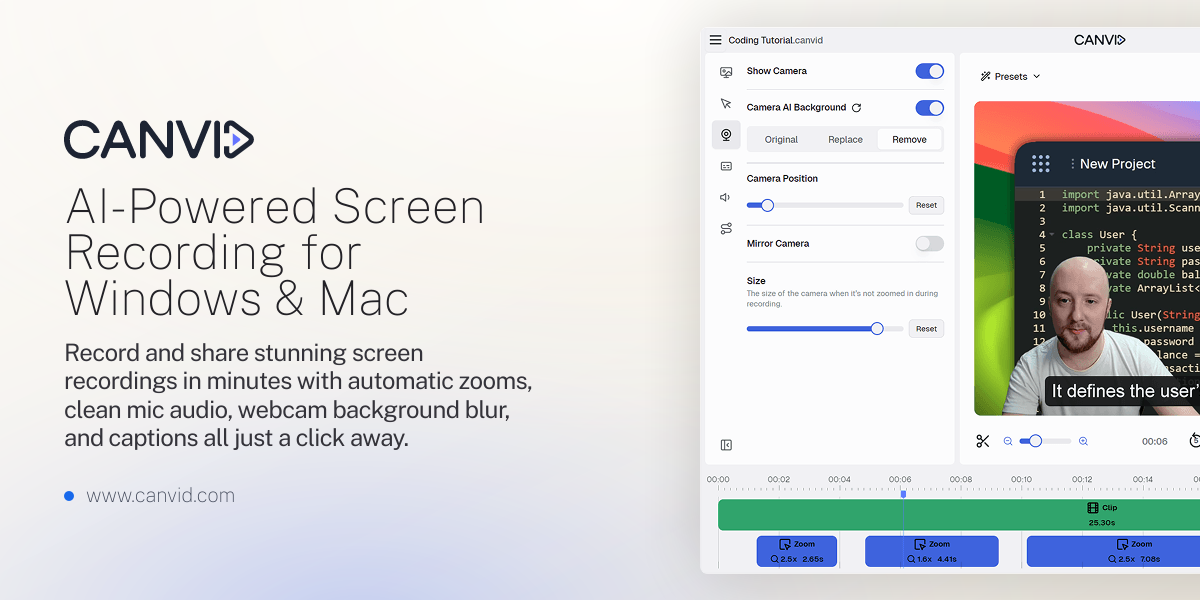

Descript is a video and audio editor that works by editing a transcript — delete a sentence and the footage goes with it — plus Studio Sound, Eye Contact, filler-word removal, AI voices, avatars, and the Underlord assistant.
FreemiumVideo & Audio
CANVID is AI-powered screen-recording software for Windows and Mac that captures screen, webcam, mic and system audio and auto-polishes the result with click-based zooms, instant captions and voice cleanup, with an unusual one-time purchase option alongside a subscription.
The slow part of making a screen recording is not recording; it is the editing afterwards, the zooming, captioning and tidying that turns raw footage into something watchable. CANVID's pitch is to do most of that automatically, as you go.
It is AI-powered screen-recording software for Windows and Mac that captures screen, webcam, mic and system audio and polishes the result with click-based zooms, instant captions and voice cleanup. It sits among screen-and-tutorial tools like Clueso, competing on how little manual editing it leaves you.
This review covers what CANVID automates while recording, who it fits among screen recorders, how its pricing works, including a notable one-time option, and where it falls short.
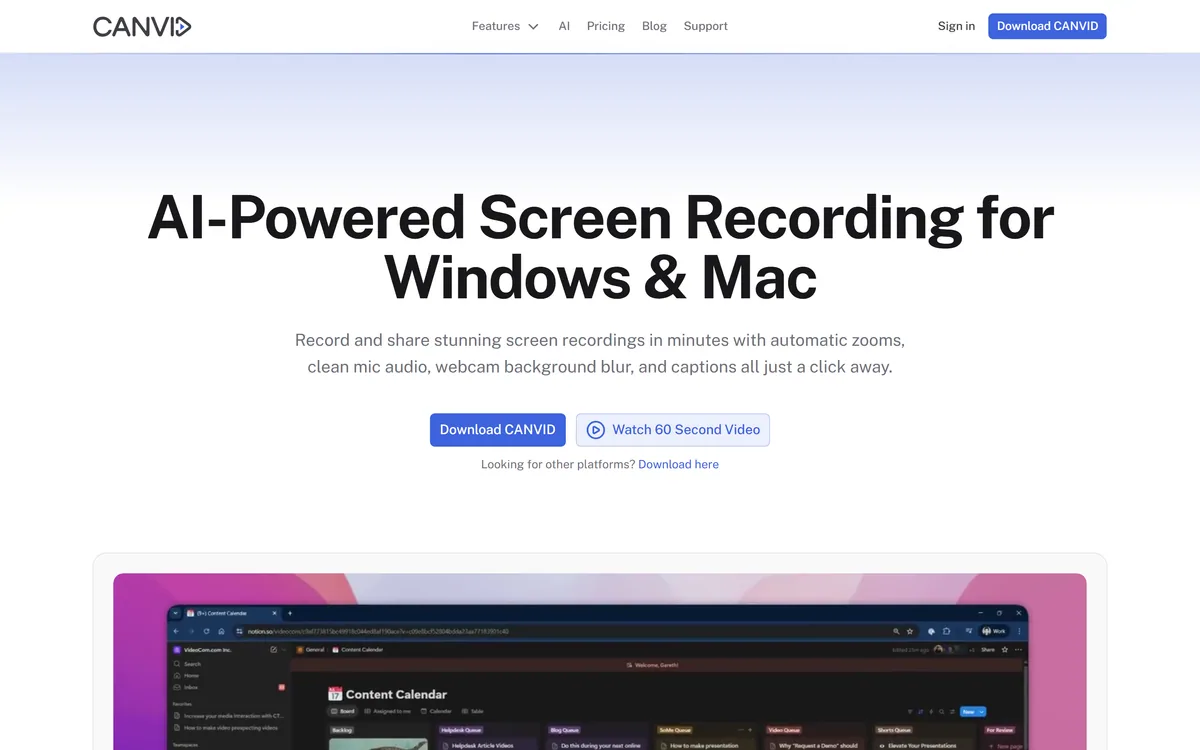
CANVID's core idea is 'edit while you record', and the most visible piece is that your clicks become zoom keyframes automatically. The product zooms in where you click, so a recording looks deliberately directed without you touching a timeline.
That single feature removes the most tedious part of polishing a tutorial or demo. Combined with automatic captions and one-click voice cleanup, it means most of the editing is done by the time you stop recording, which is the whole appeal.
It is made by VideoCom and positions itself openly as a Loom alternative, with comparison pages against the usual rivals, and it works across Windows and Mac rather than favouring one platform.
The deeper point is about where the effort goes. A traditional recorder gives you raw footage and a blank timeline; the time-consuming craft of directing attention, trimming dead air and making captions readable then falls to you. CANVID moves that craft into the recording step itself, so the default output is already close to shareable, and the editing you do afterwards is a tidy-up rather than a rebuild.
The slow part of a screen recording is the editing. CANVID's trick is that your clicks become zoom keyframes automatically, so most of the polish is done by the time you stop.
The value is in how much it does without a separate editing pass.
Clicks become zoom keyframes, captions appear automatically and are editable like plain text, and a one-click voice-clarity tool strips hum and echo for studio-ish sound. Together these cover the three things that usually separate an amateur recording from a polished one.
Automatic captioning and clean audio are exactly what tools like Trupeer also chase, since accessibility and clarity drive whether a recording actually gets watched. CANVID's angle is doing it inline rather than as a post-step.
It records screen, webcam, mic and system audio, with webcam background blur or swap without a green screen, and 4K capture. When you are done, an instant Quick Share link is copied to your clipboard for Slack, X, LinkedIn or email.
That record-to-share loop is the Loom-style workflow people want, and for teams making training content a tutorial-focused tool like Trainn is an adjacent option; CANVID keeps it to a fast desktop recorder with sharing built in.
CANVID suits people who make a steady stream of screen recordings: founders recording product walkthroughs, course and tutorial creators, and product and support teams explaining things visually. The auto-polish saves them the most time.
It is a strong fit for anyone currently on a subscription recorder who resents the recurring cost, because the one-time purchase option changes the maths. And the Windows-and-Mac support matters for mixed teams.
There is also a quieter audience it serves well: anyone who dreads being on camera or editing, and so avoids making recordings at all. Because the polish is automatic, the barrier to hitting record drops, which for many people is the difference between shipping a walkthrough and never making one.
It fits less well for heavy, timeline-based video editing, which is a different tool's job, or for people who record so rarely that a free built-in recorder is enough. It is a focused recorder, not a full editor.
CANVID's pricing is unusually flexible: you can buy it once and 'own it forever', or take a subscription, with a free download and a beta available, plus a refund policy. We do not publish prices, which change; check the site.
The one-time option is genuinely rare in this category, where almost everything is a subscription, and it is the headline reason a cost-conscious buyer would switch. If you record regularly for years, owning it outright can be far cheaper.
The value test is simple: estimate how long you will use a screen recorder, and compare a one-time purchase against the subscription total over that period, which usually favours buying for long-term users. The refund policy and free download lower the risk of getting that estimate wrong, so you can confirm the tool suits you before committing to either path.
Because the pitch is less editing, judge CANVID on a real recording you would otherwise have had to polish.
Automatic click-based zoom keyframes
Instant editable captions
One-click voice cleanup
Screen, webcam, mic and system audio capture
Webcam background blur or swap
4K recording
Instant Quick Share link
Windows and Mac apps
The useful comparison is with other screen-recording and tutorial-video tools.
| Tool | Tool | Strength | Best for |
|---|---|---|---|
| CANVID | Auto-polish while recording | Zooms, captions, one-time option | Fast, low-edit recordings |
| Clueso | Screen and tutorial video | Polished how-to content | Product and docs video |
| Trupeer | AI screen recording | Captions and cleanup | Team recordings |
| Trainn | Training-video platform | Course and tutorial content | Customer education |
Last checked . Read from canvid.com during this check, with the screenshot above captured at the same time.
CANVID is made by VideoCom and positions itself as a Loom alternative; its one-time 'own it forever' option is unusual in a subscription-dominated category.
Two screen-recording tools and a training-video platform to weigh alongside CANVID.
CANVID earns 3.9 for attacking the real pain of screen recording, the editing, by polishing as you record: clicks become zoom keyframes, captions appear automatically and voice is cleaned in a click, all in a fast record-to-share flow across Windows and Mac. Its one-time purchase option is a genuine and rare advantage over subscription rivals, though it is a focused recorder rather than a full editor or training platform. AInexfinder Editor Score: 3.9/5.
AInexfinder does not list plan prices or billing details. For current pricing, plans, and trials, visit the official CANVID website.
Visit official website for pricingVendor pricing, credits, and billing policies change over time. Always confirm on the official site before you buy.
Log in to write a review.
No reviews yet. Be the first to share your experience with CANVID.
Assigned reviewer
Daniel ReedSenior AI Tools Reviewer
Daniel reviews AI tools the slow way — by actually using them on real projects. His reviews cover what works, what breaks, and who each tool is genuinely a good fit for.
Daniel and the AInexfinder editorial team research CANVID using public product information, listing evidence, and (when available) hands-on checks. Scores reflect listing completeness and transparency — not paid placement.
Descript is a video and audio editor that works by editing a transcript — delete a sentence and the footage goes with it — plus Studio Sound, Eye Contact, filler-word removal, AI voices, avatars, and the Underlord assistant.
Vibrantsnap is an AI tool that turns a rough screen recording into a polished walkthrough: it rewrites your narration, reads it in a studio voice in any language, and auto-edits the video with zooms, chapters and captions.
Kapwing is a browser-based video studio combining a timeline editor, subtitler, audio editor and dubbing into 40+ languages with AI tools including Smart Cut, Trim with Transcript, B-Roll Generator, Clip Maker and Character Consistency. Made in San Francisco.
BlipCut translates and dubs video into more than 140 languages with AI lip synchronisation, so translated speech aligns with the speaker's mouth. It also clones voices in 29 languages, offers 600+ voices across 40+ languages, and generates, translates and edits subtitles from uploads or YouTube links.
VEED is an AI video-creation platform that takes an idea to a finished social video in the browser, bundling generation, AI avatars, subtitles, dubbing, clean audio and a brand kit, plus access to frontier models like Sora 2, Veo and Kling.
BIGVU is an AI personal-branding video platform with a teleprompter, AI avatars and voice cloning, auto-editing (caption, filler removal, eye-contact correction), and one-click social posting, aimed at realtors, coaches and marketers, with synthetic-media features that carry likeness and consent considerations.