
Descript is a video and audio editor that works by editing a transcript — delete a sentence and the footage goes with it — plus Studio Sound, Eye Contact, filler-word removal, AI voices, avatars, and the Underlord assistant.
FreemiumVideo & Audio
Trupeer turns a raw screen recording into two finished outputs at once: a studio-quality video with zooms, voiceover, avatars and branding, and a structured written document with annotated screenshots. It covers 120+ languages and carries ISO 27001, SOC 2 and GDPR compliance with automatic PII redaction.
Anyone who has documented software knows the specific tedium involved. You record a walkthrough. Then you write the same walkthrough as a document, because some people will not watch a video and search engines cannot read one. Then you screenshot each step, crop each screenshot, and draw a red box on the button.
It is the same knowledge, captured twice, in two formats, by hand. And when the interface changes next quarter you do all of it again.
Trupeer's proposition is that one recording should produce both. This review covers what the automatic documentation actually generates, why the smart zoom matters more than it sounds, what to make of the avatars and the 120-language claim, and where recording once still is not enough.
Plenty of tools — VEED and CapCut among them — turn a screen recording into a decent video. Far fewer turn the same recording into a usable written document, and that is where the actual time saving sits.
The mechanism is vision-based action detection: the system watches the recording, identifies where you clicked and what changed, and writes the steps from that. Screenshots are captured at the right moments and annotated automatically, which is precisely the part a human does slowly and badly.
The result being a structured document with real headings and numbered steps — rather than a transcript with pictures — is what makes it maintainable. Templates for consistent formatting across a library matter for the same reason.
The case for documentation existing at all is worth restating, because video-first teams often forget it. Written guides are searchable, skimmable, translatable, linkable to a specific step, readable in an open-plan office without headphones, and indexable by search engines. A video is none of those things.
There is also a newer reason. AI assistants answering questions about your product read text, not video. A knowledge base that exists only as recordings is invisible to the systems your customers increasingly ask first — which is exactly what the vendor is gesturing at with its agent-ready knowledge framing.
A video cannot be searched, skimmed, linked to at step four, or read by an AI assistant answering your customer's question. That is why the document still has to exist.
Automatic zooming onto the action sounds like polish. It is the single edit that most separates a professional software demo from a recording of somebody's screen.
The problem it solves is one of resolution mismatch. A full 4K desktop shown in a video player on a phone renders a menu item at a few pixels tall. The viewer cannot see what you clicked, so the demonstration fails at exactly the moment it matters.
Manual zooming is entirely possible and nobody does it, because it means adding keyframes at every interaction across a twelve-minute recording. That is an hour of editing for a video someone watches once.
Automating it means every click is legible without anyone doing that work. Combined with automatic chapter breaks on longer recordings, it turns raw capture into something structured.
Transcript-driven editors like Descript pioneered much of this. The generated script and voiceover complete the set, and they solve a different problem: most people do not narrate well while simultaneously operating software. Recording silently and having the narration generated afterwards produces a noticeably more coherent explanation than thinking aloud while clicking.
The avatars are the piece to be more sceptical about. A presenter figure adds a human face without needing a camera, and current avatars remain identifiably synthetic in a way that some audiences find distracting. For internal training that is fine; for customer-facing marketing, judge it against your brand rather than assuming.
Automatic translation of both video and documentation into 120+ languages is a substantial claim and it is worth separating what is easy here from what is not.
The genuinely strong part is that both outputs translate from the same source. Maintaining a product video and a help article in eleven languages is normally a coordination problem that defeats most teams — versions drift, one language keeps an obsolete step, nobody knows which is current. Generating both from one recording removes the drift by construction.
The part to test is quality, and specifically the quality of your own product's terminology. Software documentation is full of interface strings that must match what the user actually sees on screen. If your product's German interface calls something a Vorlage, the German documentation must call it a Vorlage — not a plausible synonym.
General translation systems have no knowledge of your localised interface strings, and this is where automated documentation translation most commonly fails. It reads fluently and instructs the reader to click a button that does not exist by that name.
So the practical test is narrow and decisive: generate one document in a language you have a native speaker for, and have them check the interface terms specifically rather than the prose.
This site does not publish plan prices. Trupeer's structure is worth understanding because the free entry point is real but the product is clearly built for organisations.
There is a free tier to start, with paid levels above it. In this category the meters are almost always some combination of video minutes or exports, seats, and access to the enterprise controls.
That last point is the one that determines the shape of a real deployment. SSO, SCIM provisioning, workspace permissions and admin controls over PII redaction are the features an organisation actually needs, and they invariably sit on the upper tiers. A team evaluating on the free tier is evaluating a different product from the one it would buy.
Two things worth establishing before a rollout. First, whether branding controls — logo, colours, fonts — are available at the tier you are considering, since inconsistent branding across a documentation library defeats much of the point. Second, whether AI avatars and the higher-quality voices are metered separately from ordinary exports.
The honest framing for budgeting: this replaces a video editor's time and a technical writer's time simultaneously, and that is the comparison to run rather than software against software.
Being specific here matters, because the pitch invites the assumption that documentation is now solved.
It captures what you did, not why. The generated document describes the click sequence accurately. It cannot explain why a user would want this, which of three approaches suits their situation, or what happens if the thing goes wrong — and that reasoning is what separates documentation people rely on from documentation people abandon.
Edge cases are invisible. Your recording shows the happy path because that is what you recorded. Error states, permission variations and the version where the button is somewhere else do not appear unless you record them.
A dedicated voice tool such as ElevenLabs still beats any editor's built-in narration. Maintenance is still maintenance. When the interface changes you re-record, which is much faster than rewriting but is not nothing. A large library still needs someone owning currency.
Structure is a human decision. Which guides should exist, how they relate, what a new user reads first — that is information architecture, and no per-recording tool addresses it.
The realistic gain is large and specific: it removes the mechanical production cost of documentation, which is the reason most documentation does not exist. The thinking that makes documentation good remains entirely yours.
| Category | Screen recording to product video and documentation |
|---|---|
| Core idea | One screen recording produces both a polished video and a written guide |
| Video features | Smart zooms and animations, generated script, AI voiceover, brand logo, colours and fonts, AI avatar presenters, automatic chapter breaks |
| Documentation features | Auto-generated manuals, SOPs and guides, smart screenshots with annotations, structured headings and steps, template replication |
| Detection method | Vision-based action detection that records what the user clicked |
| Languages | 120+, with automatic translation of both video and documentation |
| Knowledge base | AI-powered knowledge base with video search and an agent-queryable content layer |
| Certifications | ISO 27001, SOC 2 and GDPR |
| Privacy controls | Automatic PII redaction with admin controls |
| Enterprise controls | SSO and SCIM, with workspace-based permissions and access management |
| Stated customers | Vendor states it is trusted by Fortune 500 companies, without naming them |
| Named use cases | Product marketing, pre-sales, change management, sales enablement, learning and development, customer success |
| Charging model | Free tier to start, with paid levels above it; no prices published here |
One screen recording producing both video and written documentation
Smart zooms and animations onto the action automatically
AI-generated scripts and studio-quality voiceover
AI avatar presenters requiring no camera footage
Brand customisation with logo, colours and fonts
Automatic chapter breaks for long recordings
Vision-based action detection writing steps from your clicks
Smart screenshots with automatic annotation
Structured documents with headings and numbered steps
Template replication for consistent formatting
120+ language translation of both outputs
AI knowledge base with video search
Automatic PII redaction with admin controls
SSO, SCIM and workspace-based permissions
The differentiator to compare on is whether you get a written document out, not whether the video looks good.
| Tool | Outputs | Documentation quality | Suits |
|---|---|---|---|
| Trupeer | Video and structured document from one recording | Generated steps with annotated screenshots | Teams needing both formats maintained |
| Descript | Video and audio, edited as text | Transcript, not documentation | Editors who want fine control |
| VEED | Video with captions and subtitles | None | Browser-based video production |
| CapCut | Video editing | None | Social and short-form editing |
| Speechmatics | Transcription only | Raw text output | Building your own pipeline |
These cover the neighbouring jobs — editing, transcription and short-form — none of which produce documentation.
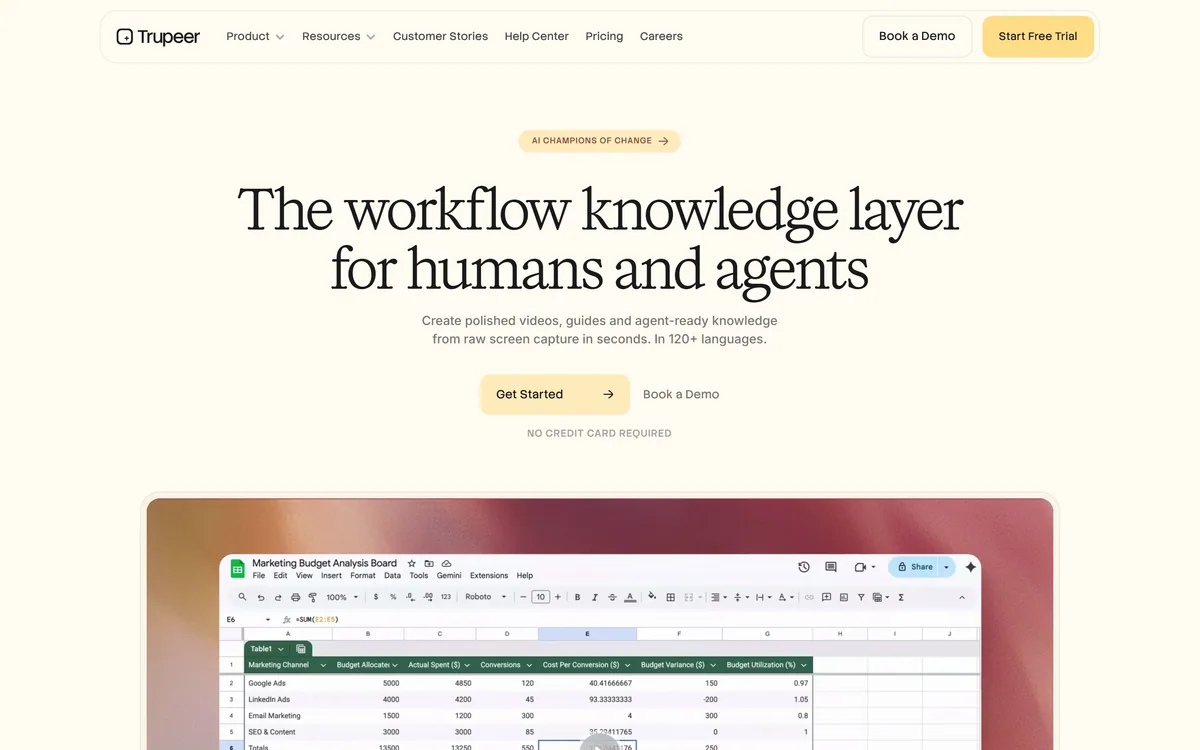
Last checked . Read from trupeer.ai during this check, with the screenshot above captured at the same time.
Language coverage, certifications and the Fortune 500 claim are the vendor's own and were not independently verified — no customers are named on the site. Automated documentation translation frequently fails on localised interface strings specifically, so have a native speaker check the interface terminology rather than the prose before publishing a language.
Trupeer has an AInexfinder Editor Score of 4.2/5.
AInexfinder does not list plan prices or billing details. For current pricing, plans, and trials, visit the official Trupeer website.
Visit official website for pricingVendor pricing, credits, and billing policies change over time. Always confirm on the official site before you buy.
Log in to write a review.
No reviews yet. Be the first to share your experience with Trupeer.
Assigned reviewer
Daniel ReedSenior AI Tools Reviewer
Daniel reviews AI tools the slow way — by actually using them on real projects. His reviews cover what works, what breaks, and who each tool is genuinely a good fit for.
Daniel and the AInexfinder editorial team research Trupeer using public product information, listing evidence, and (when available) hands-on checks. Scores reflect listing completeness and transparency — not paid placement.
Descript is a video and audio editor that works by editing a transcript — delete a sentence and the footage goes with it — plus Studio Sound, Eye Contact, filler-word removal, AI voices, avatars, and the Underlord assistant.
Vibrantsnap is an AI tool that turns a rough screen recording into a polished walkthrough: it rewrites your narration, reads it in a studio voice in any language, and auto-edits the video with zooms, chapters and captions.
Kapwing is a browser-based video studio combining a timeline editor, subtitler, audio editor and dubbing into 40+ languages with AI tools including Smart Cut, Trim with Transcript, B-Roll Generator, Clip Maker and Character Consistency. Made in San Francisco.
BlipCut translates and dubs video into more than 140 languages with AI lip synchronisation, so translated speech aligns with the speaker's mouth. It also clones voices in 29 languages, offers 600+ voices across 40+ languages, and generates, translates and edits subtitles from uploads or YouTube links.
VEED is an AI video-creation platform that takes an idea to a finished social video in the browser, bundling generation, AI avatars, subtitles, dubbing, clean audio and a brand kit, plus access to frontier models like Sora 2, Veo and Kling.
BIGVU is an AI personal-branding video platform with a teleprompter, AI avatars and voice cloning, auto-editing (caption, filler removal, eye-contact correction), and one-click social posting, aimed at realtors, coaches and marketers, with synthetic-media features that carry likeness and consent considerations.