

Descript is a video and audio editor that works by editing a transcript — delete a sentence and the footage goes with it — plus Studio Sound, Eye Contact, filler-word removal, AI voices, avatars, and the Underlord assistant.
FreemiumVideo & Audio
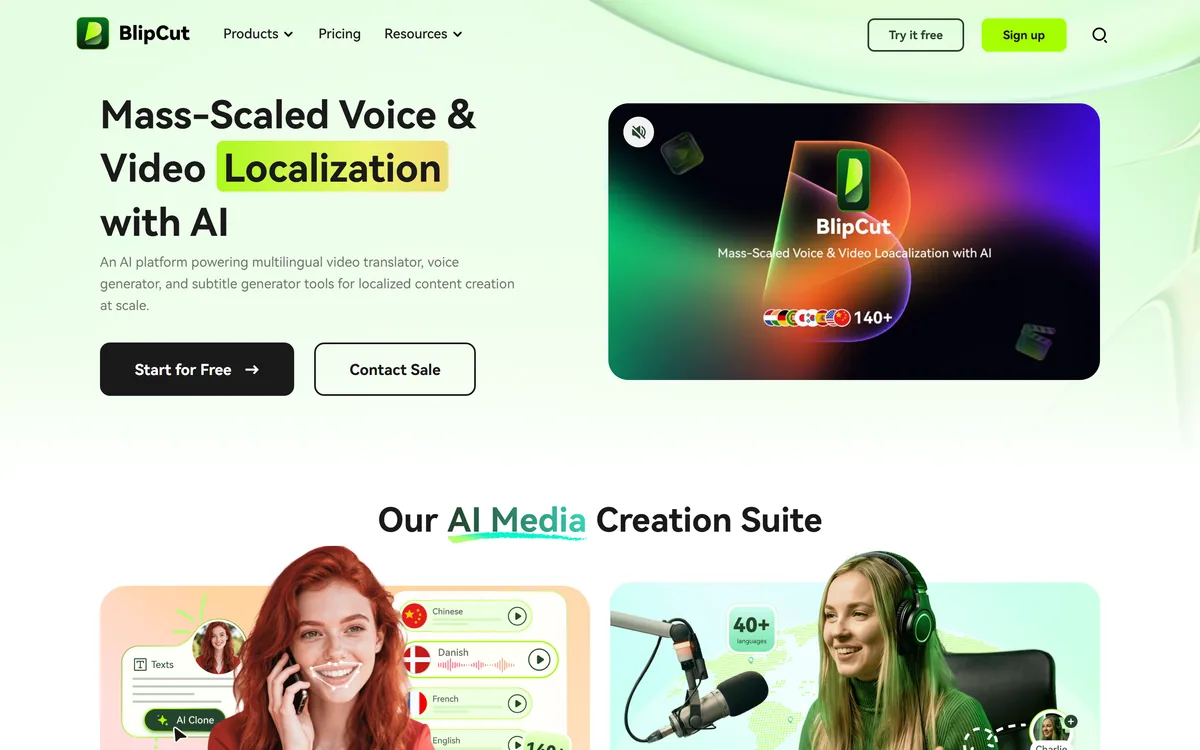
BlipCut translates and dubs video into more than 140 languages with AI lip synchronisation, so translated speech aligns with the speaker's mouth. It also clones voices in 29 languages, offers 600+ voices across 40+ languages, and generates, translates and edits subtitles from uploads or YouTube links.
It is worth setting out the problem properly, because the instinct in most content teams is to reach for subtitles and stop there.
Subtitles are cheap, accurate and easy to produce. They are also a reading task layered on top of a watching task, and that has consequences most people underestimate.
A viewer reading subtitles cannot look at what is on screen. For a talking-head interview that costs little. For a software demo, a product walkthrough, a physical demonstration or anything where the visual is the content, it costs a great deal — the viewer is either reading or watching, never both.
Literacy and reading speed vary, subtitles are hard on small screens, and in several large markets dubbed content is simply the cultural norm and subtitled content reads as foreign.
Dubbing removes the trade-off entirely. The viewer watches the video and hears their own language, which is why the film industry has spent enormous sums on it for a century.
The reason it was never available to ordinary content producers is cost. Dubbing meant voice actors, a studio, a director, a translation adapted to fit timing, and a mix — per language. Automating that is what makes this category worth attention, and HeyGen and others are chasing the same opening.
A viewer reading subtitles is not watching your video. For a product demo, that is not a small cost — it is the whole point of the video, missed.
Of everything on the feature list, the lip synchronisation is what separates this from a translated voiceover, and the difference is larger than it sounds.
Humans read lips constantly without noticing. When the audio and the mouth disagree, the brain registers the conflict even when the viewer cannot articulate why — the effect is well documented in perception research, and it makes badly dubbed content genuinely tiring rather than merely imperfect.
That is why traditional dubbing employs adaptation writers rather than translators: someone whose job is to produce a translation that also fits the mouth movements, which frequently means departing from the literal meaning to match the shape of the syllables.
Automating the visual side instead — adjusting the mouth to the audio rather than the audio to the mouth — is the inversion that makes this practical. It removes the adaptation step entirely.
The realistic quality expectation is that it works well on straightforward footage: a speaker facing the camera, well lit, in a medium shot. It degrades on profile angles, fast movement, heavy gesticulation, poor lighting and anything where the face is partly obscured.
So the test is not whether it works on the demo reel. It is whether it works on your worst footage — the webinar recording, the conference talk shot from the side, the phone video.
Three different figures appear across the feature set and the gaps between them are the most practically important thing on the page.
140+ languages for video translation. 600+ voices across 40+ languages for voice generation. 29 languages for voice cloning.
Those are not the same number, and the implication is concrete: the language you want may be translatable but not clonable, or translatable with only a generic voice available rather than a good one.
For most buyers the binding constraint is the 40+ figure rather than the 140+ one, because a dubbed video needs a voice, not just a translation. Check your specific target languages against the voice list rather than the translation list.
If maintaining one consistent presenter identity across languages matters — which it does for training material, courses and anything with a recognisable host — then the 29-language cloning figure is your real ceiling. Beyond that you are using different generic voices per language, and the brand consistency argument disappears.
None of this is unusual; every vendor in this category has the same tiering and most present only the largest number. It is worth checking on any of them, including Rask AI and Dubverse.
This site does not publish plan prices. BlipCut's structure is freemium and the metering is what shapes the cost.
There is a free trial of the core features, then subscription tiers with monthly minute allowances. Processing is metered per minute of video, which is the natural unit and carries a specific implication.
You are billed per minute processed, not per minute published. Dubbing a ten-minute video into six languages is sixty minutes of processing, and regenerating one of them because the voice was wrong is another ten. Multiply your source length by your language count before estimating anything.
That arithmetic is what makes the language-checking discipline above worth the effort. Establishing that a language has a good voice before you process it is much cheaper than discovering it afterwards.
Two things to confirm before subscribing: whether lip sync is metered separately from plain dubbing, since it is materially more expensive to compute; and whether voice cloning sits on the tier you are considering, as it usually gates upward.
The free trial is a genuine test here because output quality is immediately audible and visible. Process one real video, in one real target language, before committing to a library.
Being straightforward about the gaps is more useful than filling them in, and there are a few here worth noting.
No named customers. The site describes use cases — learning and development, marketing, product demos, localisation, audiobooks, podcasts — without naming anyone using it for them. For a purchase you can trial cheaply that matters less than it would for enterprise software, but it is worth registering.
No company background. Founding, location and team are not stated on the pages reviewed.
No stated position on consent for cloned voices. Cloning in 29 languages is offered without the site addressing whose voice you may clone. That obligation sits with you regardless: a recorded voice is a person's likeness with protection independent of copyright in several jurisdictions.
There is one further consideration specific to dubbing that no vendor raises. Replacing a speaker's voice with a synthetic one in another language, without disclosure, is a choice with an ethical dimension — the viewer reasonably believes they are hearing that person speak. Several platforms now expect synthetic media to be labelled, and the norms are still forming.
For internal training material none of that matters much. For public-facing content featuring an identifiable person, it is worth having a position before you publish rather than after.
| Category | AI video translation, dubbing and subtitling |
|---|---|
| Translation coverage | 140+ languages |
| Voice generation | 600+ voices across 40+ languages |
| Voice cloning | 29 languages |
| Lip synchronisation | Automated alignment of translated audio with speaker mouth movements |
| Subtitles | Automatic generation, translation and editing |
| Accepted input | YouTube links and video file uploads |
| Stated use cases | Learning and development, marketing, product demonstrations, localisation, video creation, audiobooks and podcasts |
| Not published | Named customers, company background, or a stated policy on voice cloning consent |
| Charging model | Freemium — free trial of core features, then subscription tiers with monthly minute allowances; no prices published here |
Video translation into 140+ languages
AI dubbing with natural-sounding generated audio
Automated lip synchronisation to translated speech
Voice cloning across 29 languages
600+ AI voices in 40+ languages
Automatic subtitle generation, translation and editing
YouTube link and file upload input
Support for audiobook and podcast localisation
These do broadly the same job and separate on coverage, lip sync quality and what surrounds the dub.
| Tool | Core job | Lip sync | Also does |
|---|---|---|---|
| BlipCut | Dubbing existing video | Yes | Subtitles, voice cloning, TTS |
| HeyGen | Avatars and video translation | Yes | Avatar-led generation from script |
| Rask AI | Video translation and dubbing | Yes | Subtitles and multi-speaker handling |
| Dubverse | Dubbing, with an Indic-language emphasis | Available | Subtitles and voice options |
| Fliki | Generating new video from text | Not applicable | 80+ language narration and avatars |
The split is between dubbing footage you already have and generating new video in each language.
Last checked . Read from blipcut.com during this check, with the screenshot above captured at the same time.
Language counts are the vendor's own and differ across features — 140+ for translation, 40+ for voices, 29 for cloning — so check your specific target languages against the voice list rather than the headline. Cloning a voice that is not your own raises likeness rights independent of copyright, and disclosure expectations for synthetic dubbing of a real person are still forming and vary by platform.
BlipCut targets the right problem — dubbing existing footage rather than generating new video — and pairing 140-language reach with lip synchronisation is the combination that makes translated video watchable rather than merely audible. It is marked down because language coverage is uneven across its three features, with cloning at 29 languages against 140 for translation, and because nothing on the site names a customer. AInexfinder Editor Score: 3.9/5.
AInexfinder does not list plan prices or billing details. For current pricing, plans, and trials, visit the official BlipCut website.
Visit official website for pricingVendor pricing, credits, and billing policies change over time. Always confirm on the official site before you buy.
Log in to write a review.
No reviews yet. Be the first to share your experience with BlipCut.
Assigned reviewer
Daniel ReedSenior AI Tools Reviewer
Daniel reviews AI tools the slow way — by actually using them on real projects. His reviews cover what works, what breaks, and who each tool is genuinely a good fit for.
Daniel and the AInexfinder editorial team research BlipCut using public product information, listing evidence, and (when available) hands-on checks. Scores reflect listing completeness and transparency — not paid placement.
Descript is a video and audio editor that works by editing a transcript — delete a sentence and the footage goes with it — plus Studio Sound, Eye Contact, filler-word removal, AI voices, avatars, and the Underlord assistant.
Vibrantsnap is an AI tool that turns a rough screen recording into a polished walkthrough: it rewrites your narration, reads it in a studio voice in any language, and auto-edits the video with zooms, chapters and captions.
Kapwing is a browser-based video studio combining a timeline editor, subtitler, audio editor and dubbing into 40+ languages with AI tools including Smart Cut, Trim with Transcript, B-Roll Generator, Clip Maker and Character Consistency. Made in San Francisco.
VEED is an AI video-creation platform that takes an idea to a finished social video in the browser, bundling generation, AI avatars, subtitles, dubbing, clean audio and a brand kit, plus access to frontier models like Sora 2, Veo and Kling.
BIGVU is an AI personal-branding video platform with a teleprompter, AI avatars and voice cloning, auto-editing (caption, filler removal, eye-contact correction), and one-click social posting, aimed at realtors, coaches and marketers, with synthetic-media features that carry likeness and consent considerations.
Zeemo from Bluepulse Inc. generates automatic captions and translates video, alongside basic editing — trim, crop, resize, reverse — plus emoji, GIF, and sticker overlays, on web, iOS, and Android.