MagicLight AI generates multi-scene videos up to 50 minutes from a story, script, text, image or music track. It routes across Seedance, Kling, VEO, Sora and Wan models, and adds voice cloning, lip sync and subtitles.
FreemiumVideo & Audio
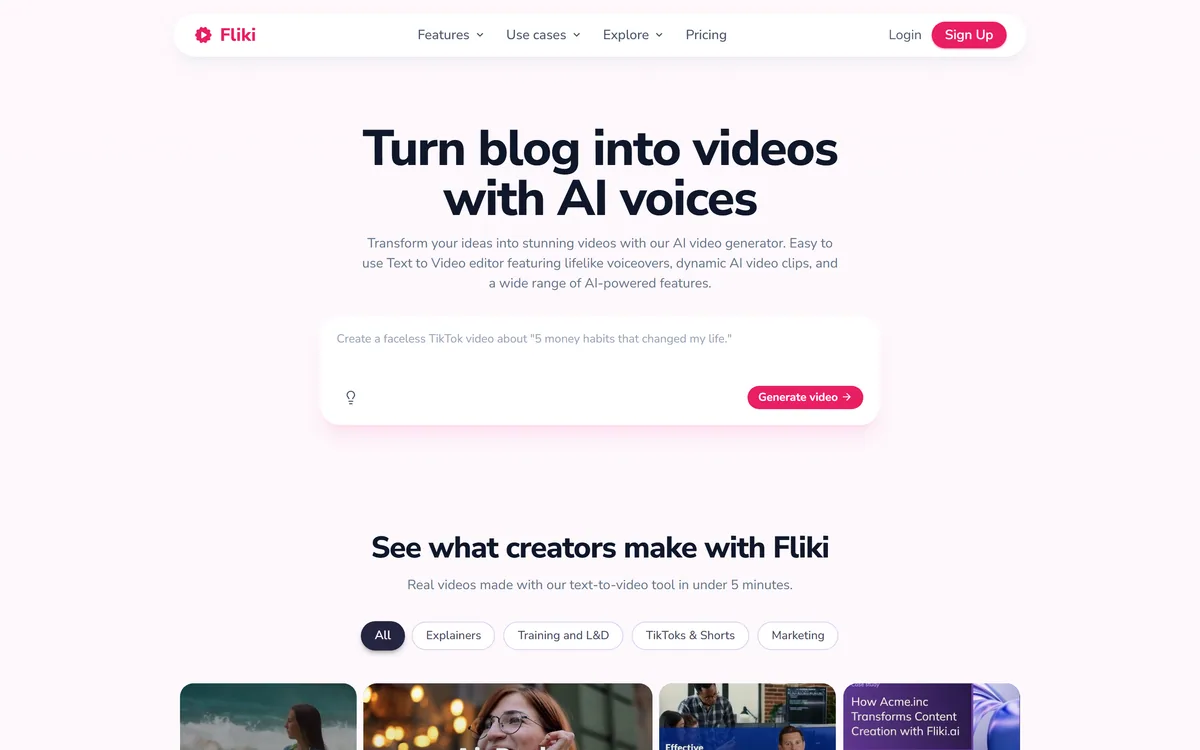
Fliki turns text, scripts, blog posts, presentations and single-line prompts into finished videos with voiceover, visuals, music and subtitles. It offers over 2,000 voices across 80+ languages, voice cloning, a Digital Twin avatar, screen recording with auto-editing, and one-click publishing to TikTok, Instagram and YouTube.
Every tool in this category converts text to video. What separates them is what happens when you need the same video in eleven languages, and that is where Fliki has built its advantage.
More than 2,000 voices across 80+ languages and dialects is a genuinely large library, and the dialect distinction matters more than the language count. Latin American Spanish is not Castilian Spanish, and Brazilian Portuguese is not European Portuguese. A tool that treats each as one language produces output that sounds subtly foreign to half its intended audience.
The Digital Twin feature extends this properly. Record yourself once, and the avatar presents in 80+ languages with the same face and the same voice. For a company producing training material, product explainers or course content across markets, that collapses a genuinely expensive coordination problem into one recording.
It is worth being precise about what that solves. The hard part of multilingual video was never translation — it was that every language needed its own recording session, its own presenter, its own review cycle, and versions drifted apart the moment anything changed.
The caution is the standard one for automated localisation. Fluent output is not the same as correct output, particularly for product names, interface strings and idiom. Have a native speaker check one full video per language before publishing the set, and check terminology rather than grammar.
For comparison, dedicated dubbing tools like BlipCut go deeper on lip sync for existing footage; Fliki's strength is generating in all those languages from the start.
Translation was never the hard part of multilingual video. Eleven recording sessions, eleven review cycles and eleven versions drifting apart was the hard part.
This is where expectations need setting, because it is the honest limit of the whole text-to-video category.
Fliki assembles video from stock footage, stock images and generated visuals matched to your script. It is doing selection and arrangement rather than authoring imagery from scratch, and the result looks exactly like what it is: competent, appropriate, and unremarkable.
That is fine for a large class of work. An explainer video, a news summary, a listicle, a training module, an internal update — none of these need distinctive visuals, and stock footage assembled well beats no video at all by a wide margin.
It is not fine when the visuals carry the message. Brand films, product launches, anything where the look is part of what you are communicating — those need authored footage, and no amount of matching improves that.
The practical consequence is that a Fliki video looks like other Fliki videos, and increasingly like other AI-assembled videos generally. Audiences are getting quicker at recognising the pattern of stock clip, narration, caption, cut, repeat.
The screen recording feature is the more interesting inclusion for exactly this reason. A recording of your actual product, with silences and filler words automatically removed and captions added, is real footage — it is specific to you and cannot be assembled from stock. For software companies that is a better path to a distinctive video than any generation feature.
Broader editors like Filmora sit at the other end of this trade: more work, more control, more distinctive output.
Cloning your own voice from a short recording and reusing it across unlimited videos is a genuinely useful capability, and it carries a consideration worth thinking through before you use it.
The upside is straightforward. You narrate once and never book a recording session again, corrections do not require re-recording, and the voice stays consistent across a library produced over years.
The commitment is that a model of your voice now exists on a third-party platform. That is a durable artefact rather than a file, and the questions worth answering before creating one are: what happens to the model if you close the account, whether it can be used to generate audio you have not authorised, and what the terms say about the platform's own use of it.
This applies to every voice cloning product rather than to Fliki specifically, and it is worth asking each time rather than assuming the answer transfers.
The narrower point about cloning someone else's voice is the one with legal weight. A recorded voice is a person's likeness and carries protection independent of copyright in several jurisdictions, with new legislation arriving specifically to cover synthetic voices. Clone your own, or clone with written permission for the specific use.
If voice quality alone is your priority rather than the video assembly around it, ElevenLabs remains the reference point and Fliki is competing on the workflow instead.
This site does not publish plan prices. Fliki's structure is the standard shape for generated video and the metering is the part to plan around.
There is a free plan with no card required and paid tiers above it. The meter in this category is almost always minutes of video generated per month, frequently with voice cloning, the higher-quality voices and commercial usage rights gated to specific tiers.
Minute-based metering has a specific consequence that catches people out: you are billed for minutes produced, not minutes published. Regenerating a video because the pacing was wrong, or because you changed three sentences, consumes the allowance again. In practice a finished five-minute video may cost fifteen minutes of allowance.
So the efficiency question is how often you get it right first time, and the answer improves markedly if you edit the script properly before generating rather than after.
Three things to confirm before upgrading. Whether voice cloning sits on your tier, since it is usually the reason people move up. Whether commercial use is permitted at the level you are considering, which free tiers in this category often exclude. And whether the higher-quality voices are metered separately from standard ones.
The free plan is a genuine test here because output quality is immediately visible — generate two real videos before paying for anything.
Being specific about the boundary is more useful than a general recommendation.
Fliki wins where the content is informational, the volume is high, the languages are many, and nobody expects the video to be beautiful. Course modules, product explainers, news summaries, internal training, localised versions of existing written content.
Filming wins where the person matters. Anything building a personal or founder brand, anything where trust is being established, anything where the audience wants to see a human being rather than a presenter.
An editor wins where you already have footage and the job is assembly and polish rather than generation.
There is one structural point worth holding onto. When producing a video costs almost nothing, videos stop being scarce, and whatever remains scarce moves elsewhere — to the script, the specific insight, the thing only you know. Fliki removes the production cost and leaves the writing entirely to you, which is where the quality of the result was always going to be decided.
That is not a criticism of the tool. It is the reason the script is worth more attention than the settings.
Text, blog post, script and presentation to video conversion
More than 2,000 AI voices across 80+ languages and dialects
Voice cloning from a short recording
Digital Twin avatar presenting in 80+ languages
AI-generated visuals and stock media matched to the script
Automatic subtitle generation
Background music selection
Screen recording with auto-editing and caption generation
Video translation and dubbing
Thumbnail creator
One-click publishing to TikTok, Instagram and YouTube
These separate on what you supply and how far the language coverage reaches.
| Tool | Input | Language reach | Output character |
|---|---|---|---|
| Fliki | Text, blog posts, slides, prompts | 80+ languages and dialects | Narrated, stock-assembled, subtitled |
| Synthesia | Script | Broad, avatar-led | Presenter-led corporate video |
| HeyGen | Script or existing video | Broad, strong dubbing | Avatars and video translation |
| InVideo AI | A prompt, with editing control | Narrower | More editorial control per video |
| Pictory | Long-form text and video | Narrower | Repurposing existing content |
| Category | AI text-to-video generation and voiceover |
|---|---|
| Accepted input | Text, scripts, blog posts, PowerPoint presentations, and single-line prompts |
| Voice library | More than 2,000 AI voices across 80+ languages and dialects |
| Voice cloning | From a brief recording, reusable across unlimited videos |
| Avatar | Digital Twin — record once, present in 80+ languages with the same face and voice |
| Visuals | AI-generated images and stock media matched to the script |
| Screen recording | With automatic silence removal, filler-word cutting and caption generation |
| Other tools | Thumbnail creator, video translation and dubbing |
| Publishing | One-click to TikTok, Instagram and YouTube |
| Stated usage | More than 100 million videos created, 12 million users, and 50,000 companies, per the vendor |
| Charging model | Free plan with no card required, then paid tiers metered on video minutes; no prices published here |
The category splits by whether you want a presenter, a dub of existing footage, or assembled visuals.
Last checked . Read from fliki.ai during this check, with the screenshot above captured at the same time.
Voice counts, language coverage and usage figures are the vendor's own and unaudited. Automated localisation reads fluently while still getting product names, interface strings and idiom wrong — have a native speaker check terminology in one full video per language before publishing a set. Cloning a voice that is not your own raises likeness rights that vary by jurisdiction and sit outside copyright.
Fliki's real strength is language reach — 2,000+ voices across 80+ languages with dubbing and a Digital Twin that speaks all of them, which is genuinely hard to match and turns one recording into a global library. It is held back because generated visuals are stock-assembled rather than authored, so the output looks competent rather than distinctive, and because usage figures are unaudited. AInexfinder Editor Score: 4.0/5.
AInexfinder does not list plan prices or billing details. For current pricing, plans, and trials, visit the official Fliki website.
Visit official website for pricingVendor pricing, credits, and billing policies change over time. Always confirm on the official site before you buy.
Log in to write a review.
No reviews yet. Be the first to share your experience with Fliki.
Assigned reviewer
Daniel ReedSenior AI Tools Reviewer
Daniel reviews AI tools the slow way — by actually using them on real projects. His reviews cover what works, what breaks, and who each tool is genuinely a good fit for.
Daniel and the AInexfinder editorial team research Fliki using public product information, listing evidence, and (when available) hands-on checks. Scores reflect listing completeness and transparency — not paid placement.
MagicLight AI generates multi-scene videos up to 50 minutes from a story, script, text, image or music track. It routes across Seedance, Kling, VEO, Sora and Wan models, and adds voice cloning, lip sync and subtitles.
HeyGen creates realistic AI avatar videos featuring you, with consistent identity across clips, a text-based studio, translation and lip-sync in 175+ languages, and an unusually serious stance on verified identity and moderation.
AutoShorts.ai automates faceless short-form video end to end. You choose a series topic and visual style, and it writes the script, generates the visuals, narrates it, adds music and captions, then posts to TikTok, YouTube and Instagram on a schedule without you touching it.

The workspace at www-flux3.com generates 5–20 second AI videos with native audio from text or a starting image, routing across FLUX 3, MiniMax H3, Seedance, Wan 3.0 and Kling 3.0 Pro, at 720p or 1080p with video extension.

Runway is an AI video platform built around generative world models — Gen-4.5, Aleph 2.0, and Act-Two for performance capture — split across Runway Creative for filmmakers, Runway Dev for builders, and Runway Robotics.

Descript is a video and audio editor that works by editing a transcript — delete a sentence and the footage goes with it — plus Studio Sound, Eye Contact, filler-word removal, AI voices, avatars, and the Underlord assistant.