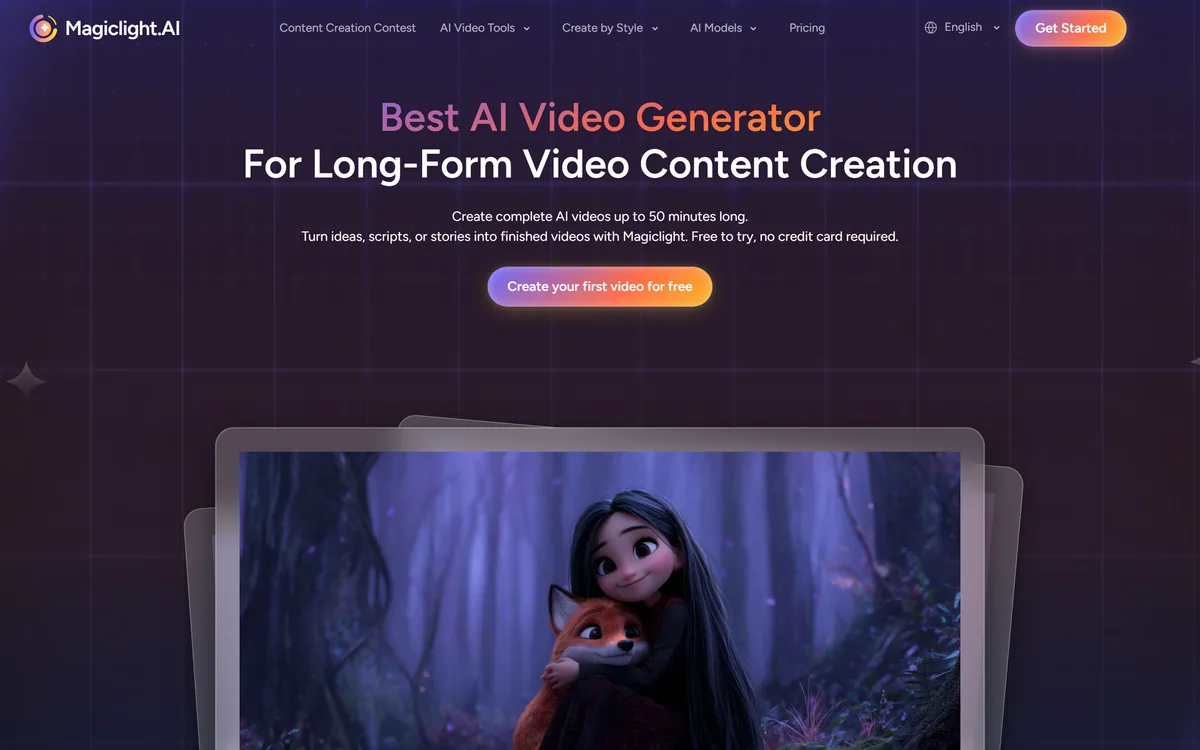
MagicLight AI generates multi-scene videos up to 50 minutes from a story, script, text, image or music track. It routes across Seedance, Kling, VEO, Sora and Wan models, and adds voice cloning, lip sync and subtitles.
magiclight.ai10 viewsAdded May 20, 2026242K visitors
The generative video field has an awkward shape. Model quality per second has improved enormously, and almost every tool still hands you something between five and fifteen seconds long. Anyone who has tried to assemble a ten-minute video out of forty such clips knows where the work actually is: in the joins.
MagicLight AI attacks the other axis. Rather than competing on how beautiful one clip looks, it aims at complete videos of up to fifty minutes, with characters who remain recognisably themselves from scene to scene and transitions that hold the sequence together.
This review covers what long-form generation genuinely solves, why routing across several third-party models is a sensible design rather than a weakness, where the seams still show, and who this actually suits.
Nearly every rival tops out around ten seconds. Length, not per-clip quality, is the argument here.
What Makes This Different From Every Other Video Generator
Length is the whole pitch. Most generators produce clips measured in seconds; MagicLight targets finished videos up to fifty minutes.
Character consistency across scenes is the hard technical problem length creates, and the feature the product is built around.
It routes across other people's models — Seedance, Kling, VEO, Sora and Wan among them — rather than running one of its own.
Five input types: a story, a script, plain text, an image, or a music track.
Audio is handled too — voice cloning, lip sync and automatic subtitles, which is what separates a video from a sequence of clips.
Key features of MagicLight AI
Long video generation of up to 50 minutes
Character consistency maintained across scenes
Story, script, text, image and music inputs
Routing across Seedance, Kling, VEO, Sora and Wan models
AI voice cloning from a sample
AI lip sync for generated characters
Automatic subtitle generation
AI avatar video generation for presenter-led content
AI animation generation without manual animation work
An AI video editor for refining output after generation
Pros & cons
Pros
5
Targets the length problem nearly every competitor leaves to the user
Character consistency is treated as the core engineering problem, which is the right diagnosis
Routing across several models means it can adopt whichever is currently strongest
Audio, lip sync and subtitles in the same place removes a whole assembly step
Five input modes cover genuinely different starting points rather than being one feature renamed
Cons
5
Clip quality is largely inherited from third-party models rather than controlled directly
Availability and terms depend on upstream providers, so an external change lands on you
Not suited to work requiring precise creative direction or shot-by-shot client review
Generated video still degrades over longer individual shots, so scenes must stay short
Fifty minutes sets an expectation of broadcast quality that generative video does not yet meet
Best For
Long-form narrated YouTube channels currently built as slideshows with voiceover
Children's story and folklore content where stylisation is expected
Educators producing extended explainers rather than short clips
Faith, wellness and meditation creators working from a spoken script
Music creators making lyric and visualiser videos
Long-Form Against Short-Form Video Tools
These tools are solving different problems, and length is the axis that separates them.
Tool
Typical output length
Main strength
Best suited to
MagicLight AI
Up to 50 minutes, multi-scene
Assembly, consistency and audio across a long piece
Generate one clip of a character and the model invents a person. Generate the next clip and, without something holding it steady, it invents a slightly different person — the jaw changes, the jacket shifts colour, the hair is not quite the same.
Over ten seconds, nobody notices. Over ten minutes, it is the only thing anybody notices, and it is why so much long AI video feels uncanny in a way viewers cannot articulate.
MagicLight's character consistency work is therefore not a nice-to-have feature sitting alongside the length claim; it is the thing that makes the length claim mean anything. The same applies to its scene transitions. A cut that lands wrong is survivable once and exhausting forty times.
Judge the product on this before anything else. Generate a character, put them in six scenes, and watch whether they stay one person.
Anyone can generate ten seconds. The difficulty is generating the eleventh through the six-hundredth and having them belong to the same film.
A Router, Not A Model
MagicLight lists integration with several third-party video models — Seedance 2.5, Kling 3.0, VEO 3, Sora 2, Wan 3.0 and others. It is an orchestration layer over models built elsewhere rather than a lab with its own.
That is worth understanding rather than holding against it. Frontier video models cost enormous sums to train, and a company competing on assembly rather than on generation can adopt whichever model is currently best instead of defending its own. When a stronger model appears, a router benefits; a single-model product has to catch up.
The trade-off is exposure. Pricing, availability and terms for the underlying models are set by other companies, and a change upstream lands on you. The other consequence is that raw clip quality is not really MagicLight's variable to control — it is roughly whatever the underlying models produce. What MagicLight owns is everything between the clips.
For a buyer, the practical reading is simple: choose this for the assembly, not for the pixels.
Five Doors In, And Who Uses Each
The input modes are not interchangeable, and picking the wrong one is the most common way to get a disappointing result.
Story And Script Inputs
Story to Video takes a narrative and breaks it into scenes itself. Script to Video assumes you have already made those decisions and follows your structure.
The distinction matters more than the names suggest. If you have a script, use the script path — handing a finished script to a story parser invites it to re-cut work you already did well.
Text, Image And Music Inputs
Text to Video suits short pieces where you have an idea but no written structure. Image to Video animates a still you already have, which is the most controllable of all the modes because you have fixed the look before generation starts.
Music to Video builds visuals synchronised to an audio track, aimed at lyric videos and music-led content. It is the most forgiving mode for weak per-scene coherence, because music carries the through-line that narrative otherwise has to.
The Audio Layer
Voice cloning, lip sync and subtitle generation sit underneath all of the above, alongside an AI avatar generator and an AI video editor for refinement.
Lip sync is the one to test hardest. Human viewers detect mismatched mouth movement instantly and unconsciously, and a fifty-minute video with drifting sync is unwatchable regardless of how good the visuals are.
What Fifty Minutes Is Actually Good For
The length claim invites the wrong expectation. Nobody is producing a broadcast-quality half-hour drama here, and treating that as the benchmark guarantees disappointment.
The genuine fits are content formats where duration matters and cinematic polish does not. The site's own template categories point at exactly this — children's stories, faith content, explainers and comedy — and they share a structure: narration-led, forgiving of stylisation, and long by nature.
Long-form YouTube channels built on narrated stories are the clearest case. So are audiobook-style visualisations, extended educational sequences, and anything currently being made as a slideshow with a voiceover, where generated scenes are a straightforward upgrade.
What it is not for is anything where a single shot has to be right. Advertising, brand film, or any piece where a client will review frame by frame belongs to a different production process entirely.
Narrated story channels, where the voice carries and visuals support
Children's content, where stylisation is expected rather than a compromise
Explainers longer than a short-form clip can hold
Faith, wellness and meditation content built around a spoken script
Music and lyric videos, where the audio provides the continuity
Producing Something Watchable
Long-form generation punishes an unstructured approach far more than short clips do, because errors compound over minutes rather than seconds.
Write the script first, properly, and use the script input. Story parsing is for when you genuinely have not made the structural decisions yet.
Establish your characters and lock them before generating scenes — consistency downstream depends entirely on what you fix upstream.
Generate a two-minute test containing at least four scene changes and one character reappearance before committing to a full run.
Check lip sync on that test with the sound on and your eyes on the mouth. It is the failure viewers notice first and forgive least.
Keep scenes short. Generated video degrades with shot length, and cutting more often hides more.
Add subtitles regardless of language, since a large share of viewing happens muted.
Watch the finished thing end to end before publishing. Errors that are invisible scene by scene are obvious in sequence — which is precisely the problem long-form generation exists to solve.
Inputs, Models And Output Capabilities
Product type
Long-form AI video generation
Maximum length
Up to 50 minutes
Input modes
Story, script, text, image, music
Underlying models
Seedance 2.5, Kling 3.0, VEO 3, Sora 2, Wan 3.0 and others
Consistency features
Character consistency and scene transitions across a full video
Audio tools
AI voice cloning, AI lip sync, AI subtitle generator
Additional generators
AI animation, AI avatar video, image to video, music to video
You publish long narrated content and currently build it as slides over a voiceover
Your format is story-led — children's content, folklore, faith, or narrative explainers
You need the same character across many scenes rather than one striking shot
You want voice, lip sync and subtitles handled in the same place as the visuals
Volume and duration matter more to you than frame-perfect polish
Hard To Justify When
A client will review the work shot by shot
You need a specific, controlled look that generation cannot be directed towards precisely
Your output is short-form, where clip-focused tools give better results
You already have an editor and only need individual generated shots to cut in
Live-action footage of real people or places is the actual requirement
Other Routes To Finished Video
Generation, assembly and narration are separable problems, and different tools own different ones.
Runway ML — stronger per-shot generation for work you will edit yourself
Luma Dream Machine — single-shot motion quality rather than long-form assembly
InVideo AI — script-driven assembly from stock rather than generated scenes
Fliki — text-to-video with particularly strong narration voices
Vmeg — another route from written material to a finished video
Read From MagicLight's Own Pages
Last checked . Taken from magiclight.ai during this check, with the screenshot above captured at the same time.
The claim of complete AI videos up to 50 minutes long, quoted from the homepage
Feature names — Story to Video, Text to Video, Script to Video, Long Video Generator, AI Animation Generator, AI Avatar Video Generator, Music to Video, Image to Video, AI Video Editor, AI Voice Cloning, AI Lip Sync, AI Subtitle Generator — listed on the site
Character consistency and scene transitions described as platform capabilities
Underlying model integrations named on the site as Seedance 2.5, Kling 3.0, VEO 3, Sora 2, Wan 3.0 and others
Template categories covering children's stories, faith messages, explainers and comedy
Stated audiences of content creators, marketers, educators and parents
Academy, FAQ, about, contact, partnership and affiliate pages, plus terms of service and privacy policy, present in the site footer
No plan prices published here, in line with this site's pricing policy
Observations about consistency drift, lip sync and shot-length degradation are general characteristics of generative video and apply across the category rather than to MagicLight specifically. Model availability through a routing platform depends on third-party providers and can change.
Editor's Verdict
3.9/5
MagicLight AI has an AInexfinder Editor Score of 3.9/5.
MagicLight AI pricing
AInexfinder does not list plan prices or billing details. For current pricing, plans, and trials, visit the official MagicLight AI website.
Vendor pricing, credits, and billing policies change over time. Always confirm on the official site before you buy.
Frequently asked questions
Can it really generate a fifty-minute video?
That is the stated maximum, and length is the platform's actual differentiator — most generators stop at seconds. Whether the result is watchable at that length depends far more on character consistency and scene transitions than on the number itself, so test those first.
Which AI models does it use?
It routes across third-party models including Seedance 2.5, Kling 3.0, VEO 3, Sora 2 and Wan 3.0. MagicLight is an orchestration layer rather than a model developer, which means it can adopt whichever model is currently best — and that it depends on other companies for availability.
Why does character consistency matter so much?
Because without it, the same character is subtly reinvented in every scene — jaw, clothing, hair all drifting. Over ten seconds nobody notices. Over ten minutes it is the only thing anyone notices, and it is why so much long AI video feels wrong without viewers being able to say why.
What should I feed it — a story or a script?
A script, if you have one, using the script input. Story to Video breaks a narrative into scenes for you, which is useful when you have not made those decisions yet and wasteful when you already have.
Does it handle voice and subtitles?
Yes — voice cloning, lip sync and automatic subtitles are all included. Test lip sync hard on a short sample: viewers detect mismatched mouth movement instantly, and drifting sync makes a long video unwatchable no matter how good the visuals are.
Is this good enough for client work?
Not for anything reviewed shot by shot, or where a specific look has to be hit precisely. It suits volume, duration and narration-led formats. Advertising and brand film belong to a different production process.
How do I avoid the output looking obviously generated?
Keep individual shots short, since generated video degrades as a shot runs on. Cut more often than feels natural, lock your characters before generating scenes, and always watch the finished piece end to end — errors invisible scene by scene are obvious in sequence.
Daniel reviews AI tools the slow way — by actually using them on real projects. His reviews cover what works, what breaks, and who each tool is genuinely a good fit for.
Daniel and the AInexfinder editorial team research MagicLight AI using public product information, listing evidence, and (when available) hands-on checks. Scores reflect listing completeness and transparency — not paid placement.
Listings may include affiliate or sponsored placements, which are labeled when present. Editorial scores and cons are not sold. See our affiliate disclosure and review methodology.
Fliki turns text, scripts, blog posts, presentations and single-line prompts into finished videos with voiceover, visuals, music and subtitles. It offers over 2,000 voices across 80+ languages, voice cloning, a Digital Twin avatar, screen recording with auto-editing, and one-click publishing to TikTok, Instagram and YouTube.
HeyGen creates realistic AI avatar videos featuring you, with consistent identity across clips, a text-based studio, translation and lip-sync in 175+ languages, and an unusually serious stance on verified identity and moderation.
AutoShorts.ai automates faceless short-form video end to end. You choose a series topic and visual style, and it writes the script, generates the visuals, narrates it, adds music and captions, then posts to TikTok, YouTube and Instagram on a schedule without you touching it.
The workspace at www-flux3.com generates 5–20 second AI videos with native audio from text or a starting image, routing across FLUX 3, MiniMax H3, Seedance, Wan 3.0 and Kling 3.0 Pro, at 720p or 1080p with video extension.
Runway is an AI video platform built around generative world models — Gen-4.5, Aleph 2.0, and Act-Two for performance capture — split across Runway Creative for filmmakers, Runway Dev for builders, and Runway Robotics.
Descript is a video and audio editor that works by editing a transcript — delete a sentence and the footage goes with it — plus Studio Sound, Eye Contact, filler-word removal, AI voices, avatars, and the Underlord assistant.