TTSReader turns text, PDFs, and EPUB files into speech in the browser, with voice and language selection, speed control, text highlighting, and MP3 export — the free tier runs on browser voices with no usage cap.
FreemiumVideo & Audio
VMEG from PixRipple translates and dubs video into 170+ languages using 17,000+ voices, with voice cloning, lip-sync, subtitle generation, batch processing, and API and MCP access for automated localisation.
VMEG localises video. Give it something finished in one language and it returns the same video in another — translated, spoken by a voice that can be the original speaker's, with the mouth movements matched.
That last part is the reason this category exists. Subtitles are cheap and always have been; dubbing where the lips do not match is the thing audiences notice and quietly discount.
This review covers what the pipeline actually chains together, why voice cloning changes the economics for creators, where automated localisation still fails, and who should be using it.
Localising a video by hand means transcription, translation, voice casting, recording, timing, and lip matching — six jobs, usually six vendors, and a schedule measured in weeks.
VMEG's proposition is that the whole chain runs as one operation. Each individual step exists elsewhere, often done better; what is hard to assemble yourself is the sequence.
That framing matters when judging it. Compared against a specialist dubbing studio it will lose on craft. Compared against not localising at all — which is what most creators actually choose — it wins easily.
Most video never gets localised because the process costs more than the extra audience is worth. The whole point of automating it is changing that arithmetic.
Cloning the original speaker's voice into other languages is the feature that matters most for creator-led content.
For anything built on a personality — a creator channel, a founder explaining a product, a course instructor — the voice is a large part of why people watch.
Replace it with a generic dub and the translated version loses the thing that made the original work, which is why so much dubbed creator content underperforms.
It is your own voice, so consent is not the issue it is elsewhere. The issue is that you are now publishing statements in languages you cannot check, in a voice audiences will attribute to you.
Have a speaker of that language review anything consequential before it goes out. The failure is not technical; it is that you cannot personally verify what you appear to have said.
Translation length is the structural problem nobody mentions. The same sentence is 20–30% longer in some languages, and the dub either rushes to fit or the timing drifts. Both are audible.
Lip-sync helps enormously and is not invisible. It works best on straightforward talking-head footage and degrades on rapid speech, strong expression, and profile shots.
Idiom and humour do not survive. A translated joke that lands nowhere is worse than a subtitle, because the delivery still signals that something funny was intended.
And on-screen text stays in the original language unless you handle it separately — a detail that undermines an otherwise convincing localisation.
Batch processing plus API and MCP access indicate this is designed for pipelines rather than one-off jobs, which is where it makes most sense.
Before paying for dubbing at all, it is worth being clear that subtitles are not the inferior option — they are the correct option for a lot of content, and they cost a fraction as much.
Subtitles win where the speaker's exact words matter, where the audience is used to reading them, and where budget is tight. Large parts of the world watch subtitled content by default and prefer it.
Dubbing wins where the viewer's eyes are needed elsewhere — a screen recording, a product demo, anything with visual detail competing for attention — and where the content is watched passively rather than studied. If your viewer is reading subtitles, they are not watching your interface.
The named audiences span marketers, creators, agencies, SaaS and e-commerce teams, enterprises, documentarians, social media managers and podcasters — which is broad, but they share one situation.
All of them have a library of finished video and an audience that speaks other languages, and none of them can justify a dubbing studio per video.
SaaS and e-commerce teams are the least obvious and possibly the best fit: product demos and explainers are exactly the high-value, frequently-updated, talking-head content that manual localisation never keeps up with.
| Company | PixRipple |
|---|---|
| Category | AI video translation, dubbing and localisation |
| Language coverage | 170+ languages, dialects and accents |
| Voice library | 17,000+ voices |
| Voice cloning | Yes — retains the original speaker's voice across languages |
| Lip-sync | Yes |
| Subtitles | Generation and translation |
| Transcription | Video-to-text and audio-to-text |
| Speech | Text-to-speech |
| Automation | Batch processing, plus API and MCP developer access |
| Also offered | Localization agent and an editing studio |
| Free tier | Yes — free online tools; credit limits not stated on the site |
Video translation and AI dubbing into 170+ languages
Voice cloning that preserves the original speaker across languages
Lip-sync matching mouth movement to the dubbed audio
Subtitle generation and translation
Video-to-text and audio-to-text transcription
Text-to-speech with a 17,000+ voice library
Batch processing for localising a library at once
API and MCP access for automated pipelines
These overlap on translation but differ in what they actually produce.
| Tool | Output | Lip-sync | Best fit |
|---|---|---|---|
| VMEG | Dubbed video with cloned voice | Yes | Localising a video library at volume |
| ElevenLabs | Dubbing and speech, audio-led | Limited | Highest audio quality |
| Zeemo | Translated captions | No | Subtitling social video quickly |
| Smartcat | Text localisation with human review | No | Documents and web content, not video |
| Descript | Edited video and audio | Eye contact, not dubbing | Editing the original, not translating it |
Different parts of getting content into another language.
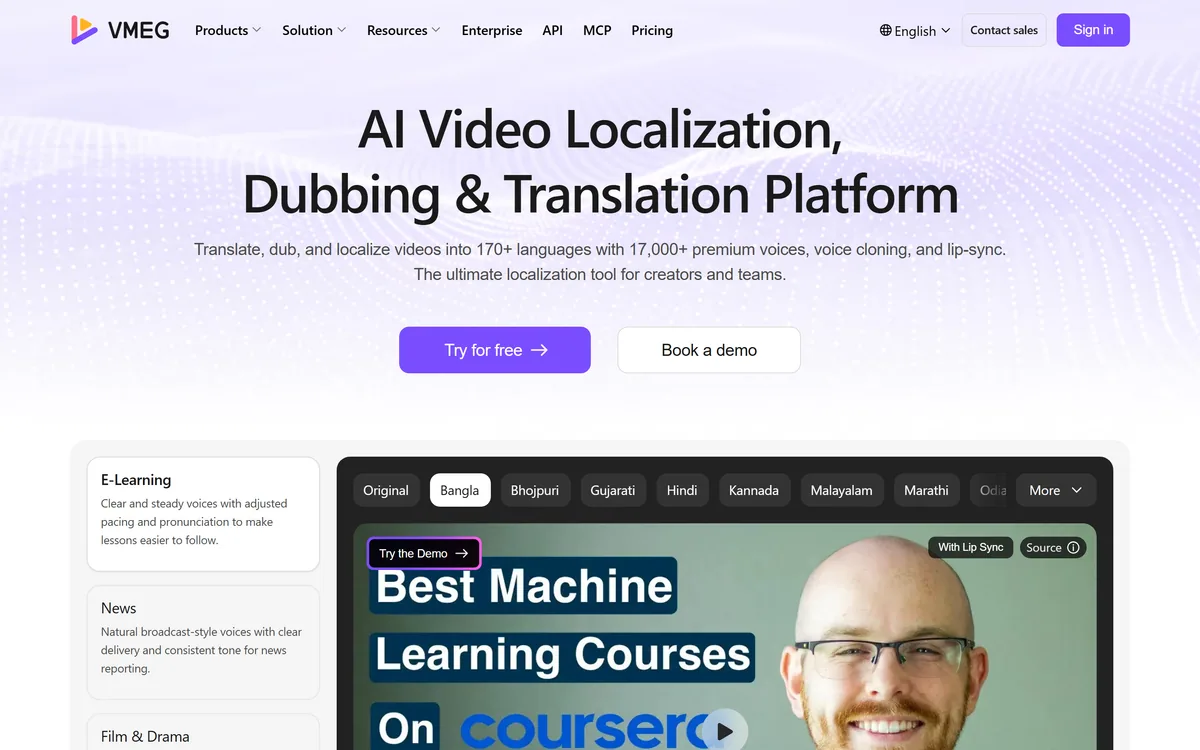
Last checked . Read from vmeg.ai during this check, with the screenshot above captured at the same time.
Observations about translation length, lip-sync limits and idiom describe automated dubbing generally rather than VMEG specifically.
VMEG has an AInexfinder Editor Score of 4.2/5.
AInexfinder does not list plan prices or billing details. For current pricing, plans, and trials, visit the official VMEG website.
Visit official website for pricingVendor pricing, credits, and billing policies change over time. Always confirm on the official site before you buy.
Log in to write a review.
No reviews yet. Be the first to share your experience with VMEG.
Assigned reviewer
Daniel ReedSenior AI Tools Reviewer
Daniel reviews AI tools the slow way — by actually using them on real projects. His reviews cover what works, what breaks, and who each tool is genuinely a good fit for.
Daniel and the AInexfinder editorial team research VMEG using public product information, listing evidence, and (when available) hands-on checks. Scores reflect listing completeness and transparency — not paid placement.
TTSReader turns text, PDFs, and EPUB files into speech in the browser, with voice and language selection, speed control, text highlighting, and MP3 export — the free tier runs on browser voices with no usage cap.
Respeecher is an enterprise voice cloning and text-to-speech platform used in film, television and games. Its credits include young Luke Skywalker in The Mandalorian and Viktor Vektor in Cyberpunk 2077, and it requires documented performer consent before a voice is used.
Phonely AI builds AI agents that handle phone calls, chat and SMS at scale. Its own model, Alma, is quoted at 182ms to first token against 490ms for GPT-4.1, with 1,000+ voices, 100+ languages and SOC 2, HIPAA and PCI compliance.

ElevenLabs is an AI audio platform covering text to speech, voice cloning, speech recognition, dubbing, music, and conversational voice agents, with a library of 5,000+ voices across more than 70 languages and an API behind every model.

The workspace at www-flux3.com generates 5–20 second AI videos with native audio from text or a starting image, routing across FLUX 3, MiniMax H3, Seedance, Wan 3.0 and Kling 3.0 Pro, at 720p or 1080p with video extension.

Runway is an AI video platform built around generative world models — Gen-4.5, Aleph 2.0, and Act-Two for performance capture — split across Runway Creative for filmmakers, Runway Dev for builders, and Runway Robotics.