

Descript is a video and audio editor that works by editing a transcript — delete a sentence and the footage goes with it — plus Studio Sound, Eye Contact, filler-word removal, AI voices, avatars, and the Underlord assistant.
FreemiumVideo & Audio
Zeemo from Bluepulse Inc. generates automatic captions and translates video, alongside basic editing — trim, crop, resize, reverse — plus emoji, GIF, and sticker overlays, on web, iOS, and Android.
Zeemo generates captions for video automatically and can translate them, which covers the single most valuable accessibility and reach feature social video has.
Captions are not optional any more. A large share of social video is watched with sound off, and uncaptioned content simply loses those viewers — before considering the accessibility obligation.
This review covers what Zeemo does, what its own site declines to disclose, how to judge caption accuracy for yourself, and where it fits against more capable video tools.
| Company | Bluepulse Inc. |
|---|---|
| Category | AI captioning, video translation, and light editing |
| Current positioning | All-in-one AI studio for image, video, and caption |
| Captioning | AI Caption for automatic subtitles |
| Translation | Video Translator |
| Editing tools | Trim, crop, resize, reverse |
| Overlays | Emoji, GIF, and stickers |
| Named audiences | Content creators, educational institutions, media companies |
| Platforms | Web, iOS, and Android |
| Free tier | Yes, though the site does not detail its limits |
| Not published | We found no accuracy percentage and no supported-language count on the pages we reviewed |
| Legal pages | About Us, Contact Us, Terms of Service, Privacy Policy, Cookies Policy and a Google Disclosure are published |
The case for automatic captioning is unusually clear-cut. Sound-off viewing is the default on most social feeds, so uncaptioned video is content most of its audience will scroll past without ever hearing.
There is an accessibility dimension too, and in many contexts a legal one. Educational institutions in particular — named among Zeemo's audiences — often have obligations here rather than preferences.
Captioning by hand is slow and nobody does it consistently. That is the gap tools like this fill: not doing something impossible, but doing something tedious reliably enough that it actually happens.
The best captioning tool is whichever one you will actually use on every video, not the most accurate one you use on some of them.
The feature set is deliberately narrow, built around getting a social video finished rather than around production depth.
Two figures are missing from the pages we reviewed, and they are the ones a buyer would most want.
We found no caption accuracy percentage and no count of supported languages for translation. Competitors in this space usually advertise both, and their absence is not evidence of a problem — but it does mean you cannot compare Zeemo on paper.
Free tier limits are similarly unspecified. Whether that means a watermark, a minutes cap, or a resolution restriction is something you will discover by using it. Zeemo does publish About, Contact, Terms, Privacy and Cookies pages, so the commercial terms themselves are documented — it is the performance numbers that are not.
Since no accuracy figure is published, the sensible move is to measure it on your own material rather than trusting any vendor number — including one that was published.
No automatic captioning tool is accurate enough to publish unreviewed, and Zeemo is no exception to that rule.
Accuracy drops predictably: background noise, overlapping speakers, strong accents, technical vocabulary, and proper nouns. Product names and personal names are mangled by essentially every tool in this category.
Translation compounds the problem. An error in the transcript becomes an error in every translated version, and you are far less likely to catch it in a language you do not speak.
Budget review time as part of the workflow rather than treating it as an exception. The saving is in not typing the captions, not in skipping the check.
Zeemo is a finishing tool, not a production suite. It is for taking a video that already exists and making it publishable — captioned, correctly sized, translated if needed.
That is genuinely a different job from editing. A transcript-based editor lets you restructure the content itself; Zeemo assumes the content is settled and handles what goes on top of it.
For creators shipping regular short-form video, that narrowness is a feature. Fewer decisions, faster finish, and mobile apps for editing where the footage was shot.
AI Caption for automatic subtitle generation
Video Translator for captions in other languages
Trim, crop, resize, and reverse editing
Emoji, GIF, and sticker overlays
Web app plus iOS and Android apps
Free tier available
These overlap on captions but differ enormously in scope.
| Tool | Main job | Editing depth | Best fit |
|---|---|---|---|
| Zeemo | Captions and video translation | Basic — trim, crop, resize | Finishing social video quickly, including on mobile |
| Descript | Editing video by editing its transcript | Substantial | Podcasts, interviews, and spoken-word content |
| Munch | Extracting short clips from long video | Moderate | Repurposing long-form into social cuts |
| Fliki | Generating video from text with voiceover | Moderate | Creating video that does not exist yet |
| ElevenLabs | Speech, dubbing, and transcription | None — audio only | High-quality dubbing and voice work |
Depending on whether you are finishing video or making it.
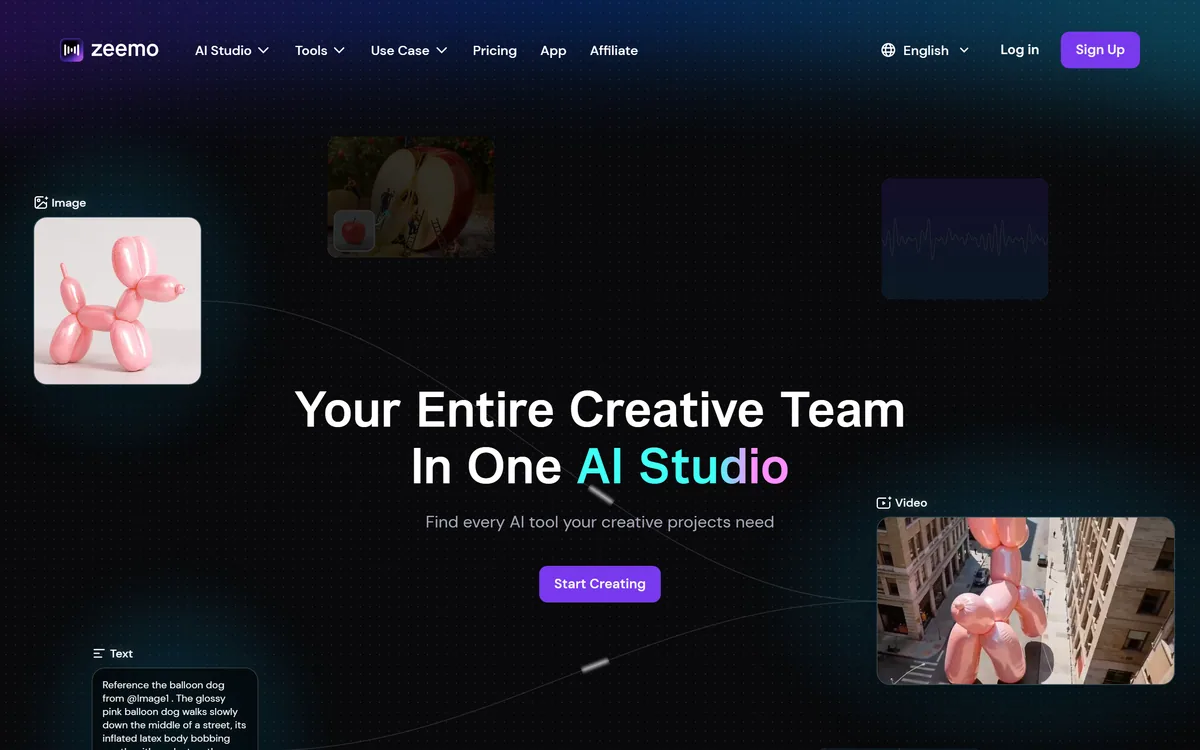
Last checked . Read from zeemo.ai during this check, with the screenshot above captured at the same time.
Where we could not find a number on the vendor's own pages, we say that rather than repeating a figure from a third-party review.
Zeemo has an AInexfinder Editor Score of 4.0/5.
AInexfinder does not list plan prices or billing details. For current pricing, plans, and trials, visit the official Zeemo website.
Visit official website for pricingVendor pricing, credits, and billing policies change over time. Always confirm on the official site before you buy.
Log in to write a review.
No reviews yet. Be the first to share your experience with Zeemo.
Assigned reviewer
Daniel ReedSenior AI Tools Reviewer
Daniel reviews AI tools the slow way — by actually using them on real projects. His reviews cover what works, what breaks, and who each tool is genuinely a good fit for.
Daniel and the AInexfinder editorial team research Zeemo using public product information, listing evidence, and (when available) hands-on checks. Scores reflect listing completeness and transparency — not paid placement.
Descript is a video and audio editor that works by editing a transcript — delete a sentence and the footage goes with it — plus Studio Sound, Eye Contact, filler-word removal, AI voices, avatars, and the Underlord assistant.
Vibrantsnap is an AI tool that turns a rough screen recording into a polished walkthrough: it rewrites your narration, reads it in a studio voice in any language, and auto-edits the video with zooms, chapters and captions.
Kapwing is a browser-based video studio combining a timeline editor, subtitler, audio editor and dubbing into 40+ languages with AI tools including Smart Cut, Trim with Transcript, B-Roll Generator, Clip Maker and Character Consistency. Made in San Francisco.
BlipCut translates and dubs video into more than 140 languages with AI lip synchronisation, so translated speech aligns with the speaker's mouth. It also clones voices in 29 languages, offers 600+ voices across 40+ languages, and generates, translates and edits subtitles from uploads or YouTube links.
VEED is an AI video-creation platform that takes an idea to a finished social video in the browser, bundling generation, AI avatars, subtitles, dubbing, clean audio and a brand kit, plus access to frontier models like Sora 2, Veo and Kling.
BIGVU is an AI personal-branding video platform with a teleprompter, AI avatars and voice cloning, auto-editing (caption, filler removal, eye-contact correction), and one-click social posting, aimed at realtors, coaches and marketers, with synthetic-media features that carry likeness and consent considerations.