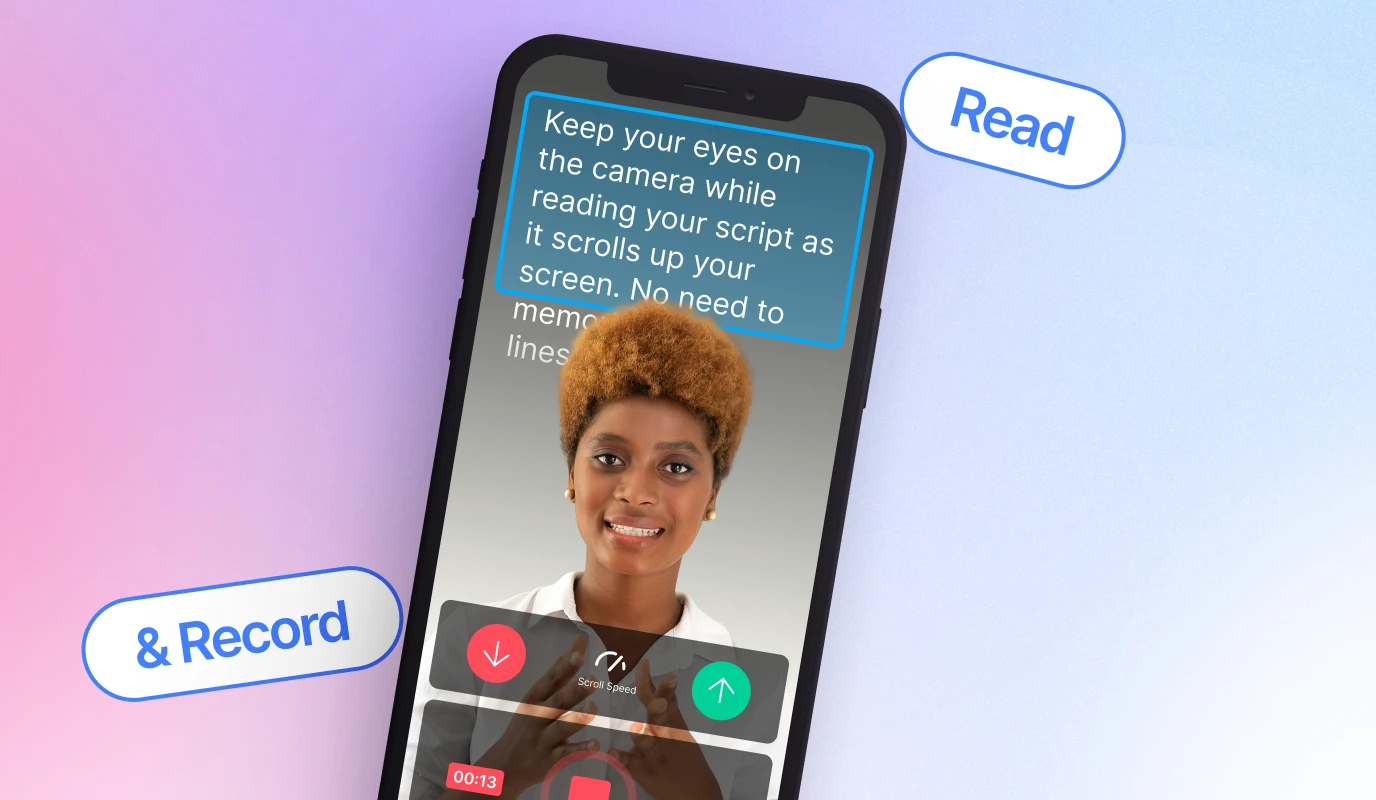

Descript is a video and audio editor that works by editing a transcript — delete a sentence and the footage goes with it — plus Studio Sound, Eye Contact, filler-word removal, AI voices, avatars, and the Underlord assistant.
FreemiumVideo & Audio
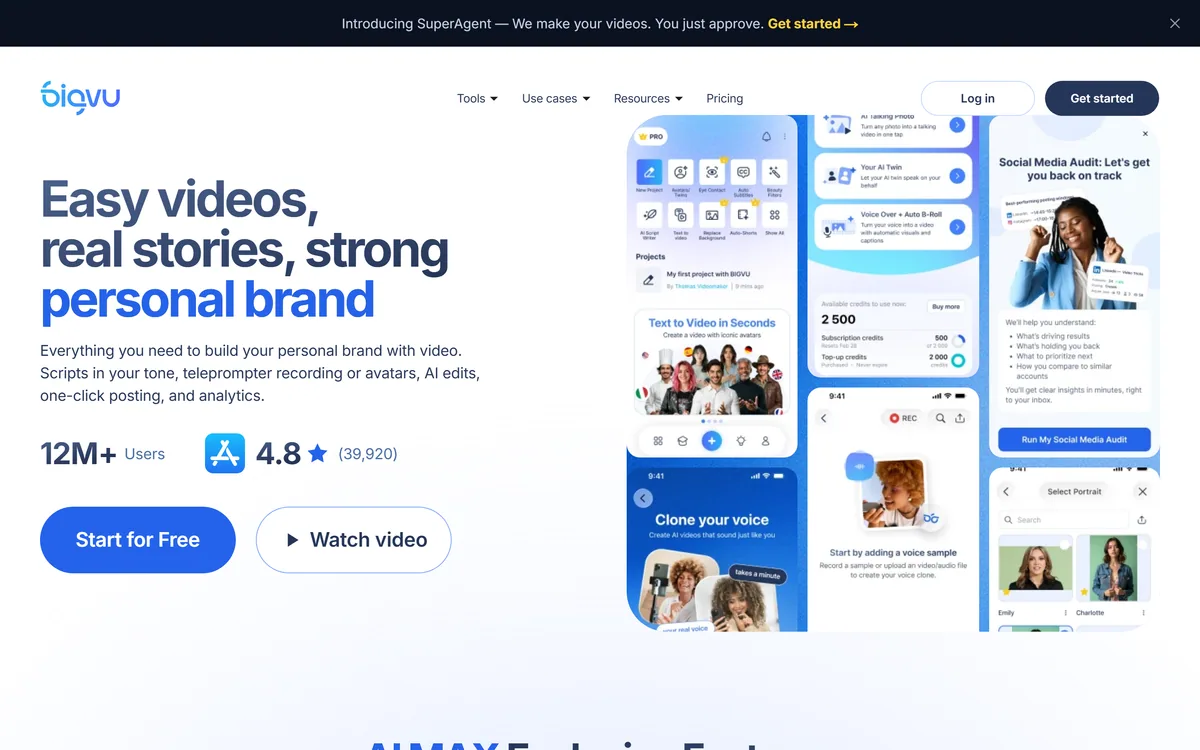
BIGVU is an AI personal-branding video platform with a teleprompter, AI avatars and voice cloning, auto-editing (caption, filler removal, eye-contact correction), and one-click social posting, aimed at realtors, coaches and marketers, with synthetic-media features that carry likeness and consent considerations.
A note on responsible use BIGVU includes voice cloning, AI avatars, an 'AI Twin' and talking-photo features, which are synthetic-media tools. Use them only for your own likeness and voice, or with explicit consent, and be transparent with your audience. Eye-contact 'correction' alters how you appear. These responsibilities sit with the user.
Consistent personal-branding video, realtors, coaches, marketers posting regularly, is held back by the production grind: scripting, recording confidently, editing, captioning and posting. BIGVU tries to collapse all of that into one app.
It offers a teleprompter for recording yourself, AI avatars and voice cloning for generating video without filming, and auto-editing that trims filler, adds captions and even corrects eye contact, then posts to socials. For avatar-led video it overlaps with tools like HeyGen, with a strong realtor and coach focus.
This review covers how BIGVU makes a talking-head video, where it fits and the consent caveat that comes with its synthetic-media features, how it is priced, and who should pass.
| What it is | An AI personal-branding video platform |
|---|---|
| Record | Online and mobile teleprompter |
| Generate | AI avatars, 'AI Twin', talking photo |
| Voice | AI voice design and cloning |
| Auto-edit | Captions, filler removal, eye-contact fix |
| Publish | One-click social posting and scheduling |
| Audience | Realtors, coaches, creators, marketers |
| Caveat | Synthetic media needs consent and transparency |
BIGVU's pitch is the whole chain in one tool: write or AI-generate a script, record it with a teleprompter or generate it with an avatar, let AI edit it, and post it, without juggling separate apps for each step.
That end-to-end coverage is what suits its target users, realtors, coaches and marketers, who need to post video consistently but are not video professionals. The teleprompter in particular helps people who freeze on camera deliver a clean take.
The platform spans two quite different modes, though: recording the real you, and generating a synthetic you. The first is uncontroversial; the second brings the likeness and consent questions this review flags throughout.
BIGVU spans two different modes: recording the real you, and generating a synthetic you. The first is uncontroversial; the second brings real likeness and consent questions.
There are two paths to a finished video, and the editing layer sits on top of both.
You can record yourself reading a script with the online or mobile teleprompter (even with 360 auto-tracking hardware), or skip filming entirely with an AI avatar, an 'AI Twin', a talking photo from a single portrait, and a cloned voice.
The synthetic path is powerful and is exactly where care is needed. An avatar tool like HeyGen raises the same issues; the rule is simple and important: generate a likeness or clone a voice only for yourself or with explicit consent, and tell your audience when video is AI-generated.
The auto-editing is the practical time-saver: it removes filler words and pauses, adds captions, corrects eye contact, drops in B-roll and applies a brand kit, then publishes to your social channels in one click with scheduling and analytics.
Captions alone drive how much social video gets watched, and a dedicated captioner like Zeemo does that one job well; BIGVU bundles it into the whole workflow. Note that eye-contact 'correction' alters your appearance, which is a small synthetic touch worth being aware of.
BIGVU fits people who must post personal video regularly, realtors making listing and market videos, coaches and creators building an audience, sales teams doing video outreach, and who want production handled so they can focus on showing up.
The teleprompter-and-auto-edit side is a straightforward win for those users. The synthetic side, avatars, cloning, talking photos, is useful for scaling without filming, but it is where responsibility sits with you: consent for any likeness or voice that is not your own, and transparency with viewers.
It fits less well anyone wanting cinematic, bespoke production, or anyone uncomfortable with synthetic media who would only use the recording features, for whom a simpler recorder may be enough. For screen-based how-to or product video, a screen-recording tool like Trupeer is a different job better suited to that. Its stated user and rating figures are vendor claims.
BIGVU is freemium with a free start, paid subscription tiers (including an AI-heavy tier) and an Enterprise option with account management and an uptime SLA. We do not publish prices, which change; check the site.
Because it bundles recording, generation, editing and posting, the value question is whether one subscription replaces the separate teleprompter, editor, captioner and avatar tools you might otherwise pay for.
For someone posting video consistently, that consolidation usually pays off; for occasional use, the free tier or a single-purpose tool is enough, and the AI-heavy tiers are only worth it if you actually use the synthetic features, responsibly.
Because BIGVU mixes real and synthetic video, trial both responsibly on content you would actually post.
Teleprompter (online, mobile, 360 hardware)
AI avatars and 'AI Twin'
Talking photo from a portrait
AI voice design and cloning
Auto filler-word removal
Auto captions and eye-contact correction
Brand kit and B-roll
One-click social posting and scheduling
The useful comparison is with avatar, caption and screen-video tools across the workflow.
| Tool | Tool | Strength | Best for |
|---|---|---|---|
| BIGVU | Script-to-post, real + synthetic | Teleprompter, avatars, auto-edit | Consistent personal-branding video |
| HeyGen | AI avatars | Avatar-led talking head | Synthetic spokespeople |
| Zeemo | Captioning | Accurate captions | Caption-first needs |
| Trupeer | AI screen video | Screen recordings | How-to and product video |
Last checked . Read from bigvu.tv during this check, with the screenshot above captured at the same time.
BIGVU's voice cloning, avatars, 'AI Twin' and talking-photo features are synthetic media; use them only for your own likeness or with explicit consent, and disclose AI-generated video. Its user and rating figures are vendor-stated.
An avatar tool, a captioner and a screen-video tool to weigh alongside BIGVU.
BIGVU earns 3.6 for bundling the whole personal-branding video workflow, script, teleprompter or avatar, auto-editing and one-click posting, into one app aimed squarely at realtors, coaches and marketers who must post consistently. The recording-and-edit side is a clear time-saver; the score is tempered by synthetic-media features, voice cloning, avatars, talking photos, that demand consent and disclosure, and by vendor-stated usage figures. AInexfinder Editor Score: 3.6/5.
AInexfinder does not list plan prices or billing details. For current pricing, plans, and trials, visit the official BIGVU website.
Visit official website for pricingVendor pricing, credits, and billing policies change over time. Always confirm on the official site before you buy.
Log in to write a review.
No reviews yet. Be the first to share your experience with BIGVU.
Assigned reviewer
Daniel ReedSenior AI Tools Reviewer
Daniel reviews AI tools the slow way — by actually using them on real projects. His reviews cover what works, what breaks, and who each tool is genuinely a good fit for.
Daniel and the AInexfinder editorial team research BIGVU using public product information, listing evidence, and (when available) hands-on checks. Scores reflect listing completeness and transparency — not paid placement.
Descript is a video and audio editor that works by editing a transcript — delete a sentence and the footage goes with it — plus Studio Sound, Eye Contact, filler-word removal, AI voices, avatars, and the Underlord assistant.
Vibrantsnap is an AI tool that turns a rough screen recording into a polished walkthrough: it rewrites your narration, reads it in a studio voice in any language, and auto-edits the video with zooms, chapters and captions.
Kapwing is a browser-based video studio combining a timeline editor, subtitler, audio editor and dubbing into 40+ languages with AI tools including Smart Cut, Trim with Transcript, B-Roll Generator, Clip Maker and Character Consistency. Made in San Francisco.
BlipCut translates and dubs video into more than 140 languages with AI lip synchronisation, so translated speech aligns with the speaker's mouth. It also clones voices in 29 languages, offers 600+ voices across 40+ languages, and generates, translates and edits subtitles from uploads or YouTube links.
VEED is an AI video-creation platform that takes an idea to a finished social video in the browser, bundling generation, AI avatars, subtitles, dubbing, clean audio and a brand kit, plus access to frontier models like Sora 2, Veo and Kling.
Zeemo from Bluepulse Inc. generates automatic captions and translates video, alongside basic editing — trim, crop, resize, reverse — plus emoji, GIF, and sticker overlays, on web, iOS, and Android.