
Descript is a video and audio editor that works by editing a transcript — delete a sentence and the footage goes with it — plus Studio Sound, Eye Contact, filler-word removal, AI voices, avatars, and the Underlord assistant.
FreemiumVideo & Audio
Kapwing is a browser-based video studio combining a timeline editor, subtitler, audio editor and dubbing into 40+ languages with AI tools including Smart Cut, Trim with Transcript, B-Roll Generator, Clip Maker and Character Consistency. Made in San Francisco.
Most video that gets published is not edited so much as processed. Cut the dead air, add captions, resize for a second platform, export. Nobody is grading skin tones.
Desktop editors are built for the other kind of work, and they charge you for it in setup — an install, a project file, media management, a render that occupies your machine for twenty minutes.
Kapwing's bet is that the processing kind of video work belongs in a browser tab, and after several years of the category, that bet looks right.
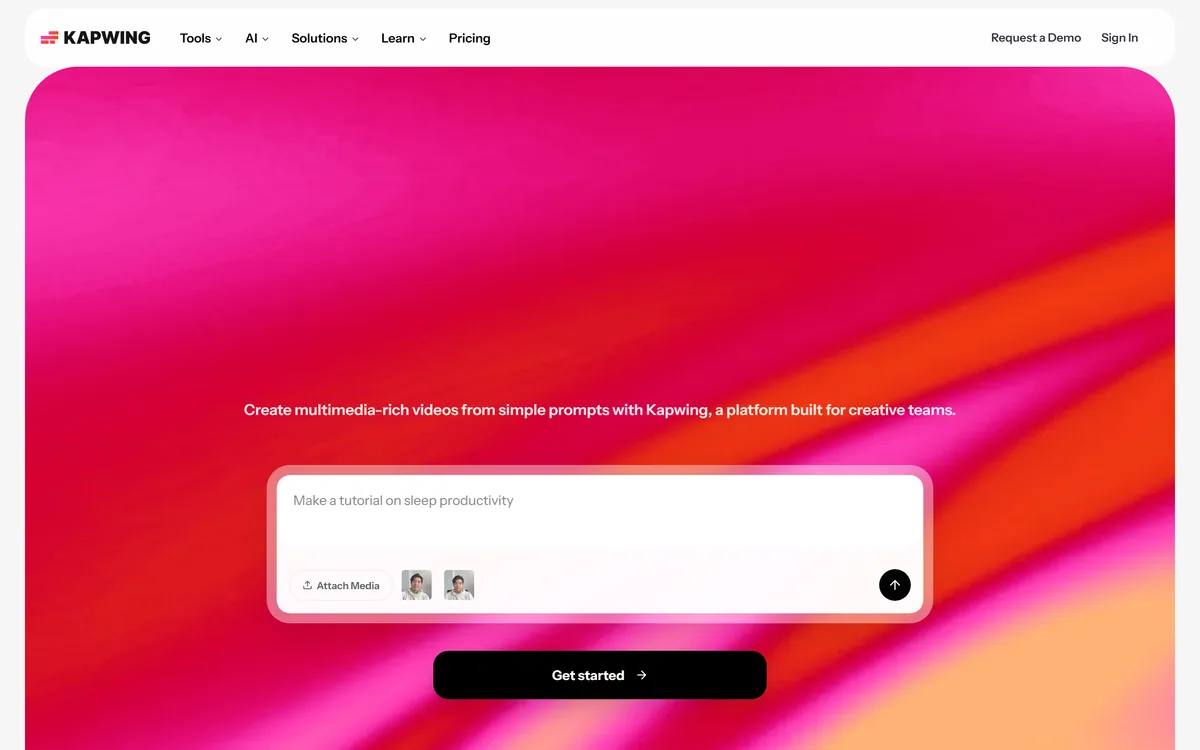
Kapwing runs its entire catalogue — editor, subtitler, audio editor, resizer, transcription — in the browser, with no installation.
The obvious objection is performance, and it used to be decisive. Video is heavy, browsers were not built for it, and early web editors were a demonstration rather than a tool.
What changed is where the work happens. Processing runs on the vendor's machines rather than yours, which inverts the usual laptop constraint: an underpowered machine is no longer the limiting factor, and your fan does not spin up.
The real advantage is not speed though, it is state. There is no project file to lose, no media to relink, nothing to install on the machine you happen to be using, and sharing a link is not the same as sending a file.
The cost is dependency. You need connectivity, you are subject to whatever upload speed you have, and your material sits on somebody else's infrastructure — the same trade every browser-based editor makes, including Flixier.
There is no project file to lose, no media to relink, and nothing to install on the machine you happen to be using.
Two features in Kapwing's catalogue change how editing feels rather than adding another effect, and both deserve more attention than the generation tools.
Trim with Transcript lets you edit video by editing text. Delete a sentence in the transcript and the corresponding video disappears, which converts a scrubbing-and-scrubbing task into reading.
The reason it is so much faster is cognitive rather than mechanical. Finding the moment somebody said the wrong thing takes seconds in text and minutes on a timeline, and the transcript is searchable in a way waveform is not.
Smart Cut removes silences automatically, and for talking-head content that is the single largest saving available. A twenty-minute recording of somebody speaking contains several minutes of pauses, and cutting them by hand is the least rewarding work in editing.
Together they cover most of what a first pass on interview, podcast or tutorial footage actually involves — the same job that recording-first tools like Vmaker AI attack from the capture end.
Kapwing includes a Repurpose Studio and a Clip Maker for turning long videos into social-ready short clips, alongside Speaker Focus for auto-resizing around whoever is talking.
This is now a category of its own, and Kapwing's version sits inside an editor rather than standing alone, which matters more than it sounds.
Automatic clipping is good at finding candidate moments and bad at judging which are actually good. The model detects a self-contained passage; whether it is interesting is a human judgement it cannot make.
Having the clips land in an editor rather than a download folder is therefore the useful arrangement, because almost every automatically selected clip needs its start point moved and its ending tightened.
Speaker Focus solves the adjacent problem, which is that a horizontal recording of two people cropped to vertical usually shows an ear and a wall. Automatic reframing around the active speaker is the difference between a repurposed clip and an unwatchable one — the same problem Klap addresses as its whole product.
Kapwing lists dubbing that translates dialogue into 40+ languages, alongside video translation and subtitle generation.
The value is straightforward: a tutorial, a course module or a product explainer has an audience beyond the language it was recorded in, and re-recording in ten languages was never realistic for most teams.
What is worth understanding is the quality gradient. Subtitles are the safest — a translation error is visible and correctable, and viewers forgive them. Dubbing is riskier because it sounds authoritative and errors are invisible to anyone who does not speak both languages.
The specific failures are predictable. Idioms translated literally, technical terms with an established local convention rendered generically, and names or brand terms mangled by pronunciation.
The sensible policy is to have anything dubbed reviewed by someone fluent before it is published, particularly where the content is instructional. A confidently wrong instruction in a language you cannot check is the failure mode worth guarding against.
It is worth being clear about the boundary, because pushing a browser editor past it wastes more time than installing something would have.
Long-form is the first limit. Editing a forty-minute documentary with hundreds of clips is a project-management task as much as an editing one, and desktop applications have decades of tooling for exactly that.
Colour work is the second. Grading requires precision, calibrated monitoring and scopes, and browser tools do not attempt it — nor should they.
Complex audio is the third. Multi-track mixing, noise repair and mastering belong in dedicated audio software such as iZotope RX, and an in-browser audio editor covers cleanup rather than production.
The useful mental model is that browser editors handle the work that has a deadline and desktop editors handle the work that has a budget. Most video has a deadline.
The trap with a large tool catalogue is browsing it. Twenty AI tools listed on a page invites experimentation, and experimentation is not output.
This order does the highest-value operations first and stops when the video is publishable.
| Product type | Browser-based video studio |
|---|---|
| Location | Made in San Francisco, California, per the footer |
| Editing tools | Video editor, subtitler, audio editor, resize, trim with transcript, transcribe |
| AI tools | Kapwing AI, script generator, B-roll generator, clean audio, clip maker, character consistency, video generator, smart cut |
| Speaker Focus | Auto-resizes video to follow whoever is speaking |
| Repurpose Studio | Turns a long video into social-ready clips |
| Dubbing | Translates dialogue into 40+ languages |
| Solutions | Marketing teams, training teams, schools, social video, video ads, translation |
| Templates | Video, meme, collage, Instagram and education template libraries |
| Learning | Resources, help centre, blog, video tutorials |
| Copyright | © 2026 Kapwing |
Timeline video editor in the browser
Trim with Transcript for text-based cutting
Smart Cut for automatic silence removal
Automatic subtitles and translation
Dubbing into more than 40 languages
Speaker Focus auto-reframing
Repurpose Studio and Clip Maker for short-form
B-roll generation, clean audio and text-to-speech
Editing tools differ by where they run and what kind of video they assume.
| Tool | Where it runs | Strength | Best for |
|---|---|---|---|
| Kapwing | Browser | Transcript editing and silence removal | Deadline-driven processing of talking-head video |
| Flixier | Browser | Fast collaborative editing | Teams editing together |
| Klap | Browser | Long video into vertical clips | Repurposing at volume |
| Vmaker AI | Desktop and browser | Record then edit in one loop | Screen recordings and tutorials |
| Clipfly | Browser | Object and text removal | Cleaning up footage |
Adjacent products for editing, clipping and cleaning video.
Last checked . Read from kapwing.com in a browser session on the date above, with the screenshot captured alongside.
What we could not confirm: pricing and what the free tier includes; export resolution limits, which are the usual constraint on browser editors; how long uploaded media is retained and where it is processed; which models power the AI tools; whether dubbing uses cloned or stock voices; and the registered operating entity, which the footer gives as a product name and location rather than a company. We did not edit anything, so nothing here reflects tested performance.
Kapwing has been quietly correct about one thing for years: most video work is not craft editing, it is trimming, captioning, resizing and getting something out. Those jobs do not need a desktop application, a project file or a render queue, and doing them in a tab removes an enormous amount of friction. The two features that earn their place are Trim with Transcript, which turns cutting into text editing, and Smart Cut, which removes silences automatically. It is not the tool for a colour-graded thirty-minute film, and it does not pretend to be. AInexfinder Editor Score: 4.2/5.
AInexfinder does not list plan prices or billing details. For current pricing, plans, and trials, visit the official Kapwing website.
Visit official website for pricingVendor pricing, credits, and billing policies change over time. Always confirm on the official site before you buy.
Log in to write a review.
No reviews yet. Be the first to share your experience with Kapwing.
Assigned reviewer
Daniel ReedSenior AI Tools Reviewer
Daniel reviews AI tools the slow way — by actually using them on real projects. His reviews cover what works, what breaks, and who each tool is genuinely a good fit for.
Daniel and the AInexfinder editorial team research Kapwing using public product information, listing evidence, and (when available) hands-on checks. Scores reflect listing completeness and transparency — not paid placement.
Descript is a video and audio editor that works by editing a transcript — delete a sentence and the footage goes with it — plus Studio Sound, Eye Contact, filler-word removal, AI voices, avatars, and the Underlord assistant.
Vibrantsnap is an AI tool that turns a rough screen recording into a polished walkthrough: it rewrites your narration, reads it in a studio voice in any language, and auto-edits the video with zooms, chapters and captions.
BlipCut translates and dubs video into more than 140 languages with AI lip synchronisation, so translated speech aligns with the speaker's mouth. It also clones voices in 29 languages, offers 600+ voices across 40+ languages, and generates, translates and edits subtitles from uploads or YouTube links.
VEED is an AI video-creation platform that takes an idea to a finished social video in the browser, bundling generation, AI avatars, subtitles, dubbing, clean audio and a brand kit, plus access to frontier models like Sora 2, Veo and Kling.
BIGVU is an AI personal-branding video platform with a teleprompter, AI avatars and voice cloning, auto-editing (caption, filler removal, eye-contact correction), and one-click social posting, aimed at realtors, coaches and marketers, with synthetic-media features that carry likeness and consent considerations.
Zeemo from Bluepulse Inc. generates automatic captions and translates video, alongside basic editing — trim, crop, resize, reverse — plus emoji, GIF, and sticker overlays, on web, iOS, and Android.