

Runway is an AI video platform built around generative world models — Gen-4.5, Aleph 2.0, and Act-Two for performance capture — split across Runway Creative for filmmakers, Runway Dev for builders, and Runway Robotics.
FreemiumVideo & Audio
Clipfly.ai bundles eleven AI tools in one browser workspace: video generation, image to video, storyboarding, video enhancement, object and text removal, an editor, headshots, AI Replace, plus music and image generation.
Bundled AI toolkits are easy to dismiss and occasionally worth having. The dismissal is usually right: eleven mediocre tools are not better than one good one, and long feature lists are a marketing tactic rather than a product strategy.
The exception is when a bundle happens to contain two or three tools you would otherwise pay for separately, and they sit next to each other in a workflow where that adjacency saves real time.
Clipfly is worth checking against that test. Its removal and enhancement tools do work most people find tedious, and having them beside a basic editor removes the export-and-reimport loop that separate tools force.
Clipfly lists AI Video Generator, Video Enhancer, Image to Video, AI Storyboard, Video Object Remover, Video Text Remover, Video Editor, Headshot Generator, AI Replace, AI Music Generator and AI Image Generator.
That list splits cleanly into two groups, and the split matters more than the count. Some of these tools do work that is genuinely tedious by hand; the rest do work that a dozen other products also do.
The tedious group is removal and repair — object removal, text removal, enhancement, AI Replace. These automate tasks that used to mean frame-by-frame masking, and the time saved is real and measurable.
The commodity group is generation — video from a prompt, images, music, headshots. All fine, none a reason to choose one product over another, and each individually beaten by a specialist.
So the honest way to evaluate Clipfly is to ignore eight of the eleven and ask whether the removal tools work well on your actual footage. If they do, the rest is a bonus; if they do not, the length of the list changes nothing.
Ignore eight of the eleven and ask whether the removal tools work on your actual footage. If they do, the rest is a bonus.
Removing something from video is the clearest case where AI replaced a job nobody wanted to do.
Done manually, it means tracking the object across every frame, masking it, and reconstructing what was behind it — plausibly, consistently, and without the patched area shimmering as the shot moves. Hours of work for a few seconds of footage.
The reason it is a good AI task is that the model only has to be convincing, not correct. Nobody knows what was behind the object, so a plausible reconstruction is a complete success, which is a much easier bar than most generative work faces.
Text removal is the same problem with a common cause: watermarks, burnt-in captions, on-screen names, subtitles in the wrong language. Footage you otherwise cannot reuse becomes usable.
One caution worth stating: removing a watermark does not remove the licence attached to the footage. The tool is for material you have the right to use, and the same is true of anything you take text off.
Eleven tools in one product means eleven things that need maintaining, and no team maintains eleven things equally well.
The predictable pattern is two or three tools that get attention because they drive signups, and the rest sitting at whatever quality they launched with. Feature lists do not tell you which is which, and the site will not either.
This is why the useful question about a bundle is never how many tools it has but which one the company would be embarrassed to have criticised. That is the one being maintained.
The countervailing argument for bundles is genuine, though, and it is about friction rather than quality. Moving footage between four separate services means four exports, four uploads, four accounts and four compression passes that visibly degrade the video.
A single workspace where a clip goes from removal to enhancement to edit without leaving the browser is worth something real, even when each individual step is beaten by a specialist. Broad toolkits such as Flixier make the same trade, and it is a reasonable one if you know you are making it.
Most AI video toolkits start at generation. Clipfly includes an AI Storyboard, which sits before it.
That ordering is unusual and it addresses a real failure. The reason AI video projects fall apart is rarely the individual clips — it is that fifteen good clips do not add up to something watchable because nobody decided what the sequence was.
A storyboard forces that decision first. Shot list, order, what each shot has to accomplish — the boring pre-production work that determines whether generated footage cuts together.
It also makes generation cheaper, in both time and credits. Knowing you need six specific shots is far more efficient than generating thirty and hoping some of them fit.
Whether Clipfly's implementation is any good is not something the site tells you, and it is the first thing to test. A storyboard tool that just describes shots vaguely is of no use; one that produces a shot list you would actually follow changes how you work.
The right way to think about a bundle is not as a replacement for specialists but as a way to avoid opening one for small jobs.
On the editing side, browser suites built primarily for editing will beat a bundled editor on speed, collaboration and timeline control. Something like Flixier is doing editing as its main job, and the difference shows on anything longer than a couple of minutes.
On the capture side, Clipfly starts from footage that already exists. If your work begins with a screen recording or a piece to camera, a record-and-edit product such as Vmaker AI closes that loop far more efficiently than exporting a recording and uploading it somewhere else.
On generation, a specialist that assumes a specific job produces better output than a general prompt box. BeatViz knows a music video has to follow a beat; JoggAI knows a product video has to show a product. General generators cannot make those assumptions and do not try.
What none of those specialists give you is the boring middle of the workflow: an object gone, a caption removed, a low-quality source made watchable. That is Clipfly's actual territory, and it is a genuinely useful one to have in a tab.
Removal results are not consistent across footage, and understanding why saves you from judging the tool on the wrong clip.
The variable that matters most is what is behind the thing you are removing. A static wall reconstructs perfectly; a moving crowd, a reflective surface or a detailed pattern does not, because the model has to invent something plausible frame after frame and small inconsistencies read as shimmer.
Camera movement is the second variable. A locked-off shot gives the model consistent geometry to work with. A handheld pan means the occluded area changes every frame, and the reconstruction has to stay coherent while everything around it moves.
Size is the third and least intuitive. Small objects are easy; something occupying a third of the frame means the model is generating a third of your image, and at that point you are no longer removing an object so much as regenerating the shot.
This is why testing on your own footage matters more than any demonstration. Vendor examples are chosen for favourable conditions, and the useful test is the awkward clip you actually need fixed — checked in motion, not on a paused frame.
Because most of the tool list is commodity, a fast evaluation should ignore it and go straight to the two or three things that would actually make you choose this product.
This sequence tests the difficult jobs first and stops early if they fail.
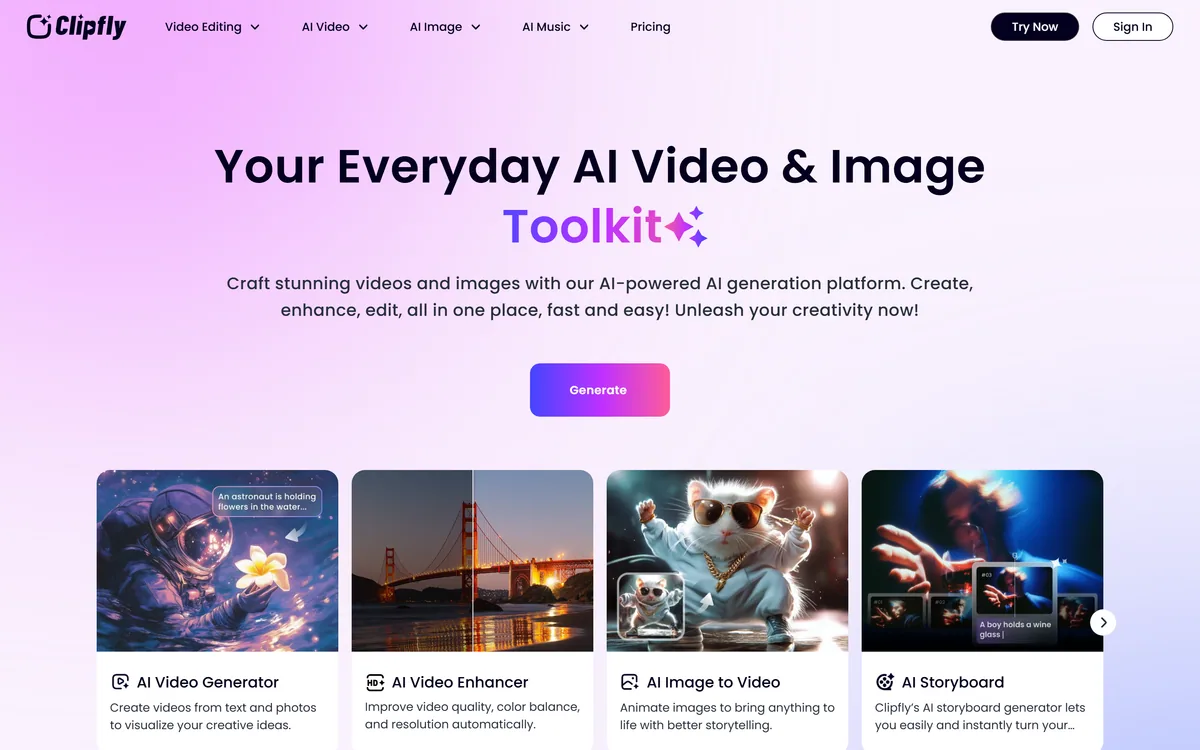
| Site | clipfly.ai |
|---|---|
| Product type | Bundled AI video and image toolkit |
| Video generation | AI Video Generator and Image to Video |
| Pre-production | AI Storyboard |
| Repair and removal | Video Enhancer, Video Object Remover, Video Text Remover, AI Replace |
| Editing | Video Editor |
| Image tools | Headshot Generator, AI Image Generator |
| Audio | AI Music Generator |
| Delivery | Browser-based workspace |
| Tools listed | Eleven across video, image and audio |
AI video generation from a prompt
Image to video conversion
AI Storyboard for shot planning before generation
Video object removal
Video text and watermark removal
Video enhancement, an in-browser editor, headshots, AI Replace, music and image generation
Bundles and specialists make different trades between breadth and depth.
| Tool | Breadth | Standout capability | Best for |
|---|---|---|---|
| Clipfly | Eleven tools across video, image and audio | Object and text removal | Cleaning up footage without four separate services |
| Flixier | Broad browser editing suite | Fast collaborative editing | Team editing in the browser |
| Vmaker AI | Recording plus editing | Capture-to-edit in one loop | Screen and camera recordings |
| BeatViz | Narrow — music video only | Named models and a built-in editor | One specific job done properly |
| Pikzels | Narrow — thumbnails | Still images built to be clicked | The frame people see before the video |
Last checked . Read from clipfly.ai in a browser session on the date above, with the screenshot captured alongside.
What we could not confirm: the operating company or its location, which the pages we read do not name; pricing, credit costs or usage limits; which models sit behind any of the eleven tools; output resolution and duration ceilings; commercial usage rights for generated material; and whether any of the tools has been independently reviewed. We did not run any of the tools, so nothing here reflects tested removal quality — which is the thing that decides whether the bundle is worth having.
Clipfly is a bundle, and bundles should be judged on their best two or three tools rather than their length. Here the standouts are the removal tools — taking an object or burnt-in text out of footage is a genuinely tedious job that AI does well, and having it beside a basic editor saves a real round trip. The generation tools are commodity: video from a prompt, images, music, headshots, all available in a dozen other places. Buy it for the removal and enhancement work, treat everything else as included rather than as a reason to choose it, and do not expect any single tool here to beat a specialist at its own job. AInexfinder Editor Score: 3.6/5.
AInexfinder does not list plan prices or billing details. For current pricing, plans, and trials, visit the official Clipfly website.
Visit official website for pricingVendor pricing, credits, and billing policies change over time. Always confirm on the official site before you buy.
Log in to write a review.
No reviews yet. Be the first to share your experience with Clipfly.
Assigned reviewer
Daniel ReedSenior AI Tools Reviewer
Daniel reviews AI tools the slow way — by actually using them on real projects. His reviews cover what works, what breaks, and who each tool is genuinely a good fit for.
Daniel and the AInexfinder editorial team research Clipfly using public product information, listing evidence, and (when available) hands-on checks. Scores reflect listing completeness and transparency — not paid placement.
Runway is an AI video platform built around generative world models — Gen-4.5, Aleph 2.0, and Act-Two for performance capture — split across Runway Creative for filmmakers, Runway Dev for builders, and Runway Robotics.
LipSync.video generates lip-synchronised video from a face and an audio track. It offers two model tiers, accepts uploaded video, uploaded or recorded audio, or a typed script with generated speech, and provides over 300 prebuilt avatars. Credits can be earned through daily actions as well as bought.
Viggle animates characters from a still image driven by motion from a video, built on its Joint Space-Time model — described as a physics-native world model that generates characters, motion and scenes together in shared 4D space. It offers a Meme Maker, the PINOC motion-capture tool, games and an API, and states 50 million users.
BeatViz.ai turns music into video through three tools — Chat, Workflow and Editor. Chat 2.0 is positioned as an AI music video director, and the site names the models it draws on, including Veo, Sora, Kling, Seedance, Nano Banana and GPT Image 2.
Argil is an AI video platform built around three surfaces: a Playground for generating images and video model by model, a Director that takes an idea to a finished video, and Templates that turn a repeated video format into a reusable recipe with variables.

The workspace at www-flux3.com generates 5–20 second AI videos with native audio from text or a starting image, routing across FLUX 3, MiniMax H3, Seedance, Wan 3.0 and Kling 3.0 Pro, at 720p or 1080p with video extension.