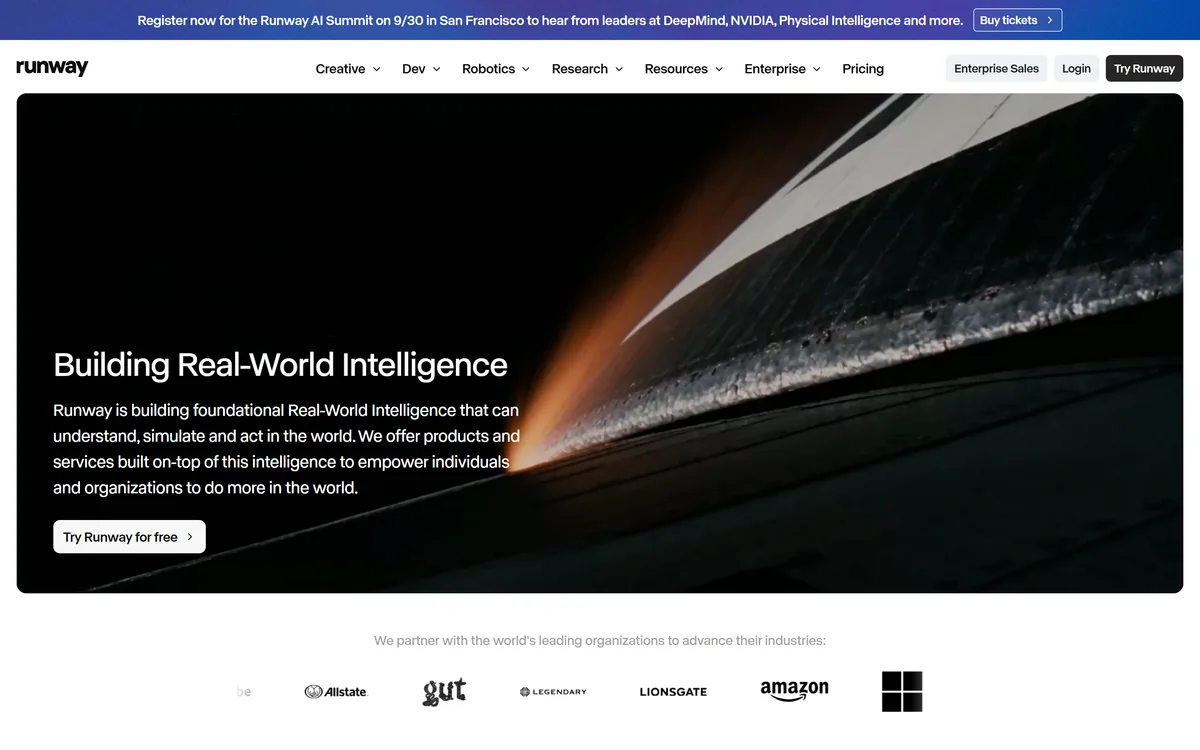
Runway is an AI video platform built around generative world models — Gen-4.5, Aleph 2.0, and Act-Two for performance capture — split across Runway Creative for filmmakers, Runway Dev for builders, and Runway Robotics.
Runway AI Incrunway.com78,017 viewsAdded June 24, 20253M+ visitors
Runway makes AI video, and it has been at the front of that field for long enough to have shaped how everyone else talks about it. Text to video, image to video, and video to video all run here.
The framing has widened considerably. Runway now describes itself as building general world models — systems meant to understand and simulate the physical world — with creative video as one application among several, alongside developer tools and robotics.
This review sticks to what a video team can actually do with it today: which models handle which job, what the workflow features are for, and the constraints that still define the medium.
Runway now frames itself around world models rather than video generation alone.
Runway Platform Facts
Maker
Runway AI, Inc.
Category
AI video generation and editing platform
Domain change
runwayml.com now redirects to runway.com
Product lines
Runway Creative, Runway Dev, Runway Robotics
Models
GWM-1 general world model, Gen-4.5, Aleph 2.0, Act-Two
Workflow features
Agent, Workflows, Media Router, Characters, MCP support
Platforms
Web, iOS, Android, and an API
Scale claim
Vendor cites more than 60 million creatives
Free trial
Yes
Enterprise
Enterprise offering and video model licensing available
Three Products Under One Name
Runway is no longer a single app, and knowing which line you are looking at prevents a lot of confusion when reading its material.
Runway Creative — the video generation and editing platform filmmakers and marketers use
Runway Dev — API access and developer tooling for building on the models
Runway Robotics — the models applied to physical systems and synthetic data
The Models And What Each Is For
Runway ships several models rather than one general video generator, and matching the model to the task is most of the skill.
Gen-4.5
Gen-4.5 is the mainline generation model — the one behind most text-to-video and image-to-video work. It is where you start for creating a shot that does not exist yet.
Its notable strength is holding a subject or style consistent across separate generations, which is what makes assembling a sequence rather than a single clip realistic.
Aleph 2.0
Aleph handles transformation of existing footage rather than creation from nothing — restyling, altering, and editing video you already have.
For teams with real footage, this is often the more useful half of the platform. Modifying a shot you filmed avoids the control problems that come with generating one from a description.
Act-Two
Act-Two is performance capture: driving a character with a recorded performance so expression and timing come from an actor rather than from a prompt.
This addresses the weakest part of generated video. Prompt-driven acting reads as uncanny; a real performance mapped onto a generated character does not.
GWM-1
GWM-1 is the general world model underneath the newer work, aimed at simulating how the world behaves rather than producing pretty frames. It is the foundation for the robotics and synthetic data work.
Workflows, Agent, And Characters
The tooling around the models is what separates Runway from a generation endpoint. Workflows chain steps together so a repeatable process can run without rebuilding it each time.
Characters keeps a figure consistent across shots, which is the single hardest problem in generated video and the reason most AI films look like a collection of unrelated clips.
Agent and MCP support point at automation — Runway being driven by other systems rather than only by a person in the browser. Media Router handles moving assets between steps.
Who Is Actually Using It
Runway's user base spans professional film and advertising work, marketing teams producing volume, and independent creators. The vendor cites more than 60 million creatives across the platform.
In professional pipelines it is most often used for specific shots rather than whole productions — previsualisation, establishing shots, effects that would be expensive to film, and inserts.
For marketing teams the calculation is different: it produces usable video without a shoot, which changes what is possible on an ordinary budget rather than improving what a large one can already do.
Runway Against Other AI Video Tools
Compared with the newer general-purpose video models, Runway is less about producing one impressive clip and more about giving you the pieces to finish something. Transformation, performance capture, and character consistency are production concerns, not demo concerns.
That focus cuts both ways. If you want a single striking shot from a prompt, a simpler tool will get you there with less to learn. If you want six shots that look like they belong in the same film, Runway is built for that and most alternatives are not.
The world-model direction also signals where the company is going. Runway is increasingly betting on simulation rather than on being the prettiest video generator, which is worth knowing if you are choosing a platform to build on for years.
The Constraints That Still Define It
Clip length remains short. Generated video is measured in seconds, so anything longer is assembled from many generations, and holding continuity across that assembly is real work.
Control is coarse compared with filming. You can describe and influence a shot, but you cannot direct it the way you would direct a camera, and getting a specific result often takes many attempts.
Hands, text, and complex physical interaction remain the reliable failure cases. Generated footage still betrays itself in the details more than in the overall impression.
Cost accumulates through iteration, not through the final render. The generations you discard are the expense, and that is difficult to budget before you start.
Working With It Effectively
Start from footage or an image where you can. Image-to-video and Aleph's transformation of existing material give far more control than describing a shot from scratch.
Use Characters and consistent references from the first shot rather than trying to match later. Continuity is much easier to establish than to repair.
Plan for iteration explicitly. Budget generations the way you would budget takes, and accept that a usable shot may be the tenth attempt rather than the first.
Is Runway The Right Video Tool?
Runway is the most complete AI video platform for people doing real production work, and Aleph and Act-Two address exactly the problems that make purely generative video hard to use professionally.
Choose it if you are producing video seriously — for film, advertising, or high-volume marketing — and want transformation and performance capture alongside generation. Choose something simpler if you need occasional short clips and do not want to learn a platform.
Note that runwayml.com now redirects to runway.com, so older links and listings point at the previous domain. Check runway.com for current plans and credit limits before committing to a project.
Key features of Runway ML
Gen-4.5 for text-to-video and image-to-video generation
Aleph 2.0 for transforming and restyling existing footage
Act-Two performance capture for driving characters from a real performance
Characters for holding a figure consistent across separate shots
Workflows for chaining repeatable multi-step processes
Agent and MCP support for automating Runway from other systems
API access through Runway Dev, plus iOS and Android apps
Pros & cons
Pros
5
Most complete AI video toolset for genuine production work
Aleph transforms real footage, which gives far more control than pure generation
Act-Two solves the uncanny performance problem better than prompt-driven acting
Characters and Workflows make multi-shot sequences realistic to attempt
Available on web, mobile, and through an API rather than one interface
Cons
5
Clips remain short, so longer pieces must be assembled and matched
Control is coarse — directing a specific result takes many attempts
Hands, on-screen text, and complex physical interaction still fail visibly
Discarded iterations, not final renders, drive the real cost
Model line-up is large enough that choosing the wrong one wastes credits
Best For
Film and advertising teams generating specific shots and effects
Marketing teams producing video without a shoot
Editors restyling or altering footage they already have
Creators who need a character to stay consistent across shots
Developers building video generation into their own products
Editor's Verdict
4.5/5
Runway ML has an AInexfinder Editor Score of 4.5/5.
Runway ML pricing
AInexfinder does not list plan prices or billing details. For current pricing, plans, and trials, visit the official Runway ML website.
Vendor pricing, credits, and billing policies change over time. Always confirm on the official site before you buy.
Frequently asked questions
What is the difference between Runway's Gen-4.5 and Aleph?
Gen-4.5 creates video from a prompt or an image — footage that does not exist yet. Aleph 2.0 transforms footage you already have, restyling or altering it. Starting from real footage generally gives you far more control.
What is Act-Two used for?
Performance capture. It drives a generated character using a recorded performance, so expression and timing come from an actor rather than from a text prompt — which is why it avoids the uncanny quality of prompt-directed acting.
Did Runway change its website address?
Yes. runwayml.com now permanently redirects to runway.com. Many older links, reviews, and directory listings still point at the previous domain.
How long can Runway videos be?
Individual generations are short — measured in seconds. Longer pieces are assembled from many clips, which makes continuity between them the main practical challenge rather than the generation itself.
Can Runway keep a character consistent across shots?
That is what the Characters feature is for, and it is one of Runway's stronger capabilities. Establish the reference at the start of a sequence — continuity is much easier to maintain than to fix afterwards.
Does Runway have an API?
Yes, through Runway Dev, alongside the web platform and iOS and Android apps. There is also MCP support and an Agent for driving Runway from other systems.
How much does Runway cost?
AInexfinder does not publish plan prices because vendor pricing changes frequently. Check runway.com for current plans and credit allowances — and budget for iteration, since discarded generations drive most of the real cost.
Daniel reviews AI tools the slow way — by actually using them on real projects. His reviews cover what works, what breaks, and who each tool is genuinely a good fit for.
Daniel and the AInexfinder editorial team research Runway ML using public product information, listing evidence, and (when available) hands-on checks. Scores reflect listing completeness and transparency — not paid placement.
Listings may include affiliate or sponsored placements, which are labeled when present. Editorial scores and cons are not sold. See our affiliate disclosure and review methodology.
LipSync.video generates lip-synchronised video from a face and an audio track. It offers two model tiers, accepts uploaded video, uploaded or recorded audio, or a typed script with generated speech, and provides over 300 prebuilt avatars. Credits can be earned through daily actions as well as bought.
Viggle animates characters from a still image driven by motion from a video, built on its Joint Space-Time model — described as a physics-native world model that generates characters, motion and scenes together in shared 4D space. It offers a Meme Maker, the PINOC motion-capture tool, games and an API, and states 50 million users.
BeatViz.ai turns music into video through three tools — Chat, Workflow and Editor. Chat 2.0 is positioned as an AI music video director, and the site names the models it draws on, including Veo, Sora, Kling, Seedance, Nano Banana and GPT Image 2.
Argil is an AI video platform built around three surfaces: a Playground for generating images and video model by model, a Director that takes an idea to a finished video, and Templates that turn a repeated video format into a reusable recipe with variables.
The workspace at www-flux3.com generates 5–20 second AI videos with native audio from text or a starting image, routing across FLUX 3, MiniMax H3, Seedance, Wan 3.0 and Kling 3.0 Pro, at 720p or 1080p with video extension.
Descript is a video and audio editor that works by editing a transcript — delete a sentence and the footage goes with it — plus Studio Sound, Eye Contact, filler-word removal, AI voices, avatars, and the Underlord assistant.