
Runway is an AI video platform built around generative world models — Gen-4.5, Aleph 2.0, and Act-Two for performance capture — split across Runway Creative for filmmakers, Runway Dev for builders, and Runway Robotics.
FreemiumVideo & Audio
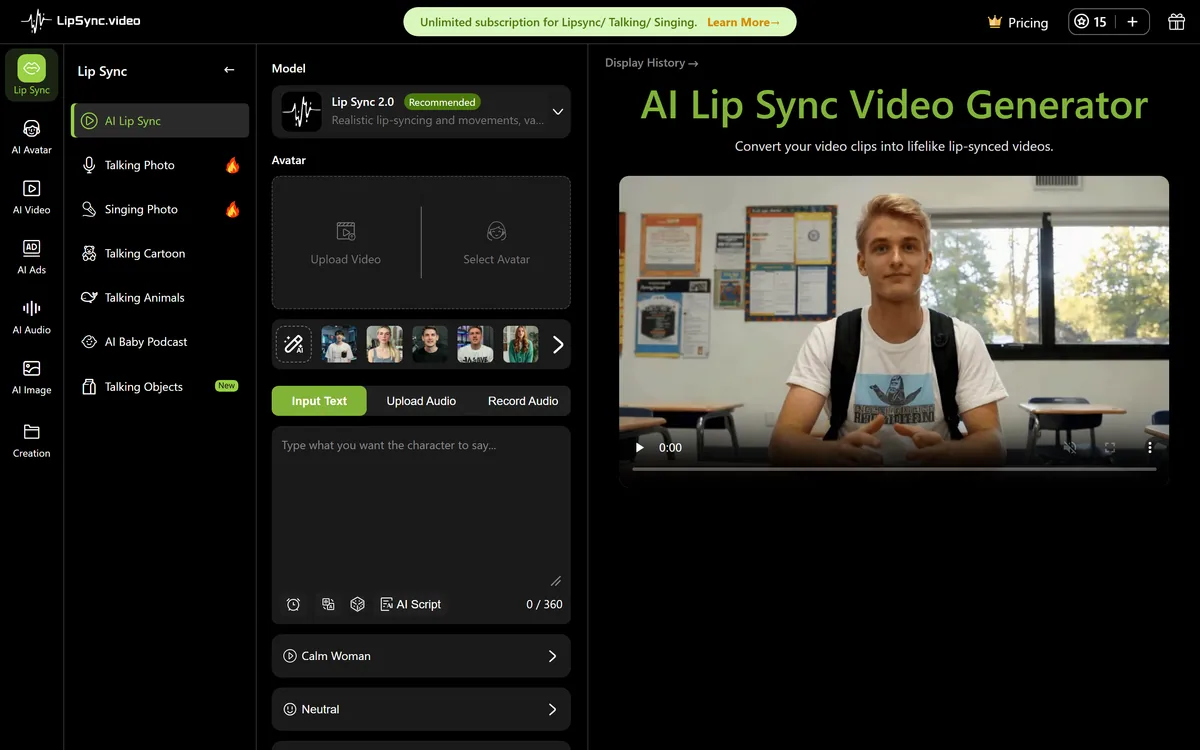
LipSync.video generates lip-synchronised video from a face and an audio track. It offers two model tiers, accepts uploaded video, uploaded or recorded audio, or a typed script with generated speech, and provides over 300 prebuilt avatars. Credits can be earned through daily actions as well as bought.
| Category | AI lip synchronisation and talking-head video generation |
|---|---|
| Model tiers | Lip Sync 1.0 — fast, portrait videos only, basic effects. Lip Sync 2.0 — realistic movement across varied character types, marked as recommended |
| Credit cost by tier | 1 credit per 90 seconds on 1.0; 4 credits per 30 seconds on 2.0 |
| Video input | MP4, MOV and WebM, up to 500 MB for the background video |
| Audio input | Uploaded audio files or direct recording, up to 90 seconds |
| Text input | Script entry with AI speech generation |
| Avatar library | 300+ prebuilt avatars, plus custom video upload or generated human avatars |
| Languages | Vendor states support for multiple languages |
| Processing time | Minutes to roughly half an hour depending on length and complexity |
| Output | Downloadable without watermarks |
| Headquarters | Singapore |
| Charging model | Credit-based, with credits earned daily and weekly through check-ins, sharing, following and posting, alongside purchased permanent credits and paid subscriptions; no sign-up required for free access. No prices published here |
This is a narrow tool and understanding the specific jobs it does explains whether it is useful to you in about a minute.
Dubbing without reshooting. You have footage of someone speaking and you want them to appear to say something else — a different language, a corrected line, an updated figure. Re-recording means getting the person back in front of a camera, which is frequently impossible.
Full generators like Fliki build the whole video instead. Making a still or stock face speak. An avatar, a character, an illustration. This is how a lot of animated explainer and character content gets made without animating mouths frame by frame.
Fixing a bad take. The delivery was wrong on one line, the audio was clean, and the visual is otherwise fine. Replacing the audio and resyncing is far cheaper than reshooting.
Music and performance content. Making a character or a face perform a track, which the site lists among its use cases alongside anime and interviews.
What it is not is a video generator. It does not create footage, write scripts or produce anything without a face and an audio track to start from. That narrowness is a virtue — tools that do one thing tend to do it more predictably — and it means the question is simply whether your job is this job.
It does not make video. It makes an existing face say something else, which is a much smaller claim and a much more reliable one.
The model split is unusually honest for this category and the difference is worth understanding before you spend anything.
Lip Sync 1.0 is fast, restricted to portrait videos, and offers basic effects at 1 credit per 90 seconds. Lip Sync 2.0 handles varied character types with more realistic movement at 4 credits per 30 seconds.
Do the arithmetic and the gap is stark: 2.0 costs twelve times as much per second of output. That is not a small upsell, it is a different product tier, and it tells you something real about the compute involved in convincing facial motion.
The practical implication is to match the tier to the footage rather than defaulting upward. A straightforward front-facing portrait, well lit, is exactly what 1.0 was built for, and paying twelve times more for it wastes credits.
2.0 earns its cost on anything harder: non-human characters, animation, angles that are not straight-on, or footage where the face moves. Those are precisely the cases where a cheaper model produces the uncanny mismatch that makes the whole thing unusable.
The sensible test is to run the same clip through both. The quality difference on your specific footage is the only thing that tells you which tier your work actually needs, and it is a cheap experiment.
Audio is capped at 90 seconds, and this single constraint determines whether the tool fits your work more than any quality consideration does.
Ninety seconds is a social clip, an advertisement, a single scene, a short explainer, a message. It is comfortably enough for the majority of short-form content, which is what the tool is clearly aimed at.
It is nowhere near enough for a course module, a webinar, a full interview, a training video or anything long-form. Those would need splitting into segments and stitching, which introduces continuity problems at every join and is not what this is built for.
If long-form dubbing is your requirement, BlipCut and HeyGen handle full videos and are the right place to look. The distinction is genuinely useful: this is a clip tool, they are library tools.
The 500 MB background video limit is generous by comparison and rarely binds at 90 seconds of output.
Processing takes minutes to around half an hour depending on length and complexity, which is normal for the compute involved and worth knowing if you were expecting something instant.
This site does not publish plan prices. The structure here is genuinely unusual and worth understanding, because the free route is not free in the way it appears.
Credits come from several places: check-in credits daily, share credits daily, follow credits weekly, post credits weekly, and paid credits which are permanent. Paid subscriptions for unlimited access exist alongside all of that, and no sign-up is required for basic free access.
The earned-credit mechanism is a growth loop rather than generosity. Share credits and follow credits are the platform paying you in capacity for promotion — you are trading distribution for compute, which is a legitimate exchange as long as you notice you are making it.
The distinction that matters practically is that earned credits appear to reset on their cycle while paid credits are permanent. For occasional use, daily check-ins may genuinely cover you. For anything with a deadline, earned credits are not a plan — you cannot accumulate a week's worth on the day you need them.
Watermark-free downloads are worth noting, because plenty of free tiers in this category brand the output and this one does not.
Two things to confirm: whether the 1.0 and 2.0 tiers draw from the same credit pool, and whether a subscription's unlimited access covers both models or only the cheaper one. The twelve-fold cost difference makes that a material question.
One claim on the site needs careful reading, and it is the kind that appears across this whole category.
The site states recognition by more than a million global creators and displays major company names — Amazon, Instagram, TikTok, YouTube — alongside that.
Those platform names are almost certainly destinations for the output rather than customers of the product. A video made here gets posted to TikTok or YouTube; that is not the same as TikTok using the tool. Logo walls in this category routinely blur that distinction, and it is worth reading them precisely rather than as endorsements.
The creator figure is self-reported and unaudited, as such counters generally are.
The company is stated as headquartered in Singapore. Beyond that, founding details, team and funding are not published on the pages reviewed — which for a credit-based tool you can test for free matters far less than it would for enterprise software.
The genuinely useful signal here is not the logos. It is that the tool works without a sign-up, exports without a watermark and publishes its credit costs per tier openly — all of which let you evaluate it properly before committing anything.
Lip synchronisation of mouth movements to supplied audio
Two model tiers trading speed against realism
Video upload in MP4, MOV and WebM up to 500 MB
Audio upload or direct recording up to 90 seconds
Script entry with AI-generated speech
300+ prebuilt avatars
Custom video upload and generated human avatars
Multiple language support
Watermark-free downloads
Credits earned through daily and weekly actions
The dividing line is clip against library — everything else follows from the 90-second ceiling.
| Tool | Scope | Length limit | Charging |
|---|---|---|---|
| LipSync.video | Lip sync on a clip | 90 seconds of audio | Earned and purchased credits |
| BlipCut | Full video dubbing and translation | Full-length video | Minute-based subscription |
| HeyGen | Avatars, translation and dubbing | Full-length video | Subscription |
| Fliki | Generating video from text | Full-length video | Minute-based subscription |
| Synthesia | Avatar-led corporate video | Full-length video | Subscription |
If the 90-second ceiling rules this out, these handle full-length work.
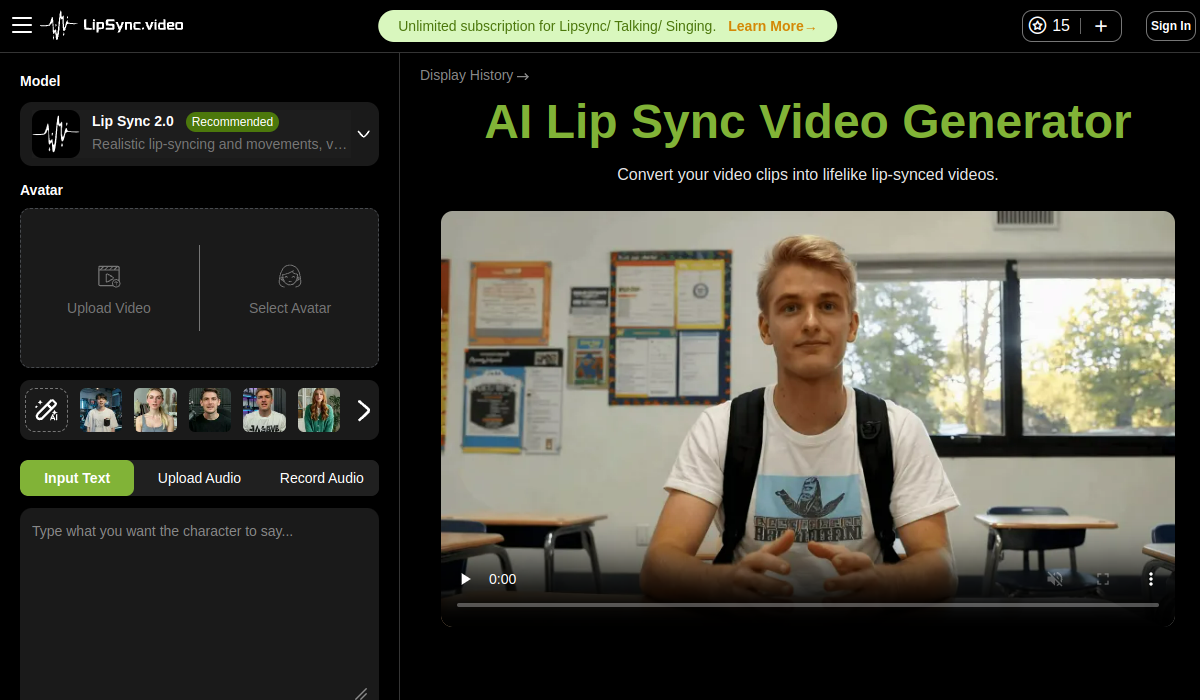
Last checked . Read from lipsync.video during this check, with the screenshot above captured at the same time.
The creator figure is self-reported and unaudited, and the platform names displayed alongside it are output destinations rather than customers of the product. Earned credits reset on their cycle while purchased ones are permanent, so the free route is not a plan for deadline work. Using a real person's face or voice without permission raises likeness rights independent of copyright in several jurisdictions.
It does one narrow job accessibly — two model tiers with a clear speed-against-quality trade, no sign-up required, watermark-free downloads and credits you can earn rather than only buy, which is unusually generous for the category. The score is limited by a 90-second audio ceiling that rules out long-form work, and by an engagement-based credit system that trades your promotion for capacity. AInexfinder Editor Score: 3.5/5.
AInexfinder does not list plan prices or billing details. For current pricing, plans, and trials, visit the official LipSync.video website.
Visit official website for pricingVendor pricing, credits, and billing policies change over time. Always confirm on the official site before you buy.
Log in to write a review.
No reviews yet. Be the first to share your experience with LipSync.video.
Assigned reviewer
Daniel ReedSenior AI Tools Reviewer
Daniel reviews AI tools the slow way — by actually using them on real projects. His reviews cover what works, what breaks, and who each tool is genuinely a good fit for.
Daniel and the AInexfinder editorial team research LipSync.video using public product information, listing evidence, and (when available) hands-on checks. Scores reflect listing completeness and transparency — not paid placement.
Runway is an AI video platform built around generative world models — Gen-4.5, Aleph 2.0, and Act-Two for performance capture — split across Runway Creative for filmmakers, Runway Dev for builders, and Runway Robotics.
Viggle animates characters from a still image driven by motion from a video, built on its Joint Space-Time model — described as a physics-native world model that generates characters, motion and scenes together in shared 4D space. It offers a Meme Maker, the PINOC motion-capture tool, games and an API, and states 50 million users.
BeatViz.ai turns music into video through three tools — Chat, Workflow and Editor. Chat 2.0 is positioned as an AI music video director, and the site names the models it draws on, including Veo, Sora, Kling, Seedance, Nano Banana and GPT Image 2.
Argil is an AI video platform built around three surfaces: a Playground for generating images and video model by model, a Director that takes an idea to a finished video, and Templates that turn a repeated video format into a reusable recipe with variables.

The workspace at www-flux3.com generates 5–20 second AI videos with native audio from text or a starting image, routing across FLUX 3, MiniMax H3, Seedance, Wan 3.0 and Kling 3.0 Pro, at 720p or 1080p with video extension.

Descript is a video and audio editor that works by editing a transcript — delete a sentence and the footage goes with it — plus Studio Sound, Eye Contact, filler-word removal, AI voices, avatars, and the Underlord assistant.