
Descript is a video and audio editor that works by editing a transcript — delete a sentence and the footage goes with it — plus Studio Sound, Eye Contact, filler-word removal, AI voices, avatars, and the Underlord assistant.
FreemiumVideo & Audio
Clueso turns raw screen recordings into product videos and documentation. It rewrites the script to remove filler, replaces your audio with AI voiceover, adds automatic zooms and captions, applies branded templates, and generates step-by-step SOPs from the same recording.
Product videos do not get made for a reason that has nothing to do with capability. Everyone can record their screen; almost nobody wants to edit the result.
The raw recording is fine and unusable. There are ums, a false start, thirty seconds finding the right menu, audio recorded in a room with a fan, and no indication of where the viewer should be looking. Fixing that takes hours, so it does not happen, so the video does not exist.
Clueso attacks the editing rather than the recording, and it produces documentation from the same take — which is the more interesting half, because a team needs both and normally makes neither.
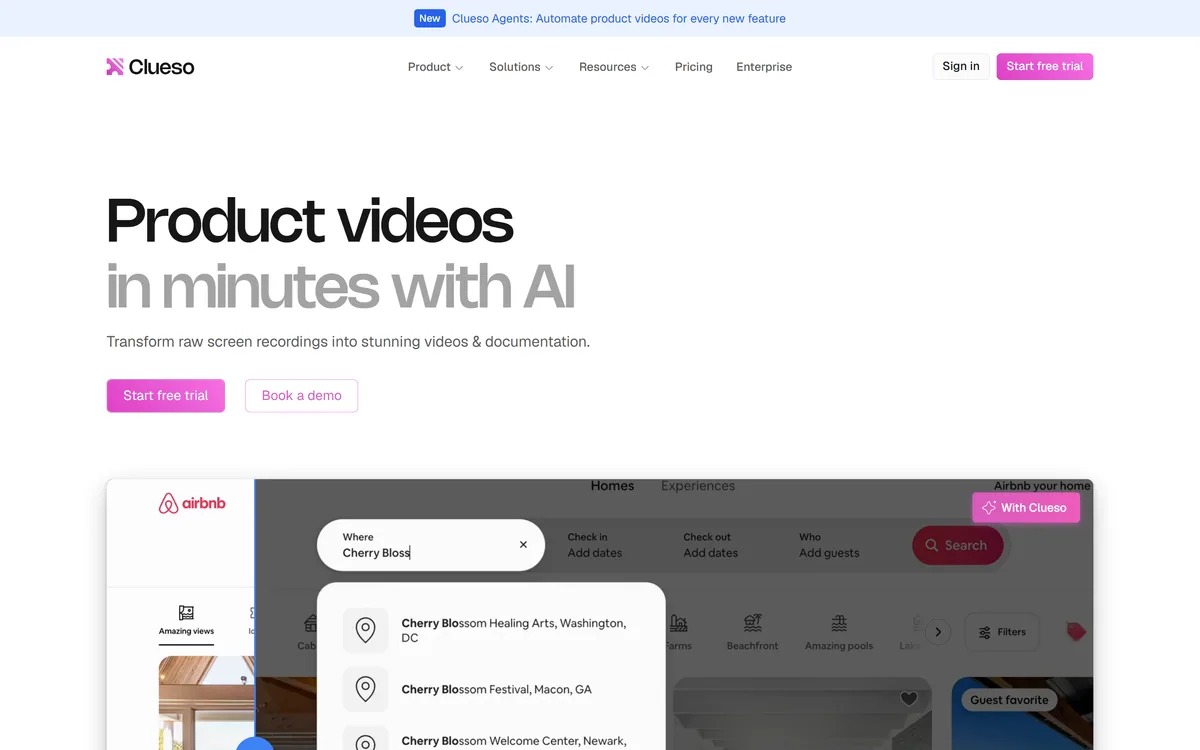
Clueso's framing is transforming raw screen recordings into stunning videos and documentation, and the before-and-after on its homepage is the whole pitch.
The gap it addresses is specific. Recording takes ten minutes; making the recording watchable takes two to four hours, and that ratio is why product teams have a folder of unedited captures and no published videos.
Four things make an unedited screen recording unusable, and Clueso names all four. The script is full of filler and restarts. The audio was recorded wherever you happened to be. Nothing directs the viewer's eye to the small interface element that matters. And there are no captions, so it is silent for anyone watching without sound.
Automating those four is a genuinely well-chosen set, because each is mechanical rather than creative. Removing an um is a detection problem; zooming to where the cursor clicked is a tracking problem; neither requires taste.
The customer quotes on the site are unusually specific about this — production time falling from two days to two hours, thirty videos a month where hours used to be needed — and they are attributed to named people with titles, which is more evidence than most vendors offer.
The related but distinct product is an interactive demo. Navattic lets a prospect click through your product rather than watch someone else use it, which suits selling where this suits teaching.
Recording takes ten minutes. Making the recording watchable takes four hours. That ratio is why product teams have a folder of captures and no published videos.
Clueso generates step-by-step documentation from the same recording that produces the video, and this is the feature worth the most and discussed least.
The reason is drift. A team that needs both a video and a written guide makes them separately, at different times, by different people — and within a quarter the product has changed, one of the two was updated, and nobody knows which.
That is not a documentation problem so much as a synchronisation problem, and it is why so much internal documentation is quietly wrong. The video shows an interface that no longer exists; the guide describes a menu that moved.
Generating both from one source makes them consistent by construction rather than by discipline. Re-record when the product changes and both artefacts update together, which turns maintenance from two jobs into one.
It also serves two genuinely different audiences. Some people learn a process by watching it once; others want a written list they can follow while doing it, and a team that only produces one format is serving half its users badly.
Clueso swaps your recorded audio for an AI voiceover it describes as impressively professional and realistic, and this is the largest quality jump in the product and the clearest trade.
The case for it is strong on quality grounds. Most screen recordings are made at a desk with a laptop microphone, ambient noise and inconsistent levels, and no amount of processing makes that sound like a studio. A synthetic voice reading a rewritten script simply does.
It also solves a scaling problem. A team of twenty producing videos will have twenty different microphone setups and twenty different levels of comfort speaking, and a single consistent voice makes a library sound like one product rather than twenty people's home offices.
The trade is that a synthetic voice is recognisable, and audiences differ in how much they mind. For internal training and reference documentation, almost nobody cares. For a founder explaining their own product to prospective customers, the person is part of what is being communicated.
The other consideration is that the rewritten script plus a synthetic voice means the video contains none of your original delivery. That is usually an improvement and it is worth deciding deliberately rather than by default, particularly for anything customer-facing.
The reverse arrangement also exists. Narakeet starts from documentation you already maintain and generates narration from it, which keeps the two in sync from the written side instead.
Clueso announces Agents for automating product videos for every new feature, which is a considerably bigger claim than editing an existing recording.
The problem it aims at is real and chronic. Every product ships features whose documentation and video never get made, because there is always something more urgent — and the backlog of undocumented functionality grows every sprint.
Automating per release changes the default from nothing to something. A feature that ships with a rough generated walkthrough is better documented than one that ships with nothing, which is the actual comparison rather than a comparison with a polished video.
The risk is a library of videos nobody asked for. Documentation nobody reads has a cost — it dilutes search, ages badly, and makes finding the useful pages harder — so generating per release without pruning produces a different problem from the one it solved.
The sensible discipline is to generate for features that change what a user does and skip the ones that do not. That is a judgement no automation makes for you, and it is what separates a documentation library from a documentation archive.
For teams whose written documentation is already the source of truth, a platform like GitBook is where staleness should be detected rather than in a video library.
The tool fixes the editing, which means the quality of the output is decided almost entirely by how you record.
A recording made carelessly produces a polished video of a careless walkthrough.
Script rewriting that removes filler and tightens what you said
AI voiceover replacing recorded audio
Smart automatic zooms into the actions that matter
AI-generated captions for silent viewing
Step-by-step SOPs and how-tos generated from the same recording
Branded video templates for consistency across a library
Clueso Agents for automating videos per feature release
Tools that turn recordings into content differ by what they produce and whether documentation comes with it.
| Tool | Input | Produces documentation | Best for |
|---|---|---|---|
| Clueso | Raw screen recordings | Yes — SOPs from the same take | Product teams needing video and docs together |
| Vmaker AI | Screen and camera recording | No | Recording, editing and clipping |
| Narakeet | Documents, slides and Markdown | It starts from documentation | Narration generated from files in version control |
| Navattic | Your live product | No | Interactive demos prospects click through |
| GitBook | Written documentation | It is documentation | Maintaining docs as the source of truth |
| Product type | AI product video and documentation platform |
|---|---|
| Input | Raw screen recordings |
| Script | AI removes filler words and rewrites for clarity, matching brand voice |
| Voice | Recorded audio replaced with AI voiceover |
| Zooms | Smart automatic zooms into key actions |
| Captions | AI-generated captions |
| Documentation | Auto-generated step-by-step SOPs and how-tos from the same recording |
| Branding | Branded video templates |
| Clueso Agents | Automating product videos for every new feature |
| Stated rating | 4.9 on G2 |
| Named customers | Phenom, Duda, Darwinbox and others, quoted by named individuals with job titles |
| Site sections | Product, Solutions, Resources, Pricing, Enterprise |
Explaining a product splits between video, written docs and something the viewer operates themselves.
Last checked . Read from clueso.io in a browser session, with the screenshot above captured alongside.
What we could not confirm: the operating company's legal name or location; pricing and plan structure; which underlying models perform the script rewriting and voice generation; how many voices or languages are available; whether the original recorded audio can be kept instead of replaced; where recordings are stored and for how long; and what Clueso Agents requires to run. The quoted time savings are customer statements rather than measurements. We did not use the product, so nothing here reflects tested output.
Clueso's best idea is producing two artefacts from one recording. A product team needs a video and a written guide covering the same thing, and today those are two separate efforts that drift apart within a quarter — the video says one thing, the doc says another, and nobody knows which is current. Generating both from a single take keeps them in sync structurally rather than through discipline. Script rewriting and automatic zooms address the two things that make an amateur recording look amateur. It scores highly with one caveat: replacing your voice with a synthetic one is a trade some audiences notice. AInexfinder Editor Score: 4.3/5.
AInexfinder does not list plan prices or billing details. For current pricing, plans, and trials, visit the official Clueso website.
Visit official website for pricingVendor pricing, credits, and billing policies change over time. Always confirm on the official site before you buy.
Log in to write a review.
No reviews yet. Be the first to share your experience with Clueso.
Assigned reviewer
Daniel ReedSenior AI Tools Reviewer
Daniel reviews AI tools the slow way — by actually using them on real projects. His reviews cover what works, what breaks, and who each tool is genuinely a good fit for.
Daniel and the AInexfinder editorial team research Clueso using public product information, listing evidence, and (when available) hands-on checks. Scores reflect listing completeness and transparency — not paid placement.
Descript is a video and audio editor that works by editing a transcript — delete a sentence and the footage goes with it — plus Studio Sound, Eye Contact, filler-word removal, AI voices, avatars, and the Underlord assistant.
Vibrantsnap is an AI tool that turns a rough screen recording into a polished walkthrough: it rewrites your narration, reads it in a studio voice in any language, and auto-edits the video with zooms, chapters and captions.
Kapwing is a browser-based video studio combining a timeline editor, subtitler, audio editor and dubbing into 40+ languages with AI tools including Smart Cut, Trim with Transcript, B-Roll Generator, Clip Maker and Character Consistency. Made in San Francisco.
VEED is an AI video-creation platform that takes an idea to a finished social video in the browser, bundling generation, AI avatars, subtitles, dubbing, clean audio and a brand kit, plus access to frontier models like Sora 2, Veo and Kling.
BlipCut translates and dubs video into more than 140 languages with AI lip synchronisation, so translated speech aligns with the speaker's mouth. It also clones voices in 29 languages, offers 600+ voices across 40+ languages, and generates, translates and edits subtitles from uploads or YouTube links.
BIGVU is an AI personal-branding video platform with a teleprompter, AI avatars and voice cloning, auto-editing (caption, filler removal, eye-contact correction), and one-click social posting, aimed at realtors, coaches and marketers, with synthetic-media features that carry likeness and consent considerations.