
Descript is a video and audio editor that works by editing a transcript — delete a sentence and the footage goes with it — plus Studio Sound, Eye Contact, filler-word removal, AI voices, avatars, and the Underlord assistant.
FreemiumVideo & Audio
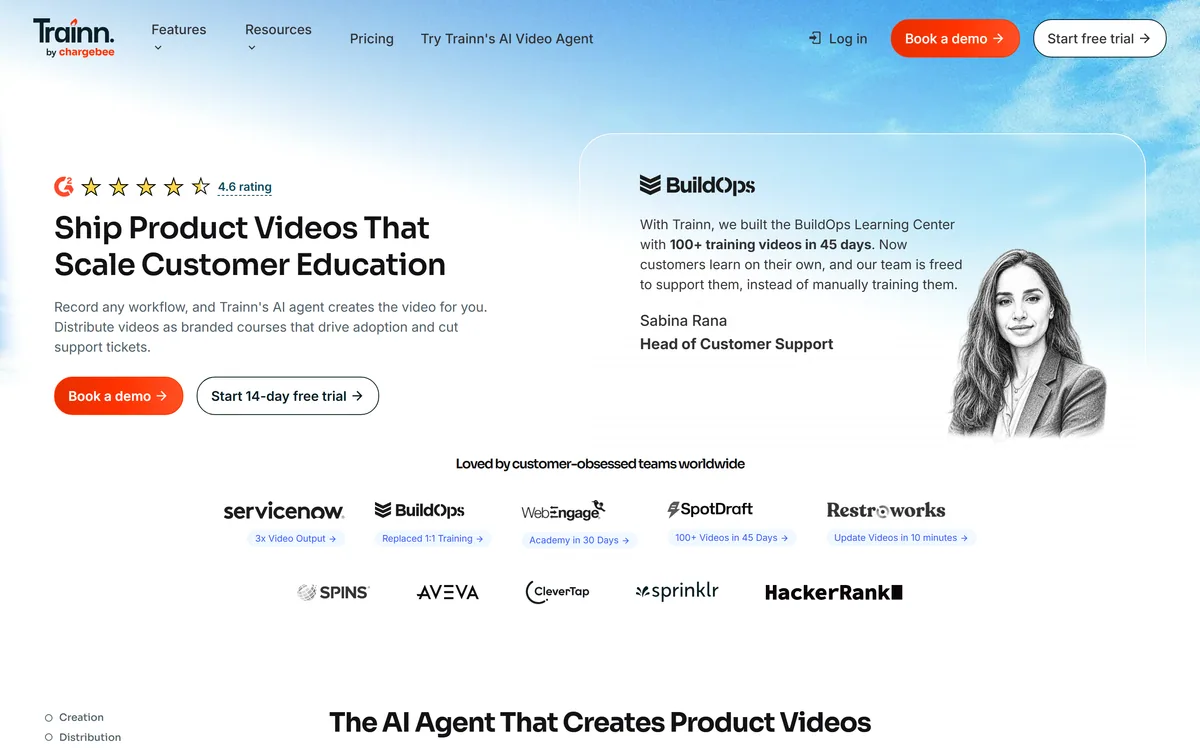
Trainn turns screen recordings into edited product videos through an AI agent, then distributes them as in-app tutorials, a searchable knowledge hub or a branded academy, with unified analytics and GDPR, SOC 2 Type 2 and ISO 27001 certifications.
| Category | Customer education platform for software companies |
|---|---|
| Creation | An AI agent editing screen recordings into finished product videos |
| Narration | Rewritten for clarity, or generated where you stay silent |
| Voices | Stated as 100-plus voice styles and languages |
| Updates | Recordings split into clips so a single clip can be swapped and re-narrated |
| Distribution | Links and embeds, in-app tutorials, knowledge hub and an academy LMS |
| Analytics | Engagement tracked across all channels in one dashboard |
| Audiences | Customer success, enablement, support, documentation and product teams |
| Rating shown | 4.6 |
| Certifications | GDPR, SOC 2 Type 2 and ISO 27001 |
| Named results | A customer stating 100-plus training videos built in 45 days |
| Location | An address in Bethesda, Maryland, with an AI governance page in the footer |
The proposition is stated as shipping product videos that scale customer education: record any workflow, and the AI agent creates the video for you.
The mechanism described is specific — the agent understands the context, edits for quality, adds visual effects and produces a finished video in minutes, either rewriting the narration you recorded or voicing it if you stay silent.
The gap this addresses is familiar to anyone who has tried to produce product videos internally. The recording takes ten minutes. The editing takes three hours, and it is skilled work nobody in a customer success team was hired to do.
So the video does not get made, and a customer success manager explains the same feature on a call for the fortieth time instead.
That is the actual economics: the alternative to a product video is not a worse video, it is a person repeating themselves indefinitely. One named customer describes exactly that displacement — building a learning centre of 100-plus videos in 45 days, after which customers learn on their own and the team supports rather than trains them.
The alternative to a product video is not a worse video. It is a customer success manager explaining the same feature on a call for the fortieth time.
This is the feature to evaluate the product on: the agent splits your recording into clips, so you swap an old clip for a new one and the agent rewrites the narration and re-syncs it with the rest.
Anyone who has maintained a video library will recognise why that matters more than anything else on the page.
Product videos rot. You ship a redesigned settings page and every video showing the old one is now wrong — not slightly out of date, but actively misleading, walking customers through buttons that have moved. The whole video needs refilming for one changed screen, and the person who made it has other work.
So it stays wrong, and support tickets arrive from customers following your own documentation.
A clip-level update model changes the economics of maintenance rather than creation, and maintenance is where these libraries actually die. The stated turnaround of updating videos in ten minutes is the claim that would make a library sustainable, and it is the specific thing to test in a trial. Tools like Trupeer occupy the same space, and this is the axis worth comparing them on.
Software changes continuously and training content does not, which produces a library that is progressively wrong in ways nobody has audited.
The failure is structural rather than negligent. Documentation and video are owned by teams whose priority is producing new content, not revisiting old content, and there is no trigger connecting a product release to the material that describes it.
A release note goes out; the eighteen videos showing the affected screen are not on anyone's list.
The damage compounds quietly. A customer following an outdated tutorial concludes either that the product is broken or that they are doing something wrong, and both conclusions generate a support ticket that costs more than the update would have.
Worse, they learn that your documentation cannot be trusted, after which they stop consulting it and contact support first — permanently increasing the load that the education programme existed to reduce. The one-click translation feature mentioned for support teams matters for the same reason: content in a language a customer does not read is functionally missing.
Distribution is presented as four surfaces: links and embeds, in-app tutorials, a searchable knowledge hub, and a branded academy with structured courses and certification.
Splitting them is right, because they serve genuinely different moments.
In-app tutorials reach the user at the point of confusion, which is the highest-value moment and the hardest to serve — a user stuck on a screen will not go looking for a video. Embedding help where the problem occurs, without engineering involvement, is the practical unlock there.
The knowledge hub serves the user who is searching, and the academy serves the user who has decided to learn the product properly, usually during onboarding.
The academy is also where certification lives, and certification does more than it appears to. A certified administrator has invested personal effort in your product, which raises switching costs and creates an internal advocate — which is why enterprise software vendors run certification programmes at all. The stated benefit that every update reflects instantly across every shared location is the operational payoff of one library with many surfaces. Documentation-led tools such as Clueso approach the same problem from the written side.
Analytics are described as tracking engagement across the knowledge hub, academy and in-app content from one dashboard — no spreadsheets, just insights.
Unified measurement is the part most customer education programmes never get to, and its absence is why they are hard to defend at budget time.
Content teams can usually report what they produced. What they cannot report is whether it changed anything: did ticket volume fall on the topics covered, did activation improve, did customers who completed the academy renew at a higher rate.
Those are the questions an executive asks, and answering them requires connecting training engagement to outcomes rather than counting views.
One dashboard across every surface is a necessary step toward that, and it is not sufficient on its own — the outcome data lives in your support and product systems, so the connection is still yours to make. The audience framing on the site is honest about the political reality: one goal, customer training, delivered by five different teams. That is the actual organisational problem, since customer success, support, documentation, enablement and product all produce overlapping material and none owns it. The security set — GDPR, SOC 2 Type 2 and ISO 27001 — is the appropriate answer to the procurement question that follows. Syllaby covers the planning side for teams whose bottleneck is deciding what to make.
An academy fails by being launched complete and then never updated, which is worse than not having one.
This order builds something maintainable.
AI agent editing screen recordings into product videos
Narration rewriting and generated voiceover
Clip-level updates with automatic re-narration
In-app tutorials without engineering work
Searchable knowledge hub
Branded academy with structured courses
Step-by-step and interactive guides
Unified engagement analytics across surfaces
Customer education tools differ by how much of the loop they own.
| Tool | Covers | Update model | Best for |
|---|---|---|---|
| Trainn | Creation, distribution and analytics | Swap a clip, re-sync narration | Maintaining a library over years |
| Trupeer | Product video creation | Re-record or re-edit | Fast video from a recording |
| Clueso | Videos and written docs | Regenerate from source | Documentation alongside video |
| Syllaby | Content planning and production | Per asset | Deciding what to make |
| A dedicated LMS | Distribution and certification | You supply content | Formal training programmes only |
Other tools for teaching customers to use a product.
Last checked . Read from trainn.co in a browser session on the date above, with the screenshot captured at the same time.
What we could not confirm: how well the clip-swap update flow works in practice, which is the feature the product rests on; how the 4.6 rating and customer figures were derived; what the AI governance page commits to; which capabilities require which plan; and pricing. We did not record a video or build an academy.
The most valuable feature in Trainn is the least impressive-sounding one: the agent splits a recording into clips, so when your interface changes you swap one clip and the narration re-syncs rather than refilming the video. That single capability is why customer education libraries decay, and fixing it is worth more than any generation feature. Pairing creation with distribution — in-app, knowledge hub, academy — and unified analytics addresses the other half, which is that most training content is made and then never measured. AInexfinder Editor Score: 4.2/5.
AInexfinder does not list plan prices or billing details. For current pricing, plans, and trials, visit the official Trainn website.
Visit official website for pricingVendor pricing, credits, and billing policies change over time. Always confirm on the official site before you buy.
Log in to write a review.
No reviews yet. Be the first to share your experience with Trainn.
Assigned reviewer
Daniel ReedSenior AI Tools Reviewer
Daniel reviews AI tools the slow way — by actually using them on real projects. His reviews cover what works, what breaks, and who each tool is genuinely a good fit for.
Daniel and the AInexfinder editorial team research Trainn using public product information, listing evidence, and (when available) hands-on checks. Scores reflect listing completeness and transparency — not paid placement.
Descript is a video and audio editor that works by editing a transcript — delete a sentence and the footage goes with it — plus Studio Sound, Eye Contact, filler-word removal, AI voices, avatars, and the Underlord assistant.
Vibrantsnap is an AI tool that turns a rough screen recording into a polished walkthrough: it rewrites your narration, reads it in a studio voice in any language, and auto-edits the video with zooms, chapters and captions.
Kapwing is a browser-based video studio combining a timeline editor, subtitler, audio editor and dubbing into 40+ languages with AI tools including Smart Cut, Trim with Transcript, B-Roll Generator, Clip Maker and Character Consistency. Made in San Francisco.
BlipCut translates and dubs video into more than 140 languages with AI lip synchronisation, so translated speech aligns with the speaker's mouth. It also clones voices in 29 languages, offers 600+ voices across 40+ languages, and generates, translates and edits subtitles from uploads or YouTube links.
VEED is an AI video-creation platform that takes an idea to a finished social video in the browser, bundling generation, AI avatars, subtitles, dubbing, clean audio and a brand kit, plus access to frontier models like Sora 2, Veo and Kling.
BIGVU is an AI personal-branding video platform with a teleprompter, AI avatars and voice cloning, auto-editing (caption, filler removal, eye-contact correction), and one-click social posting, aimed at realtors, coaches and marketers, with synthetic-media features that carry likeness and consent considerations.